VISUINO + PICSIMLAB (SENDING HELLO TO MQTT SERVER) USING SHIELD W5500
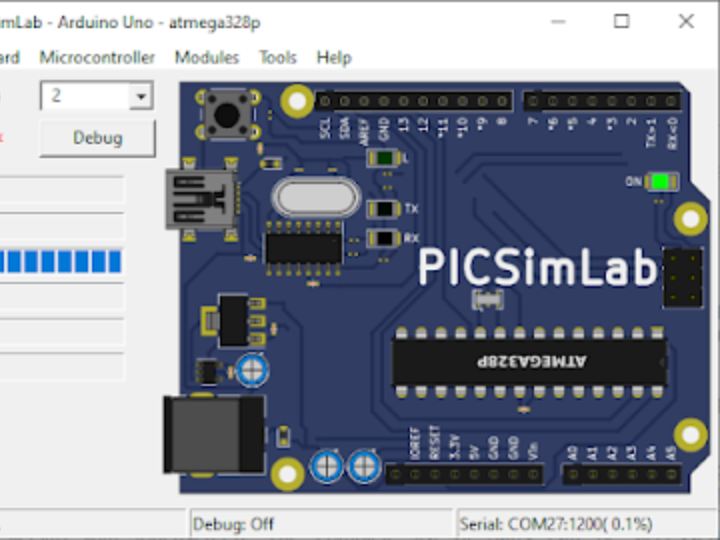
PICSimLab is a realtime emulator of development boards with MPLABX/avr-gdb debugger integration
8
Components
Hardware components
WIZnet - W5500
x 1

Project description
PICSimLab is a realtime emulator of development boards with MPLABX/avr-gdb debugger integration. PICSimLab supports microcontrollers from picsim, simavr, uCsim, qemu-stm32, qemu-esp32, and gpsim. PICSimLab has integration with MPLABX/Arduino IDE for programming the microcontroller's boards. As the purpose of PICSimLab is to emulate real hardware it does not have any source code editing support. For code editing and debugging the same tools used for a real board should be used with PICSimLab, such as MPLABX, Arduino IDE, or VSCode with PlatformIO.
PICSimLab supports several devices (spare parts) that can be connected to the boards for simulation. Such as example LEDs and push buttons for simple outputs and inputs and some more complex ones like the ethernet shield w5500 for internet connection or the color graphic display ili9340 with touchscreen. The complete list of parts can be accessed in the documentation.
Arduino W5500 Shield
The Arduino Ethernet Shield 2 connects your Arduino to the internet in mere minutes. Just plug this module onto your Arduino Board, connect it to your network with an RJ45 cable (not included) and follow a few simple steps to start controlling your world through the internet. As always with Arduino, every element of the platform – hardware, software and documentation – is freely available and open-source.

Here the Project

Adding the W5500 Shield to Arduino Uno


Setting the TCP Client Socket to the MQTT BROKER

broker.hivemq.com1883
Adding the W5500 on PICSIM LAB, choose Module-->Spare Parts


