How Does KinCony T64M Connect 64 Inputs and 64 Outputs to W5500 Ethernet?
KinCony T64M maps 64 inputs and 64 MOSFET outputs to Home Assistant over its W5500, using KCS with MQTT discovery or ESPHome with the native API.
0
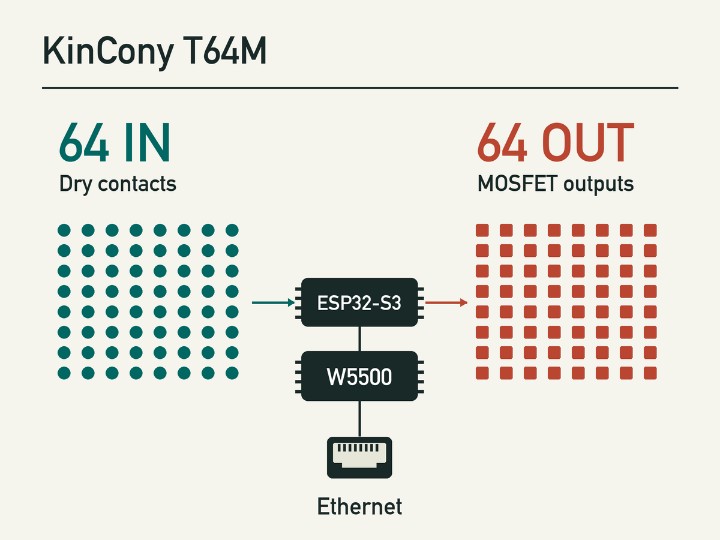
Components
Hardware components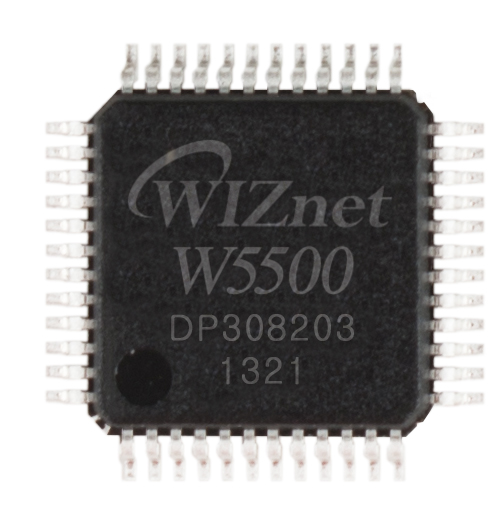
WIZnet - W5500
x 1

Onboard W5500 connects by SPI to the ESP32-S3. The network classification applies to the published ESPHome configuration.
Project description
From a contact closure to Home Assistant
KinCony T64M gives a control cabinet 64 optically isolated dry-contact inputs and 64 MOSFET outputs behind one WIZnet W5500 Ethernet interface. A building integrator can bring a panel of contact switches into Home Assistant over one LAN cable and switch individual DC outputs from an automation. The local terminals and I/O expanders handle the field wiring. KinCony, a manufacturer in Hangzhou, China, packages the ESP32-S3 controller in a DIN-rail enclosure and includes an RS485 port for field devices. Product details and photos · Company details
How does one MCU address 128 channels?
KinCony assigns four 16-channel PCF8575 expanders to inputs and another four to outputs. The input bank and output bank use separate I2C buses, so the firmware can reuse the same chip addresses in both banks. The W5500 has its own SPI connection to the ESP32-S3. In the board configuration, for example, GPIO41 selects the Ethernet chip while GPIO2 carries its interrupt. KinCony publishes a close-up of the actual chip alongside the board documentation. Board configuration · W5500 photograph
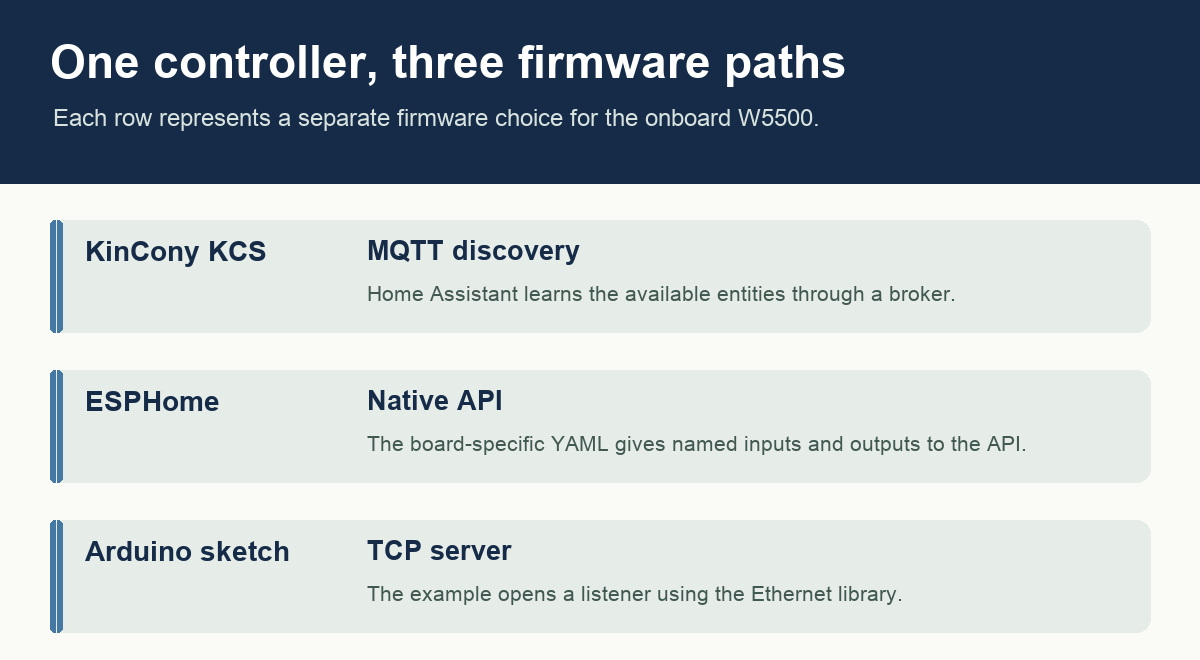
The firmware installed on the controller determines how a client reaches the channels.
Which firmware should an integrator start with?
The factory KCS firmware offers MQTT discovery. Connect it to a broker used by Home Assistant and discovery can advertise the entities. An installer who manages devices in ESPHome can instead flash the T64M configuration. Its YAML names the channels individually and enables the Home Assistant native API. For an application that speaks plain TCP, KinCony also publishes a standalone Arduino server sketch using the Ethernet library. These are three separate firmware paths. KCS guide · ESPHome configuration · Arduino TCP example
What is available to buy and maintain?
KinCony lists the base T64M at USD 300. The controller was already documented in 2025, and the November 2, 2026 KCS v3.27.4 release includes a T64M-specific download. For a first panel check, follow one numbered input from the terminal to its named entity, then verify the intended output channel and its load rating against the board documentation. The model-specific pin map and firmware download keep that check tied to the T64M. Store listing · Firmware release
Choose the cabinet hardware before the software
Consider a contractor replacing a collection of small input boards in a building control cabinet. Existing switches provide dry contacts, while the equipment to be switched uses DC circuits. The T64M gives the contractor two separate sets of terminals for those jobs. A dry contact closes an input circuit. A MOSFET switches an output electronically. Counting channels alone can hide that distinction when comparing a transistor board with a relay controller. The shop lists the board supply as 12 to 24 V DC and the enclosure as 200 by 83 by 56 mm. Those numbers give a panel designer a starting point for enclosure space and supply planning. Product specification and terminal photos
The output driver specification deserves a separate check. KinCony describes the driver IC used for each output as a 4 A maximum part. Multiplying that figure by 64 would give no useful rating for an entire assembled panel. The proposed load, simultaneous duty, supply sizing and the ratings of the complete product matter when specifying a job. The product page also lists two voltage inputs, two current inputs and four 1-Wire connections. These provide expansion choices for a mixed cabinet, but the 64 dry contacts still represent discrete on/off states. A temperature transmitter with a current output belongs on the specified analog input. Electrical interfaces and bundles
Trace channel 17 through the controller
The vendor configuration provides a simple way to prove the mapping. Follow input 17 in the YAML. It appears as a binary sensor, maps to pin zero of the second input expander, and has inversion enabled. The board pin map puts that expander at address 0x24 on the input I2C bus. Now look up output 17. It is also in the second bank, but on the output bus, which has its own data and clock pins. This arrangement explains why identifying only an I2C address is insufficient when commissioning a panel with a repeated bank layout. The bus and the bit position complete the address. T64M pin map · Full ESPHome file
That example also separates the function of the network interface from the function of the field electronics. The W5500 exchanges Ethernet traffic with the ESP32-S3 over SPI. The ESP32-S3 runs the application that associates a network entity with an expander pin. Closing an input does not itself send a special W5500 command for channel 17. The firmware interprets the logical input and reports it through the application protocol selected for this installation. This separation lets an installer keep the cabinet wiring and choose between a broker-based service and a native API during commissioning. Board map · Firmware options
Put KCS into service on the wired LAN
For an installer using the supplied KCS environment, KinCony describes bringing the board and configuration computer onto the same local network and identifying the Ethernet address through its discovery tool. Opening that address leads to the board web interface. To use MQTT discovery, enter the broker address, port and credentials and enable the Home Assistant MQTT option. A sensible first acceptance test is to operate one labeled dry contact, check the corresponding input on the board, then check the matching entity in Home Assistant. The two observations separate a terminal or channel issue from a broker or discovery setting. KCS setup and MQTT guide
The same KCS manual describes output timing, interlock groups and local automation rules. For a panel specification, this raises a useful question about ownership of a control action. A local rule can reside on the controller, while a supervisory dashboard consumes reported changes through the broker. Record which side implements each action when commissioning a panel. That avoids duplicating a rule in two applications and makes later diagnosis easier. KCS also provides export and import for configuration settings. A service technician can keep a copy of the commissioned configuration alongside the terminal schedule and firmware version. Controller configuration and export
Understand what changes with alternative firmware
KinCony's ESPHome file explicitly selects the ESP-IDF framework and defines an Ethernet component of type W5500. The native API uses that network interface, while the switch and binary-sensor components represent individual channels. A useful setup artifact is the mapping between the printed terminal label, the entity named in this YAML and the label presented to a building operator. For example, a switch labeled for a particular room should still have a recorded association with the numbered physical terminal. The next installer can then locate the correct circuit even after someone changes the friendly name in the dashboard. ESPHome model configuration
The separate Arduino example shows how a custom application can exchange data with this board over a wired TCP socket. The sketch resets the chip, initializes SPI and the Ethernet library, sets a static address and listens for a TCP client on port 4196. Its application behavior is to send received bytes back through the server. That makes it a small check of LAN addressing and the W5500 socket path. A developer building a channel-control service would still need to define the command format and map it to the physical outputs. The static IP and MAC in the example are demonstration values and need to suit the intended network. T64M TCP server example
Select the release and bundle for the job
The vendor publishes model-specific firmware files together in a shared KCS release. The T64M filename is therefore a more reliable check than a version number alone. The November 2 release notes mention GPIO expander detection and Modbus sensor fixes across the product family. They also list changes for hardware in other series. A commissioning record should pair the selected T64M image with the product model and identify which firmware path was tested. That information becomes important when an installer inherits a board that looks the same physically but runs ESPHome or a custom sketch. KCS release and model downloads
For procurement, the store distinguishes the standalone T64M from a bundle that adds a USB-C cable and power supply. The W5500 and its LAN connector are on the board in either case. A buyer can use the model pin map, cabinet dimensions, terminal photos and configuration file to review a proposed installation before choosing the accessory bundle. The practical value of the reference is that the buyer can trace one actual channel from terminal to application in advance. Order options · Model-specific pin assignments
Which related controller covers mixed I/O?
The T64M concentrates on banks of contact inputs and transistor outputs. KinCony also offers an AIO Hybrid for installations that need analog signals and manual relay controls. KinCony AIO Hybrid on WIZnet Maker
For a new panel design based on the same Ethernet controller, compare the T64M pin map with the W5500 SPI interface and RJ45 reference schematic. The former describes this board, while the latter provides a starting point for a different layout. W5500 hardware design resources
FAQ
Q. Is the W5500 an add-on? The T64M ships with the chip on the main board and an RJ45 LAN connector.
Q. What goes on the input terminals? The manufacturer specifies dry contacts and provides optocoupler isolation on the input side.
Q. How are the outputs switched? Each output uses a MOSFET driver. Check the intended DC load against the electrical specifications.
Q. Does the ESPHome example need an MQTT broker? It enables the native API, so Home Assistant can connect directly.
Q. Where is the board-specific setup file? KinCony publishes a T64M YAML attachment covering the W5500 pins, expander addresses and individual channel names. Download the configuration
Documents
-
T64M product listing and gallery
Current product, construction, field I/O and integration options.
-
T64M pin map
Board-specific W5500 and controller connections.
-
T64M ESPHome configuration
Exact YAML with Ethernet configuration, I2C banks and Home Assistant native API.
-
T64M Arduino TCP server
Separate Arduino Ethernet library implementation.
-
KCS v3 firmware guide
MQTT discovery and the factory firmware commissioning workflow.
-
KCS v3.27.4 release
The November 2, 2026 release includes a T64M image.
-
W5500 chip photograph
Vendor close-up of the physical Ethernet chip on the product.


