Where Does the W5500 Fit in the Deye GB-W Battery Monitoring System?
Deye identifies the W5500 in a GB-W fault code. Its power distribution unit has separate connections for web monitoring, inverter data and local setup.
0
Components
Hardware components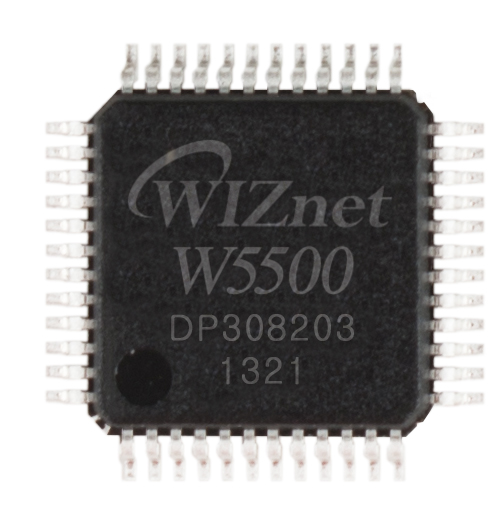
WIZnet - W5500
x 1

GB-W manual V05 identifies W5500 SPI communication fault F055 on printed page 54.
Project description
An Ethernet controller in an indoor battery system
If a Deye GB-W reports fault F055, the service manual identifies the failing communication path as the SPI link to the W5500. Turn back to the illustrations of the GB-W-PDU-2 power distribution unit and the same manual shows a wired port labeled TCP for remote web monitoring. Together, these details explain where Ethernet enters an indoor energy storage system that also needs to communicate with an inverter and a service technician.
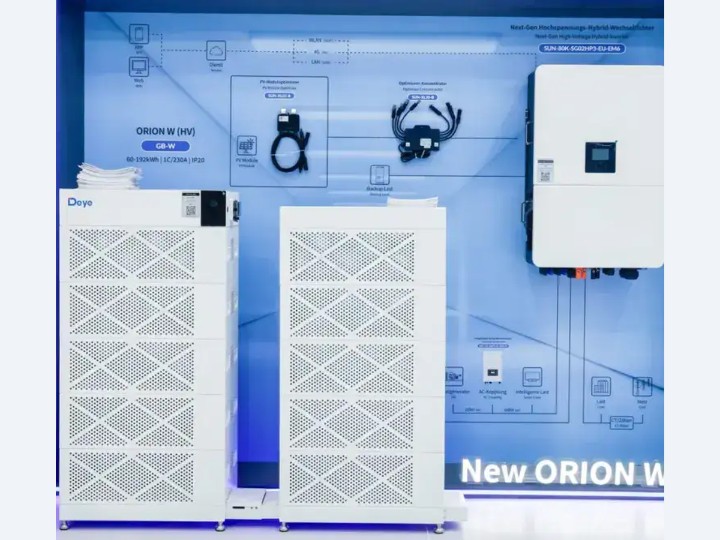
Ningbo Deye ESS Technology Co., Ltd., a Chinese energy storage manufacturer, makes the GB-W for commercial and industrial sites. At The smarter E Europe in Munich in June 2026, Deye introduced it as an indoor system for places such as office buildings where equipment space is limited. The exhibition photograph shows the assembled battery stacks beside power conversion equipment. That view makes it easier to recognize parts that appear separately in the catalog. See the indoor system in the Deye exhibition report.
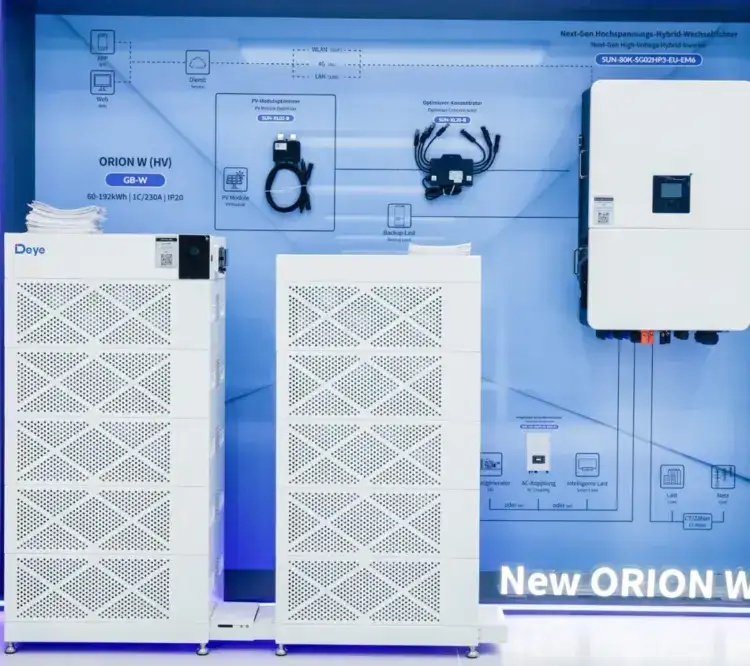
The ORION W display at The smarter E Europe in Munich. Photo: Deye.
A facilities engineer evaluating the system has two practical questions. How much energy will the chosen battery configuration store? How will an operator see its status once the equipment room is closed? Deye answers the first with a series of stack configurations and the second with a combination of local and remote interfaces. The power distribution unit, or PDU, is the part to look at when moving from the battery capacity table to the monitoring design.
Read the capacity label before comparing prices
Deye builds the series around a 12.03 kWh lithium iron phosphate battery module. Five modules in series give the GB-W60 a nominal 60.1 kWh of energy at 256 V. Ten give the GB-W120 120.3 kWh at 512 V. Sixteen give the GB-W192 192.5 kWh at 819.2 V. These are specified system values. How long a site can run from a charged battery also depends on its load, the permitted discharge range and losses in the equipment converting power for the building. Deye GB-W specifications.
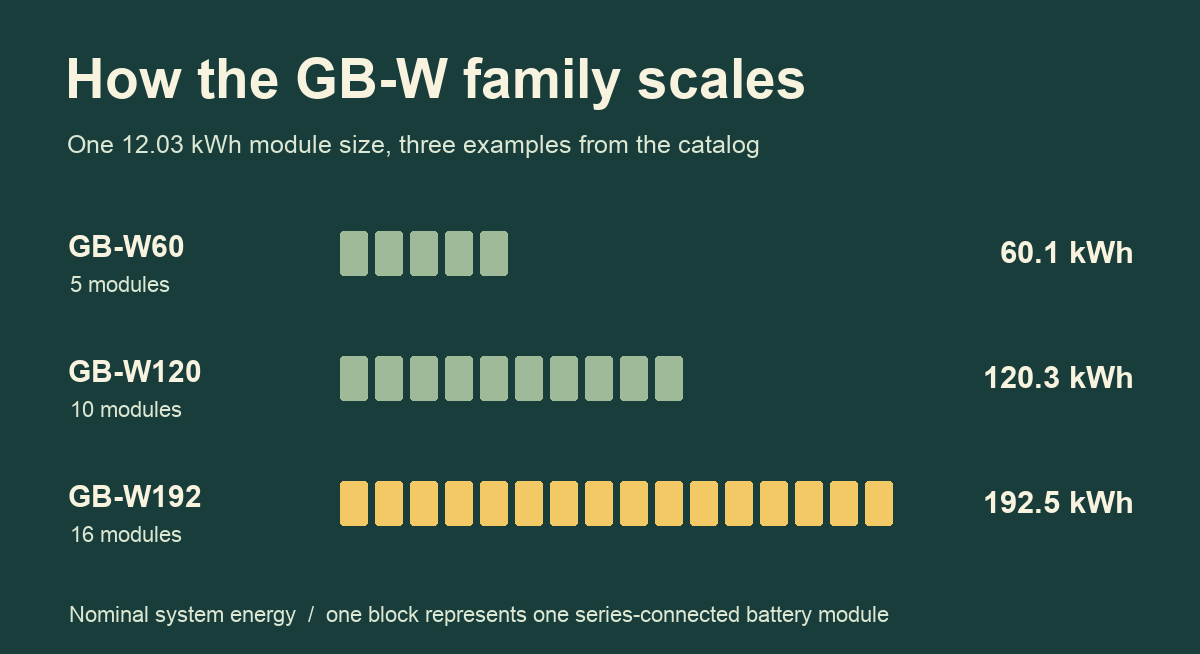
Three configurations in the GB-W catalog. Each block in this diagram represents one battery module.
The ordering codes answer different questions. GB-W120 describes a system size. GB-W-Pack12-2-A3 names an individual pack. GB-W-PDU-2 names the control and distribution unit. An installer collecting quotes needs the battery configuration, the PDU and the compatible power conversion equipment itemized separately. This distinction matters when one search result shows a six-figure energy capacity in watt-hours and the next shows a price for a single control box.
The ORION W solution brochure shows compatible Deye hybrid inverters in the 30–125 kW range and 100/125 kW power conversion equipment. The different units are meaningful. Kilowatts tell the integrator how quickly a system can supply or absorb power. Kilowatt-hours describe stored energy. The brochure gives one GB-W120 battery pairing at 80 kW and another at 100 kW. A building owner asking for 120 kWh of storage has therefore supplied only one of the numbers needed to choose a system. Deye ORION W solution brochure, configuration table on PDF page 7.
Four communication paths on the PDU
Imagine a technician standing beside a newly installed system while an operator works elsewhere in the building. The technician can use Bluetooth and a mobile app for nearby commissioning, configuration and fault diagnosis. For the operator, Deye assigns remote web monitoring to the port labeled TCP. At the PDU itself, a display provides state of charge and an error code. Someone asking for the latest battery status may therefore be looking at an appliance display, a nearby phone or a remote screen. It helps to say which one.
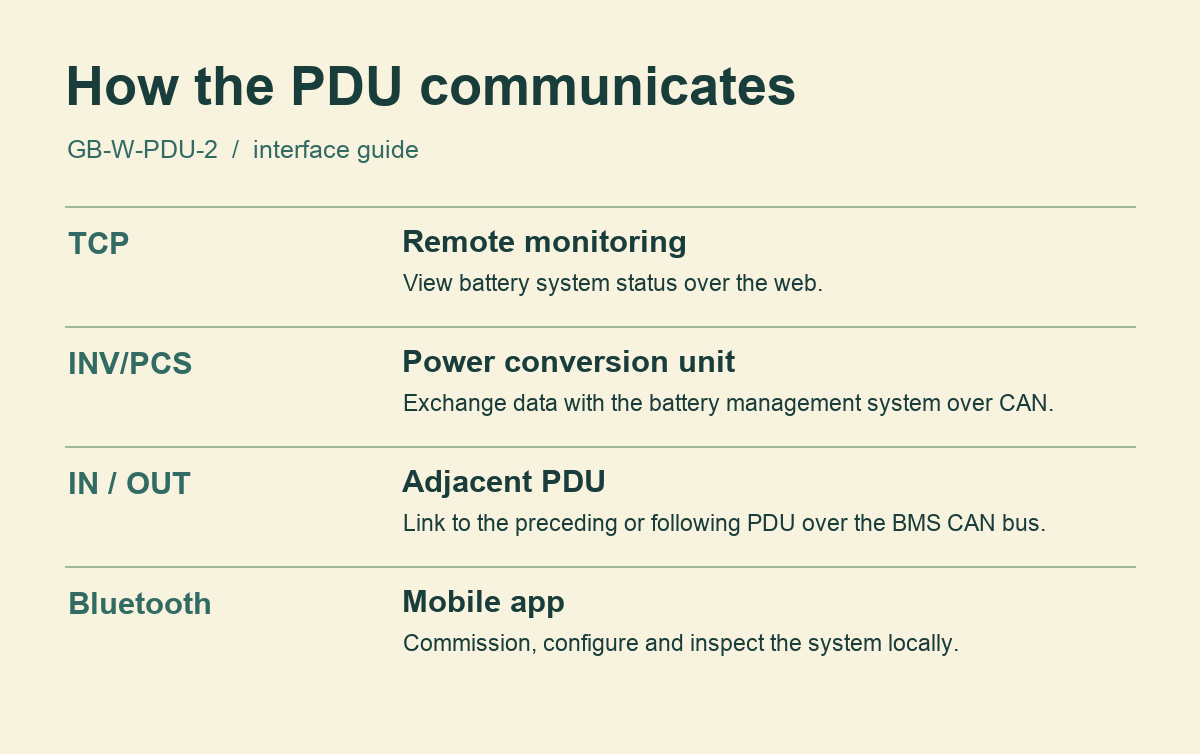
Interface guide drawn from the English manual. View the original panel illustration and pin assignments on printed pages 8–10 of the GB-W manual.
A third path, marked INV/PCS, lets the battery management system exchange data with the power conversion unit. The pin table identifies a CAN pair there. CAN is a bus that lets controllers exchange short messages over a shared link. Here the two ends have identifiable jobs. The battery management system supervises the battery and the conversion equipment handles the transfer of electrical power. The communications cable carries information between them. The battery terminals carry the electrical power.
The fourth path appears as a pair of ports marked IN and OUT. The labels refer to the preceding and following PDU in a multi-system arrangement. The pin table identifies battery management CAN signals on both. Someone documenting an installation can label the cables with the names of their destinations, such as the inverter, the neighboring PDU or the monitoring network. Those names remain intelligible to the person servicing the site later, even if several connectors look alike.
What the W5500 fault tells a service engineer
The W5500 is an Ethernet controller with a 10/100 Ethernet interface and a serial peripheral interface, usually shortened to SPI. SPI is the local connection through which a host processor talks to the chip. On the other side of the chip sits the Ethernet network. Deye gives this distinction a practical consequence by assigning F055 specifically to communication with the W5500 over SPI. The error points an engineer to a particular internal interface. An unavailable browser page by itself provides much less information. Deye fault table, printed page 54.
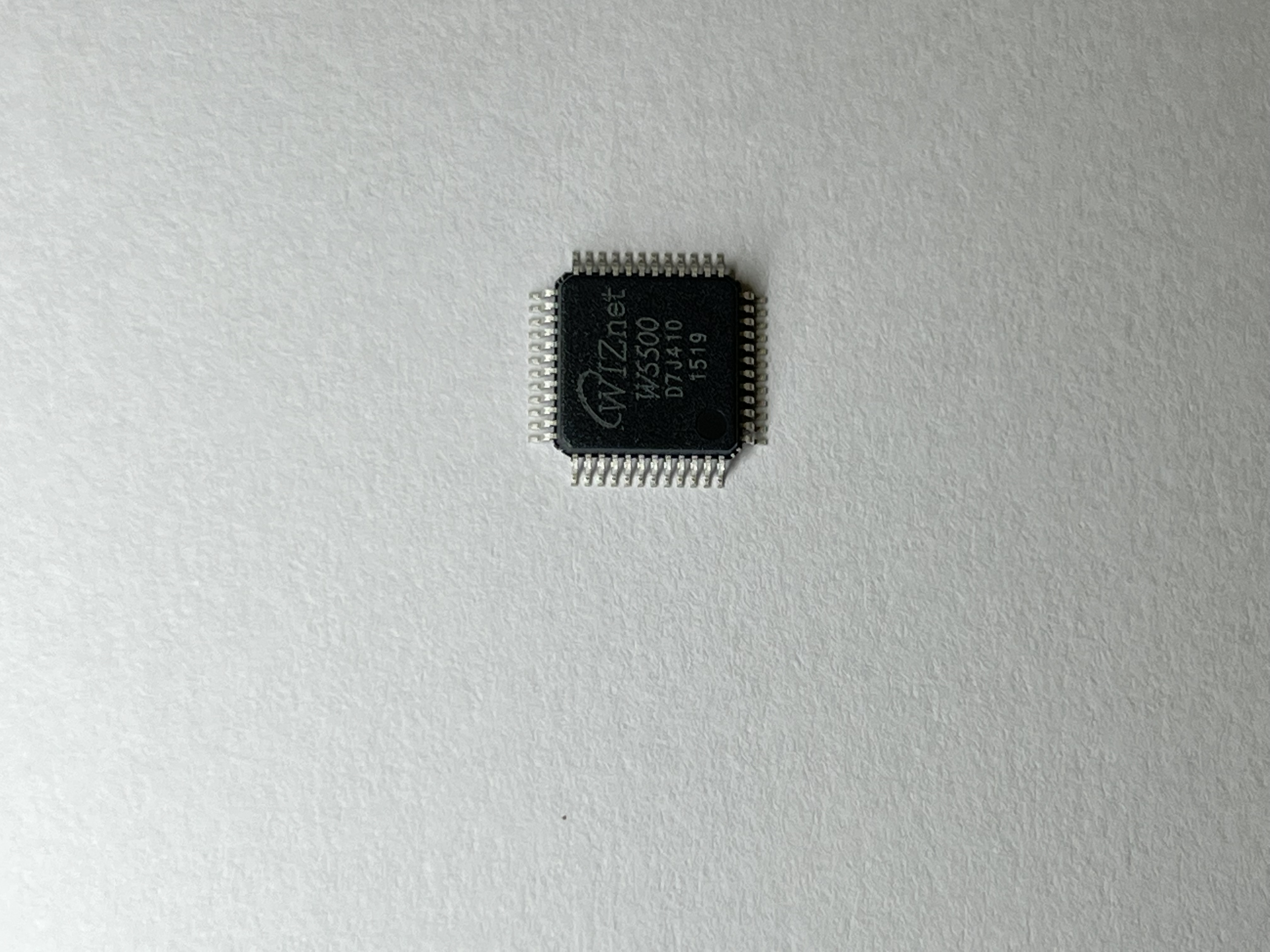
The W5500 pictured separately from the Deye PDU. Photograph by Wiznethk, CC BY-SA 4.0.
For example, an operator calling support can report the model, the exact code visible on the PDU and which view of the system was still accessible. A technician who can read a local display has one source of information even when the operator cannot reach the remote view. Conversely, a report that the remote view stopped updating says little about which internal transaction failed. Recording observations separately helps the equipment supplier match a field report to the diagnostic table without guessing at a cause.
WIZnet documents hardware TCP/IP sockets as a feature of the chip. Deye identifies the chip in its service material, but its public documents leave the host processor, Ethernet driver and socket configuration unspecified. The PDU port table describes the external monitoring function. The diagnostic table identifies the W5500 on the internal SPI interface. A developer seeking to reproduce the firmware architecture would still need a software reference or a circuit diagram from Deye. WIZnet W5500 technical documentation.
What an integration team can establish before purchase
The system specification lists CAN, RS485 and Modbus RTU. Modbus RTU is a message format commonly used on a serial bus. The TCP label on the monitoring connector identifies a different layer of communication. A Modbus TCP client needs a specifically supported service with defined addresses and data meanings. A web status page alone gives that client none of those details. For a building management integration, a precise question for Deye is which interface provides the required measurements and whether an applicable protocol or register guide is available for that PDU revision.
There is a separate commercial question about what a buyer receives. On November 19, 2026, SolarGear listed the GB-W-PDU-2 at an indicative €941.18, excluding VAT and pallet shipping. The seller identifies the item as a control box and provides a quotation or purchase route. The amount covers the PDU. Battery modules, conversion equipment and site work need their own lines in the project budget. SolarGear PDU listing.
For an integrator preparing a customer demonstration, the two most useful documents serve different audiences. The configuration examples in the ORION W brochure let the customer compare stored energy and power conversion options. The port drawing in the user manual lets the commissioning team identify who needs access at the cabinet, where remote monitoring connects and which interfaces tie the equipment together. With those two pages open, the team can settle the scope of the proposed system and ask targeted questions about any third-party software it plans to use.
A practical handover can capture three acceptance items. The installer can demonstrate the selected local viewing method at the cabinet, the operator can identify where to read remote status, and the building controls team can document how it will obtain each measurement it needs. This puts a named user and a visible result next to each interface in the equipment schedule.
Deye also documents W5500 diagnostics for a separate storage model, the GE-F128. For a site with both products, use the service table and port drawing for each model when documenting an alarm. GE-F128 diagnostics on WIZnet Maker
FAQ
Q. Which part number should I use to find the PDU? Look for GB-W-PDU-2. The GB-W60 through GB-W192 labels identify battery system configurations.
Q. What identifies the W5500 in the GB-W? The manufacturer lists fault F055 for an SPI communication failure involving the W5500. The English fault table is on printed page 54 of manual V05.
Q. How does the PDU exchange data with the inverter? The INV/PCS connection has CAN signal pins. The separate TCP port provides remote monitoring access.
Q. Can I assume a third-party Modbus TCP client can read the PDU? The published system specification names Modbus RTU. Ask Deye for the supported external interface and data map for the measurements your application requires.
Q. Where can I see the actual equipment? The indoor commercial storage section of the Munich exhibition report shows the GB-W at the event. The October manual shows the specific PDU from three angles and identifies its external interfaces.
Documents
-
Deye GB-W battery family and ordering inquiry
Manufacturer specifications for 5 to 16 battery modules and document downloads.
-
Deye GB-W user manual V05
PDU on printed pp. 8–10, communication standards on p. 50 and W5500 fault F055 on p. 54.
-
Deye ORION W solution brochure
System ordering codes, cloud and local monitoring options, and battery and power-converter pairings.
-
Deye GB-W exhibition photographs
Manufacturer photographs from the Munich event. See the indoor commercial and industrial section.
-
SolarGear GB-W-PDU-2 commercial listing
PDU price, quotation and purchase routes. Price applies to a control box.
-
WIZnet W5500 overview
SPI host interface, integrated Ethernet and chip capabilities.


