How to test the W5500 Linux driver
How to test the W5500 Linux driver
0
Components
Hardware components
WIZnet - W5500
x 1

Project description
How to Test the W5500 Linux Driver
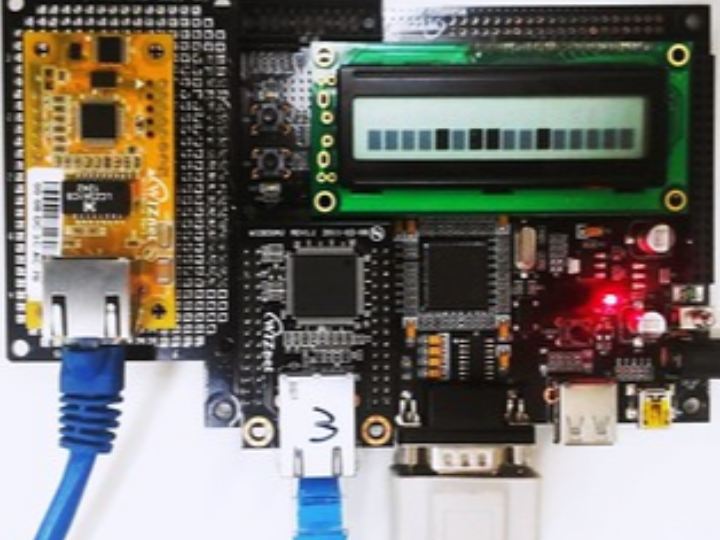
Background: The W5500 Linux driver was connected via the L4 connector on the W5300E01-ARM board. Serial Port connections were established with a PC, enabling log viewing and downloading of the Linux driver module w5500.ko via Zmodem. The kernel could be downloaded via the WIZ830mj (a module based on W5300 with an Ethernet port marked as number three) during the bootloader phase. Post-boot, packet transmission and reception were handled through the WIZ550io’s Ethernet port.
Kernel Download on Target Board: With the Raspberry Pi connected to a PC’s Serial terminal, power on the board and enter the bootloader within three seconds by pressing Enter. Follow these steps to download the kernel to the target board:
#tftp 31000000 wizImage// DownloadwizImage(kernel image) to the target board.#nand erase 40000 3c0000// Remove NAND flash kernel area.#nand write 31000000 40000 2eb958// Write the kernel image to the NAND flash kernel area.#reset// Re-start.#login ID: root
Driver Module Download: Post-download of w5500.ko via Zmodem in the Serial terminal, the module can be loaded into the kernel as follows:
#rmmod wiznet// Remove W5300 Linux driver (default) module.#lsmod// Verify.#insmod w5500.ko// Insertw5500.komodule.#ifconfig wiz0 192.168.0.3// Set network IP address.
Ping Test:
- On the board side:
#ping 192.168.0.223// PC address. - On the PC side:
#ping 192.168.0.3// Target board address.
Using the Netloop in App: The network loopback program included in the driver code can be compiled and downloaded using Zmodem compatible with your Serial Terminal to the target board.
Compile: #arm-linux-gcc netloop.c -o netloop
Download Netloop by using Zmodem: Follow the terminal-specific instructions to download netloop to the target board.
Netloop Options:
-uUDP loopback mode.-tTCP loopback mode.-pPort number (Default 5001).-bSocket buffer size (Default 2048).
Execution Example: For TCP loopback: port number 5003, socket buffer size: 4096, $netloop -t -p 5003 -b 4096
For further guidance on porting, refer to the LinuxNote List-page, and for hardware setup, consult the hardware configuration in mach-W5300e-1.c as per the directory path of the target board settings file in Linux / arch / arm / mach-s3c2410 /.
Hardware Configurations in mach-W5300e-1.c:
- Configure SPI pins for W5500.
- Set IRQ (Interrupt Request) pins.
- Configure the reset pin.
- Set the virtual base addresses.
This guide is part of a series aiming to enable users to effectively use the W5500 with Raspberry Pi for real-time applications, ensuring hardware compatibility and efficient network communication.

