How Artificial Intelligence Can Automate Reading Your Water Meter In Home Assistant
How Artificial Intelligence Can Automate Reading Your Water Meter In Home Assistant
0
Components
Hardware components
WIZnet - W5500
x 1

Project description
OVERVIEW
This project uses AI-On-The-Edge-Cam (ESP32-S3 + PoE) to automatically read the digits/needle of legacy water/gas/electricity meters and send the readings to MQTT/REST/InfluxDB/Home Assistant. The board integrates a 2MP OV2640 camera, microSD, WS2812B backlight, PoE wired Ethernet (RJ45), and the firmware is based on AI-on-the-Edge-Device.
COMPONENTS
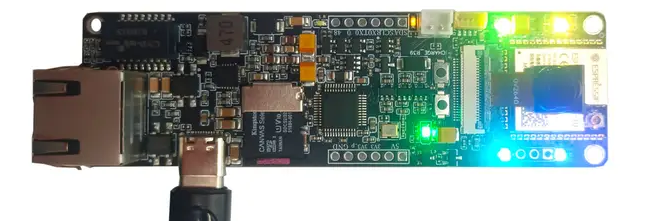
Hardware components
- ESP32-S3 AI-On-The-Edge-Cam board (camera/PoE/Ethernet/SD integrated) × 1
- WIZnet W5500 (SPI Ethernet; used in the PoE Ethernet design) × 1 (on-board; see schematic)
- OV2640 camera module × 1 (bundled with the board)
- microSD card × 1 (for local logs/images)
- PoE switch or PoE injector × 1 (single-cable power + data)
Software Apps and online services
- AI-on-the-Edge-Device firmware/docs (TFLite, Web UI, OTA, MQTT/REST, InfluxDB, Home Assistant)
- Home Assistant integration (MQTT discovery/custom integration)
- (Optional) InfluxDB (v1/v2), MQTT broker (e.g., Mosquitto)
- (For development) ESP-IDF (includes W5500 SPI-Ethernet examples)
PROJECT DESCRIPTION
Project Overview
Goal: Combine a low-power ESP32-S3 camera board with PoE to reliably read meter digits and fractional dial values on site (basements/meter rooms) and push them to servers (HA/DB).
Board highlights: 2MP OV2640, microSD, WS2812B backlight, Stemma QT (I²C), PoE RJ45. (≥ 4 MB PSRAM recommended)
Firmware highlights: TensorFlow Lite inference, inline image processing/ROI, Web UI, OTA, MQTT/REST, InfluxDB, Home Assistant integration.
Why WIZnet W5500? (Key Advantages)
ESP32-S3 lacks an internal Ethernet MAC, so wired networking needs SPI-Ethernet. W5500 integrates hardware TCP/IP (TOE) + MAC + PHY, enabling a stable wired link over SPI alone.
The board’s schematic uses W5500 and a PoE front end, allowing single-cable power + data.
ESP-IDF provides W5500 examples, so link-up/DHCP/ping are straightforward to validate.
System Architecture
[Meter (Digits + Dials)]
      │  (Image)
      ▼
[OV2640 Camera] → [ESP32-S3 + AI-on-the-Edge] → (SPI) → [W5500]
                                                      │
                                                (Ethernet/PoE)
                                                      │
                                    [MQTT / REST / InfluxDB / Home Assistant]
How It Works
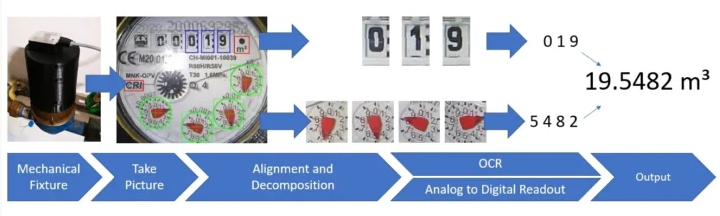
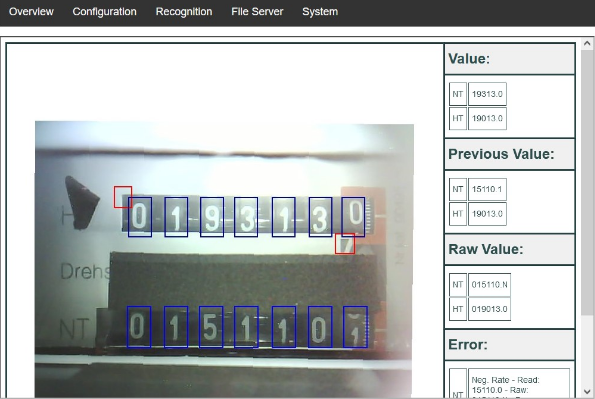
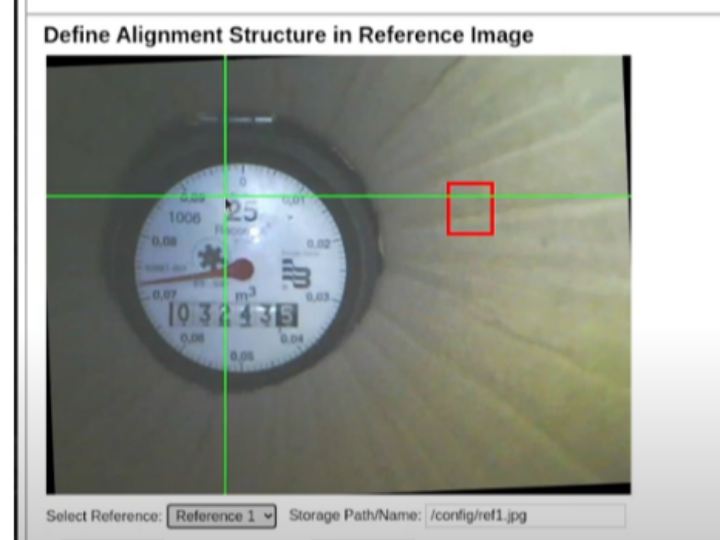
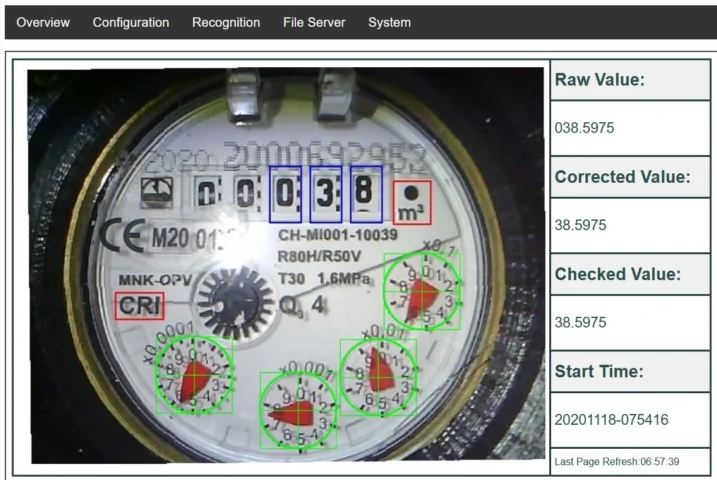
Calibration – Use the Web UI to define ROIs (digit window/sub-dial); stabilize exposure with the WS2812B backlight.
Inference – Lightweight TFLite models: digit classifier (main digits) + pointer regressor (needle angle → fractional value).
Post-processing / Transmission – Send results via MQTT/REST, log to microSD/InfluxDB, and auto-integrate with Home Assistant.
Operations – OTA for remote updates; PoE keeps power/network on a single cable.
What the video shows
The YouTube video (Uap_6bwtILQ) demonstrates automatic meter reading with AI/ML and Home Assistant integration—installation → ROI setup → data transmission → dashboard/automation flow.
Development Process & Key Challenges
Pin/bus allocation: Camera (parallel DVP), W5500 (SPI), and SD (prefer SDMMC 4-bit) all need high-speed I/O. Avoid SPI contention by giving W5500 a dedicated SPI and keeping SD on SDMMC where possible.
Lighting/exposure: Use the WS2812B backlight for consistent captures (night/dark meter boxes).
Network reliability: In RF-unfriendly spaces (basements/metal boxes), PoE wired Ethernet offers lower, more stable latency/jitter and resilience to interference (hardware TCP/IP + PoE).
Performance Benefits (W5500 wired vs. Wi-Fi only)
| Aspect | W5500 + PoE (wired) | Wi-Fi only |
|---|---|---|
| Latency/jitter | Low and stable | Environment-dependent, variable |
| Reliability | Minimal RF interference | Sensitive to building layout/congestion |
| Cabling/power | Single PoE cable (power + data) | Separate adapter + RF coverage needed |
| MCU load | Offloaded TCP/IP (TOE) | MCU handles networking stack |
Conclusion & Future Development
Conclusion: The ESP32-S3 + W5500 (PoE) + AI-on-the-Edge combo is well-suited for automated digitization of analog meters, delivering high reliability for continuous MQTT/REST/InfluxDB transmission and Home Assistant integration.
Next steps: Multi-meter management, alerts/outlier detection (spikes), webhooks/cloud analytics, refined image retention policies.
Bonus: Practical pin-mapping/config tips
Recommended buses: Camera on DVP, SD on SDMMC (4-bit), W5500 on a dedicated SPI to minimize contention.
In ESP-IDF, start from examples/ethernet/basic (W5500) to validate DHCP/ping, then add MQTT/REST integration.
If you want, I can also add a concrete ESP32-S3 ↔ W5500 pin map (with Kconfig) and a Home Assistant (MQTT) YAML example in the same format.


