How Does Rewired-S Use W5500 Ethernet for Local Solar Monitoring in Home Assistant?
Rewired-S uses the WiNet-S2 W5500 interface to expose Sungrow inverter data through local web, MQTT and Modbus TCP, with a new Ethernet recovery feature.
0
Components
Hardware components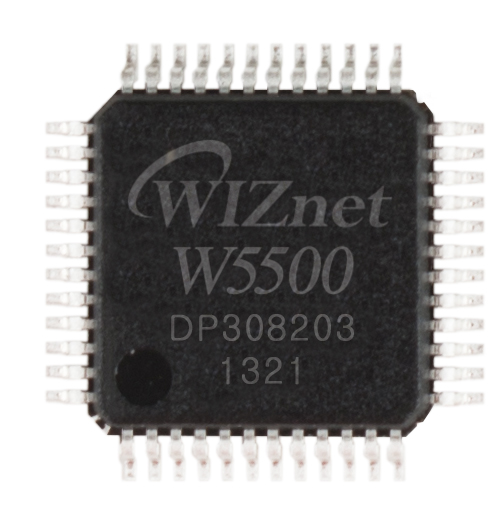
WIZnet - W5500
x 1

Existing WiNet-S2 Ethernet controller; the older WiNet-S uses different hardware.
Project description
Giving an existing solar dongle a local interface
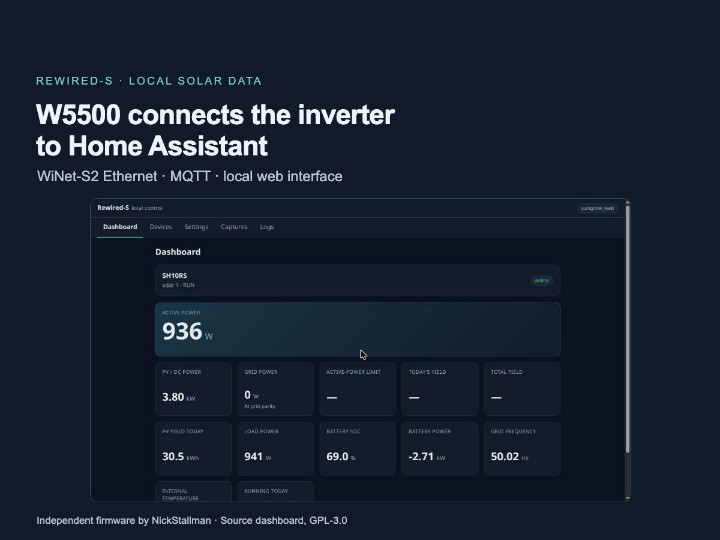
Rewired-S is independent, ESPHome-based replacement firmware for Sungrow WiNet-S and WiNet-S2 communication dongles. On the WiNet-S2, it uses the existing W5500 Ethernet interface to bring inverter readings to a local web dashboard, Home Assistant through MQTT, and Modbus TCP clients. Maintained by GitHub developer NickStallman, the project entered public alpha on October 31, 2026; its November 7 version 0.9.1 changelog adds recovery for a newly installed Ethernet build that cannot connect.
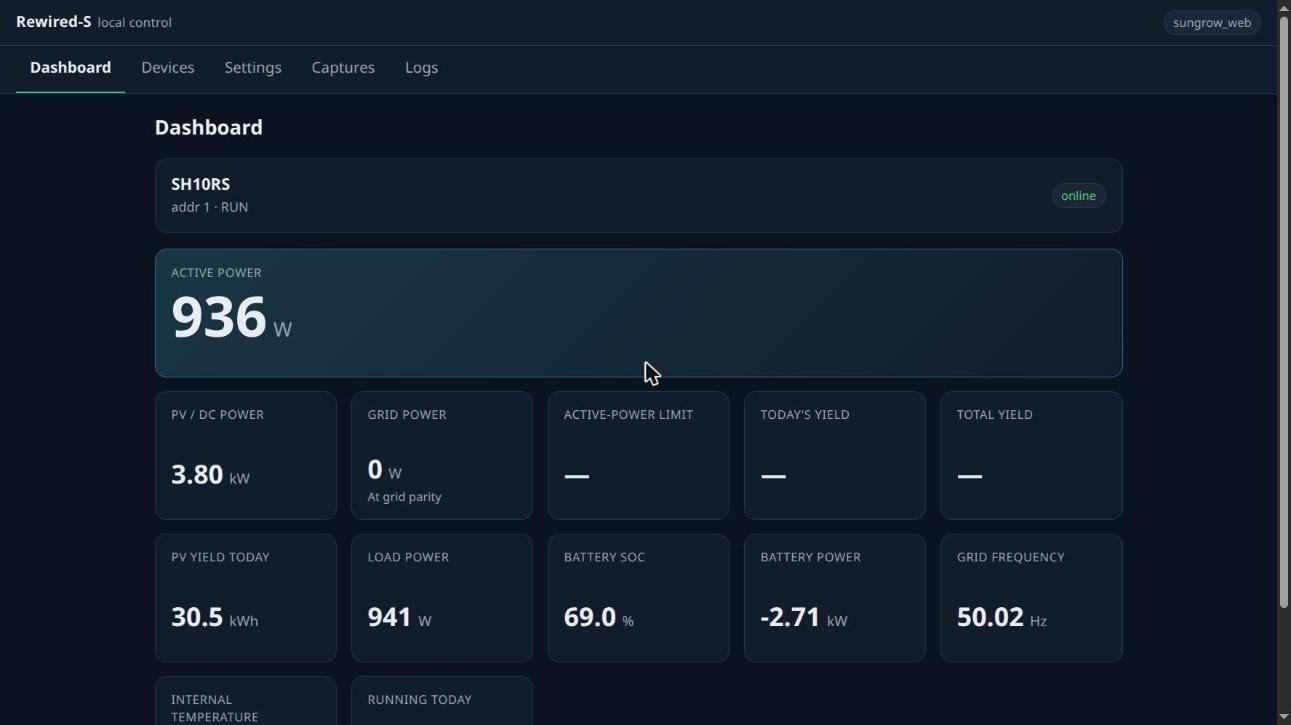
Source screenshot: the Rewired-S dashboard, reproduced from the GPL-3.0 repository. Displayed values belong to the author's captured interface.
A solar inverter converts power and manages the electrical equipment, while its communication dongle exposes operating information to other systems. Rewired-S changes the dongle firmware and the way that information is presented. The inverter remains responsible for its power-conversion functions, and the firmware project is independent of Sungrow rather than a vendor-supported upgrade.
Which dongle contains W5500?
The hardware distinction is important: the WiNet-S2 combines an ESP32-S3 with W5500, while the older WiNet-S uses an ESP32 and a DP83848 Ethernet PHY. This article follows the WiNet-S2 wired build, whose board configuration explicitly selects type: W5500, the SPI3 peripheral, and a 36 MHz SPI clock.
The firmware talks to the inverter side over RS485, a serial communication link commonly used between energy devices. ESP32-S3 software discovers devices, reads their registers, interprets the returned values, and maintains shared signal state. W5500 carries the network traffic between that application and the Ethernet LAN.
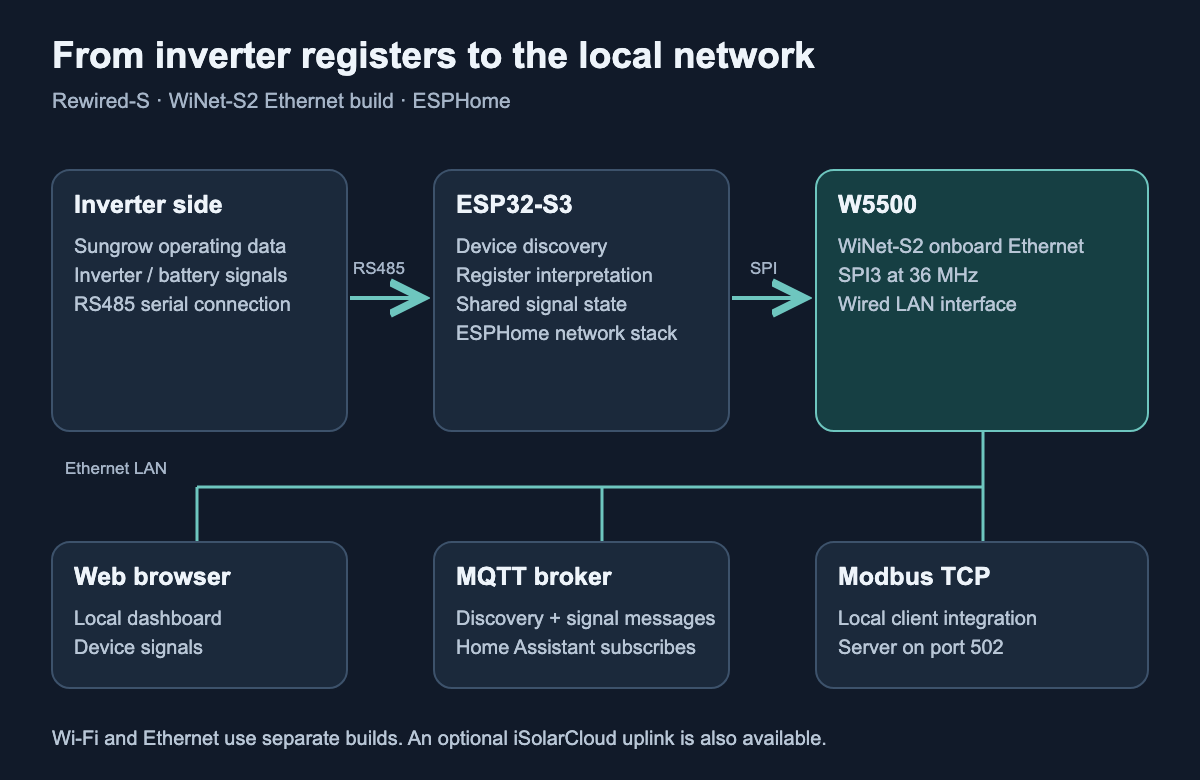
Generated technical diagram: the W5500 route applies to WiNet-S2. MQTT uses a broker between the dongle and Home Assistant.
Ethernet and Wi-Fi are separate build choices in this ESPHome configuration. Installing the wired package replaces the Wi-Fi package; the dongle does not run both network paths simultaneously. W5500 provides the Ethernet interface within ESPHome's software networking path, while device discovery, register interpretation, and web pages run on the ESP32-S3.
Why use MQTT for Home Assistant discovery?
MQTT sends named messages through a broker, a local service that passes them to interested applications. Rewired-S uses MQTT discovery to tell Home Assistant which devices and measurements exist. An inverter, battery stack, or meter can therefore appear as a separate device with its own signals after the dongle discovers it on the bus.
This matches a practical property of the system: the connected equipment is discovered at runtime. The project's Home Assistant documentation explains that standard ESPHome native entities are normally defined when firmware is compiled, while MQTT discovery can describe the devices actually found after startup. Readers choosing this path need a running MQTT broker and the Home Assistant MQTT integration.
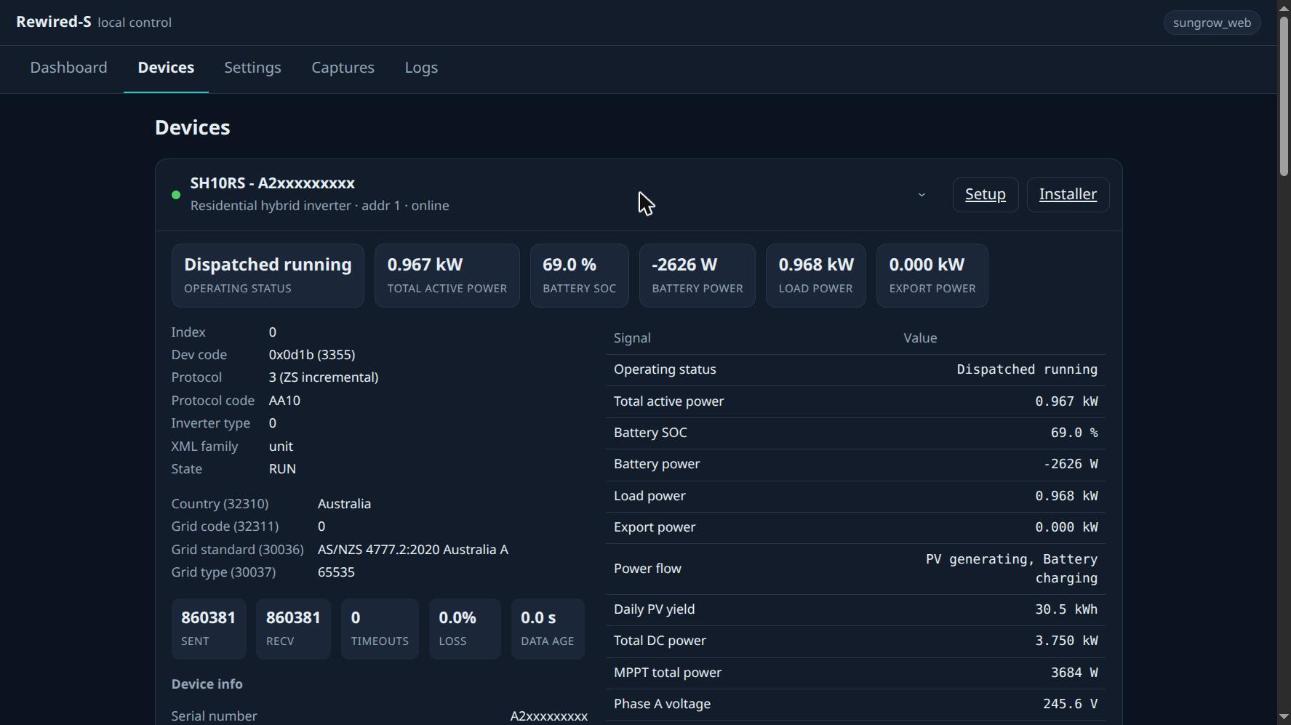
Source screenshot: a device detail page with serial information masked in the original repository asset.
The local web interface remains useful without Home Assistant. It presents device details and current signals, and a Modbus TCP server on port 502 offers another local integration route. An optional iSolarCloud uplink can coexist with local access, allowing an installation to retain cloud reporting while adding local consumers.
How did a user report shape Ethernet recovery?
On November 3, a user reported in Rewired-S issue 11 that the WiNet-S2 W5500 path was carrying DHCP, web access, MQTT and iSolarCloud traffic. The same discussion raised a deployment problem: a firmware image can boot successfully yet never establish a usable network connection. Ordinary crash rollback does not address that situation because the application is still running.
Version 0.9.1 adds a first-connection recovery path. A new Ethernet build that never connects can switch to the other firmware slot after three minutes; an Ethernet-driver failure uses a shorter 60-second threshold. The alternate slot must contain an eligible non-Ethernet Rewired-S image, and stock firmware is excluded by default.
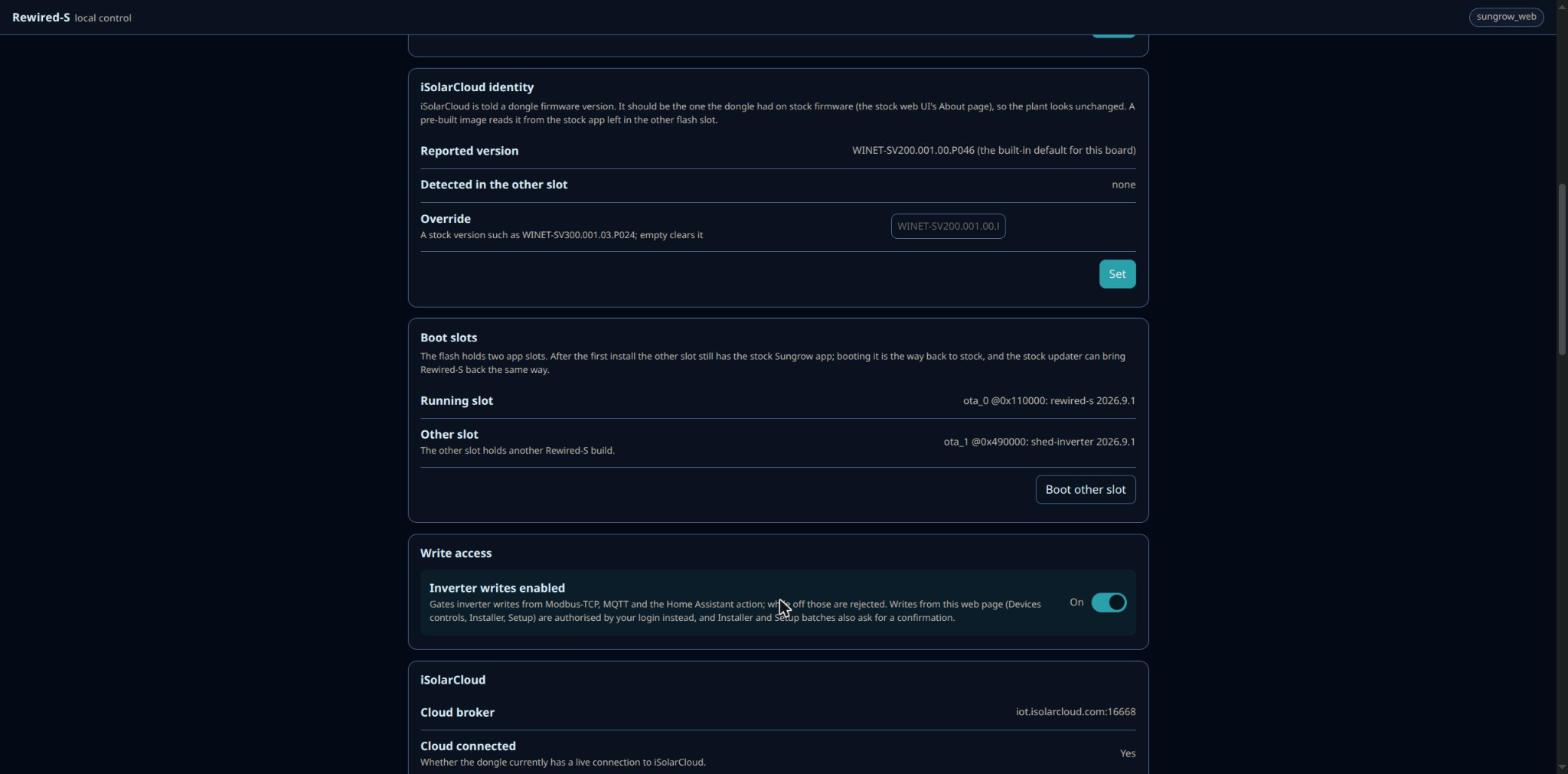
Source screenshot: firmware-slot controls in the project interface. Recovery depends on the image available in the other slot.
This mechanism is armed for a build until it connects successfully once. It is a way to recover from an unsuccessful first deployment, rather than continuous switching between Ethernet and Wi-Fi whenever a cable disconnects. The sequence from a specific user report to documented recovery logic is one of the clearest signs of the project's current development activity.
What should readers check before adopting the alpha?
The compatibility document separates maintainer-tested equipment, user reports, and expected support. The maintainer reports daily use with an SH10RS and two SBR192 battery stacks, plus an SG5.0RS. A separate SH15T report confirms reads, while some control operations remain unvalidated, so a successful monitoring setup does not establish every model's control compatibility.
For automation, the “Inverter writes enabled” switch defaults off and gates Home Assistant, MQTT, native entities and Modbus TCP writes. Authenticated web-interface changes follow their own authorization path, and cloud writes have a separate switch. These distinctions matter when starting with monitoring and deciding which control interfaces to enable.
Before replacing firmware on installed equipment, readers should check the model-specific compatibility notes and keep a documented recovery route. Usage reporting is enabled by default and can be disabled in the project settings; an installation intended to stay local should review that option as well as its cloud uplink.
Another route to local energy data
Rewired-S reuses a communication dongle that already connects to inverter data, making the W5500 path part of a broader integration with device discovery, documentation and recovery. For a different acquisition method, IR Tracker's W5500 smart-meter monitor reads an optical meter interface. The two projects reach local energy dashboards from different sources: inverter registers here and the meter's optical output there.
Frequently asked questions
Q. Is Rewired-S a new Ethernet board? No. It is replacement firmware for existing WiNet-S and WiNet-S2 dongles; the WiNet-S2 wired version uses the onboard W5500.
Q. Does every supported dongle use W5500? No. WiNet-S2 uses W5500, while the older WiNet-S uses DP83848 Ethernet hardware.
Q. Can Ethernet and Wi-Fi run together? They are alternative firmware builds. First-connection recovery can boot an eligible image in another slot, but it is not simultaneous network operation.
Q. Does Home Assistant require the cloud? The documented MQTT route uses a broker and Home Assistant on the local network. iSolarCloud reporting is a separate option.
Q. Are all inverter controls verified? No. The project is in alpha, and its compatibility document distinguishes confirmed readings, tested controls, user reports and expected support for each model.
Documents
-
Rewired-S source and installation documentation
Independent replacement firmware, GPL-3.0.
-
WiNet-S2 W5500 configuration
W5500, SPI3, 36 MHz and exact board pins.
-
November 7 version 0.9.1 changelog
First-connection Ethernet recovery and release history.
-
Hardware compatibility
Confirmed readings and controls, user reports and expected support are separated.
-
W5500 user report and recovery request
November 3 report that informed the Ethernet fallback implementation.
-
Home Assistant integration
MQTT broker setup and dynamic discovery rationale.
-
Control authorization and defaults
Automation write gate, authenticated web writes and separate cloud writes.
-
Usage reporting and diagnostics
Default reporting, available settings and diagnostics contents.
-
ESPHome Ethernet component
Official component reference including W5500 and network selection.
-
Home Assistant MQTT integration
Official broker and discovery documentation.
-
Source asset license
GPL-3.0 license for the repository and reused screenshot assets.


