LabVIEWからArduinoに対してTCPソケット通信が出来ます
TCP socket communication can be performed from LabVIEW
Srial communication is reasonable when communicating between LabVIEW and Arduino.
6
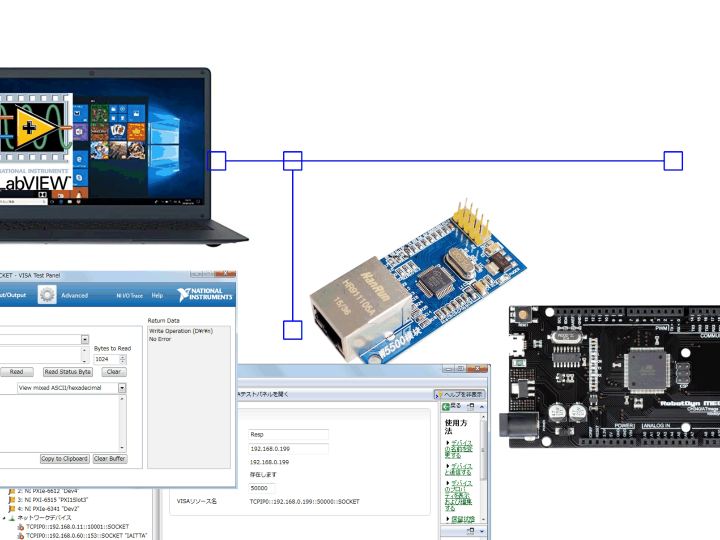
Components
Hardware components
WIZnet - W5500
x 1

Project description
TCP socket communication can be performed from LabVIEW to Arduino.
Last updated August 29, 2018
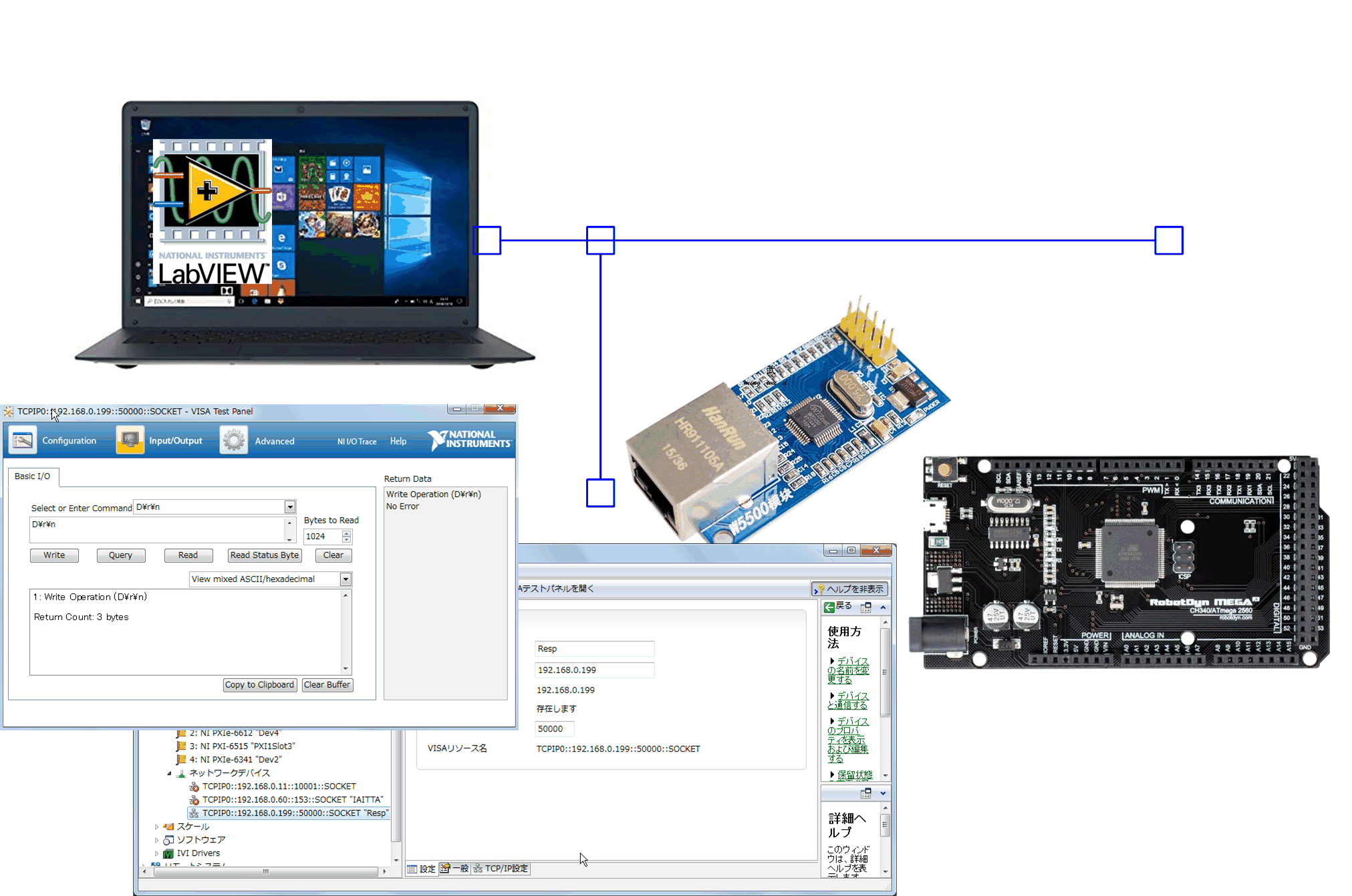
Serial communication is reasonable when communicating between LabVIEW and Arduino.
I understand that it can be realized intuitively because it is serially connected to the PC for writing programs.
We confirmed whether this serial communication can be realized by replacing the physical layer with EtherNet. I have confirmed that the results are normal.Connect the W5500 module to the Arduino.
- The 3.3V current provided by the Arduino is limited. To drive the W5500 module stably, you need to choose a CPU module that can provide close to 200mA. RobotDyn can provide 180mA.
- Use <Ethernet3.h> for the library and code with TCPSOCKET communication in mind.
- On the LabVIEW side, we will check the operation with NI-MAX for the time being. Create a VISA device and send commands to Arduino/IP to check its operation.
- You can see that it can be realized with the same feeling as serial communication. A communication speed of about 1 Mbps can be expected, which is faster than serial communication.
When coding on the LabVIEW side, it is more reasonable to use VISA communication. Depending on how you make it, you can set common commands for serial communication and TCP socket communication.
The description of the VISA controller on VISA_Open isTCPIP0::192.168.0.199::50000::SOCKET
I will write something like that. TCPIP0::IP address::Port number::SOCKET
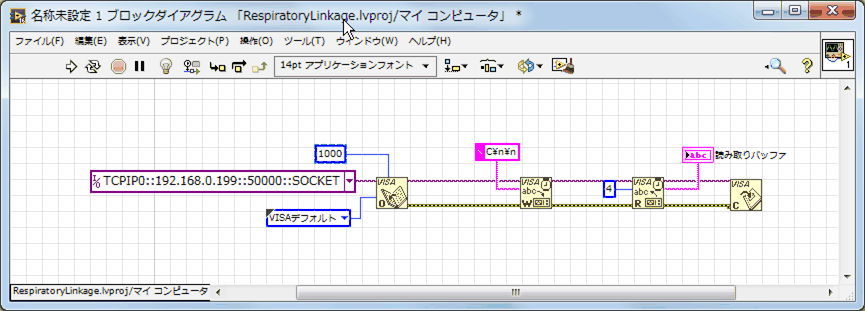
For the time being, it may be more reasonable to check the serial communication and then switch to network communication once the commands have been confirmed. It is very reasonable to be able to realize it with minimal code modifications.
Modify the coding on the Arduino side by referring to the ChatServer sketch. ChatServer is an example of TELNET. It should be helpful as an exchange of command communication. With TELNET, you can check free software as a client. Free software should be able to be diverted as long as the port number is not fixed.
The example below launches PuTTY and accesses the Arduino.
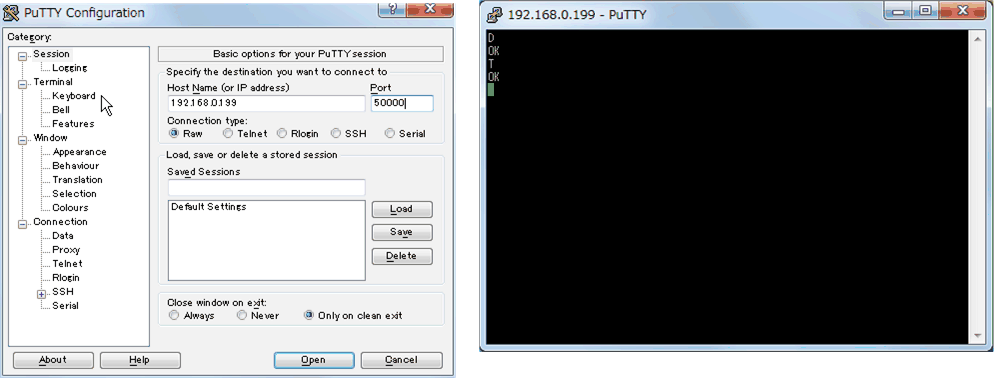
*There is a problem with RAM size on the Arduino side, so let's try with MEGA.

