WebSocket on the WIZnet ESP SoM: the MCU never runs TCP
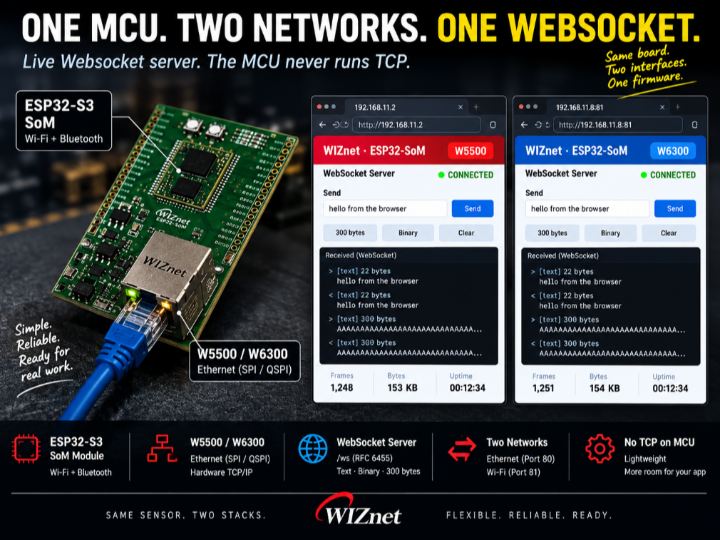
WebSocket on a WIZnet ESP SoM. TCP runs on the Ethernet chip, not the MCU. Same firmware on W5500 or W6300 - one menuconfig switch, no porting.
1
Components
Hardware components
WIZnet - W5500
x 1

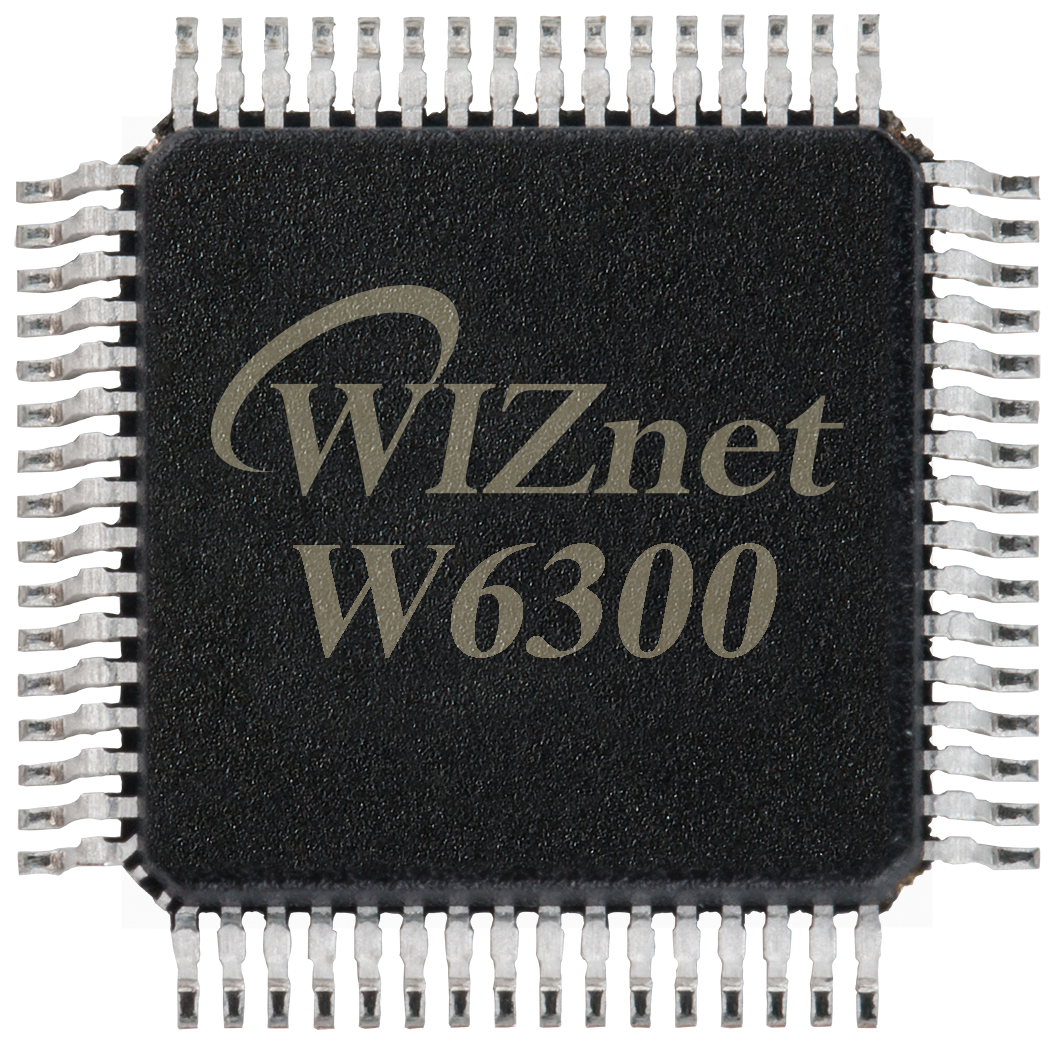
WIZnet - W6300
x 1
Project description
What You Will Build
A WebSocket server on an MCU that never runs TCP. You open the board's IP in a browser, the board serves a page, and the same connection upgrades to a live socket that echoes whatever you send.
The usual way to get this on an MCU means dragging in a TCP/IP stack, an HTTP server, and a framing library — tens of kilobytes of RAM before a single byte of your own data moves. Here the TCP part sits on the Ethernet chip. The MCU does the handshake and the frames, and nothing else.
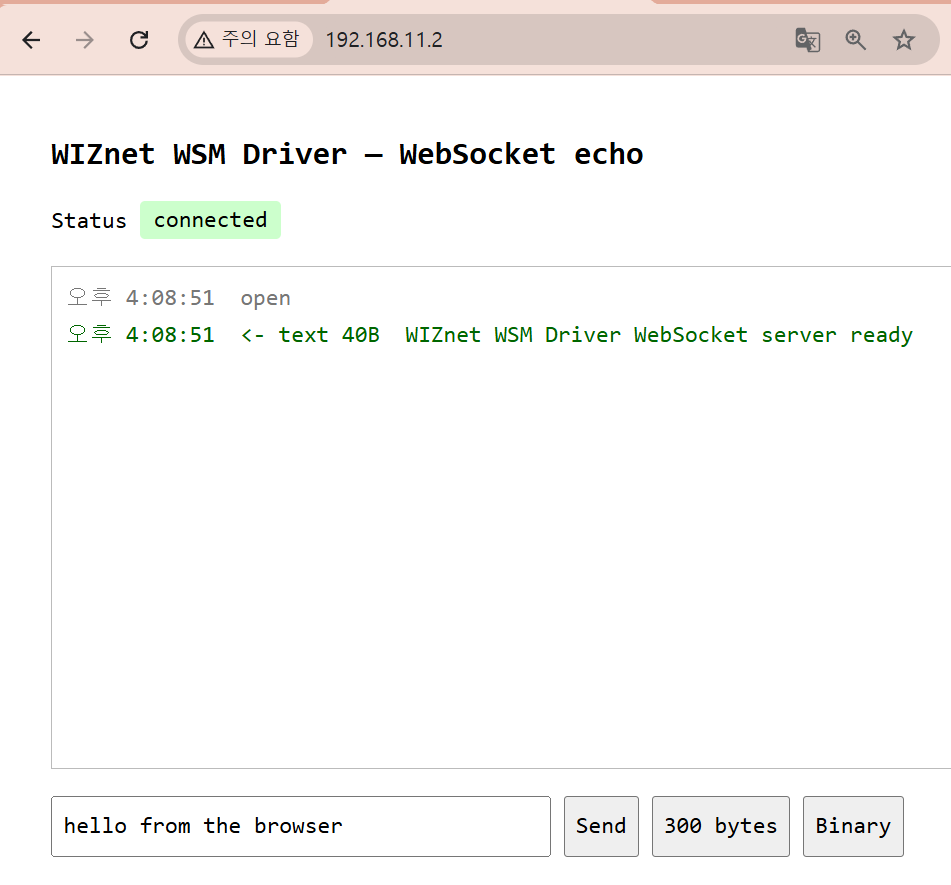
Open the board's IP in a browser. It serves the page, then upgrades the same connection to WebSocket.
What is running when you are done:
- A small test page over plain HTTP
/wsupgraded to WebSocket (RFC 6455)- An echo of whatever you send — text or binary
- Ethernet and Wi-Fi at the same time, from one firmware
What You Need
| Item | Note |
|---|---|
| WIZnet ESP32-SoM | ESP32-S3 plus a WIZnet Ethernet chip on one module. W5500 or W6300 — the firmware takes either. |
| Evaluation board for the SoM | USB, the RJ45, and the reset/boot buttons. |
| Ethernet cable | To a switch or straight to the PC. |
| USB cable | Flashing and the serial console. |
| ESP-IDF v6.0 or later | Earlier versions will not build this example. |
| A browser | That is the whole client. Nothing to install. |
[ IMAGE: shared/som_w6300.jpg ]
The W6300 SoM on its eval board. Same module footprint as the W5500 version.
Hardware Setup
- Seat the SoM on the evaluation board.
- Ethernet from the RJ45 to your switch, or straight to the PC.
- USB from the board to the PC.
Put the PC on the same subnet as the device's default address. The example ships with 192.168.11.2, so give the PC something like 192.168.11.10 with mask 255.255.255.0.
Get the Example
The driver is on the ESP Component Registry. Create a project and pull it in.
idf.py create-project my_project
cd my_project
idf.py add-dependency "wiznet/wsm_driver==1.1.0"
idf.py set-target esp32s3
add-dependency writes main/idf_component.yml. set-target regenerates sdkconfig, so it has to run before menuconfig.
The component arrives with every example inside it:
managed_components/wiznet__wsm_driver/examples/websocket/Success check:
main/idf_component.ymlexists andmanaged_components/wiznet__wsm_driver/appeared.
Cloning from GitHub is the other route, and it is the right one only when you want to modify the driver itself.
Configure
1. menuconfig — three items
idf.py menuconfigMain -> Component config -> WIZnet WSM Driver| Item | Default | What it decides |
|---|---|---|
| WIZnet chip | W5500 | Match your board. SPI pins and clock follow the chip automatically. |
| Network backend | TOE (hardware TCP/IP) | Whether the chip owns the TCP/IP stack, or the ESP32-S3's LwIP does. |
| W6300 QSPI mode | Quad | W6300 only. Set to Single if IO2/IO3 are not wired. |
Leave the backend on TOE. That is the configuration this post is about — the MCU running no TCP.
Changing the backend later needs
idf.py fullcleanbefore you rebuild.
2. Addresses and ports
Open inc/net_config.h:
#define NET_IP_ADDR           {192, 168, 11, 2}
#define NET_SUBNET_MASK       {255, 255, 255, 0}
#define NET_GATEWAY           {192, 168, 11, 1}

#define WIFI_SSID             ""      /* empty -> Ethernet only */
#define WIFI_PASS             ""

#define WS_PORT               80      /* Ethernet */
#define WIFI_WS_PORT          81      /* Wi-Fi    */
#define WS_MAX_MESSAGE_SIZE   2048
Leave these alone for a first run. Port 80 means the browser reaches the board as ws://192.168.11.2/ with no port suffix.
The two interfaces bind different ports on purpose. With the esp_eth backend they share one LwIP stack, where the same port would clash on bind.
Build & Flash
idf.py buildidf.py -p COM6 flash monitor # Windows
idf.py -p /dev/ttyUSB0 flash monitor # Linux / macOSRun
Three lines on reset say the chip was found, the network came up, and the server is listening.
I (268) wsm_driver_spi: W5500 version check OK: 0x04
I (270) wiztoe_net: TOE up: 192.168.11.2 (WIZnet hardware TCP/IP)
I (272) ws_server: [eth] WebSocket server on port 80
If the version check fails, stop there — nothing above the SPI bus can work.
Open http://192.168.11.2 in a browser. The page loads and connects itself; the status turns green with no further action from you.
I (7958) ws_tx: client connected from 192.168.11.4
I (7962) ws: plain HTTP request for "/"
I (7963) ws_server: [eth] serving the page
I (8194) ws_tx: client connected from 192.168.11.4
I (8200) ws: handshake complete (/ws)
I (8200) ws_server: [eth] connection open
Two connections, not one: the page arrives over ordinary HTTP, then the browser opens a second connection and upgrades that one.
Test
The page has exactly three send buttons. None of them are decoration — each one covers a different path through the framing code.
| Button | What it covers |
|---|---|
| Send | Short text frame, length ≤ 125 — the 7-bit form |
| 300 bytes | The 126 extended-length path; the header grows from 2 bytes to 4 |
| Binary | Binary opcode with a non-UTF-8 payload |
Press each one in turn and watch both the page and the console.
Expected Result
Every message comes straight back, which is what confirms both directions of the framing. The console names the size and the kind:
I (11522) ws_server: [eth] received 22 bytes: hello from the browser
I (14582) ws_server: [eth] received 300 bytes: xxxxxxxx...
I (17121) ws_server: [eth] received 6 binary bytes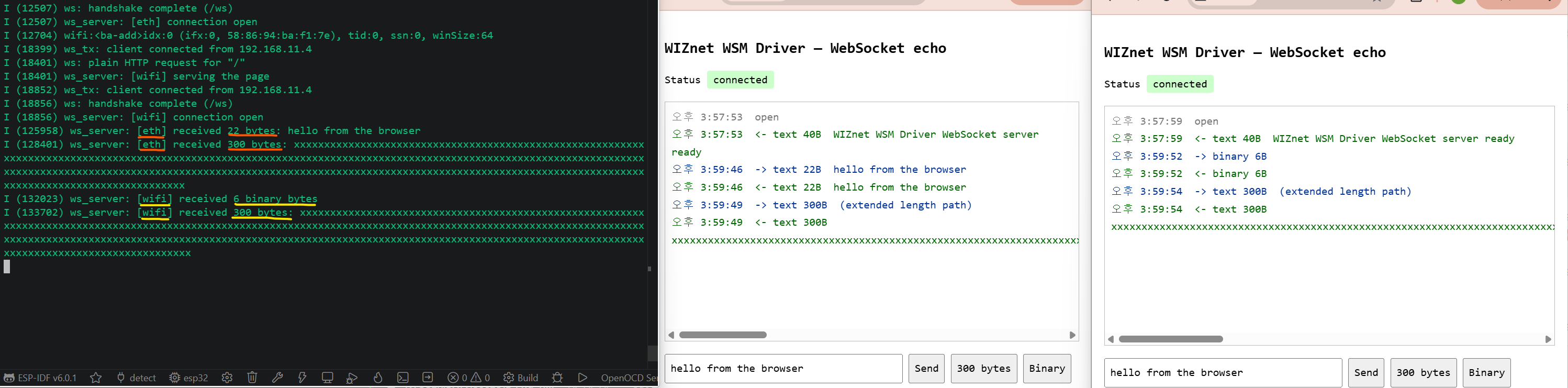
Serial on the left, browser on the right. The same bytes from both ends.
Three things are worth reading out of that:
- 22 bytes went through the short-length path — the one 99% of traffic takes.
- 300 bytes went through the extended-length path. This is the one that breaks parsers, and it is why there is a button for it.
- 6 binary bytes came back as binary. A server that quietly turns everything into text passes every test written with strings and fails the first time someone sends a struct.
Reloading the page closes the connection and opens a new one. Do that a few times — it is the path that re-arms the listener on the hardware stack.
Try It Yourself
Bring up the second interface
Fill in WIFI_SSID and WIFI_PASS, rebuild, and a second server appears on port 81 at the Wi-Fi address. Same firmware, same server code, two stacks.
#define WIFI_SSID    "your-ssid"
#define WIFI_PASS    "your-password"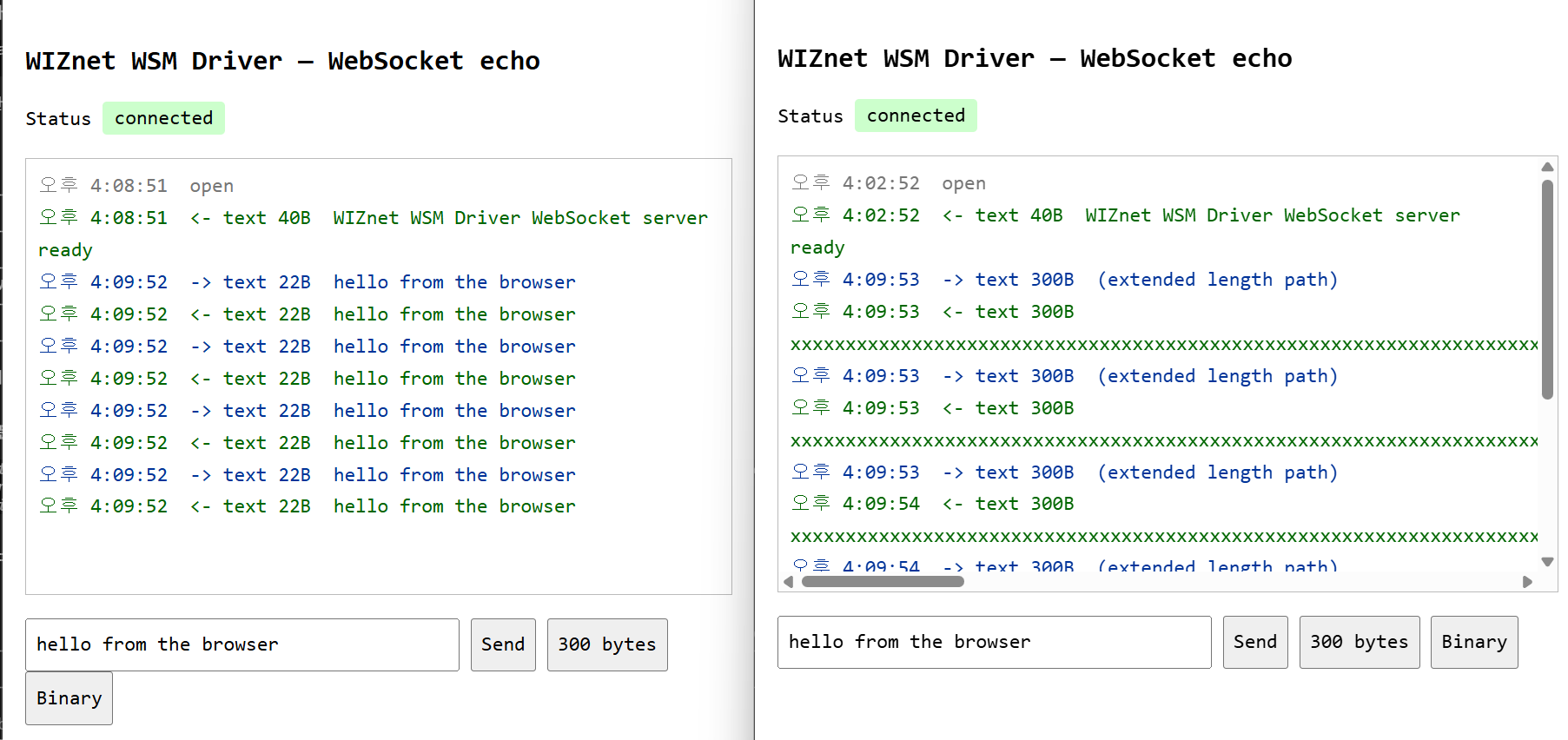
Two browsers, two interfaces. Note the [eth] and [wifi] tags in the log.
Then push both at once
Open the board in two browsers — one on the Ethernet address, one on the Wi-Fi address — and press 300 bytes in both.
If the echoes come back clean on both, your framing is right and the two stacks are not standing on each other. If one window goes quiet, look for something in your code that is a global where it should have been a parameter. That is not a hypothetical; see below.
How It Works
What the handshake actually costs
Less than people expect.
- Read the request headers, find
Sec-WebSocket-Key - Append the fixed GUID from the spec
- SHA-1, then base64
- Send it back in
Sec-WebSocket-Accept
That is the whole handshake. No negotiation, no state machine, no library. After that you are reading frames.
Three ways to write a payload length
This is the part worth knowing before you write your own parser.
- 0–125 → the 7-bit field itself is the length
- 126 → the next 2 bytes are the real length
- 127 → the next 8 bytes are the real length
A parser that only ever sees short messages works perfectly right up until someone sends 300 bytes. Then it reads the length as 126, treats the following bytes as payload, and every frame after that is garbage. Hence the button.
Every client frame is masked. Every server frame is not.
Browsers must XOR-mask every frame they send, with a fresh 4-byte key each time. Servers must not mask at all.
Get it backwards and the browser closes the connection without a word — no error, no console message, just gone. So the unmasking is four lines, and they are not optional:
for (size_t i = 0; i < len; i++) {
    payload[i] ^= mask[i & 3];
}
The frame reader handles FIN, opcode, mask, all three length paths, plus ping/pong and close. That is enough to talk to every browser.
The bug that only showed up with both links running
The server code is written once and started twice — once for Ethernet, once for Wi-Fi. Which stack it uses comes from a small table of socket functions passed in at startup.
The first version stored that table in a single global.
Ethernet came up at about 1.2 s and started serving. Wi-Fi finished DHCP a second and a half later, and when its task bound its socket, it overwrote the global.
The Ethernet task was now calling Wi-Fi's socket functions with Ethernet's socket numbers.
Nothing crashed. It started answering the wrong things on the wrong interface, intermittently, depending on which task got there last.
The fix was to pass the table into every call instead of parking it in a global. Two servers, two tables, no shared state.
If you ever run one protocol implementation over two interfaces: the code is shared, the state must not be.
Architecture
Why put TCP on the chip for this
A WebSocket connection is open all day. That is the entire point of using one.
On a software stack, an idle-but-open connection is not free. It is socket buffers held in RAM, retransmit timers, and a wakeup on every keepalive.
On the hardware stack the chip holds the connection. The MCU is involved only when a frame actually arrives. In between it is genuinely idle — available for whatever the device is really supposed to be doing.
What you buy is not throughput. It is the CPU you get to keep.
And the socket code does not change
A hardware stack sounds like it should mean a proprietary API. It does not.
#include "net_backend.h"      /* wiznet_net_init(), wiznet_net_is_up() */
#include "lwip/sockets.h"     /* standard BSD sockets — include AFTER net_backend.h */

wiznet_net_init(&g_net_info);
while (!wiznet_net_is_up()) { }

int s = socket(AF_INET, SOCK_STREAM, IPPROTO_TCP);
SPI init, chip reset and network configuration happen in that one call. After it, socket(), accept(), send() and recv() are the ordinary ones — the driver intercepts the lwIP socket entry points at link time and routes them to the chip's hardware sockets.
The same call exists on both backends with the same signature, so the WebSocket code above builds unchanged against the software stack too. Only one menuconfig line differs.
Two things to get right: include net_backend.h before lwip/sockets.h or the build fails on a SOCK_STREAM clash, and add REQUIRES wsm_driver to idf_component_register() in main/CMakeLists.txt.
The TOE limits are real and worth designing around: eight hardware sockets, IPv4 TCP and UDP only. A long-open WebSocket occupies one of them for as long as it lives, which is the reason this example serves one connection per interface.
Two chips, same firmware
The SoM comes as W5500 or W6300, and nothing is ported between them. The handshake code, the frame parser, the socket table — none of it changes. The difference is entirely in how the MCU talks to the chip.
- W5500 — standard SPI.
- W6300 — QSPI. Single mode uses the same four wires; quad mode adds IO2/IO3, so data moves on four lines instead of one.
For a WebSocket that is mostly idle, either is plenty. It matters once you start pushing real payloads — the host bus usually runs out long before the 100 Mbit PHY does.
Everything in this post ran on the W5500 version.
Verification scope
The server was run on the ESP32-SoM with both the W5500 and the W6300, over Ethernet and over Wi-Fi, including both interfaces serving at the same time. All three framing paths and the ping/pong and close paths were exercised from a browser against the running device.
Where You Would Use This
- A local machine dashboard. Live values in a browser on the plant network. No cloud account, no MQTT broker to run and keep alive.
- Commissioning and service. An engineer opens the device's IP, sees live readings, and sends commands back down the same socket. Nothing to install on their laptop.
- Test rigs and burn-in. Stream logs and telemetry to a browser instead of tying up a serial cable, and watch several boards at once from one screen.
Troubleshooting
| Symptom | Where to look |
|---|---|
CID mismatch: 0x0000 at boot | SPI wiring, or the wrong chip selected in menuconfig. |
Nothing after WebSocket server on port 80 | Link and subnet. Is the PC on 192.168.11.x? |
| The page loads but the status stays red | The page arrived over HTTP but the upgrade did not complete. Check the handshake lines in the console. |
| The Wi-Fi address refuses the connection | The Wi-Fi server is on port 81, not 80. |
| The server stops answering after a browser was pointed at it | A connection left half-open. Reload the page — that path re-arms the listener. |
Next Steps
- Replace the echo with your own data. The frame reader hands you a buffer and a length; what you do with it is one function.
- Watch the connection limit. This example serves one connection at a time per interface. That is deliberate for an example, and it is the first thing to change for a product.
- Read the framing code. It is small enough to read in one sitting, which is the main reason it is worth reading at all.
The code is examples/websocket, which arrives with the component at managed_components/wiznet__wsm_driver/ and is also on GitHub. Build commands, the full menuconfig list, and the known limits are in that example's README.

