How Does W5500 Connect the SMLIGHT SLZB-Ultima Smart-Home Hub to Ethernet?
SLZB-Ultima connects dual smart-home radios through W5500 Ethernet, with distinct SLZB-OS and ESPHome setup paths and optional PoE expansion.
0
Components
Hardware components
WIZnet - W5500
x 1

Built-in SPI Ethernet interface on SLZB-Ultima
Project description
A Wired Home for Multiple Smart-Home Radios
SMLIGHT SLZB-Ultima uses built-in WIZnet W5500 Ethernet to connect its smart-home radios and ESP32-S3 controller to a local network. Ultima3 combines a Texas Instruments CC2674P10 and a Silicon Labs EFR32MG24, giving an installer two independent radio paths for Zigbee or Thread. Infrared control, Bluetooth and expansion connections add functions around those radios.
SMLIGHT introduced Ultima in its January 2026 launch announcement. The practical appeal is placement: the radio gateway can sit near the devices it serves while the automation server remains elsewhere on the Ethernet network. A small server cabinet and a useful radio location do not have to be the same place.
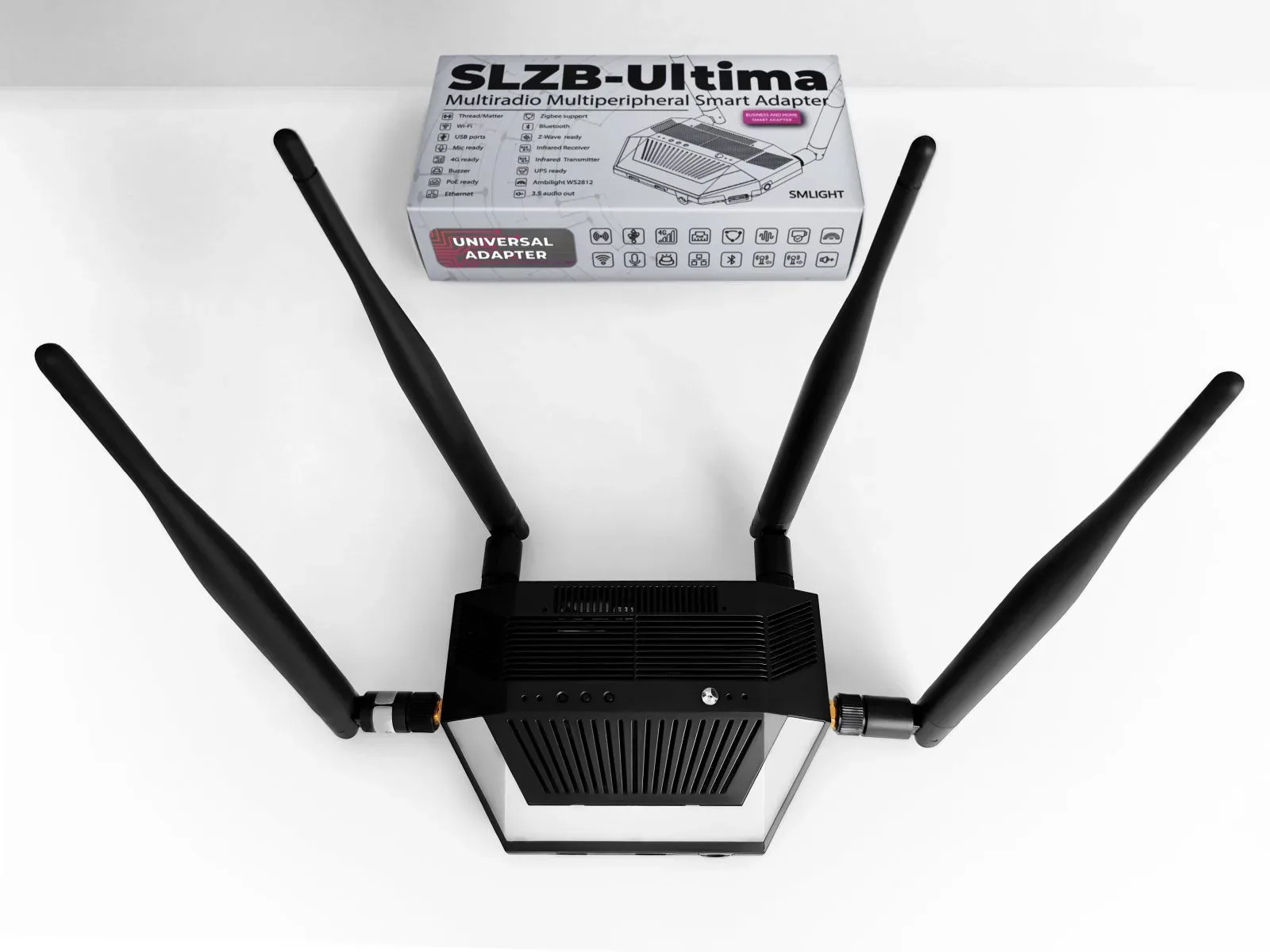
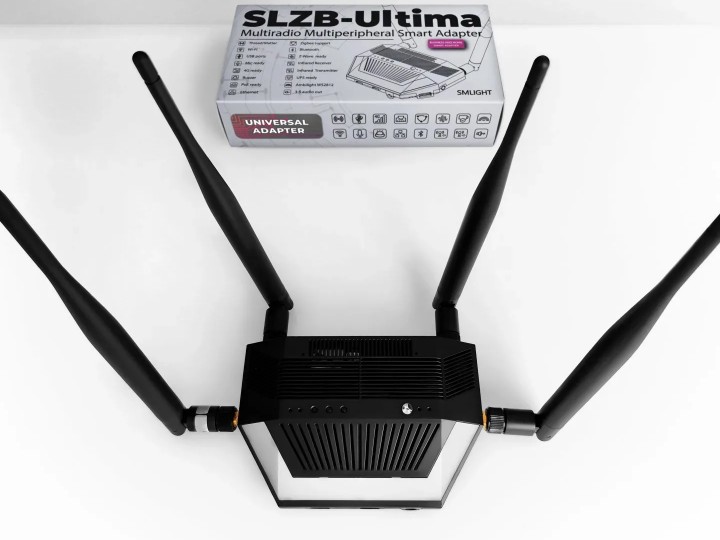
SLZB-Ultima with antennas and addressable lighting. Photo: SMLIGHT; pictured accessories may be optional.
Zigbee is a mesh network commonly used by lights and sensors. Thread is an IPv6 mesh network used by Matter-over-Thread devices. Matter provides the application-level device language; Thread provides the wireless network. Choosing the right radio firmware and host software is therefore part of installation, even when both radios share one enclosure.
Follow a Radio Message Through W5500
The official Ultima ESPHome configuration shows the path in concrete terms. Each radio connects to the ESP32-S3 through a UART, a serial interface that carries bytes between chips. A stream-server component forwards those bytes between the UART and a TCP network connection. The home-automation host can then address a radio by the IP address of Ultima and its assigned port.
For this ESPHome target, the CC26 radio uses TCP 7638, the EFR32 radio uses 6638, and an installed Z-Wave add-on uses 8638. These are ESPHome configuration values, not universal port assignments for every SMLIGHT firmware. The manufacturer SLZB-OS documentation uses different assignments for some expansion functions. Use the instructions for the firmware actually running on the device.
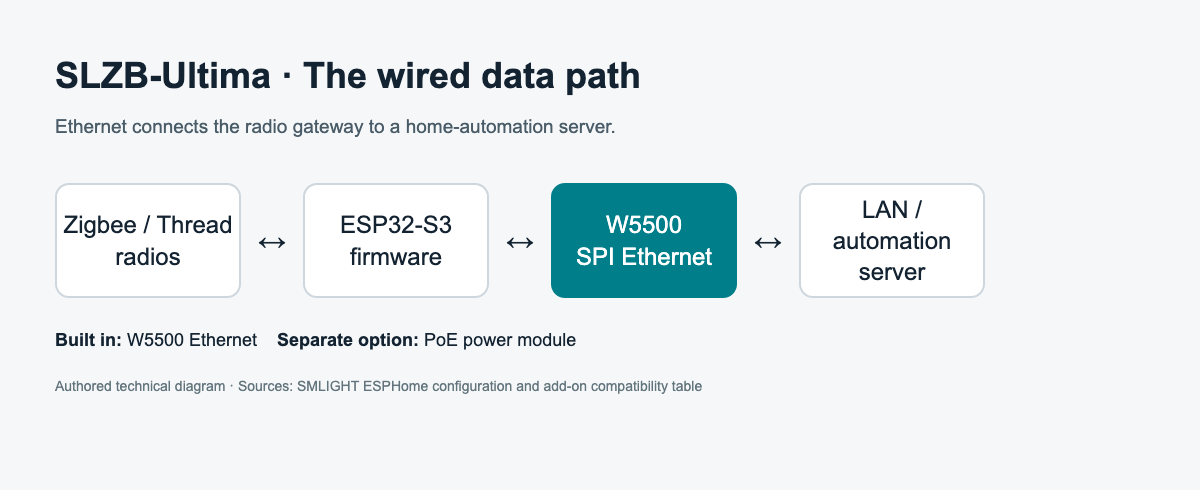
Authored technical diagram based on the official Ultima device configuration.
The W5500 package explicitly selects type: W5500. The board definition maps SPI clock to GPIO5, MOSI to GPIO2 and MISO to GPIO4, with GPIO6 for chip select, GPIO1 for interrupts and GPIO7 for reset. SPI is the short board-level connection between the ESP32-S3 and Ethernet controller.
W5500 carries the wired network traffic; the radio chips still handle Zigbee or Thread communication. In the ESPHome build, ESP-IDF and its network stack provide the software environment around the Ethernet interface. Sensor packets, radio commands and Home Assistant device services reach the LAN through that interface. W5500 does not replace the radio firmware or decide how an automation should respond.
Choose the Software Before Connecting Devices
SMLIGHT offers SLZB-OS and ESPHome for different workflows. SLZB-OS provides the manufacturer browser interface, mode selection, firmware updates and configuration helpers. ESPHome exposes programmable entities and services to Home Assistant. The latter is useful when the infrared receiver, buzzer, buttons or Bluetooth proxy are part of the automation design.
The ESPHome flashing guide identifies ultima-r1-04 as the Ultima target. Download the matching image, connect the device by USB and flash it with the documented tool. If flashing does not start, the guide describes holding the first button from the left while reconnecting USB. That forces the device into flashing mode, including when the USB port had been configured as a host.
After flashing, add the device through the Home Assistant ESPHome integration, using its IP address if automatic discovery does not appear. Configure the chosen Zigbee or Thread software separately with the correct radio endpoint. The default ESPHome setup enables Bluetooth proxy but leaves the web server disabled to conserve memory. A missing browser dashboard in this configuration is therefore an expected behavior.
The firmware downloads and source branch have separate timelines. On 12 October 2026, the latest release page was dated 4 February, but its Ultima binary was still named ultima-r1-04.factory-20260130.bin. The source branch included changes merged in June. Check whether a desired fix is in the image being installed before treating the latest source as a description of an older binary.
Decide Where the Thread Border Router Runs
A Thread border router joins the Thread mesh to an IP network. SMLIGHT documents two setup paths, which change the responsibility of the host.
With a remote OpenThread Border Router, or OTBR, the service runs on Home Assistant or another host. Ultima supplies the radio connection over USB or the network. This arrangement keeps the Thread service beside the home-automation software while allowing the physical radio to be placed elsewhere.
The alternative runs OTBR on supported SMLIGHT hardware, including Ultima, through SLZB-OS. Home Assistant connects to its REST API at port 8080. This path requires IPv6 on the LAN, and the manufacturer labels the integration beta. Matter Server is still part of the Home Assistant setup in either path. Running OTBR on Ultima does not move every Home Assistant service into the gateway.
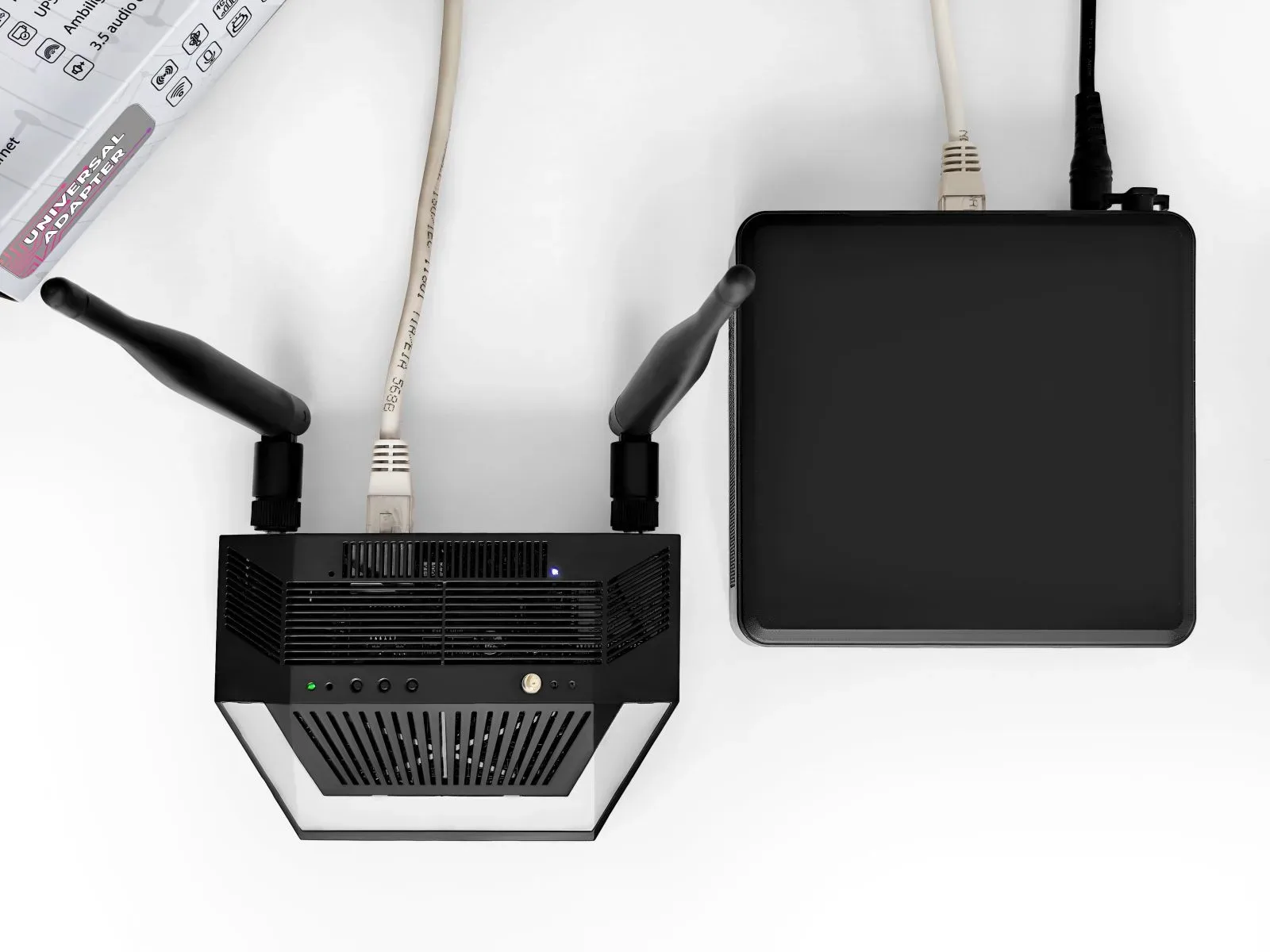
Ethernet installation shown in the official Ultima gallery. Photo: SMLIGHT.
The distinction also explains a common placement mistake. The manufacturer FAQ says a Zigbee router forwards traffic over the Zigbee radio mesh and must be paired over the air. Connecting Ethernet does not extend that mesh by itself. A network-connected coordinator provides remote access to its radio; a Zigbee router still needs a usable radio path to its mesh neighbors.
What the Firmware History Teaches About Shared Resources
Ultima combines several timing-sensitive functions on one ESP32-S3. The public repository contains a useful example of how those functions interact. The addressable RGB LEDs and infrared transmitter both use the ESP32-S3 RMT peripheral, hardware that generates precisely timed pulses.
A June pull request fixed a resource allocation problem on Ultima. The previous LED and IR settings requested 192 and 128 transmit symbols from a pool containing 192 in total. The merged configuration assigns 96 symbols to each and exposes settings for adjusting the split. The contributor reported testing the change on Ultima hardware.
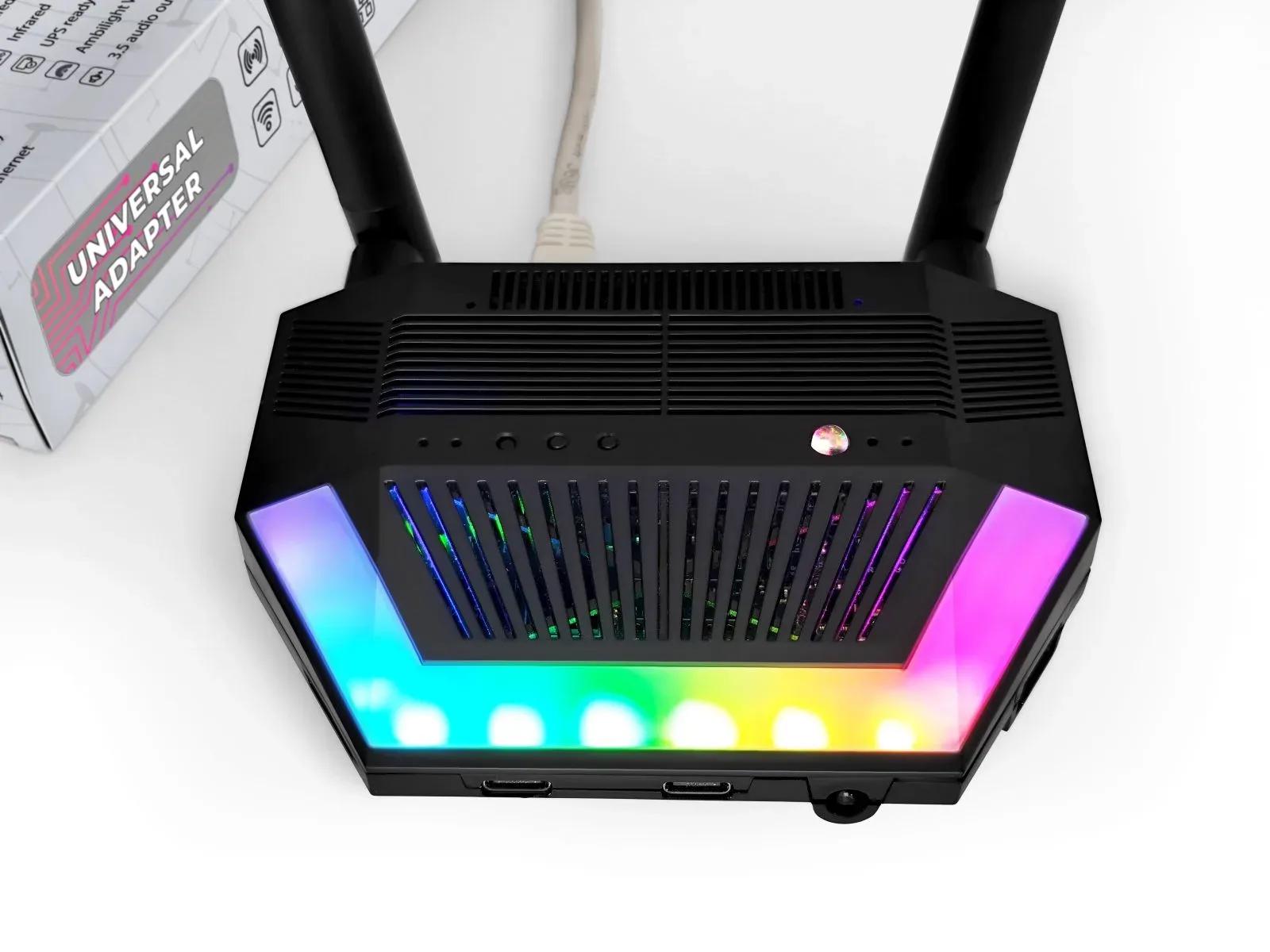
The lighting and infrared functions share ESP32-S3 timing resources. Photo: SMLIGHT.
This is a practical reason to treat firmware packages as a coordinated configuration. Increasing one peripheral allocation can affect another, even when their external functions seem unrelated. The same change added restart, safe-mode restart and factory-reset controls to the Home Assistant diagnostic section. Safe mode provides a recovery route focused on firmware updating when ordinary operation is troubled.
The public source also keeps some expansion features disabled by default. The current Ultima target comments out microphone processing and USB passthrough, while enabling the radio stream servers, infrared functions and LED controls. Hardware connectors establish expansion possibilities; the selected firmware determines which are active.
Expand the Hardware Deliberately
Ethernet is standard; Power over Ethernet is an option. PoE adds power delivery through the network cable. It does not add the W5500 itself. This distinction matters when choosing a bundle for a location without a nearby power socket.
The manufacturer add-on installation guide provides photographs showing microphone, Z-Wave, PoE and LTE module placement. Follow those orientations when assembling the device. The modules connect to different parts of the main board, so a product photograph containing several modules should not be read as the contents of the base package.
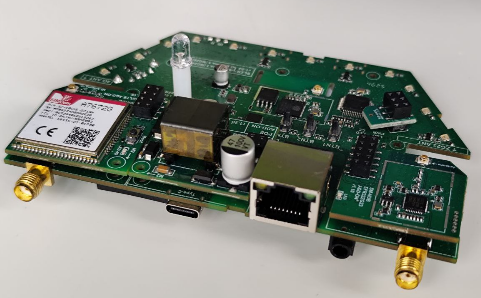
Manufacturer installation photograph showing optional modules around the main board. Photo: SMLIGHT.
For expansion planning, keep two current limitations in view. SMLIGHT describes Z-Wave certification as ongoing. Its ESPHome repository also warns that microphone processing can compete with UART-to-Ethernet radio traffic for processor and memory resources; the current target leaves that feature disabled. Choose and test the combination needed for the installation instead of enabling every available function together.
Within the family, the SLZB-MR3U on WIZnet Maker is a useful comparison for a dual-radio coordinator. Ultima adds infrared, visual and audible feedback, and a broader expansion platform around the wired radio role. These interfaces are the meaningful distinction when deciding whether the larger device fits a project.
Vendor, Availability, and Price
SMLIGHT describes its engineering origin as Ukraine. The current product site names Shenzhen Baishi Video Technology Co., Ltd., China, as the company and publishes hello@smlight.tech as its contact.
On 12 October 2026, Australian retailer Dialedin listed Ultima3 as orderable at AUD 98.90 including tax, or AUD 108.85 with PoE. Shipping is calculated separately. The store also offers other expansion bundles, so compare the selected variant rather than the lowest accessory price on the page. Regional purchasing routes are listed in the official distributor directory.
FAQ
Q. Is W5500 an optional module? No. W5500 Ethernet is built into Ultima. The optional PoE module adds cable-delivered power.
Q. Can one Ultima serve Zigbee and Thread? The two independent radios provide separate paths. Assign the appropriate radio firmware and connect each path to the intended host service.
Q. Does installing ESPHome keep the SLZB-OS interface? No. These are alternative firmware paths. The documented ESPHome build normally uses Home Assistant and disables its web server.
Q. Does Ethernet extend an existing Zigbee mesh automatically? No. A Zigbee router joins and forwards over radio. Ethernet lets host software reach a network-connected coordinator.
Q. Can I install every add-on and enable every feature? Select supported combinations for the chosen firmware. PoE, Z-Wave, LTE and microphone modules are separate options, and some functions share processor, memory or interface resources.
Documents
-
SMLIGHT SLZB-Ultima product and firmware choices
Product, options and vendor contact
-
Official ESPHome firmware installation guide
Ultima firmware target and manufacturer repository
-
Ultima board configuration
Includes the W5500 Ethernet package
-
W5500 Ethernet package
Explicit W5500 driver and SPI configuration
-
Dialedin Ultima3 purchase options
Australian retail prices and bundles
-
Ultima hardware pin map and radio ports
SPI pins and ESPHome radio TCP endpoints
-
Thread setup: host or on-device OTBR
Two deployment paths, IPv6 and beta status
-
Ultima add-on installation photographs
Official module placement photos
-
Ultima IR and RGB resource fix
June13 merged RMT allocation fix and diagnostic controls
-
ESPHome binary releases
Ultima binary and source revision dates differ
-
SMLIGHT troubleshooting and network behavior
Zigbee router behavior and firmware-specific services


