Telegram Bot with ESP32 and W5500
Telegram Bot with ESP32 and W5500
0
Components
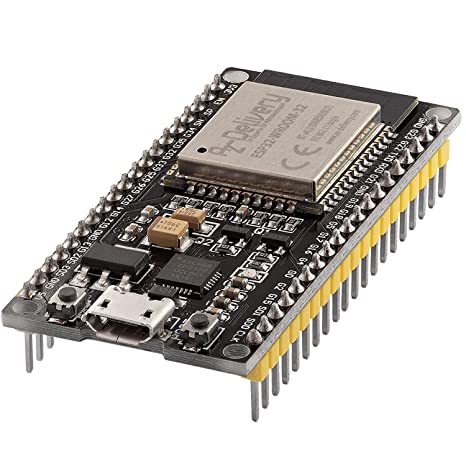
Hardware componentsESP32-WROOM-32
x 1
W5500 shield
x 1
5V 4-Channel Relay Module
x 1
Project description
Telegram Bot with ESP32 + W5500
Hardware
| ESP32-WROOM-32 | W5500 shield | 5V 4-Channel Relay Module |
|---|---|---|
 |
 |
 |
Connections
| ESP32 | W5500 shield | Relay SHIELD |
|---|---|---|
| G23 | MOSI | / |
| G19 | MISO | / |
| G18 | SCLK | / |
| G5 | SCS | / |
| G26 | RST | / |
| G17 | / | IN1 |
| G16 | / | IN2 |
| G33 | / | IN3 |
| G25 | / | IN4 |
Software
- Windows 10
- Arduino IDE 1.18.19
Install library
- AsyncTelegram2  v.2.0.4  (by Tolentino Cotesta) *
- ArduinoJson     v.6.15.2 (by Benoit Blanchon)
- SSLClient       v.1.6.11 (by OPenS Lab)
- Ethernet        v.2.0.0  (by Arduino)
Install ESP32 Add-on in Arduino IDE **
To install the ESP32 board in your Arduino IDE, follow these next instructions:
- From Arduino IDE:?File?->?Preferences
- In the Additional Boards Manager URLs add this link (if you have more than one link, separate them with a comma):?https://dl.espressif.com/dl/package_esp32_index.json
- Tools?->?Board?->?Boards Manager…
- Search for ESP32 and press install button for the "ESP32 by Espressif Systems"
Upload sketch
-
Select your board from:?Tools?->Board:"xxxxx"?(I selected "ESP Dev Module")
-
Check the upload speed from:?Tools?->?Upload Speed, should be 921600
-
Upload the sketch
-
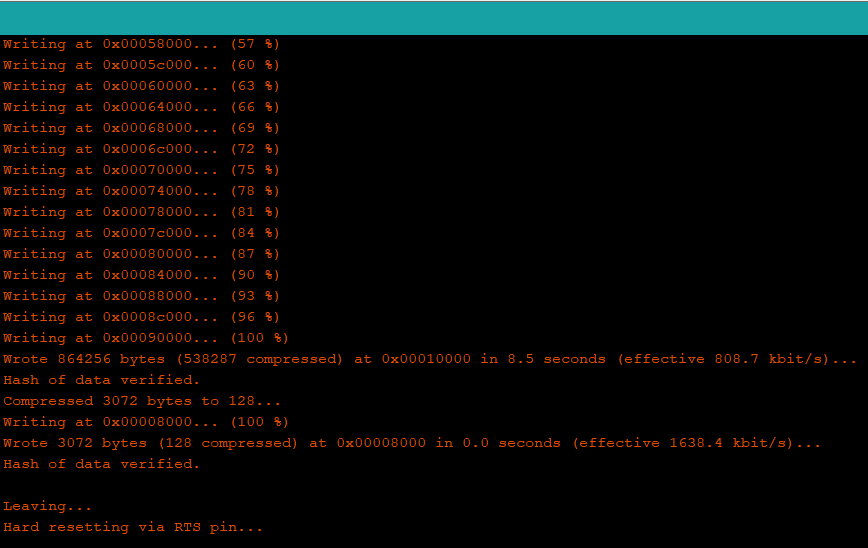
Be sure that when the upload finishes you can see something like this:
Result

Notes
-
Before use an external power supply (5.0V-0.7A) I tested the circuit connecting both the relay shield and Ethernet shield to?Vin?pin of the ESP32 and all the ground together, with the ESP32 connected to the PC through the micro USB cable.
-
To use relays I used specific pins because some of them are HIGH at boot and this could cause problem ***
-
Any suggestions are welcome
To do
- Add power management
- Add option to use WiFi if the Ethernet isn't working in that you can do a WiFi hotspot and continue to use the bot being near the shield


