Arduino Uno R3 + W5100 send notification to LINE
Arduino Uno R3 + W5100 send notification to LINE
7
Project description
rduino Uno R3 + W5100 send notification to LINE
Hello, since I haven't written an article for several months. Today is a free day, Saft for Home during the Covid-19 festival, plus a brother came to consult about the old project that I used to do about sending notifications via Line using the Uno R3. The old one that had fallen after cleaning the server the previous time came back to dust again.
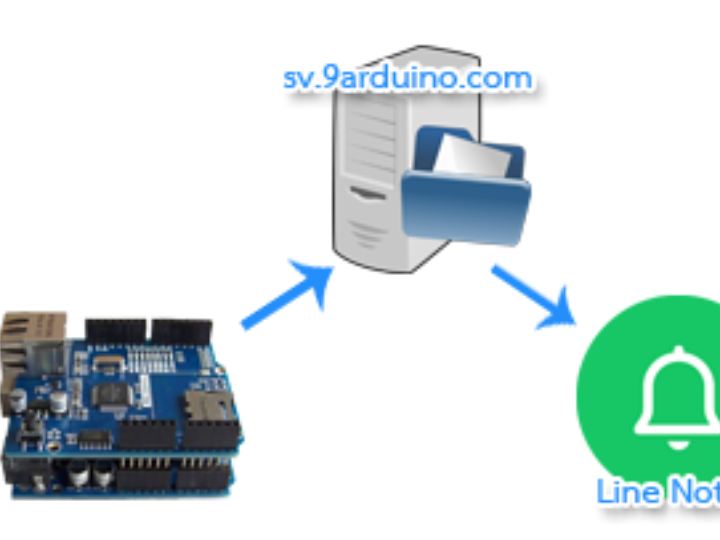
From what friends know that Arduino Uno R3 + Module W5100 or Module enc28j60 or Module W5500 with Arduino Uno R3 has limited space, Ram Rom resources until developing to support SSL is more difficult than Nodemcu Esp8266 Esp32, so the shop developed the system. Send notifications via Line Notify. The working principle is as shown in the picture below.

In a simple summary, the device will contact AB-Maker's Server first, and then send Server Forword to Line Notify's server again. The information is not too big. And save resources of the Uno R3 as well, making it not fall. er, when used for a period of time
The form of sending information for the shop is using Methol Get, which is easier to develop a program than sending in Methol Post format for newbies.
Url format for service to customers of AB-maker shop for further development with other devices such as Module Sim900, Module Sim800, Module Sim808, esp8266, esp32, Nodemcu can shoot URL Methol Get as follows
http://103.233.194.42/~line/line.php?token= (token) &mes= (message) &tel= (phone number)
or
http://line.ab-maker.com/line.php?token= (token) &mes= (text) &tel= (phone number)
Can be further developed with other Module devices such as Module Sim900, Sim800, Sim808, Module ethernet enc28j60, W5100, W5500 and many other devices that support Internet connection
The equipment that will be used in today's testing is as follows:
- Uno R3 (can use other devices, unlimited)
- Shield W5100 or you can use ENC28J60 depending on your aptitude.
- Switch for sending Logic High or Low for testing
- Other equipment such as wires, test boards, etc.
Let's get started
First of all, as before, we have to create a Token from Line Notify first. Today, we will not talk about how to request a Token from Line Notify. You can read it in the article. Notification system for login to the server via Line Notify .
Start the first step, go to create Line Notify first.
go to my page

Issue Access Token (For Developer) Select Issue Token.

Create your bot's name and choose a method to receive messages. You can choose to receive one-on-one notifications. or notify the desired group can be the same

You will get a token that you can write down or copy and use in our code.

Circuit connection as follows:


in the code section
Notice the red letters. It's something we have to fix.
const char* token = "..."; // Token obtained from Line Notify
const char* mes = "Hello World"; //Text to be displayed
const char* tel = "0995232344"; // phone number registered with the shop

