cyboard-for-cpc
Cyboard: An Open-Source SYMBiFACE II-Compatible Board That Brings the 1984 Amstrad CPC Online with the W5100S
0
Components
Hardware components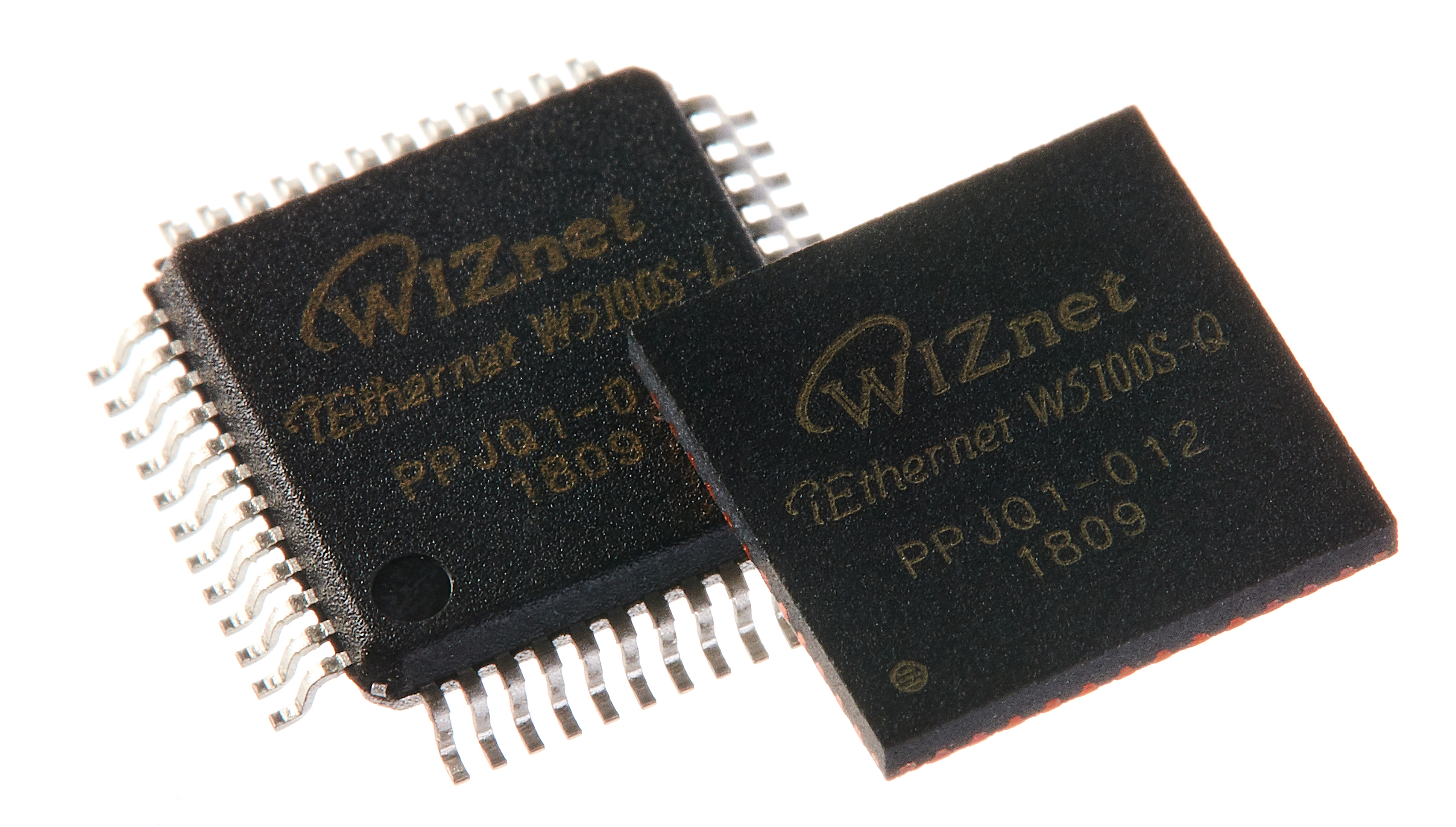
WIZnet - W5100S
x 1

Project description
Summary
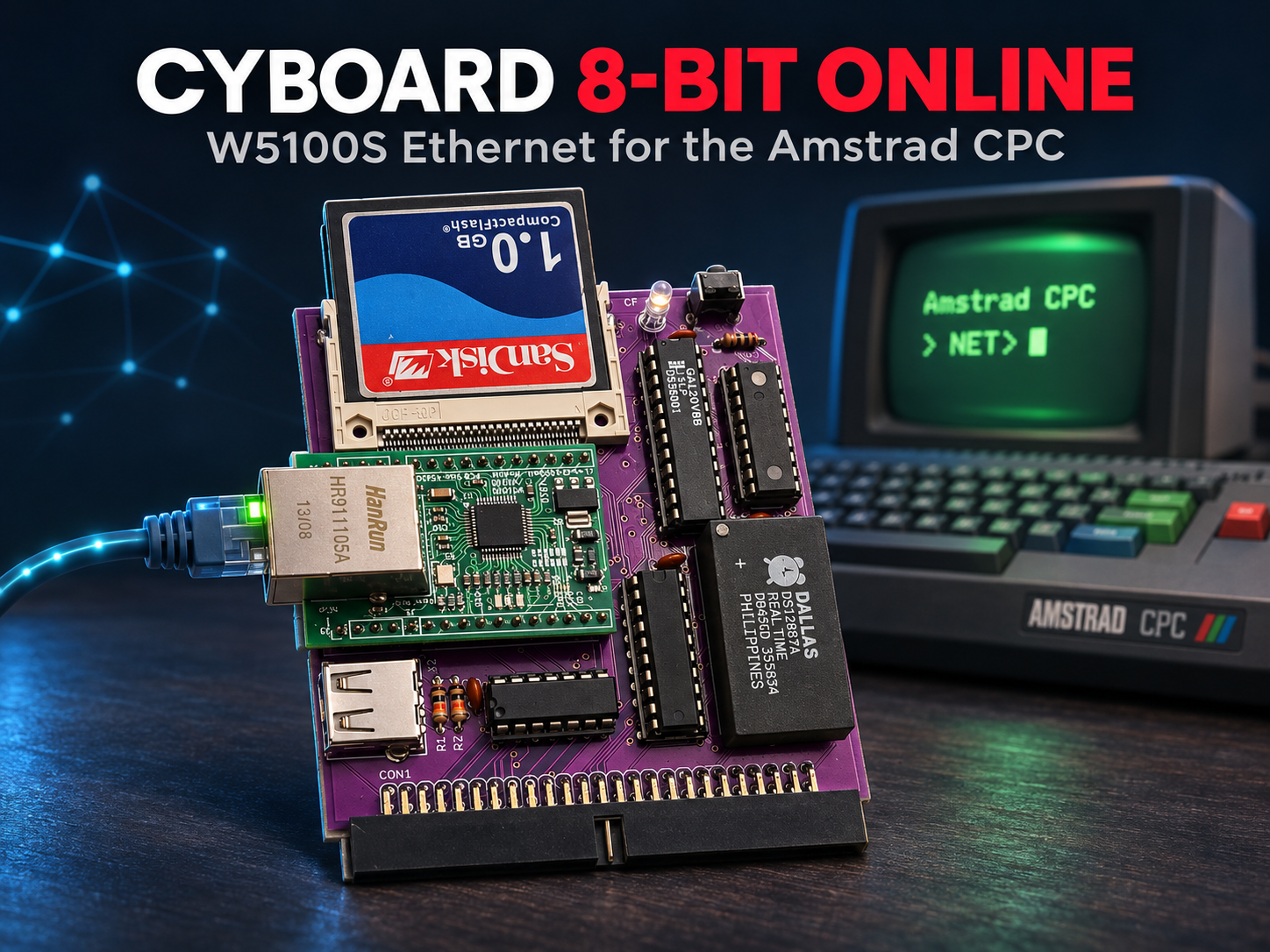
Cyboard is an expansion board for the Amstrad CPC. It packs CompactFlash storage, a PS/2 mouse, an RTC and Ethernet onto a single SYMBiFACE II-compatible board. The WIZnet W5100S handles Ethernet and connects to the 4 MHz Z80 in indirect parallel bus mode using only four I/O ports. Because the chip runs TCP/IP in hardware, a 40-year-old 8-bit machine can ping, transfer files over FTP and sync its clock from SymbOS and CP/M.
Overview
The Amstrad CPC is a Z80-based 8-bit home computer released in 1984, running at 4 MHz. Its community is still active, and it even runs SymbOS, a graphical desktop OS. The SYMBiFACE II was an expansion board that added IDE storage, a PS/2 mouse and an RTC to the CPC. Only about 200 units were built between 2006 and 2012, and today it is available only second-hand.
In February 2023, Dimitris Kefalas from Greece (forum handle d_kef) designed a compatible board that places the CF card, mouse and RTC at the same I/O addresses as the SYMBiFACE II. He then added W5100S Ethernet (#FD20–#FD23). Because the addresses match, existing SYMBiFACE II software can use these devices as-is. The schematic, PCB, Gerbers, BOM and firmware are all published under GPL-3.0.
The same designer later released Net4CPC, a standalone board that carries only the Ethernet part of Cyboard. This article centers on Cyboard, the original, and also covers Net4CPC, its derivative.
→ GitHub repository: https://github.com/salafek/cyboard-for-cpc
Hardware

| Function | Parts | Notes |
|---|---|---|
| Address decoding | GAL20V8B + 74HCT21 | Full 16-bit I/O address decoding |
| Storage | CF card socket | Runs in memory mode and is accessed directly as an 8-bit device |
| Mouse | PIC16F84A + USB-A connector | PS/2-compatible mouse, 5 buttons and scroll wheel |
| Clock | DS12887A | Same DS12887-family RTC as the original SYMBiFACE II |
| Ethernet | W5100S network module | Indirect parallel bus mode, #FD20–#FD23 |
| Other | 74HCT244 (mouse data buffer), reset button, CF activity LED | Mother X4-compatible connector |
Unlike the original SYMBiFACE II, the RAM and ROM expansion is left out. Ethernet takes its place.

Ethernet comes from an off-the-shelf W5100S parallel network module with a built-in 3.3 V regulator, which plugs into the board. The designer notes that WIZnet's own WIZ810SMJ (W5100S) or WIZ610MJ (W6100) modules can also be used with small design changes.
Architecture

Every I/O request from the CPC passes through a single GAL20V8B. The GAL looks at the address and asserts the chip-select line of one of the four devices. The firmware source defines the W5100S condition like this:
W5CS = IOREQ & A1X & A8 & !A9 & !A7 & !A6 & A5 & !A4 & !A3 & !A2;
A1X is asserted when A15–A10 are all 1. The addresses that satisfy this equation are #FD20–#FD23, and the remaining A1 and A0 select one of four registers inside the W5100S.
→ GAL source: https://github.com/salafek/cyboard-for-cpc/blob/main/firmware/gal20v8b/cyboard.pld
Technology Background
Z80 I/O Space and GAL Address Decoding
The Z80 has an I/O space separate from memory. When an IN or OUT instruction runs, the IORQ signal goes active and the port number appears on the address bus. An expansion board must check that address to decide whether it is being spoken to. The circuit that makes this decision is the address decoder.
Decoders used to be built from several 74-series logic ICs. Cyboard instead handles decoding for all four devices with a single programmable logic device, the GAL20V8B. This cuts the part count, and changing an address only means editing the .pld source and reprogramming the chip. Cyboard compares the full 16-bit address. [Inferred] This lowers the risk of address clashes with other expansion boards.
SYMBiFACE II Compatibility
The SYMBiFACE II is a multi-function CPC expansion board. It provided an IDE hard-disk interface, a PS/2 mouse, a PC-compatible RTC, and 512 KB of RAM plus 512 KB of ROM expansion. Cyboard places its CF card (in place of IDE), mouse and RTC at the same I/O addresses as the SYMBiFACE II. Software that supports the SYMBiFACE II can therefore use these Cyboard devices unchanged. The RTC is also from the same DS12887 family as the original.
→ SYMBiFACE II (CPCWiki): https://oldwiki.cpcwiki.eu/index.php/SF2
SymbOS and KCNet: The Network Software on This Board
Two families of software use Cyboard's Ethernet.
- SymbOS network daemon: In SymbOS, the graphical desktop OS, network applications reach the W5100S through this daemon. The daemon ships in the
Extra/folder of the Net4CPC repository - KCNet utilities: A set of CP/M network tools originally written for the East German KC85 computer. They were ported to the CPC with permission from the original author, susowa. The set includes
NCFG(network setup),PING,NTIME(time sync),FTP,TFTP,WOL,NPRINT,CPMNETand a KERMIT client
KCNet comes with a condition that allows private, non-commercial use only.
→ KCNet for Net4CPC: https://github.com/salafek/KCNet-software-for-Net4CPC
→ SymbOS network daemon: https://github.com/salafek/Net4CPC/tree/main/Extra
Technical Highlights
- Four devices decoded by one chip: All GAL20V8B outputs are programmed as combinational logic. The 74HCT21 combines A15–A10 and hands the result to the GAL, which compares the rest of the address
- Storage with no initialization: The CF card runs in memory mode, so it is accessed directly as an 8-bit device. No software initialization is needed
- A mouse controller clocked by the CPC: The PIC16F84A runs from the CPC's 4 MHz clock, and its firmware is written in assembly
- Plug-in Ethernet module: The W5100S chip is not mounted on the board itself. Instead, a finished module carrying the chip and RJ45 jack plugs in, so there is no need to solder a 48-pin chip by hand
- All design files published: The repository holds the EAGLE sources (
.schand.brd), Gerbers, a BOM with Digi-Key part numbers, and GAL and PIC sources and binaries
Where WIZnet Fits: What the W5100S Does
Why the W5100S
On Cyboard, the W5100S is a hardwired TCP/IP controller that handles all TCP/IP processing. The Z80 only writes commands to socket registers and copies data. It does not manage TCP state or retransmissions.
Three properties make the W5100S a good fit for this machine.
- 8-bit parallel bus: Besides SPI, the W5100S supports a parallel bus with 2 address lines and 8 data bits. It attaches to the Z80 bus with no SPI conversion circuit
- 5 V tolerance: The W5100S runs at 3.3 V, but its I/O tolerates 5 V signals. It can therefore sit on the CPC's 5 V bus without a level-shifter IC. In the circuit, the data lines pass only through 470 Ω series resistors, and
/RDand/WRthrough 1N4148 diodes - 4 hardware sockets and 16 KB of buffer: The chip handles TCP, UDP, ICMP and ARP and keeps 16 KB of TX/RX buffer on-chip. The CPC's 64 KB or 128 KB of RAM is not needed for network buffers
→ W5100S official documentation: https://docs.wiznet.io/Product/Chip/Ethernet/W5100S
Indirect Parallel Bus Mode: Reaching Inside the Chip Through Four Ports
The W5100S lays out its registers and buffers in a 16-bit address space. The parallel bus has only two address lines, so the CPC uses four I/O ports and works by "write the address first, then read or write the data." This is indirect bus mode.
| Port | Register | Role |
|---|---|---|
#FD20 |
MR | Mode register |
#FD21 |
IDM_ARH | Upper 8 bits of the internal address |
#FD22 |
IDM_ARL | Lower 8 bits of the internal address |
#FD23 |
IDM_DR | Reads or writes data at the selected address |
The datasheet states that this mode supports N-byte sequential reads and writes. After setting the address once, the CPC can move a buffer by reading or writing #FD23 repeatedly.
What Happens When Connecting to a Server
Here is what happens when FTP.COM on CP/M connects to a server, following the standard W5100S socket procedure.
- Open the socket: The Z80 sets the address of socket 0's mode register through
#FD21and#FD22, then writes TCP mode to#FD23. It then writes theOPENcommand - Request the connection: It writes the server IP and port 21 into the destination registers and writes the
CONNECTcommand. This is where the Z80's work ends - The chip takes over: The W5100S resolves the peer's MAC address with ARP and performs the SYN → SYN-ACK → ACK handshake itself. If there is no response, it retries a set number of times on its own
- Check the status: The Z80 only reads the socket status register to see whether it has reached
ESTABLISHED - Send data: The Z80 copies the FTP command string into the TX buffer through
#FD23and writes theSENDcommand. The chip splits data into MSS-sized segments and retransmits when there is no response - Receive data: When the server replies, the chip sends the ACK and stores the data in the RX buffer. The Z80 reads the received size, pulls that many bytes out through
#FD23, and frees the buffer with theRECVcommand
→ W5100S TCP procedure (official app note): https://docs.wiznet.io/Product/Chip/Ethernet/W5100S/Application-Note/tcp
Think of it this way: the W5100S is a post office counter, and the Z80 is a customer dropping off a letter. The customer only hands over the address and the letter. Finding the destination (ARP), confirming registered delivery (handshake and ACK), and resending returned mail (retransmission) are all the post office's job. The customer only checks later whether the letter arrived.
Without the Chip
Without the W5100S, putting a CPC on a network would mean adding a separate Ethernet MAC chip and running the entire TCP/IP stack in Z80 software. A 4 MHz Z80 would have to compute checksums for every packet, manage TCP state and retransmission timers, and reserve buffers in CPC RAM. [Inferred] That would take CPU time and memory away from applications, and running a desktop OS alongside networking would become much harder.
The CPC-ENet, an earlier Ethernet card for the CPC, used the CS8900A Ethernet controller. [Inferred] The CS8900A does not run TCP/IP on-chip, so in that design host-side software has to handle TCP/IP.
→ CPC-ENet (CPCWiki): https://oldwiki.cpcwiki.eu/index.php/CPC-ENet
A Derivative Board: Net4CPC

Net4CPC is a standalone board that carries only Cyboard's Ethernet interface. Its repository README describes it as a stand-alone implementation of the Ethernet interface found on Cyboard. SymbOS and KCNet support Net4CPC as well.

| Item | Cyboard | Net4CPC |
|---|---|---|
| Functions | CF card, mouse, RTC, Ethernet | Ethernet only |
| Address decoding | GAL20V8B (needs programming) | 74LS30 + 74LS32 (standard logic ICs) |
| Module options | Off-the-shelf W5100S module | Off-the-shelf W5100S module or WIZ810SMJ / WIZ610MJ |
| Power | Regulator on the module | Adds an AMS1117-3.3 for genuine WIZnet modules |
| First repository commit | 2023-02-05 | 2023-02-11 |
Net4CPC uses no GAL, so it can be built without a device programmer, and the board has a dedicated footprint for genuine WIZnet modules. The connection to the W5100S (470 Ω series resistors on the data lines and 1N4148 diodes on /RD and /WR) is the same on both boards.

→ Net4CPC repository: https://github.com/salafek/Net4CPC
You can try this board without the real hardware. The Amstrad CPC emulator 1984 reproduces Net4CPC down to the W5100S register level, so the same KCNet and SymbOS software runs on a PC.
→ 1984 emulator: https://github.com/salvogendut/1984
Similar Projects on WIZnet Makers
- Spectranet: An interface that adds a WIZnet W5100 to the ZX Spectrum (Z80), providing TCP/UDP sockets, a network file system and firmware updates over the LAN. It is open hardware under the MIT license and is also sold. Like Cyboard, it attaches the chip over a parallel bus, but it maps the chip into the Spectrum's memory space and adds flash and SRAM to go deeper on networking
→ Project link: https://maker.wiznet.io/TheoIm/resellers/spectranet-1/ - GR8NET: A commercial cartridge for the MSX (Z80) that combines W5100 Ethernet with BASIC network commands, TCP/IP UNAPI and FPGA media features. Like Cyboard, it puts several functions on one board, but it uses an FPGA to also include a memory mapper, audio and SD storage
→ Project link: https://maker.wiznet.io/Benjamin/resellers/where-does-w5100-fit-in-the-gr8net-ethernet-and-media-cartridge-for-msx/ - MT011: An RC2014 (Z80) bus-compatible Ethernet controller using the W5500. It shares the idea of attaching a WIZnet chip to a Z80 bus, but connects over SPI rather than a parallel bus
→ Project link: https://maker.wiznet.io/sophia/projects/MT011-is-an-RC2014-compaitible-ethernet-controller-based-on-the-w5500/
All three take the same design choice: "let the chip handle TCP/IP for the Z80 machine." Handing TCP/IP to a hardwired chip, rather than running it on an 8-bit CPU, is the established approach to networking in retro computing.
| Item | Cyboard | Spectranet | GR8NET | MT011 |
|---|---|---|---|---|
| Target machine | Amstrad CPC | ZX Spectrum | MSX | RC2014 |
| CPU | Z80 | Z80 | Z80 | Z80 |
| WIZnet chip | W5100S | W5100 | W5100 | W5500 |
| Connection | Indirect parallel bus (4 I/O ports) | Parallel bus (memory-mapped) | Cartridge bus (memory-mapped) | SPI |
| Non-network features | CF, mouse, RTC | Flash, SRAM, CPLD | Memory mapper, audio, SD | None |
| Form | Open hardware (GPL-3.0) | Open hardware (MIT), sold | Commercial | Unknown |
What sets Cyboard apart is that it adds Ethernet while keeping compatibility with an existing expansion board (the SYMBiFACE II), and that it attaches the chip through only four I/O ports instead of memory space, leaving the CPC memory map untouched.
Use Cases
- Networking for the SymbOS desktop: With storage, mouse, clock and network on one board, network applications can run on the graphical desktop
- Network tools on CP/M: KCNet handles IP setup, ping, time sync, FTP and TFTP file transfers, and Wake-on-LAN. Moving files between a PC and the CPC no longer needs floppies
- A reference design for other 8-bit machines: The GAL decoding equations and the indirect parallel bus connection are public, so they serve as a direct reference for adding a W5100S to any other machine with a Z80 bus
- Development without the hardware: Since the 1984 emulator reproduces this board, network software can be written and tested without a real CPC, then moved to the hardware
Limitations and Future Improvements
Current limitations:
- No TLS: TLS is not among the protocols the W5100S handles. HTTPS would require the Z80 to handle encryption, and no CPC software that does this was found
- IPv4 only: The W5100S supports IPv4 only
- Four concurrent connections: The W5100S has four hardware sockets. [Inferred] That is usually enough for retro use, but it limits running several services at once
- No recent updates: The last commits to the Cyboard and Net4CPC repositories are from May 2023, with no releases (the KCNet repository was updated in September 2025). Whether the boards are sold is not confirmed
Directions for improvement:
- W6100 module support: The designer has already said a W6100 module (WIZ610MJ) can be used, and Net4CPC has a footprint for genuine modules. The W6100 supports an IPv4/IPv6 dual stack and eight hardware sockets, so [Inferred] once software follows, it could address both IPv6 and the connection limit
- TLS through an external proxy: [Inferred] Rather than handling TLS on the Z80, a more practical setup is another device on the LAN that converts HTTPS to HTTP
→ W6100 official documentation: https://docs.wiznet.io/Product/Chip/Ethernet/W6100
FAQ
Q. Can I build one myself? A. Yes. The Gerbers and BOM (with Digi-Key part numbers) are public, so you can order the PCB, buy the parts and assemble it. The GAL20V8B and PIC16F84A must be programmed with a device programmer, though. If you only need Ethernet, Net4CPC is simpler because it has no GAL.
Q. How do Cyboard and Net4CPC differ?
A. The Ethernet part is the same (W5100S at #FD20–#FD23). Cyboard is an all-in-one board that also includes the CF card, mouse and RTC, while Net4CPC is an Ethernet-only standalone board. [Inferred] If you already own a SYMBiFACE II, adding just Net4CPC is also an option.
Q. Can I use a W6100 module instead of the W5100S? A. The designer says the WIZ610MJ (W6100) module can be used with small design changes, and the Net4CPC board has a footprint for it. However, no CPC software using the W6100's IPv6 features was found.
Q. Can I try it without the hardware? A. The Amstrad CPC emulator 1984 reproduces Net4CPC's W5100S down to the register level, so you can run the same KCNet and SymbOS software on a PC.
Q. How is the network configured?
A. On CP/M, KCNet's NCFG sets the IP address, subnet mask, gateway and DNS. On SymbOS, the network daemon handles configuration.
요약
Cyboard는 Amstrad CPC용 확장 보드로, CF 카드 저장장치·PS/2 마우스·RTC·Ethernet을 한 장에 담은 SYMBiFACE II 호환 보드입니다. Ethernet은 WIZnet W5100S가 맡으며, 간접 병렬 버스 모드로 I/O 포트 4개만 써서 4MHz Z80에 연결됩니다. TCP/IP 처리는 칩이 하드웨어로 수행하므로, 40년 된 8비트 기계가 SymbOS와 CP/M에서 핑·FTP·시간 동기화 같은 네트워크 기능을 쓸 수 있습니다.
개요
Amstrad CPC는 1984년에 나온 Z80 4MHz 기반의 8비트 홈 컴퓨터입니다. 지금도 커뮤니티가 활발해서, 그래픽 데스크톱 OS인 SymbOS까지 돌아갑니다. CPC에 IDE 저장장치·PS/2 마우스·RTC를 더해 주던 확장 보드로 SYMBiFACE II가 있었는데, 2006~2012년에 약 200대만 만들어져 지금은 중고로만 구할 수 있습니다.
그리스의 Dimitris Kefalas(포럼 닉네임 d_kef)는 2023년 2월, CF 카드·마우스·RTC를 SYMBiFACE II와 같은 I/O 주소에 둔 호환 보드를 설계하고, 여기에 W5100S Ethernet(#FD20–#FD23)을 더했습니다. 주소가 같기 때문에 SYMBiFACE II용 기존 소프트웨어가 이 장치들을 그대로 쓸 수 있습니다. 회로도·PCB·거버·BOM·펌웨어는 모두 GPL-3.0으로 공개돼 있습니다.
이후 같은 제작자는 Cyboard의 Ethernet 부분만 떼어 낸 단독 보드 Net4CPC도 공개했습니다. 이 글은 원본인 Cyboard를 중심으로, 파생 보드인 Net4CPC까지 함께 다룹니다.
→ GitHub 저장소: https://github.com/salafek/cyboard-for-cpc
하드웨어 구성
| 기능 | 부품 | 비고 |
|---|---|---|
| 주소 디코딩 | GAL20V8B + 74HCT21 | 16비트 I/O 주소 전체 디코딩 |
| 저장장치 | CF 카드 소켓 | 메모리 모드로 동작해 8비트 장치로 직접 접근 |
| 마우스 | PIC16F84A + USB-A 커넥터 | PS/2 호환 마우스, 5버튼·휠 지원 |
| 시계 | DS12887A | 원본 SYMBiFACE II와 같은 DS12887 계열 RTC |
| Ethernet | W5100S 네트워크 모듈 | 간접 병렬 버스 모드, #FD20–#FD23 |
| 기타 | 74HCT244(마우스 데이터 버퍼), 리셋 버튼, CF 활동 LED | Mother X4 호환 커넥터 |
원본 SYMBiFACE II와 달리 RAM·ROM 확장은 빠져 있습니다. 대신 Ethernet이 들어갔습니다.
Ethernet은 시중에서 파는 W5100S 병렬 네트워크 모듈(3.3V 레귤레이터 내장)을 꽂는 방식입니다. 제작자는 WIZnet 정품 모듈인 WIZ810SMJ(W5100S)나 WIZ610MJ(W6100)도 설계를 조금 바꾸면 쓸 수 있다고 밝혔습니다.
아키텍처
CPC의 I/O 요청은 모두 GAL20V8B 하나를 거칩니다. GAL은 주소를 보고 네 장치 중 하나의 칩 선택 신호를 내립니다. W5100S 쪽 조건은 펌웨어 소스에 이렇게 적혀 있습니다.
W5CS = IOREQ & A1X & A8 & !A9 & !A7 & !A6 & A5 & !A4 & !A3 & !A2;
A1X는 A15–A10이 모두 1일 때 켜지는 신호입니다. 이 식을 만족하는 주소가 #FD20–#FD23이고, 남는 A1·A0로 W5100S 안의 레지스터 4개 중 하나를 고릅니다.
→ GAL 소스: https://github.com/salafek/cyboard-for-cpc/blob/main/firmware/gal20v8b/cyboard.pld
기술 배경
Z80 I/O 공간과 GAL 주소 디코딩
Z80은 메모리와 별도로 I/O 공간을 가지며, IN·OUT 명령이 실행되면 IORQ 신호가 켜지고 주소 버스에 포트 번호가 실립니다. 확장 보드는 이 주소를 보고 "내 차례인지"를 판단해야 하는데, 이 판단 회로가 주소 디코더입니다.
예전에는 74 시리즈 논리 IC 여러 개로 디코더를 만들었지만, Cyboard는 프로그래밍 가능한 논리 소자 GAL20V8B 하나로 네 장치의 디코딩을 모두 처리합니다. 덕분에 부품 수가 줄고, 주소를 바꾸고 싶으면 .pld 소스만 고쳐 다시 구우면 됩니다. Cyboard는 16비트 주소를 전부 비교합니다. [추정] 그만큼 다른 확장 보드와 주소가 겹칠 위험이 줄어듭니다.
SYMBiFACE II 호환성
SYMBiFACE II는 CPC용 다기능 확장 보드로, IDE 하드디스크 연결·PS/2 마우스·PC 호환 RTC와 512KB RAM·512KB ROM 확장을 제공했습니다. Cyboard는 이 중 CF 카드(IDE 대신)·마우스·RTC를 SYMBiFACE II와 같은 I/O 주소에 두었습니다. 그래서 SYMBiFACE II를 지원하는 소프트웨어는 Cyboard의 이 장치들을 그대로 쓸 수 있습니다. RTC 역시 원본과 같은 DS12887 계열입니다.
→ SYMBiFACE II (CPCWiki): https://oldwiki.cpcwiki.eu/index.php/SF2
SymbOS와 KCNet: 이 보드 위의 네트워크 소프트웨어
Cyboard의 Ethernet을 쓰는 소프트웨어는 두 갈래입니다.
- SymbOS 네트워크 데몬: 그래픽 데스크톱 OS인 SymbOS에서 네트워크 애플리케이션이 이 데몬을 통해 W5100S를 씁니다. 데몬은 Net4CPC 저장소의
Extra/폴더에 들어 있습니다 - KCNet 유틸리티: 원래 동독 컴퓨터 KC85용으로 만들어진 CP/M 네트워크 도구 모음입니다. 원작자 susowa의 허락을 받아 CPC로 포팅됐으며,
NCFG(네트워크 설정),PING,NTIME(시간 동기화),FTP,TFTP,WOL,NPRINT,CPMNET과 KERMIT 클라이언트가 들어 있습니다
KCNet은 비상업적 개인 사용만 허용하는 조건이 붙어 있습니다.
→ KCNet for Net4CPC: https://github.com/salafek/KCNet-software-for-Net4CPC
→ SymbOS 네트워크 데몬: https://github.com/salafek/Net4CPC/tree/main/Extra
기술 특징
- 장치 4개를 칩 하나로 디코딩: GAL20V8B의 출력은 모두 조합 논리로 프로그래밍돼 있습니다. 74HCT21이 A15–A10을 묶어 GAL에 넘기고, GAL이 나머지 주소를 비교합니다
- 초기화가 필요 없는 저장장치: CF 카드를 메모리 모드로 써서 8비트 장치로 바로 접근합니다. 소프트웨어 초기화 절차가 없습니다
- CPC 클록을 그대로 쓰는 마우스 컨트롤러: PIC16F84A가 CPC의 4MHz 클록으로 동작하며 어셈블리로 작성됐습니다
- 모듈 교체형 Ethernet: W5100S 칩을 기판에 직접 실장하지 않고, 칩과 RJ45가 올라간 완성 모듈을 꽂습니다. 48핀 칩을 직접 납땜할 필요가 없습니다
- 설계 파일 전부 공개: EAGLE 원본(
.sch·.brd), 거버, BOM(Digi-Key 품번 포함), GAL·PIC 소스와 바이너리가 저장소에 있습니다
WIZnet 적용: W5100S가 맡는 일
왜 W5100S인가
Cyboard에서 W5100S는 TCP/IP 처리 전체를 맡는 하드웨어 TCP/IP 컨트롤러입니다. Z80은 소켓 레지스터에 명령을 쓰고 데이터를 복사할 뿐, TCP 상태 관리나 재전송은 하지 않습니다.
이 기계에 W5100S가 잘 맞는 이유는 세 가지입니다.
- 8비트 병렬 버스 지원: W5100S는 SPI 외에 주소선 2개 + 데이터 8비트의 병렬 버스를 지원합니다. Z80 버스에 SPI 변환 회로 없이 바로 붙습니다
- 5V 신호 내성: W5100S는 3.3V로 동작하지만 I/O는 5V 신호를 견딥니다. 그래서 레벨 변환 IC 없이 CPC의 5V 버스에 붙일 수 있습니다. 회로에서는 데이터선에 470Ω 직렬 저항,
/RD·/WR에 1N4148 다이오드만 거칩니다 - 하드웨어 소켓 4개와 버퍼 16KB: TCP·UDP·ICMP·ARP를 칩이 처리하고, 송수신 버퍼 16KB가 칩 안에 있습니다. CPC의 64KB·128KB RAM을 네트워크 버퍼로 쓰지 않아도 됩니다
→ W5100S 공식 문서: https://docs.wiznet.io/Product/Chip/Ethernet/W5100S
간접 병렬 버스 모드: 포트 4개로 칩 내부에 접근하기
W5100S의 레지스터와 버퍼는 16비트 주소로 배치돼 있습니다. 병렬 버스에는 주소선이 2개뿐이므로, CPC는 I/O 포트 4개로 "주소를 먼저 쓰고 데이터를 읽고 쓰는" 방식으로 접근합니다. 이것이 간접(indirect) 버스 모드입니다.
| 포트 | 레지스터 | 역할 |
|---|---|---|
#FD20 |
MR | 모드 레지스터 |
#FD21 |
IDM_ARH | 접근할 내부 주소의 상위 8비트 |
#FD22 |
IDM_ARL | 접근할 내부 주소의 하위 8비트 |
#FD23 |
IDM_DR | 지정한 주소의 데이터 읽기·쓰기 |
데이터시트는 이 모드에서 N바이트 연속 읽기·쓰기를 지원한다고 밝힙니다. 주소를 한 번 지정한 뒤 #FD23을 반복해서 읽거나 써서 버퍼를 옮길 수 있습니다.
서버에 접속할 때 일어나는 일
CP/M에서 FTP.COM으로 서버에 접속하는 상황을 W5100S 표준 소켓 절차에 따라 풀면 다음과 같습니다.
- 소켓 열기: Z80이
#FD21·#FD22로 소켓 0의 모드 레지스터 주소를 지정하고#FD23에 TCP 모드를 씁니다. 이어서OPEN명령을 씁니다 - 접속 요청: 서버 IP와 포트 21을 목적지 레지스터에 쓰고
CONNECT명령을 씁니다. Z80이 하는 일은 여기까지입니다 - 칩이 처리: W5100S가 상대의 MAC 주소를 ARP로 알아내고, SYN → SYN-ACK → ACK 핸드셰이크를 직접 수행합니다. 응답이 없으면 정해진 횟수만큼 알아서 재시도합니다
- 상태 확인: Z80은 소켓 상태 레지스터를 읽어
ESTABLISHED가 됐는지만 확인합니다 - 데이터 보내기: Z80이 FTP 명령 문자열을
#FD23으로 송신 버퍼에 복사하고SEND명령을 씁니다. MSS 단위 분할과 응답이 없을 때의 재전송은 칩이 합니다 - 데이터 받기: 서버 응답이 오면 칩이 ACK를 보내고 수신 버퍼에 쌓습니다. Z80은 받은 크기를 읽고 그만큼
#FD23으로 꺼낸 뒤RECV명령으로 버퍼를 비웁니다
→ W5100S TCP 절차(공식 앱노트): https://docs.wiznet.io/Product/Chip/Ethernet/W5100S/Application-Note/tcp
비유하면 W5100S는 우체국 창구이고 Z80은 편지를 맡기는 손님입니다. 손님은 받는 사람 주소와 편지만 창구에 넘깁니다. 주소지를 찾아가는 일(ARP), 등기 접수 확인(핸드셰이크·ACK), 반송됐을 때 다시 보내는 일(재전송)은 모두 우체국이 합니다. 손님은 나중에 "도착했는지"만 확인하면 됩니다.
칩이 없었다면
W5100S 없이 CPC를 네트워크에 붙이려면 Ethernet MAC 칩을 따로 달고, TCP/IP 스택 전체를 Z80 소프트웨어로 돌려야 합니다. 4MHz Z80이 패킷마다 체크섬을 계산하고, TCP 상태와 재전송 타이머를 관리하고, 버퍼를 CPC RAM에 잡아야 합니다. [추정] 그만큼 애플리케이션이 쓸 CPU 시간과 메모리가 줄고, 데스크톱 OS를 돌리면서 네트워크를 함께 쓰기는 훨씬 어려워집니다.
CPC용 이전 Ethernet 카드인 CPC-ENet은 Ethernet 컨트롤러 CS8900A를 썼습니다. [추정] CS8900A는 TCP/IP를 칩에서 처리하지 않으므로, 이 구조에서는 TCP/IP를 호스트 쪽 소프트웨어가 맡아야 합니다.
→ CPC-ENet (CPCWiki): https://oldwiki.cpcwiki.eu/index.php/CPC-ENet
파생 보드: Net4CPC
Net4CPC는 Cyboard의 Ethernet 인터페이스만 떼어 낸 단독 보드입니다. 저장소 README가 스스로 "Cyboard에 있는 Ethernet 인터페이스의 단독 구현"이라고 밝힙니다. SymbOS와 KCNet이 Net4CPC도 지원합니다.
| 항목 | Cyboard | Net4CPC |
|---|---|---|
| 기능 | CF 카드·마우스·RTC·Ethernet | Ethernet만 |
| 주소 디코딩 | GAL20V8B (프로그래밍 필요) | 74LS30 + 74LS32 (일반 논리 IC) |
| 모듈 선택지 | 시중 W5100S 모듈 | 시중 W5100S 모듈 또는 WIZ810SMJ·WIZ610MJ |
| 전원 | 모듈 내장 레귤레이터 | 정품 모듈용 AMS1117-3.3 추가 |
| 저장소 첫 커밋 | 2023-02-05 | 2023-02-11 |
Net4CPC는 GAL을 쓰지 않아 롬 라이터 없이 만들 수 있고, 기판에 WIZnet 정품 모듈 자리가 따로 있습니다. W5100S와의 연결부(데이터선 470Ω 직렬 저항, /RD·/WR 1N4148 다이오드)는 두 보드가 같습니다.
→ Net4CPC 저장소: https://github.com/salafek/Net4CPC
실기가 없어도 이 보드를 시험해 볼 수 있습니다. Amstrad CPC 에뮬레이터 1984가 Net4CPC를 W5100S 레지스터 수준까지 재현해, 같은 KCNet·SymbOS 소프트웨어를 PC에서 돌릴 수 있습니다.
→ 1984 에뮬레이터: https://github.com/salvogendut/1984
WIZnet Makers 유사 사례
- Spectranet: ZX Spectrum(Z80)에 WIZnet W5100을 붙여 TCP/UDP 소켓과 네트워크 파일 시스템, LAN 펌웨어 업데이트를 제공하는 인터페이스입니다. MIT 라이선스 오픈 하드웨어이면서 판매도 됩니다. Cyboard처럼 병렬 버스로 칩을 붙이되, 칩을 Spectrum 메모리 공간에 매핑하고 플래시·SRAM까지 갖춰 네트워크 기능을 더 깊게 다룹니다
→ 프로젝트 링크: https://maker.wiznet.io/TheoIm/resellers/spectranet-1/ - GR8NET: MSX(Z80)용 카트리지로, W5100 Ethernet에 BASIC 네트워크 명령과 TCP/IP UNAPI, FPGA 미디어 기능을 더한 상용 제품입니다. Cyboard처럼 여러 기능을 한 장에 합쳤지만, FPGA로 메모리 매퍼·오디오·SD 저장장치까지 담았다는 점이 다릅니다
→ 프로젝트 링크: https://maker.wiznet.io/Benjamin/resellers/where-does-w5100-fit-in-the-gr8net-ethernet-and-media-cartridge-for-msx/ - MT011: RC2014(Z80) 버스 호환 Ethernet 컨트롤러로 W5500을 씁니다. Z80 버스에 WIZnet 칩을 붙인다는 점은 같지만, 병렬 버스가 아닌 SPI로 연결합니다
→ 프로젝트 링크: https://maker.wiznet.io/sophia/projects/MT011-is-an-RC2014-compaitible-ethernet-controller-based-on-the-w5500/
세 사례 모두 **"Z80 기계의 TCP/IP는 칩에 맡긴다"**는 같은 설계를 택했습니다. 8비트 CPU로 TCP/IP를 직접 돌리기보다 하드와이어드 칩에 넘기는 것이 레트로 컴퓨팅 네트워크의 정석이라는 뜻입니다.
| 항목 | Cyboard | Spectranet | GR8NET | MT011 |
|---|---|---|---|---|
| 대상 기계 | Amstrad CPC | ZX Spectrum | MSX | RC2014 |
| CPU | Z80 | Z80 | Z80 | Z80 |
| WIZnet 칩 | W5100S | W5100 | W5100 | W5500 |
| 연결 방식 | 간접 병렬 버스 (I/O 포트 4개) | 병렬 버스 (메모리 매핑) | 카트리지 버스 (메모리 매핑) | SPI |
| 네트워크 외 기능 | CF·마우스·RTC | 플래시·SRAM·CPLD | 메모리 매퍼·오디오·SD | 없음 |
| 형태 | 오픈 하드웨어 (GPL-3.0) | 오픈 하드웨어 (MIT), 판매 | 상용 | 미상 |
Cyboard의 차별점은 기존 확장 보드(SYMBiFACE II)와의 호환성을 지키면서 Ethernet을 더했다는 점, 그리고 칩을 메모리 공간이 아닌 I/O 포트 4개로만 붙여 CPC 메모리 맵을 건드리지 않는다는 점입니다.
어디에 쓰나
- SymbOS 데스크톱의 네트워크 환경: 저장장치·마우스·시계·네트워크를 보드 한 장으로 갖춰, 그래픽 데스크톱에서 네트워크 애플리케이션을 쓸 수 있습니다
- CP/M에서 네트워크 도구 쓰기: KCNet으로 IP 설정, 핑, 시간 동기화, FTP·TFTP 파일 전송, 원격 부팅 신호(WOL)를 보낼 수 있습니다. PC와 CPC 사이에 파일을 옮기는 일이 플로피 없이 됩니다
- 다른 8비트 기계로 옮길 참고 설계: GAL 주소 디코딩 식과 간접 병렬 버스 연결이 공개돼 있어, Z80 버스를 가진 다른 기계에 W5100S를 붙일 때 그대로 참고할 수 있습니다
- 실기 없이 개발하기: 1984 에뮬레이터가 이 보드를 재현하므로, 실기 없이 네트워크 소프트웨어를 만들고 시험한 뒤 실물에 올릴 수 있습니다
한계 및 개선 방향
현재 한계는 다음과 같습니다.
- TLS 없음: W5100S가 처리하는 프로토콜에 TLS는 없습니다. HTTPS를 쓰려면 Z80 쪽에서 암호화를 처리해야 하는데, 이를 구현한 CPC 소프트웨어는 확인되지 않았습니다
- IPv4 전용: W5100S는 IPv4만 지원합니다
- 동시 연결 4개: W5100S의 하드웨어 소켓은 4개입니다. [추정] 레트로 환경에서는 대개 충분하지만 여러 서비스를 동시에 돌리기에는 제한이 있습니다
- 갱신 중단: Cyboard·Net4CPC 저장소의 마지막 커밋은 2023년 5월이고 릴리스는 없습니다(KCNet 저장소는 2025년 9월에 갱신). 판매 여부는 확인되지 않습니다
개선 방향은 이렇습니다.
- W6100 모듈 대응: 제작자가 이미 W6100 모듈(WIZ610MJ)을 쓸 수 있다고 밝혔고, Net4CPC에는 정품 모듈 자리도 있습니다. W6100은 IPv4/IPv6 듀얼 스택과 하드웨어 소켓 8개를 지원하므로, [추정] 소프트웨어가 따라오면 IPv6와 동시 연결 수 문제를 함께 풀 수 있습니다
- TLS는 외부 프록시로: [추정] TLS를 Z80에서 처리하는 대신, LAN의 다른 장치가 HTTPS를 HTTP로 바꿔 주는 구성이 현실적입니다
→ W6100 공식 문서: https://docs.wiznet.io/Product/Chip/Ethernet/W6100
FAQ
Q. 직접 만들 수 있나요? A. 네. 거버와 BOM(Digi-Key 품번 포함)이 공개돼 있어 PCB를 주문하고 부품을 사서 조립할 수 있습니다. 다만 GAL20V8B와 PIC16F84A는 롬 라이터로 구워야 합니다. Ethernet만 필요하면 GAL이 없는 Net4CPC가 더 간단합니다.
Q. Cyboard와 Net4CPC는 무엇이 다른가요?
A. Ethernet 부분은 같습니다(W5100S, #FD20–#FD23). Cyboard는 CF 카드·마우스·RTC까지 들어간 통합 보드이고, Net4CPC는 Ethernet만 있는 단독 보드입니다. [추정] 이미 SYMBiFACE II가 있다면 Net4CPC만 더하는 구성도 가능합니다.
Q. W5100S 대신 W6100 모듈을 쓸 수 있나요? A. 제작자는 WIZ610MJ(W6100) 모듈도 설계를 조금 바꾸면 쓸 수 있다고 밝혔습니다. Net4CPC 기판에는 이 모듈 자리가 있습니다. 다만 W6100의 IPv6 기능을 쓰는 CPC 소프트웨어는 확인되지 않았습니다.
Q. 실기 없이 시험해 볼 수 있나요? A. Amstrad CPC 에뮬레이터 1984가 Net4CPC의 W5100S를 레지스터 수준까지 재현합니다. 같은 KCNet·SymbOS 소프트웨어를 PC에서 돌려 볼 수 있습니다.
Q. 네트워크 설정은 어떻게 하나요?
A. CP/M에서는 KCNet의 NCFG로 IP·서브넷·게이트웨이·DNS를 설정합니다. SymbOS에서는 네트워크 데몬이 설정을 맡습니다.

