1984
1984: An Amstrad CPC Emulator That Recreates the W5100S of Cyboard and Net4CPC Down to the Register Level
0
Components
Hardware components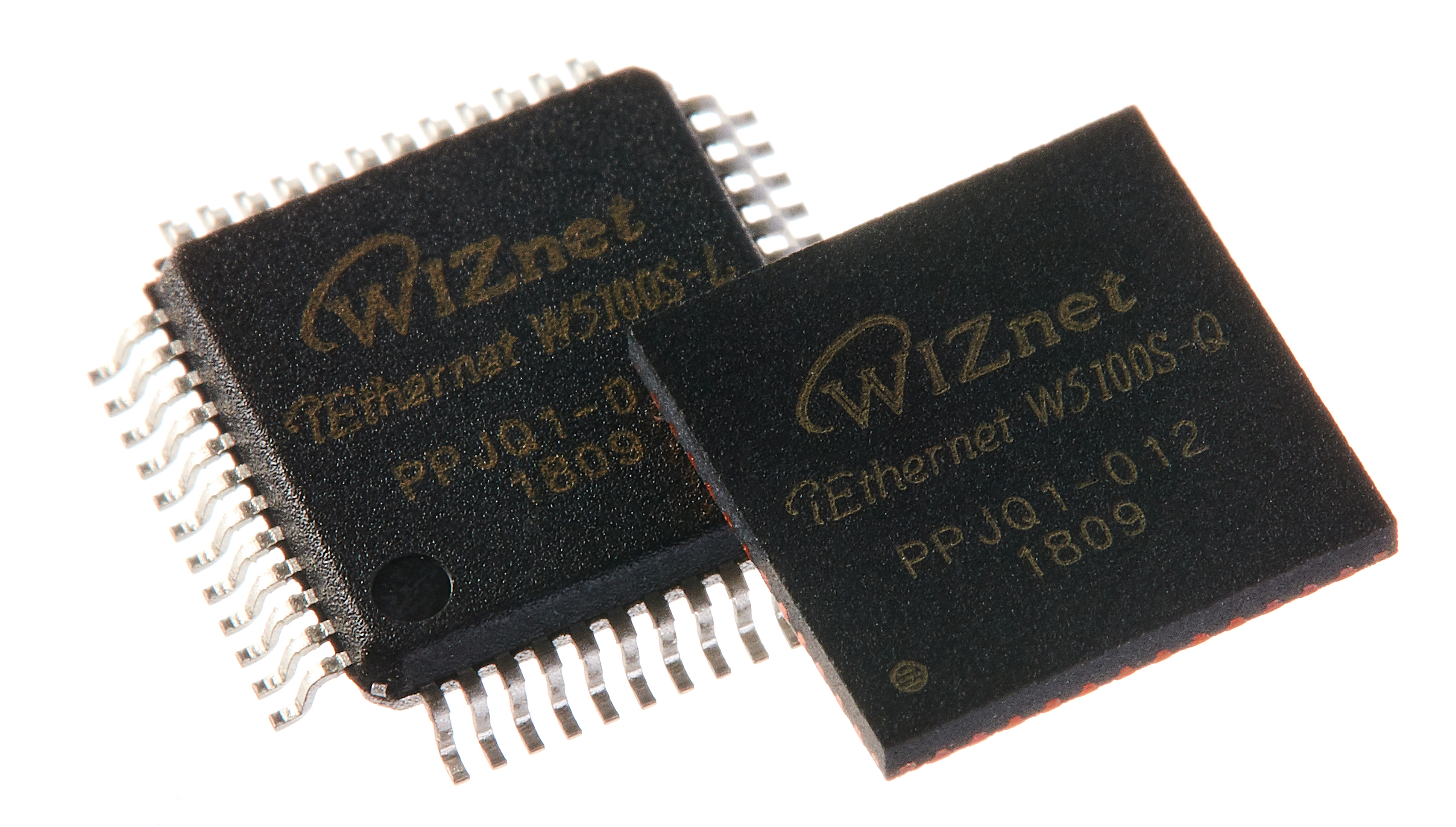
WIZnet - W5100S
x 1

Project description
Summary
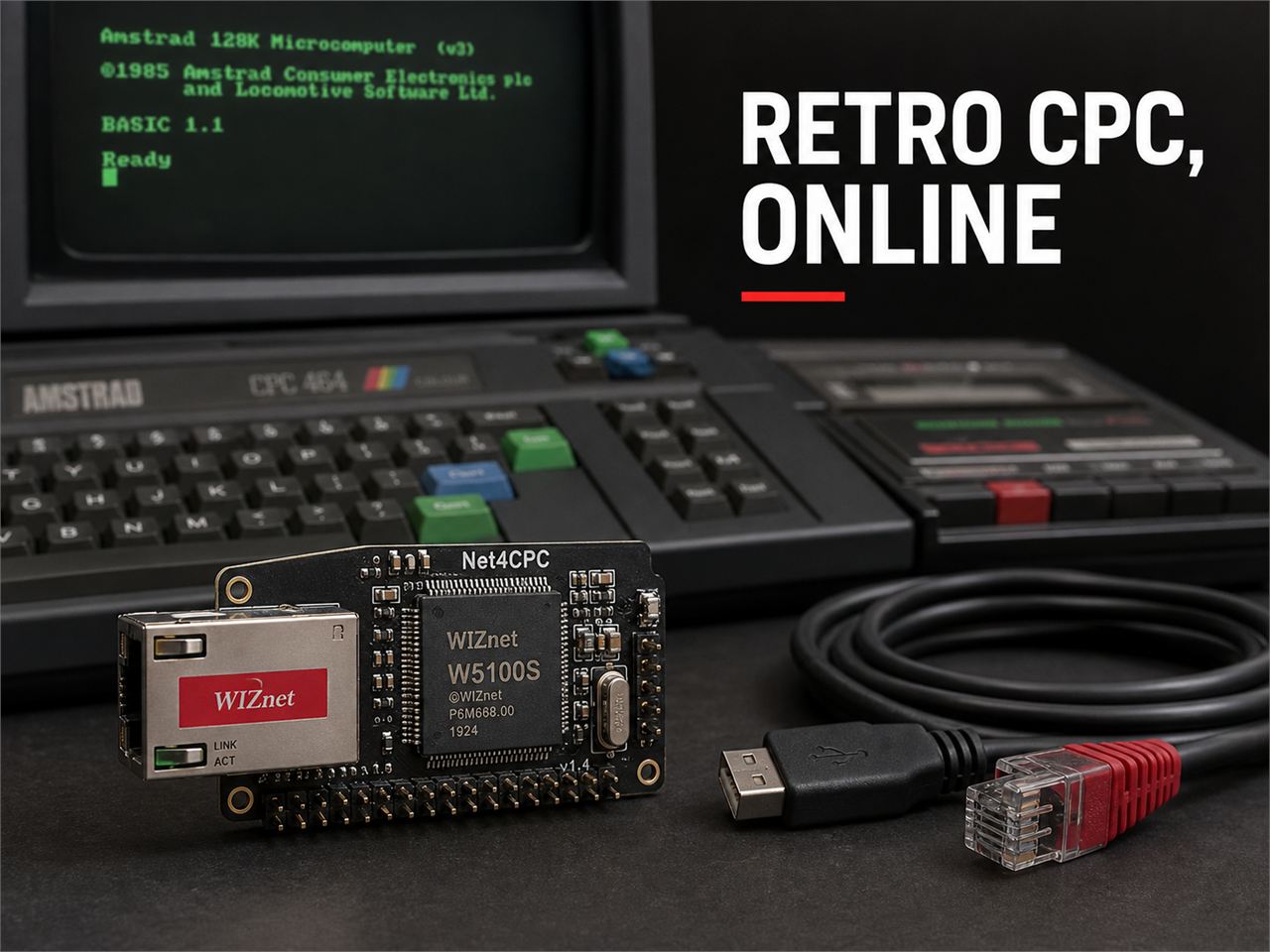
1984 is an Amstrad CPC emulator written in C. It recreates Net4CPC and Cyboard, real Ethernet boards for the CPC, along with the WIZnet W5100S inside them, down to the register level. CPC programs believe a real W5100S is present and drive its socket registers, while the emulator carries that activity over to the PC's network. As a result, network software written for the real boards (KCNet, SymbOS, FUZIX) runs on a PC without the hardware, and on Linux and BSD the CPC can even join a real LAN.
Overview
1984 is an Amstrad CPC emulator released by salvogendut in May 2026. It supports six machines, from the CPC 464, 664 and 6128 to the Plus range and the GX4000. The desktop edition uses SDL3, and the browser edition compiles the same core to WebAssembly. It is licensed under GPL-2.0.
The emulator recreates not only the CPC itself but also several expansion boards. This article focuses on its Net4CPC support. Net4CPC is a real board that adds Ethernet to the CPC with a W5100S, and the same circuit also appears on the all-in-one Cyboard. The structure of the real boards and how they connect the W5100S are covered in a separate article.
→ Cyboard article (WIZnet Makers): https://maker.wiznet.io/scott/projects/cyboard-for-cpc/
→ 1984 repository: https://github.com/salvogendut/1984
1984 does not use a W5100S. The chip lives on the real board, and 1984 imitates its behavior in software. That makes this article a case study in "what it takes to rebuild in software what the chip does in hardware."
Architecture

When a CPC program reads or writes I/O ports #FD20–#FD23, net4cpc.c updates register values and interprets socket commands just as a real W5100S would. There are two ways out to the real network.
- Default backend: Maps each W5100S socket to one POSIX socket on the PC. The PC's operating system handles TCP. It works on every OS
- TAP backend: The emulator's own TCP/IP stack (
n4c_stack.c) builds and parses Ethernet frames itself and sends them to a TAP device on Linux or BSD. The CPC then appears as an independent device on the LAN
Technology Background
TAP Devices and L2 Bridging
TAP is a virtual Ethernet device provided by the Linux and BSD kernels. When a program writes an Ethernet frame to a TAP device, the kernel handles it as if it had arrived on a real network card, and the same works in the other direction. If you bridge a TAP device with a real network card, the virtual device the program created appears on the LAN as-is.
1984 uses this to turn the virtual W5100S into a real device on the LAN. The CPC gets its own MAC and IP, and other PCs on the LAN can ping it or connect to it. Using NAT instead of a bridge lets the CPC reach the Internet through the PC.
→ Net4CPC TAP setup guide: https://github.com/salvogendut/1984/blob/main/NET4CPC.md
Host Socket Mapping
The simplest way for an emulator to recreate a network chip is to pass the guest's socket requests straight to the host OS socket API. That is how 1984's default backend works. When OPEN reaches a W5100S socket, the PC opens a socket(), and when CONNECT arrives, it calls connect().
This is simple to implement and needs no administrator rights, but the limits are clear. Connections leave from the PC's IP, so the CPC is not an independent device on the LAN. Nothing outside can ping the CPC or connect to it, and ARP and DHCP do not work.
Register-Level Emulation
KCNet and the SymbOS daemon are Z80 code written for a real W5100S, so they depend on the behavior of individual registers. To run that code unchanged, the emulator must reproduce register addresses, initial values and read/write side effects exactly as the datasheet describes. If it only approximates behavior at the function level, a single value that differs from what the driver expects can stall it during startup.
1984's development history shows this well. The real bugs it ran into are collected in the "Where WIZnet Fits" section below.
Technical Highlights
| Item | Default backend | TAP backend |
|---|---|---|
| Supported OS | All platforms (including Windows and macOS) | Linux, FreeBSD, NetBSD, OpenBSD |
| TCP handling | Host OS kernel | Emulator's own stack |
| Outbound TCP/UDP | Yes | Yes |
Inbound connections (LISTEN) |
No | Yes |
| Ping replies (ICMP) | No | Yes |
| ARP | Not implemented | Responder + cache, gateway resolution |
| DHCP | Not implemented | Built-in DHCP server, or the server on a bridged LAN |
| DNS proxy | None (host handles it) | Linux only |
| Privileges | Plain sockets only | CAP_NET_ADMIN or a pre-created TAP |
- Automatic setup on Linux: When TAP is enabled, a single
pkexecprompt creates the TAP device, assigns an IP, adds it to the firewalld trusted zone, enables IPv4 forwarding and installs MASQUERADE and FORWARD rules. On BSD,doasorsudoonly creates the TAP device, and NAT has to be set up by hand - Built-in DHCP server and DNS proxy: Hands out IPs from the configured range to the CPC, and on Linux forwards the CPC's DNS queries to the PC's resolver
- Two tracing options:
--trace-net4cpclogs every W5100S register read and write and every socket command, while--trace-taplogs ARP, TCP, UDP and ICMP frame events. With both enabled, you can follow bytes the CPC writes into the TX buffer all the way out as Ethernet frames - Cyboard toggle: Turning on Cyboard in the settings menu enables Net4CPC, the RTC, SYMBiFACE IDE and the mouse in one step. This matches the Ethernet, RTC, storage and mouse set found on a real Cyboard


The first recording was made on the day the fix that connects FUZIX to the Internet through the Net4CPC TAP backend was merged. The repository does not say which path the second recording used.
Where WIZnet Fits: The W5100S Rebuilt in Software
What It Recreates
What 1984 recreates is the W5100S on the Net4CPC board. According to the source comments and development notes, it implements the following.
- Four I/O ports:
#FD20(MR),#FD21and#FD22(IDM_AR upper and lower),#FD23(IDM_DR). When MR's auto-increment bit is set, the address advances on every data-port access - 64 KB register and buffer space: Common registers (
0x0000–0x002F), four sets of socket registers (0x0400–0x07FF), and 2 KB TX/RX ring buffers per socket (0x4000–0x7FFF) - Four sockets and socket commands:
OPEN,CONNECT,LISTEN,SEND,RECV,DISCON,CLOSE - Socket modes: TCP, UDP (prepends the W5100S-style 8-byte header to received data), IPRAW (used by KCNet's
PING.COMfor ICMP)
One Command on Real Hardware Becomes 1,300 Lines of Code
Comparing a CPC program's TCP connection to a server on the real hardware and on 1984's TAP backend makes the difference clear.
Real Net4CPC (W5100S)
- The Z80 writes the destination IP and port to the socket registers and writes the
CONNECTcommand - The W5100S handles ARP, sending SYN, receiving SYN-ACK, sending ACK and retransmission entirely on-chip
- The Z80 only checks whether the socket status register has reached
ESTABLISHED
1984 TAP backend
net4cpc.creceives theCONNECTcommand, callsn4c_stack_tcp_connect()and sets the socket status toSYN_SENTn4c_stack.clooks up the peer's MAC in its ARP cache (16 entries, 60-second lifetime) and, if it is missing, builds and sends an ARP request itself- It assembles the Ethernet, IP and TCP headers, computes the TCP checksum and writes the SYN frame to the TAP device
- On every emulated frame, it pulls incoming frames from the TAP, checks for the SYN-ACK, sends the ACK and sets the socket status to
ESTABLISHED - Sent data is kept in a 1,460-byte retransmit buffer per socket and resent if no ACK arrives within about one second (50 frames). If there is still no ACK after four retransmissions, it sets the socket to
CLOSEDand raisesDISCONin the socket interrupt register - On close, it goes through the
FIN_WAIT,CLOSE_WAIT,LAST_ACKandTIME_WAITstates
1984 reimplements in n4c_stack.c what the chip does on the real hardware. Including the built-in DHCP server and DNS proxy, this file is 1,314 lines, not counting the register model net4cpc.c (971 lines) and the TAP I/O in tap.c (503 lines). Put the other way around, on the real board the W5100S takes on all of this, so the 4 MHz Z80 only has to handle a few registers.
Think of it this way: 1984's Net4CPC is a stand-in actor on a stage. The audience (the CPC program) only sees an actor following the script (the W5100S datasheet) and cannot tell whether it is the lead. The stand-in must match every line and move of the lead, and backstage, the work the lead did alone (ARP, handshakes, retransmission) is split among several crew members (the stack code).
→ Virtual W5100S source: https://github.com/salvogendut/1984/blob/main/src/net4cpc.c
→ Own TCP/IP stack source: https://github.com/salvogendut/1984/blob/main/src/n4c_stack.c
One Mismatch with the Datasheet Is Enough to Stall
1984's development notes, source comments and issues record W5100S behaviors that had to be fixed to get KCNet, SymbOS and FUZIX working.
| Fixed behavior | Symptom before the fix |
|---|---|
Implemented Sn_IR bits as cleared by writing 1 (the datasheet's WC type) |
Bits that KCNet's NCFG had cleared stayed set, so after DHCP ACK it concluded the address was in use and sent DHCPDECLINE |
Restored MR to 0x03 (indirect mode + auto-increment) after reset |
When the SymbOS daemon wrote multi-byte registers, only the last byte remained |
Cleared Sn_IR on the OPEN command |
In FUZIX, the first telnet connection was refused and the second one succeeded |
There are also cases where the first implementation disagreed with the datasheet and was fixed again.
- Soft reset: At first, the common configuration block was preserved on
MR.RST. After a report (issue #123) pointing out that section 3.1.1 of the datasheet says a soft reset initializes all registers, it was changed to wipe everything and restore the chip's default values - PHY status register (
0x003C): At first it returned0x07, based on the W5500'sPHYCFGR. On the W5100S, however, this address isPHYSR0, and the speed and duplex bits mean something different. On the W5100S,0x07means 10 Mbps half duplex, and the SymbOS network daemon displayed exactly that. It was corrected to0x01(2026-06-13)
These notes are useful for anyone writing a W5100S driver. They show how much a driver relies on what the real chip does automatically (reporting link status, reset behavior, interrupt-bit handling), and that the same address can be defined differently on the W5500 and the W5100S.
→ Virtual W5100S source (reset and default-value comments): https://github.com/salvogendut/1984/blob/main/src/net4cpc.c
→ Development notes (Net4CPC section): https://github.com/salvogendut/1984/blob/main/Development.md
Similar Projects on WIZnet Makers
- Cyboard: The original board behind the Net4CPC circuit that 1984 recreates. It attaches W5100S Ethernet to the CPC over an indirect parallel bus, alongside a CF card, mouse and RTC. Its relationship to 1984 is that of real hardware to emulator
→ Project link: https://maker.wiznet.io/scott/projects/cyboard-for-cpc/ - xep128: An emulator for the Enterprise-128, a British 8-bit computer, focused on recreating expansion hardware, with limited W5300 emulation. It is the closest match to 1984 as a retro emulator that recreates a WIZnet chip, but its author describes it as an old, archived project
→ Project link: https://maker.wiznet.io/rena/projects/xep128/ - PICSimLab: A simulator that makes development boards behave like real hardware. It offers Arduino Uno examples with W5500 Ethernet (web server, web client, NTP). It shares 1984's goal of developing firmware for a WIZnet chip without the hardware
→ Project link: https://maker.wiznet.io/WIZnet/projects/picsimlab-gui-tool-with-w5500/
All three show that the socket behavior of WIZnet chips serves as a "standard worth recreating." Because the chip wraps TCP/IP behind a handful of registers, reproducing those registers exactly is enough to run existing software without the hardware.
| Item | 1984 | Cyboard | xep128 | PICSimLab |
|---|---|---|---|---|
| Type | Emulator | Real board | Emulator | Simulator |
| Target | Amstrad CPC | Amstrad CPC | Enterprise-128 | Arduino Uno and others |
| WIZnet chip | W5100S (recreated) | W5100S (real) | W5300 (recreated, limited) | W5500 (recreated) |
| Real LAN connection | Host sockets / TAP | Direct | Unknown | Unknown |
| Status | Active (commits in 2026-10) | No updates since 2023-05 | Archived | Unknown |
What sets 1984 apart is that it can become an independent device on a real LAN. Through the TAP backend it recreates ARP, ICMP and even DHCP, so the CPC answers pings and accepts outside connections.
Use Cases
- Network software development without the hardware: Build network programs for KCNet, SymbOS and FUZIX on a PC, debug them with register tracing, then move them to the real hardware. The N4C-NETTOOLS Z80 network library is also compatible with this emulator
- Checking before buying the real board: Before building a Cyboard or Net4CPC, you can first see how the software you plan to use behaves
- Learning how the W5100S works:
--trace-net4cpcshows which registers are written, and in what order, for each socket command. It serves as a learning tool that shows how W5100S drivers are actually used - Putting a retro machine on the LAN: With a TAP bridge, the emulated CPC becomes a device on your home LAN and can talk to other devices
Limitations and Future Improvements
Current limitations:
- The default backend is not an independent device: Ping replies, inbound connections, ARP and DHCP do not work. Windows and macOS can only use this backend
- TAP setup effort: Linux sets up automatically but needs one administrator prompt, and BSD requires manual NAT setup
- Subnet clashes: If the built-in DHCP server's default range,
10.0.0.0/24, overlaps your home LAN, nothing works. The documentation recommends another range such as192.168.99.0/24 - No browser support: In the browser edition (Javascript 1984), Net4CPC support is replaced by empty functions
- Simplified TCP: It keeps only one unacknowledged segment per socket (1,460-byte buffer, MSS fixed at 536 bytes), the receive window is fixed at 2 KB, and
TIME_WAITmoves straight toCLOSED. [Inferred] This is enough for retro software, but large file transfers may perform differently from the real hardware - Limited silicon-compatibility checks: The documented fixes mostly cover behavior used by KCNet, SymbOS and FUZIX. How closely other register behavior matches the real chip has not been verified
Directions for improvement:
- Side-by-side testing with real hardware: [Inferred] Running the same program on a real Net4CPC and on 1984 and comparing the
--trace-net4cpclogs would systematically reveal differences in register behavior - Networking in the browser edition: [Inferred] The browser edition already has a relay path for the M4 board (
web/m4-bridge.js), so Net4CPC sockets could be moved to a WebSocket relay in the same way
FAQ
Q. Can I use Net4CPC on Windows? A. Yes. With the default backend, outbound TCP connections and unicast UDP from the CPC work. The TAP backend is Linux- and BSD-only, though, so on Windows the CPC cannot answer pings or accept outside connections.
Q. How much can I do without the real board?
A. You can run the KCNet utilities, the SymbOS network daemon and FUZIX networking written for the real board, unchanged. 1984's feature documentation states that FUZIX reaches the Internet through Net4CPC. Features that need ARP or ICMP, such as KCNet's DHCP and PING, only work with the TAP backend.
Q. Does 1984 use a W5100S? A. No. The W5100S sits on the real Net4CPC and Cyboard boards, and 1984 recreates that chip's register and socket behavior in software. For the real boards, see the Cyboard article.
Q. I enabled TAP, but nothing gets through.
A. First check for a subnet clash. If the built-in DHCP default range (10.0.0.0/24) overlaps your home LAN, change it to another range in the config file. Then use tcpdump -i <TAP device> -nn to see whether the emulator is sending frames, and --trace-net4cpc to check the CPC's register access.
Q. Does networking work in the browser edition? A. Not at the moment. The browser edition replaces Net4CPC support with empty functions.
요약
1984는 C로 작성된 Amstrad CPC 에뮬레이터로, CPC용 실물 Ethernet 보드인 Net4CPC·Cyboard와 그 안의 WIZnet W5100S를 레지스터 수준까지 재현합니다. CPC 프로그램은 진짜 W5100S가 있다고 믿고 소켓 레지스터를 조작하고, 에뮬레이터가 그 동작을 PC의 네트워크로 옮겨 줍니다. 덕분에 실물 보드용 네트워크 소프트웨어(KCNet, SymbOS, FUZIX)를 실기 없이 PC에서 돌리고, Linux·BSD에서는 CPC를 실제 LAN에 붙일 수도 있습니다.
개요
1984는 salvogendut이 2026년 5월에 공개한 Amstrad CPC 에뮬레이터입니다. CPC 464·664·6128과 Plus 계열, GX4000까지 6개 기종을 지원하며, 데스크톱판은 SDL3로, 브라우저판은 같은 코어를 WebAssembly로 빌드해 만듭니다. 라이선스는 GPL-2.0입니다.
이 에뮬레이터는 CPC 본체뿐 아니라 여러 확장 보드도 재현합니다. 이 글은 그중 Net4CPC 기능에 초점을 맞춥니다. Net4CPC는 W5100S로 CPC에 Ethernet을 더하는 실물 보드이고, 같은 회로가 통합 보드 Cyboard에도 들어 있습니다. 실물 보드의 구조와 W5100S 연결 방식은 별도 글에서 다뤘습니다.
→ Cyboard 글(WIZnet Makers): https://maker.wiznet.io/scott/projects/cyboard-for-cpc/
→ 1984 저장소: https://github.com/salvogendut/1984
1984는 W5100S를 쓰지 않습니다. 칩은 실물 보드에 있고, 1984는 그 칩의 동작을 소프트웨어로 흉내 냅니다. 그래서 이 글은 "칩이 하던 일을 소프트웨어로 다시 짜면 무엇이 필요한가"를 보여 주는 사례이기도 합니다.
아키텍처
CPC 프로그램이 I/O 포트 #FD20–#FD23에 읽고 쓰면, net4cpc.c가 실물 W5100S처럼 레지스터 값을 바꾸고 소켓 명령을 해석합니다. 실제 네트워크로 나가는 길은 두 가지입니다.
- 기본 백엔드: W5100S 소켓 하나를 PC의 POSIX 소켓 하나에 대응시킵니다. TCP 처리는 PC의 운영체제가 맡습니다. 모든 OS에서 동작합니다
- TAP 백엔드: 에뮬레이터 안의 자체 TCP/IP 스택(
n4c_stack.c)이 Ethernet 프레임을 직접 만들고 해석해, Linux·BSD의 TAP 장치로 내보냅니다. CPC가 LAN 위의 독립된 장치처럼 보입니다
기술 배경
TAP 장치와 L2 브리징
TAP은 리눅스·BSD 커널이 제공하는 가상 Ethernet 장치입니다. 프로그램이 TAP 장치에 Ethernet 프레임을 쓰면 커널은 그것을 실제 네트워크 카드로 받은 프레임처럼 처리하고, 반대 방향도 마찬가지입니다. TAP을 실제 네트워크 카드와 브리지로 묶으면, 프로그램이 만든 가상 장치가 LAN에 그대로 나타납니다.
1984는 이 방식으로 가상 W5100S를 LAN 위의 진짜 장치로 만듭니다. CPC가 자기 MAC·IP를 갖고, LAN의 다른 PC가 CPC에 핑을 보내거나 접속할 수 있습니다. 브리지 대신 NAT로 묶으면 PC를 통해 인터넷에 나갈 수 있습니다.
→ Net4CPC TAP 설정 문서: https://github.com/salvogendut/1984/blob/main/NET4CPC.md
호스트 소켓 매핑
에뮬레이터가 네트워크 칩을 재현하는 가장 간단한 방법은, 게스트의 소켓 요청을 호스트 OS의 소켓 API로 그대로 넘기는 것입니다. 1984의 기본 백엔드가 이 방식입니다. W5100S 소켓에 OPEN이 들어오면 PC에서 socket()을 열고, CONNECT가 들어오면 connect()를 부릅니다.
구현이 단순하고 관리자 권한이 필요 없지만, 한계가 분명합니다. 연결은 PC의 IP로 나가므로 CPC는 LAN에서 독립된 장치가 아닙니다. 외부에서 CPC로 핑을 보내거나 접속할 수 없고, ARP와 DHCP도 동작하지 않습니다.
레지스터 수준 에뮬레이션
KCNet이나 SymbOS 데몬은 실물 W5100S를 위해 작성된 Z80 코드라서, 레지스터 하나하나의 동작에 의존합니다. 이 코드를 고치지 않고 돌리려면 에뮬레이터가 레지스터 주소, 초깃값, 읽기·쓰기 부작용까지 데이터시트대로 재현해야 합니다. 함수 단위로 "대충 비슷하게" 만들면, 드라이버가 예상한 값과 하나만 달라도 부팅 단계에서 멈춥니다.
1984 개발 기록은 이 점을 잘 보여 줍니다. 아래 「WIZnet 적용」 섹션에 실제로 겪은 버그를 정리했습니다.
기술 특징
| 항목 | 기본 백엔드 | TAP 백엔드 |
|---|---|---|
| 지원 OS | 전 플랫폼 (Windows·macOS 포함) | Linux, FreeBSD, NetBSD, OpenBSD |
| TCP 처리 | 호스트 OS 커널 | 에뮬레이터 자체 스택 |
| 송신 TCP·UDP | 가능 | 가능 |
수신 연결 (LISTEN) |
불가 | 가능 |
| 핑 응답 (ICMP) | 불가 | 가능 |
| ARP | 미구현 | 응답 + 캐시, 게이트웨이 해석 |
| DHCP | 미구현 | 내장 DHCP 서버, 또는 브리지된 LAN의 서버 |
| DNS 프록시 | 없음 (호스트가 처리) | Linux만 |
| 권한 | 일반 소켓만 사용 | CAP_NET_ADMIN 또는 미리 만든 TAP |
- 리눅스 자동 설정: TAP을 켜면
pkexec프롬프트 한 번으로 TAP 장치 생성, IP 할당, firewalld 신뢰 구역 등록, IPv4 포워딩, MASQUERADE·FORWARD 규칙 설치까지 끝냅니다. BSD는doas나sudo로 TAP 장치만 만들고, NAT는 사용자가 직접 설정해야 합니다 - 내장 DHCP 서버와 DNS 프록시: 설정한 범위의 IP를 CPC에 나눠 주고, Linux에서는 CPC의 DNS 질의를 PC의 리졸버로 넘깁니다
- 두 갈래 추적 기능:
--trace-net4cpc는 W5100S 레지스터 읽기·쓰기와 소켓 명령을 하나하나 기록하고,--trace-tap은 ARP·TCP·UDP·ICMP 프레임 이벤트를 기록합니다. 둘을 함께 켜면 CPC가 송신 버퍼에 쓴 바이트가 Ethernet 프레임이 되어 나가는 과정을 끝까지 따라갈 수 있습니다 - Cyboard 토글: 설정 메뉴에서 Cyboard를 켜면 Net4CPC, RTC, SYMBiFACE IDE, 마우스가 한꺼번에 켜집니다. 실물 Cyboard가 갖춘 Ethernet·RTC·저장장치·마우스 구성에 대응합니다
첫 번째 화면은 FUZIX를 Net4CPC TAP 백엔드로 인터넷에 연결하는 수정이 병합된 날 기록된 것입니다. 두 번째 화면이 어느 경로를 썼는지는 저장소에 명시돼 있지 않습니다.
WIZnet 적용: 소프트웨어로 다시 짠 W5100S
무엇을 재현하나
1984가 재현하는 것은 Net4CPC 보드의 W5100S입니다. 소스 주석과 개발 문서에 따르면 다음을 구현했습니다.
- I/O 포트 4개:
#FD20(MR),#FD21·#FD22(IDM_AR 상위·하위),#FD23(IDM_DR). MR의 자동 증가 비트가 켜져 있으면 데이터 포트에 접근할 때마다 주소가 늘어납니다 - 레지스터·버퍼 공간 64KB: 공통 레지스터(
0x0000–0x002F), 소켓 레지스터 4세트(0x0400–0x07FF), 소켓별 2KB 송수신 링 버퍼(0x4000–0x7FFF) - 소켓 4개와 소켓 명령:
OPEN,CONNECT,LISTEN,SEND,RECV,DISCON,CLOSE - 소켓 모드: TCP, UDP(수신 데이터 앞에 W5100S 형식의 8바이트 헤더를 붙임), IPRAW(KCNet
PING.COM이 ICMP용으로 사용)
실물에서 한 줄이던 일이 코드 1,300줄이 된다
CPC 프로그램이 서버에 TCP로 접속하는 상황을 실물과 1984 TAP 백엔드로 나란히 보면 차이가 분명합니다.
실물 Net4CPC (W5100S)
- Z80이 목적지 IP·포트를 소켓 레지스터에 쓰고
CONNECT명령을 씁니다 - W5100S가 ARP, SYN 전송, SYN-ACK 수신, ACK 전송, 재전송을 모두 칩 안에서 처리합니다
- Z80은 소켓 상태 레지스터가
ESTABLISHED가 됐는지만 확인합니다
1984 TAP 백엔드
net4cpc.c가CONNECT명령을 받아n4c_stack_tcp_connect()를 부르고, 소켓 상태를SYN_SENT로 바꿉니다n4c_stack.c가 ARP 캐시(16칸, 60초 유지)에서 상대 MAC을 찾고, 없으면 ARP 요청을 직접 만들어 보냅니다- Ethernet·IP·TCP 헤더를 조립하고 TCP 체크섬을 계산해 SYN 프레임을 TAP 장치로 씁니다
- 에뮬레이션 프레임마다 TAP에서 들어온 프레임을 꺼내 SYN-ACK인지 확인하고, ACK를 보낸 뒤 소켓 상태를
ESTABLISHED로 바꿉니다 - 보낸 데이터는 소켓당 1,460바이트 재전송 버퍼에 보관하고, 약 1초(50프레임) 안에 ACK가 없으면 다시 보냅니다. 4번 재전송해도 ACK가 없으면 소켓을
CLOSED로 바꾸고 소켓 인터럽트 레지스터에DISCON을 올립니다 - 연결 종료 때는
FIN_WAIT,CLOSE_WAIT,LAST_ACK,TIME_WAIT상태를 거칩니다
실물에서 칩이 하던 이 일을 1984는 n4c_stack.c에 다시 구현했습니다. 이 파일은 내장 DHCP 서버·DNS 프록시까지 포함해 1,314줄이고, 레지스터 모델인 net4cpc.c(971줄)와 TAP 입출력인 tap.c(503줄)는 별도입니다. 거꾸로 말하면, 실물 보드에서는 이 모든 일을 W5100S가 맡기 때문에 4MHz Z80은 레지스터 몇 개만 다루면 됩니다.
비유하면 1984의 Net4CPC는 연극 무대의 대역 배우입니다. 관객(CPC 프로그램)은 대본(W5100S 데이터시트)대로 움직이는 배우만 보고, 그가 진짜 주연인지 모릅니다. 대역은 주연의 대사와 동작을 하나도 빠짐없이 따라 해야 하고, 무대 뒤에서는 주연이 혼자 하던 일(ARP, 핸드셰이크, 재전송)을 스태프 여럿(스택 코드)이 나눠 맡습니다.
→ 가상 W5100S 소스: https://github.com/salvogendut/1984/blob/main/src/net4cpc.c
→ 자체 TCP/IP 스택 소스: https://github.com/salvogendut/1984/blob/main/src/n4c_stack.c
데이터시트와 하나만 달라도 멈춘다
1984의 개발 문서, 소스 주석, 이슈에는 KCNet·SymbOS·FUZIX를 동작시키려고 고친 W5100S 동작이 남아 있습니다.
| 고친 동작 | 고치기 전 증상 |
|---|---|
Sn_IR 비트를 1을 써서 지우는 방식(데이터시트의 WC 타입)으로 구현 |
KCNet NCFG가 지운 비트가 남아 DHCP ACK 뒤 주소 충돌로 오판하고 DHCPDECLINE을 보냄 |
리셋 후 MR을 0x03(간접 모드 + 자동 증가)으로 복원 |
SymbOS 데몬이 여러 바이트 레지스터를 쓰면 마지막 바이트만 남음 |
OPEN 명령 때 Sn_IR 초기화 |
FUZIX에서 첫 텔넷 접속이 거부되고 두 번째에 성공 |
처음 구현이 데이터시트와 어긋나 다시 고친 사례도 있습니다.
- 소프트 리셋: 처음에는
MR.RST때 공통 설정 블록을 보존했습니다. 이후 "데이터시트 3.1.1절은 소프트 리셋이 모든 레지스터를 초기화한다고 적는다"는 지적(이슈 #123)을 받고, 전부 지운 뒤 칩의 초깃값을 복원하도록 바꿨습니다 - PHY 상태 레지스터(
0x003C): 처음에는 W5500의PHYCFGR기준으로0x07을 돌려줬습니다. 그런데 W5100S에서 이 주소는PHYSR0이고 속도·이중 모드 비트의 의미가 다릅니다.0x07은 W5100S에서 10Mbps·반이중을 뜻해, SymbOS 네트워크 데몬 화면에 그렇게 표시됐습니다. 이를0x01로 정정했습니다(2026-06-13)
이 기록은 W5100S로 드라이버를 짜는 사람에게도 쓸모가 있습니다. 실물 칩이 자동으로 해 주는 일(링크 상태 보고, 리셋 동작, 인터럽트 비트 처리)에 드라이버가 얼마나 기대고 있는지, 그리고 같은 주소라도 W5500과 W5100S의 레지스터 정의가 다를 수 있다는 점을 보여 주기 때문입니다.
→ 가상 W5100S 소스(리셋·초깃값 주석): https://github.com/salvogendut/1984/blob/main/src/net4cpc.c
→ 개발 문서(Net4CPC 절): https://github.com/salvogendut/1984/blob/main/Development.md
WIZnet Makers 유사 사례
- Cyboard: 1984가 재현하는 Net4CPC 회로의 원본 보드입니다. CF 카드·마우스·RTC와 함께 W5100S Ethernet을 간접 병렬 버스로 CPC에 붙입니다. 1984와는 실물과 에뮬레이터의 관계입니다
→ 프로젝트 링크: https://maker.wiznet.io/scott/projects/cyboard-for-cpc/ - xep128: 영국 8비트 컴퓨터 Enterprise-128의 에뮬레이터로, 확장 하드웨어 재현에 초점을 맞추며 W5300을 제한적으로 에뮬레이션합니다. 레트로 에뮬레이터가 WIZnet 칩을 재현한다는 점에서 1984와 가장 가깝지만, 저자가 오래된 보관용 프로젝트라고 밝혔습니다
→ 프로젝트 링크: https://maker.wiznet.io/rena/projects/xep128/ - PICSimLab: 개발 보드를 실제 하드웨어처럼 동작하게 하는 시뮬레이터로, W5500 Ethernet을 붙인 Arduino Uno 예제(웹 서버·웹 클라이언트·NTP)를 제공합니다. 실기 없이 WIZnet 칩용 펌웨어를 개발한다는 목적이 1984와 같습니다
→ 프로젝트 링크: https://maker.wiznet.io/WIZnet/projects/picsimlab-gui-tool-with-w5500/
세 사례 모두 WIZnet 칩의 소켓 동작이 "재현할 만한 표준"으로 쓰인다는 점을 보여 줍니다. 칩이 TCP/IP를 레지스터 몇 개로 감싸 주기 때문에, 그 레지스터만 똑같이 만들면 기존 소프트웨어를 실기 없이 돌릴 수 있습니다.
| 항목 | 1984 | Cyboard | xep128 | PICSimLab |
|---|---|---|---|---|
| 형태 | 에뮬레이터 | 실물 보드 | 에뮬레이터 | 시뮬레이터 |
| 대상 기종 | Amstrad CPC | Amstrad CPC | Enterprise-128 | Arduino Uno 등 |
| WIZnet 칩 | W5100S (재현) | W5100S (실물) | W5300 (재현, 제한적) | W5500 (재현) |
| 실제 LAN 연결 | 호스트 소켓 / TAP | 직접 | 미상 | 미상 |
| 상태 | 활발 (2026-10 커밋) | 2023-05 이후 갱신 없음 | 보관용 | 미상 |
1984의 차별점은 실제 LAN 위의 독립 장치가 될 수 있다는 점입니다. TAP 백엔드로 ARP·ICMP·DHCP까지 재현해, CPC가 핑에 응답하고 외부 접속을 받습니다.
어디에 쓰나
- 실기 없이 네트워크 소프트웨어 개발: KCNet·SymbOS·FUZIX용 네트워크 프로그램을 PC에서 만들고, 레지스터 추적으로 디버깅한 뒤 실물에 올릴 수 있습니다. Z80 네트워크 라이브러리 N4C-NETTOOLS도 이 에뮬레이터와 호환됩니다
- 실물 보드 구매 전 검증: Cyboard나 Net4CPC를 만들기 전에, 쓰려는 소프트웨어가 어떻게 동작하는지 먼저 확인할 수 있습니다
- W5100S 동작 학습:
--trace-net4cpc로 소켓 명령마다 어떤 레지스터를 어떤 순서로 쓰는지 볼 수 있습니다. W5100S 드라이버의 실제 사용 패턴을 보는 교재가 됩니다 - 레트로 기기를 LAN에 올리기: TAP 브리지를 쓰면 에뮬레이트된 CPC를 집 LAN의 장치로 올려 다른 기기와 통신시킬 수 있습니다
한계 및 개선 방향
현재 한계는 다음과 같습니다.
- 기본 백엔드는 독립 장치가 아님: 핑 응답, 수신 연결, ARP, DHCP가 동작하지 않습니다. Windows와 macOS는 이 백엔드만 쓸 수 있습니다
- TAP 설정 부담: 리눅스는 자동 설정되지만 관리자 권한 프롬프트가 한 번 필요하고, BSD는 NAT를 직접 설정해야 합니다
- 서브넷 충돌: 내장 DHCP 서버의 기본 대역
10.0.0.0/24가 집 LAN과 겹치면 통신이 안 됩니다. 문서는192.168.99.0/24같은 다른 대역을 권합니다 - 브라우저판 미지원: 브라우저판(Javascript 1984)에서는 Net4CPC 기능이 빈 함수로 빠져 있습니다
- 단순화된 TCP: 확인받지 못한 세그먼트를 소켓당 하나만 보관하고(버퍼 1,460바이트, MSS 536바이트 고정), 수신 창은 2KB로 고정이며,
TIME_WAIT는 바로CLOSED로 넘어갑니다. [추정] 레트로 소프트웨어에는 충분하지만 큰 파일 전송 성능은 실물과 다를 수 있습니다 - 실리콘 호환성 검증 범위: 문서에 기록된 수정은 KCNet·SymbOS·FUZIX가 쓰는 동작 위주입니다. 그 밖의 레지스터 동작이 실물과 얼마나 같은지는 확인되지 않았습니다
개선 방향은 이렇습니다.
- 실물 대조 시험: [추정] 같은 프로그램을 실물 Net4CPC와 1984에서 돌리고
--trace-net4cpc기록을 비교하면, 레지스터 동작 차이를 체계적으로 찾을 수 있습니다 - 브라우저판 네트워크: [추정] 브라우저판은 이미 M4 보드용 중계 경로를 갖고 있어(
web/m4-bridge.js), 같은 방식으로 Net4CPC 소켓을 WebSocket 중계로 옮길 여지가 있습니다
FAQ
Q. Windows에서도 Net4CPC를 쓸 수 있나요? A. 네. 기본 백엔드로 CPC에서 밖으로 나가는 TCP 연결과 유니캐스트 UDP는 됩니다. 다만 TAP 백엔드는 Linux와 BSD 전용이라, Windows에서는 CPC가 핑에 응답하거나 외부 접속을 받을 수 없습니다.
Q. 실물 보드 없이 무엇까지 할 수 있나요?
A. 실물 보드용 KCNet 유틸리티, SymbOS 네트워크 데몬, FUZIX 네트워크를 그대로 돌릴 수 있습니다. 1984의 기능 문서는 FUZIX가 Net4CPC로 인터넷에 접속한다고 밝힙니다. 다만 KCNet의 DHCP와 PING처럼 ARP·ICMP가 필요한 기능은 TAP 백엔드에서만 동작합니다.
Q. 1984가 W5100S를 쓰나요? A. 아닙니다. W5100S는 실물 Net4CPC·Cyboard 보드에 들어 있고, 1984는 그 칩의 레지스터와 소켓 동작을 소프트웨어로 재현합니다. 실물 보드는 Cyboard 글을 참고하세요.
Q. TAP을 켰는데 통신이 안 됩니다.
A. 먼저 서브넷 충돌을 확인합니다. 내장 DHCP 기본 대역(10.0.0.0/24)이 집 LAN과 겹치면 설정 파일에서 다른 대역으로 바꿉니다. 그다음 tcpdump -i <TAP 장치> -nn으로 에뮬레이터가 프레임을 내보내는지 보고, --trace-net4cpc로 CPC 쪽 레지스터 접근을 확인합니다.
Q. 브라우저판에서도 네트워크가 되나요? A. 현재는 되지 않습니다. 브라우저판은 Net4CPC 기능을 빈 함수로 대체해 두었습니다.

