OpenDTU LAN-DTU für Hoymiles HMS & HMT mit XXL Display. Plug & Play
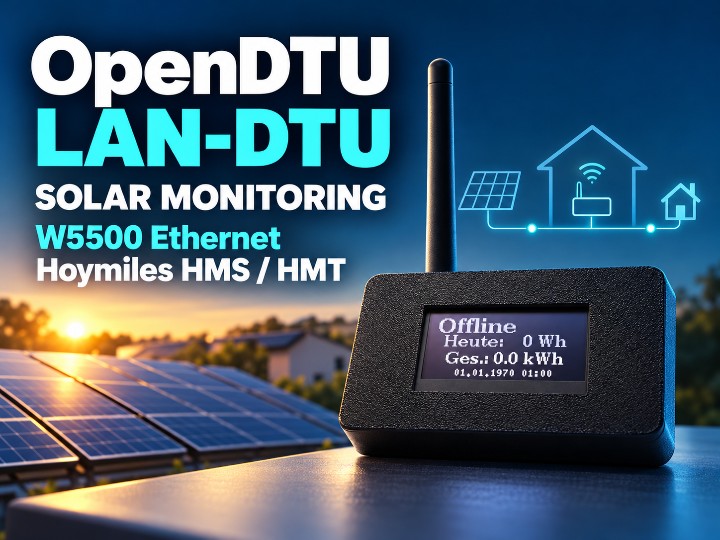
DTU Shop's OpenDTU LAN-DTU brings Hoymiles inverter data to local web dashboards, MQTT, and smart homes over W5500 Ethernet, with an OLED display.
0
Project description
DTU Shop OpenDTU LAN-DTU: Hoymiles Solar Monitoring with W5500 Ethernet
Overview
Solar monitoring depends on being able to read the inverter's operating data. A DTU, or Data Transfer Unit, provides that communication link so users can view production, collect energy records, and connect the information to a dashboard or automation system.
OpenDTU is an open-source project for communicating with Hoymiles microinverters. It offers a local web interface, MQTT integration, and supported control functions such as inverter output limits. OpenDTU introduction.
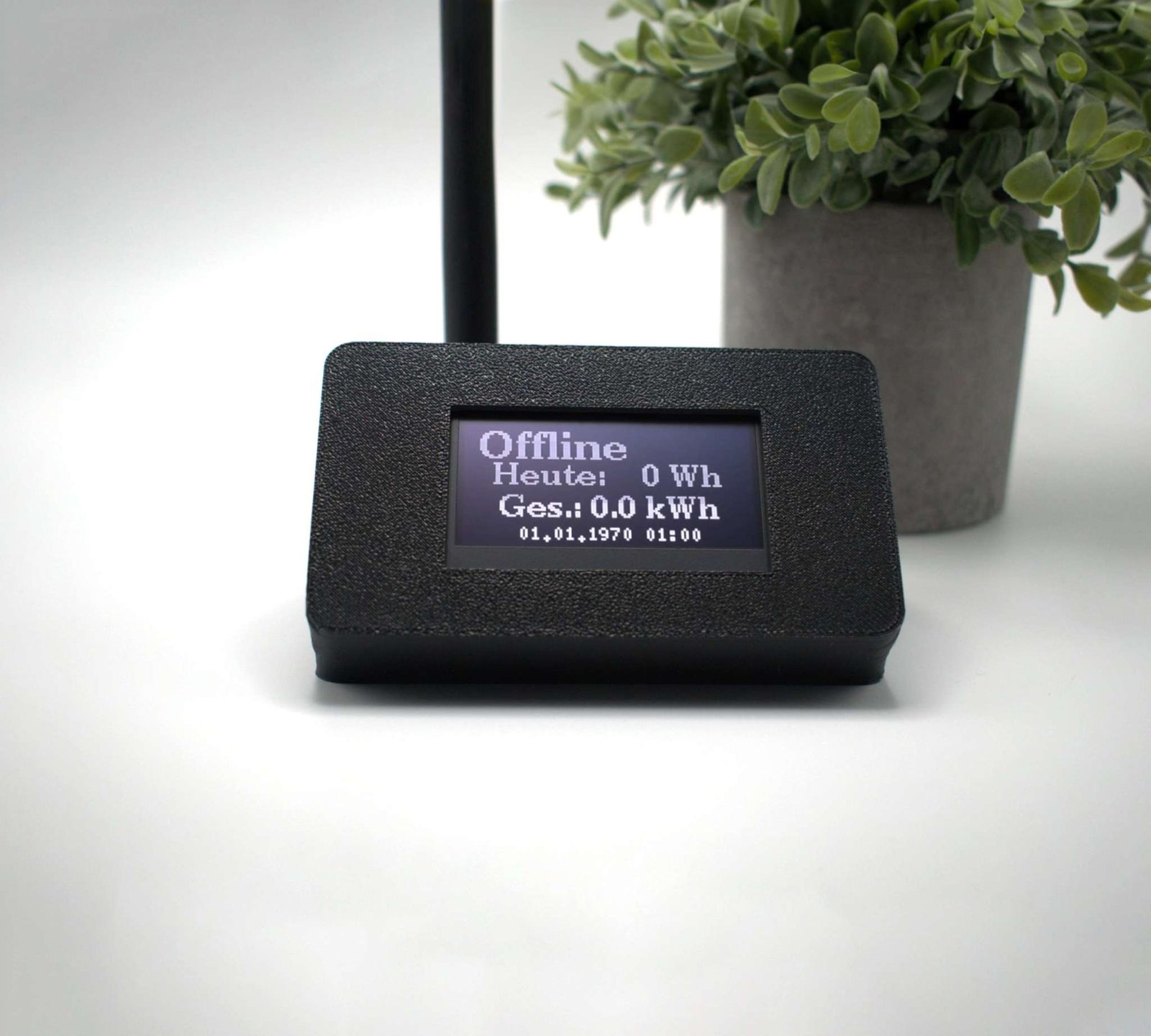
This curation focuses on DTU Shop's HMS/HMT LAN-DTU with an XXL display: a commercial, enclosed gateway supplied with firmware preinstalled. It provides an alternative to selecting and assembling the components yourself. Official product page.
Components
WIZnet W5500
The W5500 provides the gateway's wired Ethernet interface. Both the product specification and the vendor's FAQ identify the W5500 module in the LAN configuration.
WIZnet part: W5500 documentation · Datasheet
About Nordic Skills and DTU Shop
The shop's legal notice identifies the operator as Nordic Skills / Jürgen Carstensen, based in Sieverstedt, Germany. DTU Shop sells OpenDTU- and AhoyDTU-related devices and accessories, alongside setup and support resources. Legal notice · Downloads.
The commercial value is the hardware configuration, assembled enclosure, preinstallation, and support. The product page states that firmware is installed free of charge, while distinguishing it from the hardware being purchased. Firmware support and update responsibilities should therefore be clarified for the chosen configuration.
Published Specifications
| Item | Published information |
|---|---|
| Product | OpenDTU LAN-DTU for HMS/HMT, XXL display |
| MCU | ESP32-S3-WROOM-1-N16R8 |
| Memory | 16 MB Flash, 8 MB PSRAM |
| Wired network | W5500 SPI Ethernet module |
| Wireless network | ESP32-S3 integrated Wi-Fi |
| Display | 2.42-inch white OLED |
| Enclosure | Black plastic |
| Dimensions | 115 × 65 × 85 mm, excluding antenna |
| Power | 5 V / 2 A; USB-A-to-USB-C connection recommended |
| Inverter support | Up to 10 inverters |
| Firmware options shown | OpenDTU or OpenDTU OnBattery, 16 MB configurations |
| Not included as standard | Cable and power adapter |
These are vendor-published specifications. The RF-module description contains a discrepancy between the product page and FAQ, discussed in the compatibility section below. Specification source.
How the Gateway Works
Two Different Communication Links
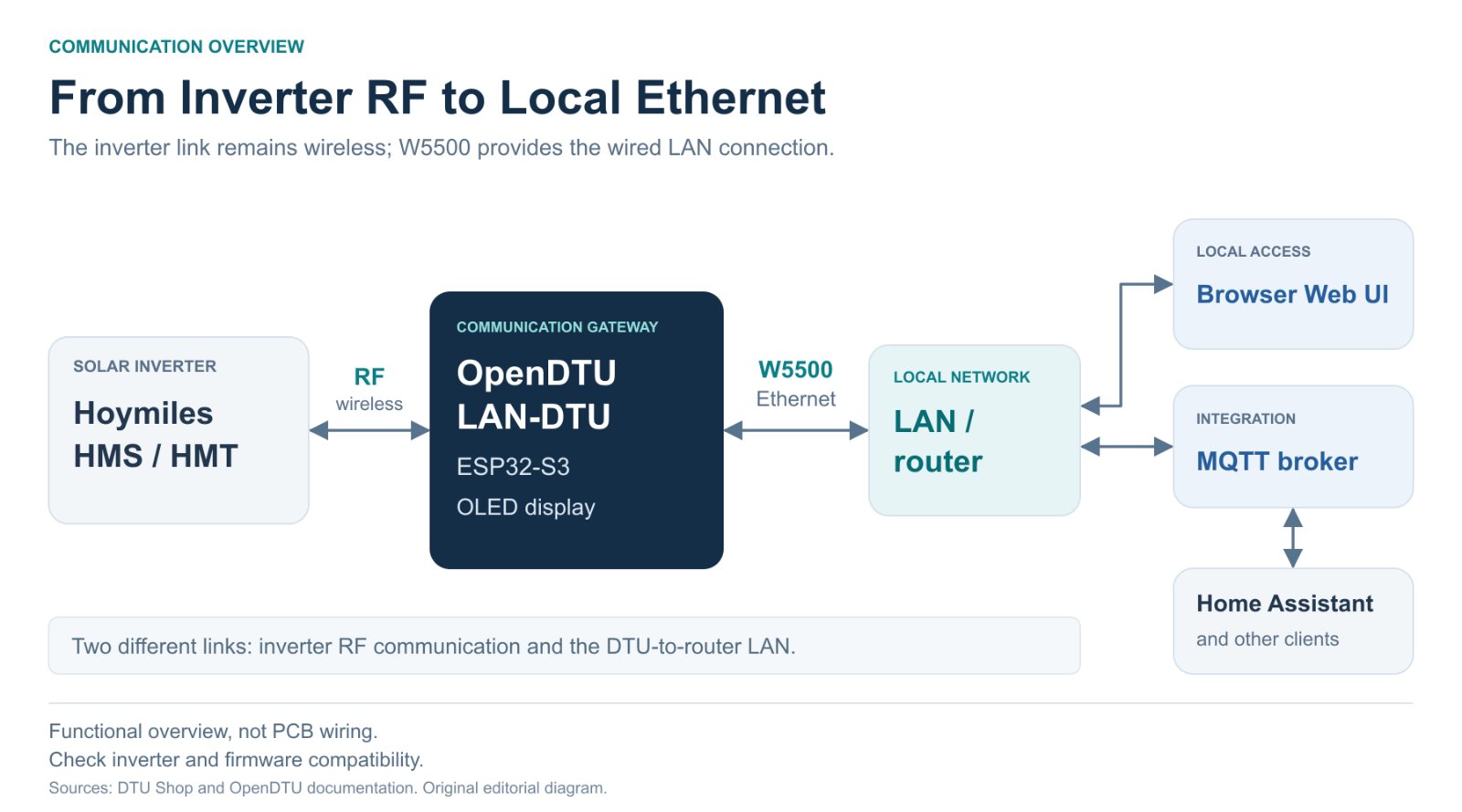
The system has two distinct links:
- Inverter to DTU: RF communication for inverter data and supported commands.
- DTU to the local network: Ethernet or Wi-Fi connectivity for the web interface, MQTT, and other services.
W5500 serves the second link. Choosing the LAN model does not remove the wireless RF connection between the inverter and the DTU. The inverter-facing radio still needs suitable reception. OpenDTU hardware overview.
Viewing and Reusing the Data
OpenDTU provides live inverter data, event logs, output-limit settings, on/off control, a web interface, and web-based firmware upgrades. It also supports MQTT with TLS and Home Assistant MQTT Auto Discovery. Official feature overview.
| Information | Example use |
|---|---|
| Current AC power | Display present solar production |
| Daily and total energy | Record generation over time |
| Reachability and production status | Monitor device availability |
| Voltage, current, temperature, and other readings | Inspect operating conditions |
| Output-limit topics | Integrate with an external controller |
Other MQTT-capable systems can be considered, but each integration still needs the appropriate broker, topic, and automation configuration. Official MQTT topics.
W5500 Adoption: Evidence and Implementation
Directly Identified by the Supplier
The product's hardware section explicitly names W5500 SPI Ethernet Modul. The FAQ separately states that LAN devices use an additional W5500 module. This is specification-based evidence for W5500 adoption, rather than an inference from a product photograph. Product specification · Vendor FAQ.
W5500 Adoption Does Not Automatically Mean TOE Use
W5500 includes hardware TCP/IP capability, but the reviewed OpenDTU implementation connects it through the ESP-IDF network-interface path.
The W5500 code reviewed in OpenDTU v26.9.28 uses functions including esp_eth_mac_new_w5500 and esp_netif_attach. Espressif describes this driver as using W5500 RAW MAC mode with a software TCP/IP stack. Hardware TCP/IP offload and associated CPU or memory savings should therefore not be attributed to this implementation. Reviewed OpenDTU source · Espressif driver documentation.
TOE classification: N for the reviewed upstream OpenDTU implementation. The exact firmware binary and version installed in an individual shipped unit were not independently verified.
Ethernet and Wi-Fi Operation
OpenDTU's official network documentation gives Ethernet higher priority and states that Wi-Fi is disabled when Ethernet is connected. It also describes transferring network settings between interfaces. Official network settings.
Where LAN cabling is available, the DTU-to-router link can therefore be wired rather than dependent on local Wi-Fi reception. This is separate from reception on the inverter-facing RF link.
The documented interface policy does not establish uninterrupted MQTT sessions or a guaranteed recovery time. Check behavior against the supplied firmware and configuration.
Choosing HMS/HMT or HM Hardware
Before choosing an Ethernet option, check which RF module the inverter requires.
| Inverter family | Official OpenDTU RF requirement |
|---|---|
| Hoymiles HM | NRF24L01+ |
| Hoymiles HMS / HMT | CMT2300A |
| Integrated-Wi-Fi models, such as HMS-xxxW | Excluded from the official OpenDTU support list |
Check the exact inverter model, serial information, and applicable regional settings. Official inverter support list.
A supplier-document discrepancy needs clarification: the HMS/HMT product's Hardware paragraph lists NRF24L01+, while the FAQ specifies CMT2300A for HMS/HMT. Confirm the RF module supplied with the selected unit. Vendor hardware FAQ.
The HM LAN model is a separate product. Its specifications should not be merged with this HMS/HMT XXL-display model.
Check Inverter Firmware Compatibility
In a notice dated September 30, 2026, DTU Shop warns that Hoymiles security updates introducing encrypted RF communication can prevent OpenDTU and AhoyDTU from receiving data. This is the vendor's compatibility warning, not an independent verification of every model's current status. Vendor update notice.
Before buying, check whether the specific inverter and its installed firmware are supported. Consider the inverter's security-update status together with the current OpenDTU support position.
Output Limits and Dynamic Zero-Export Are Different
An OpenDTU output-limit command sets the inverter's maximum permitted output. A fixed cap does not automatically track changes in household consumption.
Dynamic zero-export requires a control setup that uses measurements to adjust the inverter limit as conditions change. OpenDTU-OnBattery's Dynamic Power Limiter (DPL) supports such configurations using power-meter, solar, and battery information as applicable. Its documentation also describes response delays. Official DPL documentation.
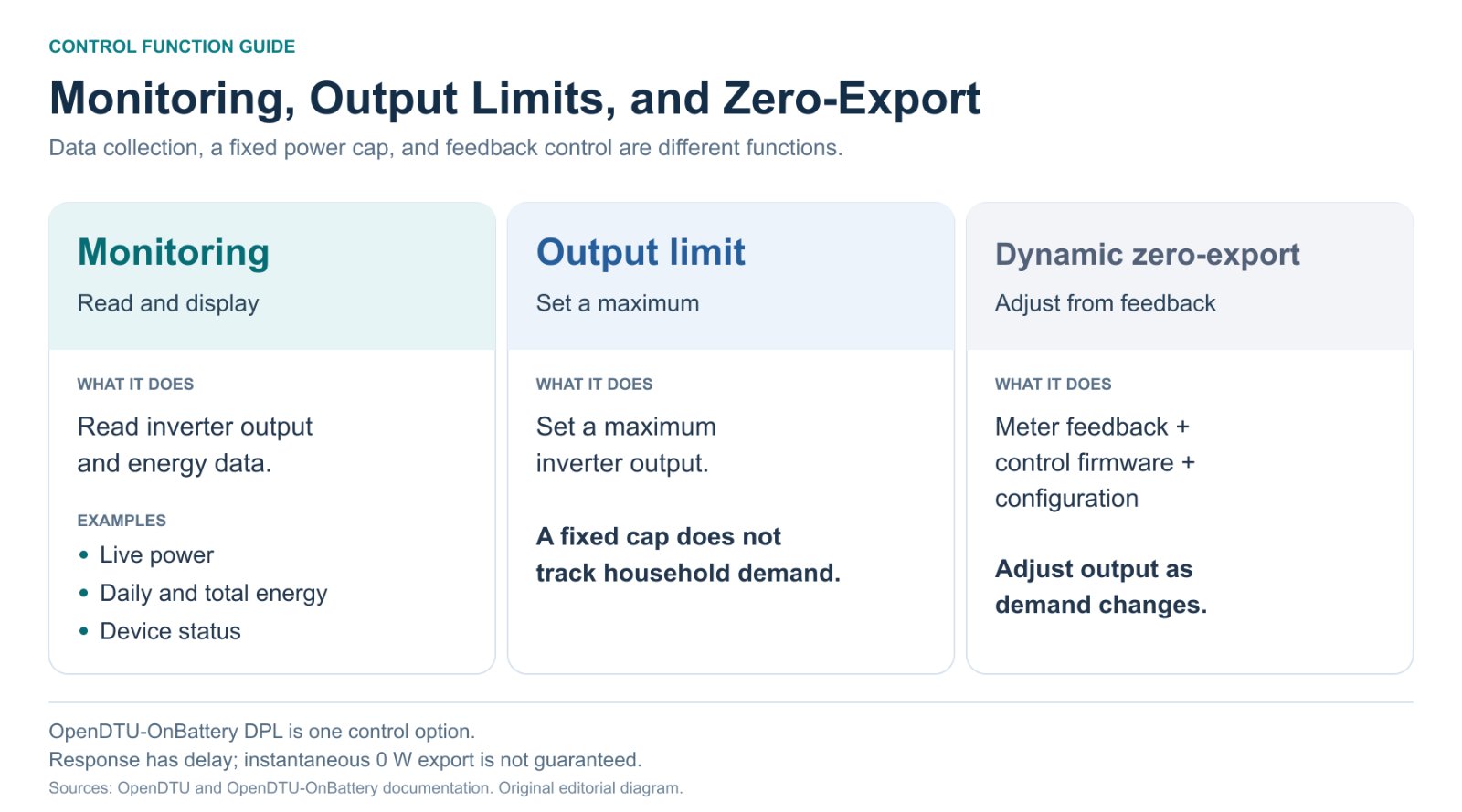
An OnBattery option on the product page does not establish that all required measurement devices, firmware features, and settings are included as standard.
Setup and Integration Checklist
The vendor's LAN setup process is straightforward:
- Connect the power supply and LAN cable.
- Find the DTU's assigned IP address in the router.
- Open that address in a browser.
- Configure the inverter serial number and the required network or MQTT settings.
Plug & Play describes assembly, preinstallation, and convenient LAN connection. It does not mean that inverter registration and service configuration are unnecessary. Official LAN setup guide.
| Area | What to confirm |
|---|---|
| Inverter | Exact model, serial information, and firmware compatibility |
| RF configuration | Module and regional settings appropriate to HMS/HMT |
| Product option | Required OpenDTU or OnBattery configuration |
| Power | Suitable 5 V / 2 A supply and cable |
| Installation | Dry indoor location and adequate RF reception |
| Smart-home integration | MQTT broker and Home Assistant settings |
| Maintenance | Installed version, hardware profile, and update procedure |
The vendor FAQ says the DTU is not suitable for outdoor or humid locations. The inverter's installation location and the DTU's installation conditions need to be considered separately. Installation FAQ.
Pricing, Availability, and Contact
| Item | Display in the reviewed store page |
|---|---|
| Price | €70.00, marked as including VAT |
| Stock | 21 units |
| Dispatch indication | 1–3 days |
| Not included as standard | Cable and power adapter |
These are recorded page displays, not a live availability guarantee. Prices and purchase conditions can change with the selected option. Official purchase page.
The store's shipping policy specifies delivery within Germany only, at €6.19 per order. It should not be presented as confirmed international delivery. Shipping policy.
| Operator | Nordic Skills / Jürgen Carstensen |
|---|---|
| Location | Sieverstedt, Germany |
| info@dtushop.de | |
| Telephone | +49 (0)4638 9799991 |
Contact source: official legal notice.
Evidence of Commercial Sales
DTU Shop also has an eBay listing identifying the product as Nordic Skills, model DTU2LAN5. The reviewed listing displays 84 sold and a price of €71.00, distinct from the store's €70.00 display. Matching eBay listing.
This is a concrete commercial-sales indicator, but it remains a platform display for that listing. It is not an independent shipment audit, a total across all sales channels, or evidence of W5500 purchasing volumes.
Relevant users include owners of small solar installations, Home Assistant users, and MQTT-based monitoring setups who prefer assembled hardware and vendor support over building the device themselves.
Support Resources Beyond the Purchase
DTU Shop's FAQ and downloads cover hardware selection, network setup, display and power issues, and firmware updates. The downloads page links OpenDTU and LAN guides, model-specific declarations of conformity, and a help video. Downloads · Vendor-linked setup video.
A declaration link for DTU2LAN5 is available, but its PDF contents were not reviewed here. Document availability should be distinguished from verification of its certification claims.
The useful pattern is the connection from product selection to setup and troubleshooting. For a commercial device based on an open-source project, the scope of this support is part of the product evaluation.
Related WIZnet Maker Projects
| Related curation | What to compare |
|---|---|
| OpenDTU | The underlying open-source project and its basic role |
| OpenDTU-OnBattery | Extension into metering, batteries, and dynamic power control |
| AhoyDTU | Another open-source DTU approach for the inverter domain |
These articles provide context for product formats and use cases. Current capabilities and network implementations should be checked against each project's official documentation and code.
What This Example Shows
The gateway connects two different communication environments: the inverter's RF link and the home's IP network. W5500 supplies the wired LAN interface, while the ESP32-based firmware connects data collection, the display, web services, and MQTT.
It also illustrates how an open-source project becomes an assembled commercial product. Buyers evaluate the hardware configuration, enclosure and display, setup materials, and support scope alongside the software.
FAQ
Does it work with every Hoymiles inverter?No. RF requirements differ by family, and integrated-Wi-Fi models are excluded from the official support list. Check the exact model and firmware.
Does W5500 communicate wirelessly with the inverter?No. The RF module handles inverter communication; W5500 provides the wired connection to the local network.
Is a manufacturer cloud account mandatory?OpenDTU is a local-web and MQTT alternative. Requirements for any additional external service depend on the chosen integration. Official project introduction.
Does the basic device provide automatic zero-export immediately?A fixed output limit and dynamic zero-export are different. Confirm the required measurements, control firmware, and configuration.
Sources and Verification Scope
Materials reviewed: October 26, 2026.
Hardware evidence: vendor specifications identify W5500.
Implementation evidence: upstream OpenDTU v26.9.28, commit 8da432d52f33a7598deb93550df2115b8e5bb700.
Review scope: public documentation and code. No physical teardown or shipped-binary verification. Price, stock, and sold counts refer to displays in the reviewed material.
| Source | Information reviewed |
|---|---|
| DTU Shop product page | W5500, hardware, enclosure, price, options |
| Vendor FAQ | RF families, power, setup, maintenance |
| Legal notice · Shipping | Operator, location, contact, delivery scope |
| eBay listing | DTU2LAN5 identity and listing-specific sales display |
| OpenDTU documentation | Project role and features |
| Inverter support list | RF requirements and model exclusions |
| Network settings | Ethernet/Wi-Fi policy |
| Reviewed W5500 source · Espressif | Network driver path and RAW MAC behavior |
| Vendor update notice | Inverter-firmware compatibility warning |
| OnBattery DPL | Dynamic output-control requirements |
| MQTT topics | Monitoring data and integration topics |
| Vendor downloads | Setup guides and linked support documents |

