W5500 Chip Freezing Test
W5500 Chip Freezing Test
0
Components
Hardware components
WIZnet - W5500
x 1

1
Project description
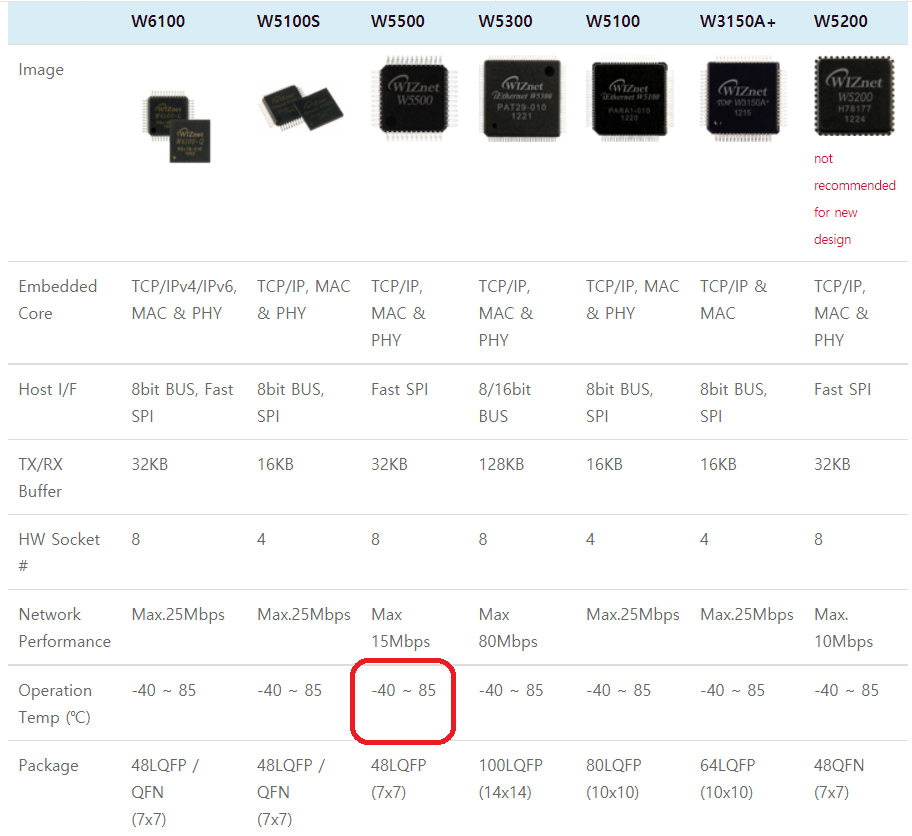
- Check chip operation at temperatures falling below -20℃.?
- Review normal operation during W5500 Wake-up in freezing state for a long time.?
- Measure the speed drop after aging at -20℃?for a long time.?
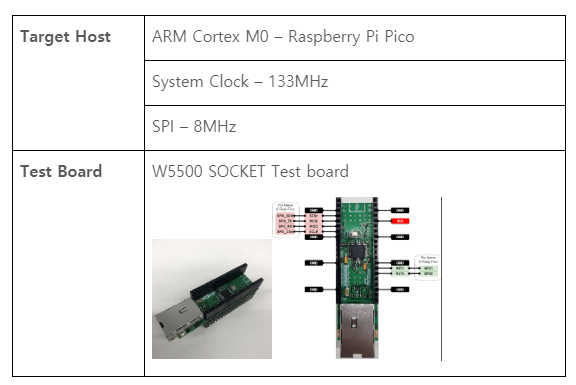
Purpose?
- Check that there is no speed deviation when the W5500 chip is operated at room temperature and when it is operated at a low temperature below -20.
- When the W5500 is wake-up in the freezer for a long time, examine its normal operation.
- Measure the operation and speed drop when aging at a temperature below -20 degrees for a long time.
Conducting the test at normal room temperature between 15 and 25 degrees Celsius.
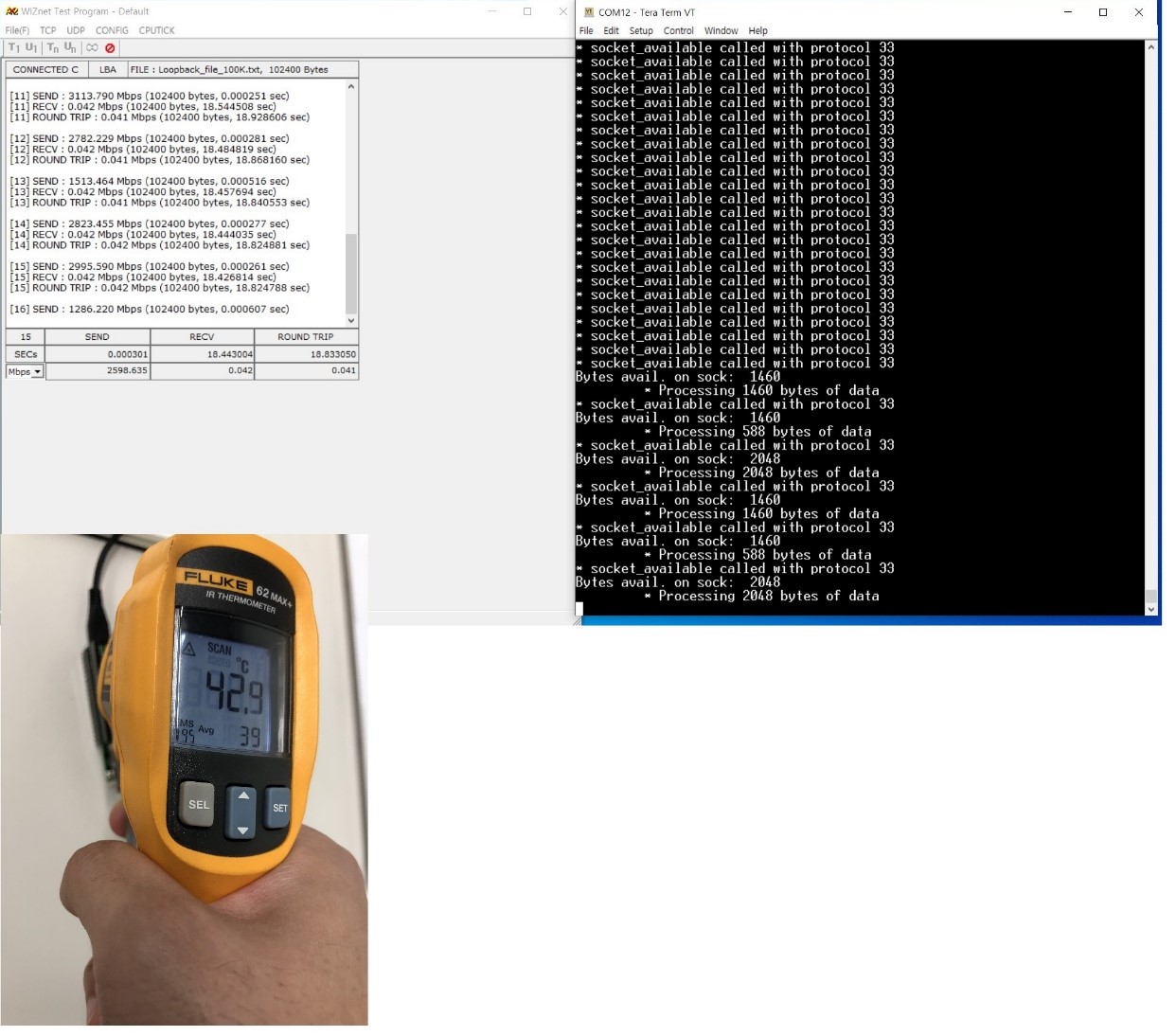
Chip?Surface?Temperature :?42.9℃?
W5500?TCP?Recv?:?0.042Mbps (42Kbps)?
Test carried out below minus 20 degrees.
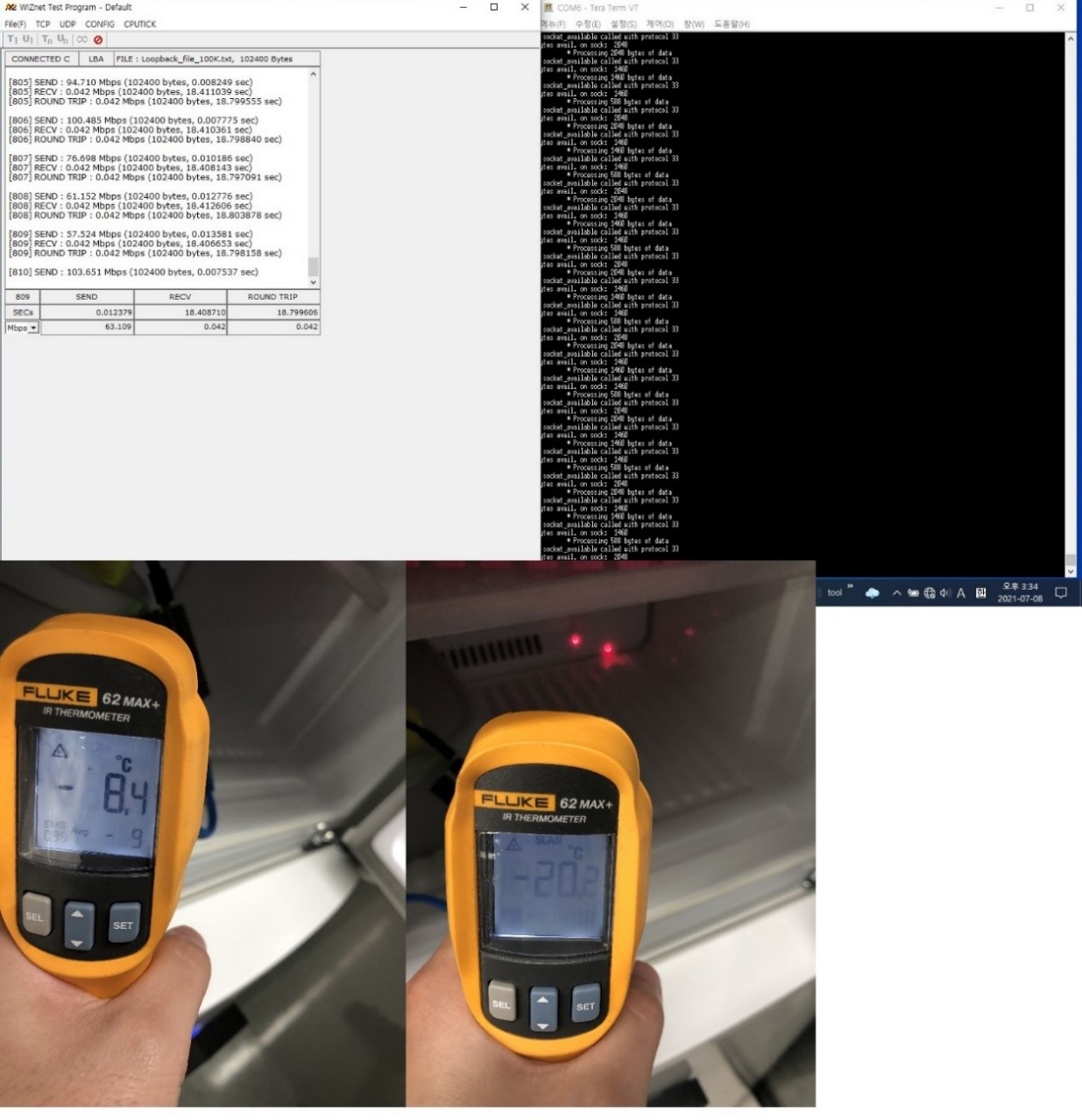
(Left) - Freezer?Inside?Temperature?:?-20.2℃?
(Right) - Chip?Surface?Temperature :?-8.4℃?
W5500?TCP?Recv?:?0.042Mbps (42Kbps)?
Operation When Wake-Up W5500 in freezer for a long time.
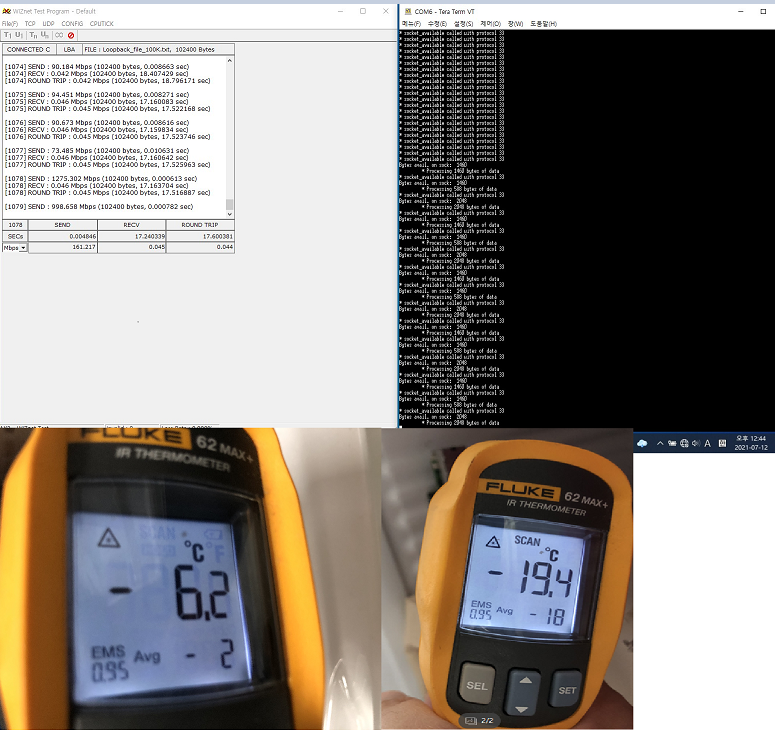
(Left)?-?Freezing?Chip?Surface?Temperature?in?Operation?:?-6.2℃?
(Right)?-?Freezing?Chip?Surface?Temperature?without?Movement?:?-19.4℃?
W5500?TCP?Recv?:?0.046Mbps (46Kbps)?
Operation and speed degradation when aging at a temperature below -20 degrees for a long time
1st Test (1 hour Later)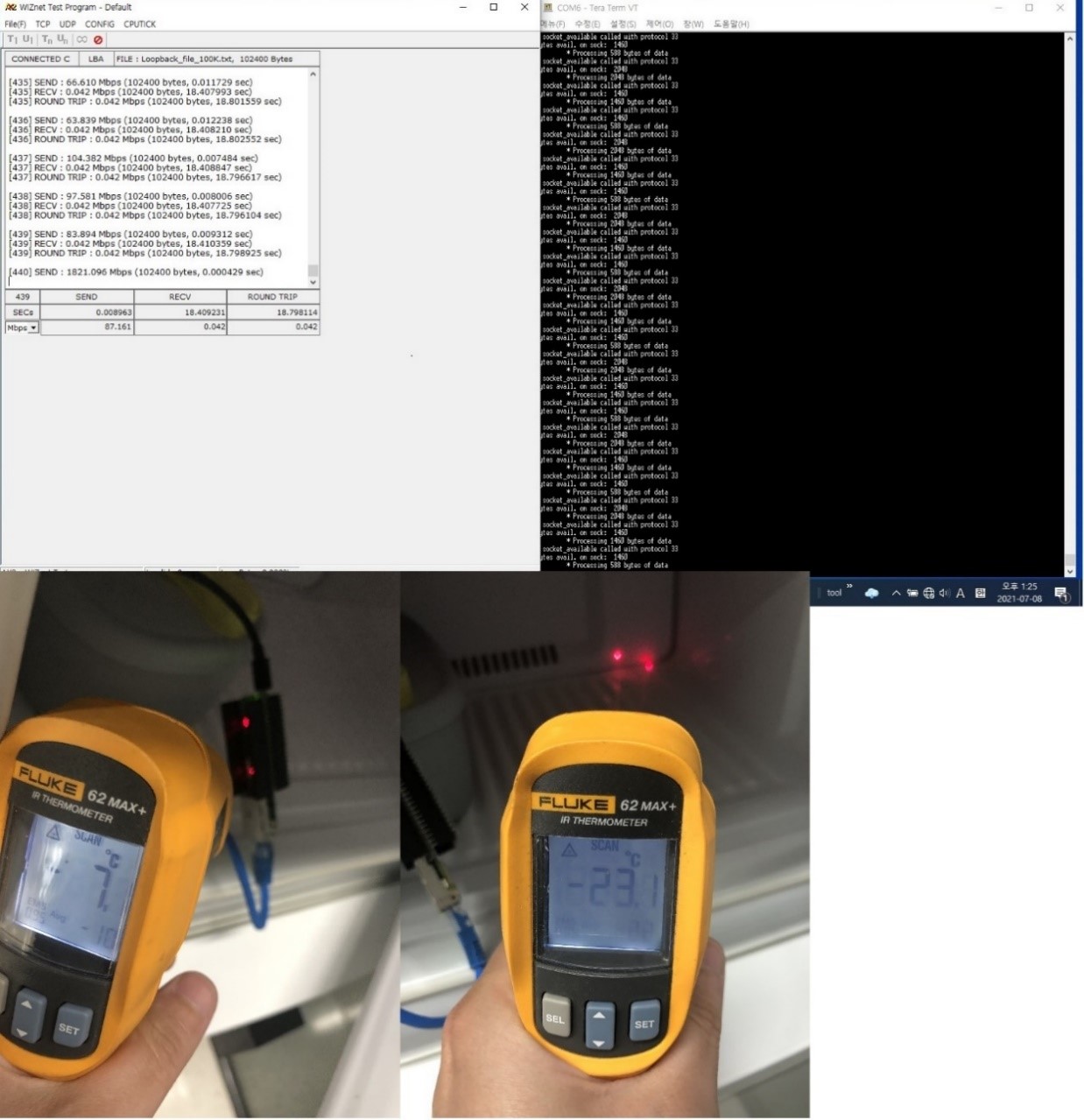
(Left) - Freezer?Inside?Temperature?:?-23.1℃?
(Right) - Chip?Surface?Temperature :?-7.0℃?
W5500?TCP?Recv?:?0.042Mbps (42Kbps)?
2nd Test (3 hour Later)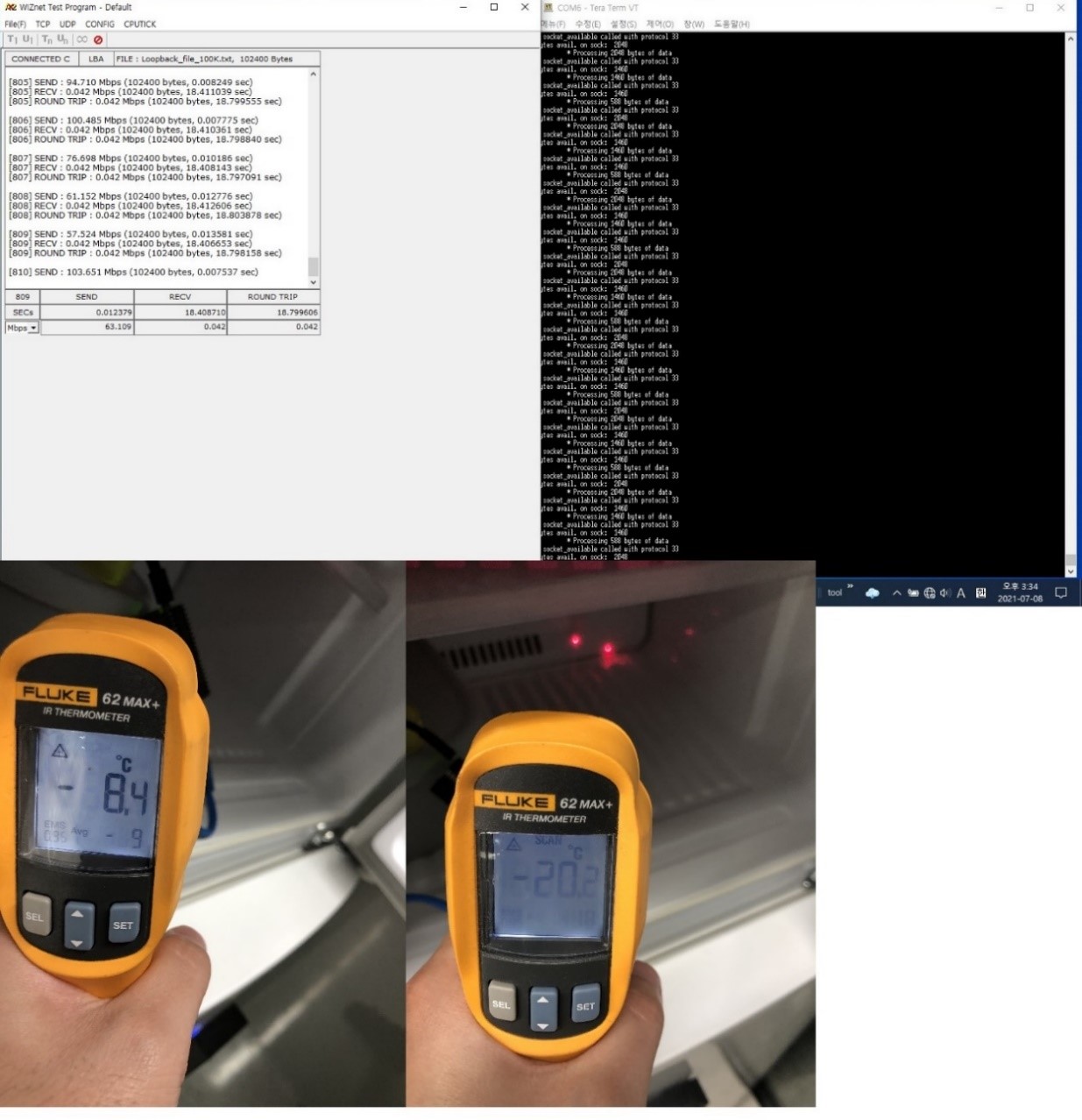
(Left) - Freezer?Inside?Temperature?:?-20.2℃?
(Right) - Chip?Surface?Temperature :?-8.4℃?
W5500?TCP?Recv?:?0.042Mbps (42Kbps)?
3rd Test (5 hour Later)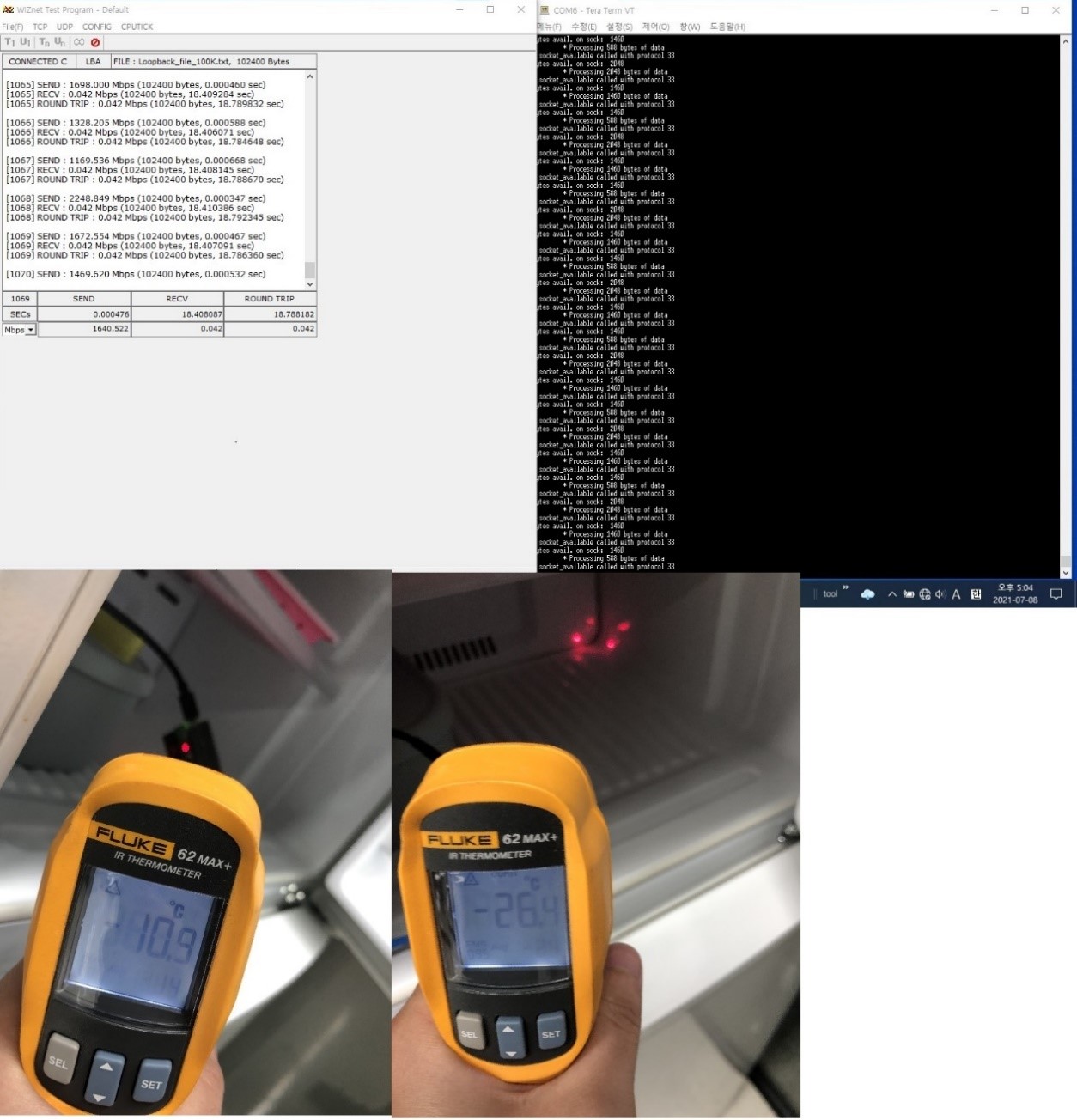
(Left) - Freezer?Inside?Temperature?:?-26.4℃?
(Right) - Chip?Surface?Temperature :?-10.9℃?
W5500?TCP?Recv?:?0.042Mbps (42Kbps)?

