How Does mikroSDK Unify W5500 and W6100 Behind One SPI Ethernet API?
mikroSDK 2.20.2 adds shared Ethernet APIs for W5500 and W6100, using MACRAW drivers and host-side ARP, ping, DHCP and HTTP examples.
0
Components
Hardware components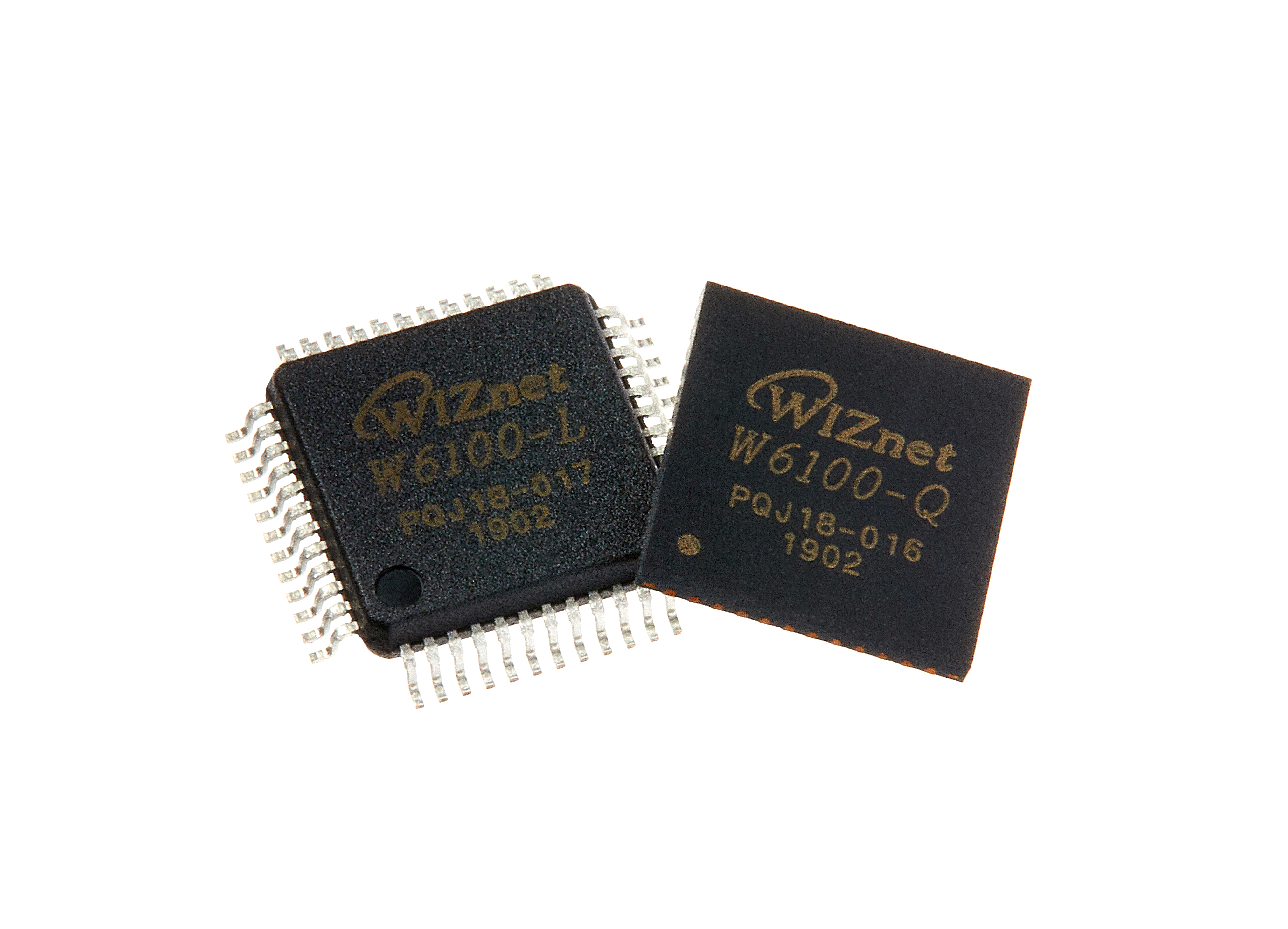
WIZnet - W6100
x 1

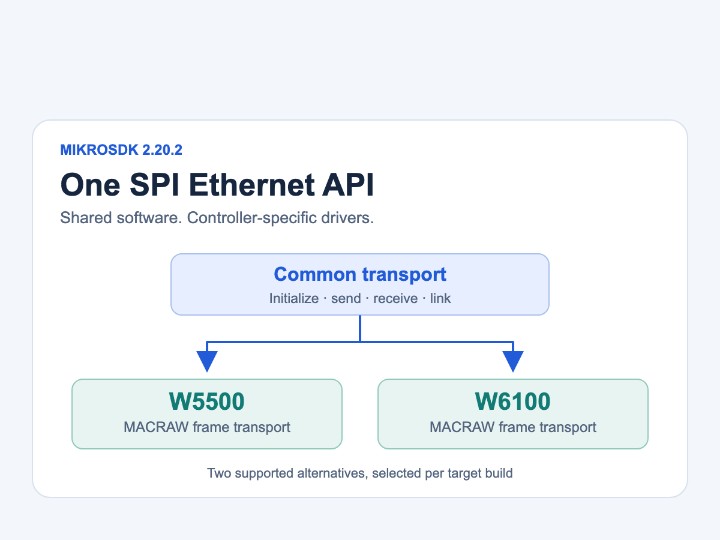
Alternative to W5500 in the common API; selected separately for a target build.
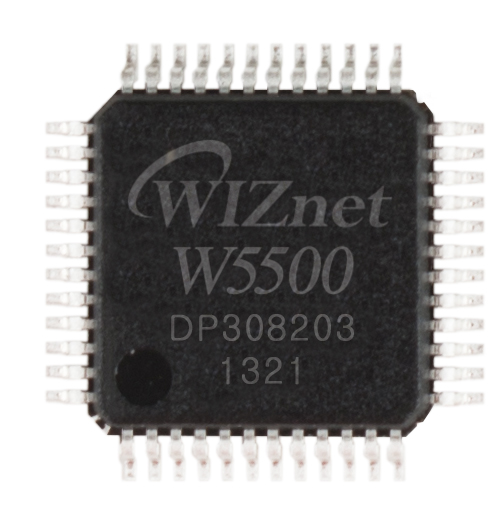
WIZnet - W5500
x 1
Supported alternative controller; this mikroSDK driver uses MACRAW socket 0.
Project description
One Application Interface, Several Ethernet Controllers
mikroSDK 2.20.2 gives W5500 and W6100 a common software interface for Ethernet packet transfer. MikroElektronika, the embedded development-tool company based in Belgrade, Serbia, announced the release on November 3, 2026. The new middleware lets an application initialize a controller, send and receive packets, check the cable link and configure addresses through shared functions.
The release notes state, “Added a new SPI Ethernet library to mikroSDK.” The implementation includes five controller families: ENC28J60, LAN8651, LAN9250, W5500 and W6100. GitHub published the release artifact on October 29; the announcement and changelog identify November 3 as the release date.
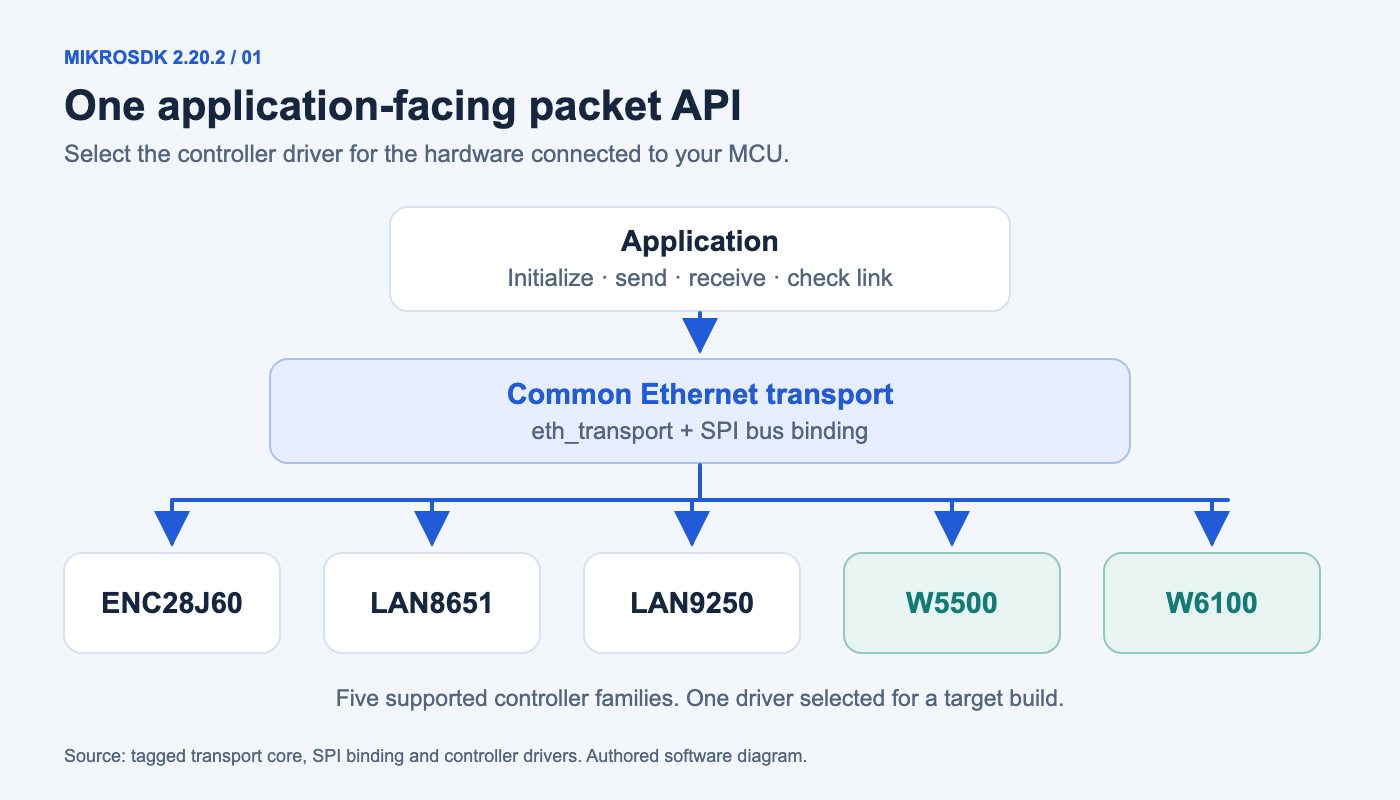
Authored technical diagram: shared software calls connect to one selected controller driver.
An application programming interface, or API, defines the calls a program makes to another software layer. mikroSDK uses that boundary to keep ordinary packet operations separate from each controller's register layout. A developer can study one application flow while choosing the driver and board configuration for the hardware in use.
Separate the Application, Bus and Controller
The transport core forwards shared operations to a selected driver. For example, eth_transport_send() calls the driver's packet transmitter, while eth_transport_receive() calls its packet reader. The application passes an Ethernet transport object rather than accessing W5500 or W6100 registers directly.
The source divides networking into three reusable areas. middleware/ethernet/core contains the transport interface, middleware/ethernet/spi binds that interface to the microcontroller's Serial Peripheral Interface, and middleware/ethernet/net provides packet helpers. Each controller implementation sits in components/ethernet and supplies its own register access, initialization and link handling.
| Software area | Responsibility | Practical effect |
|---|---|---|
| Transport core | Common initialization and packet operations | Application uses the same entry points |
| SPI binding | Transfers headers and data on the SPI bus | MCU peripheral handling stays in one layer |
| Controller driver | Implements the selected chip's register operations | W5500 and W6100 details stay separate |
| Network helpers | Builds and handles selected protocol packets | Shared protocol code runs on the host MCU |
The separation also makes the source easier to navigate. A missing physical link leads toward the selected driver's link function; an incorrect SPI transaction leads toward the bus binding. Protocol behavior belongs in the helpers or application rather than being scattered across every driver.
What W5500 and W6100 Do in This Implementation
Both the W5500 driver and the W6100 driver open socket 0 in MACRAW mode. MACRAW exposes Ethernet frames to the microcontroller, including the addressing and protocol information carried inside those frames. The drivers move frame data between the controller's buffers and MCU memory over SPI.
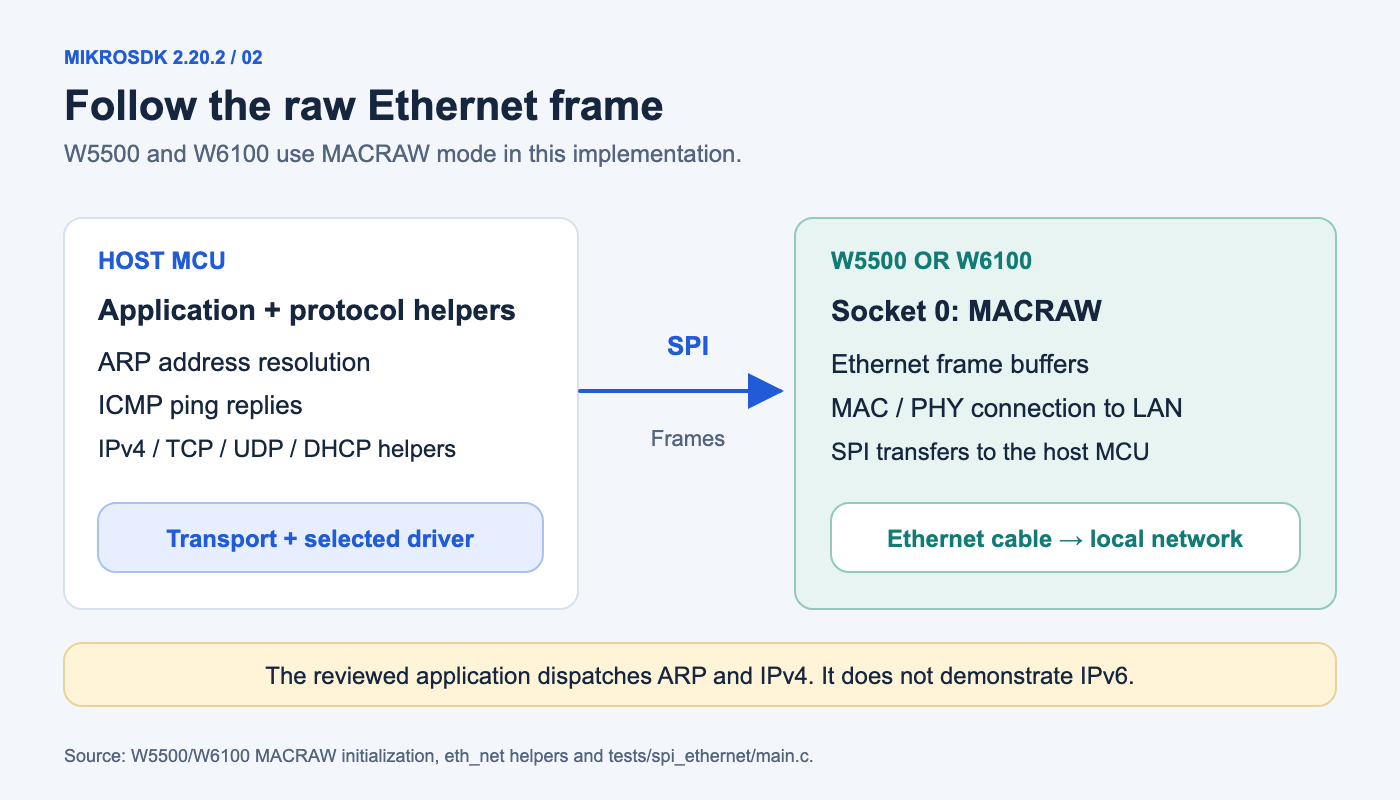
Authored architecture diagram: protocol processing stays on the MCU in this driver path.
The WIZnet controller supplies the Ethernet connection and frame transport. The MCU handles the supplied Address Resolution Protocol helpers, Internet Control Message Protocol ping replies and basic Transmission Control Protocol frame handling. ARP finds the local Ethernet address associated with an IP address; ICMP provides the request and reply used by a normal ping.
WIZnet role: W5500 and W6100 carry Ethernet frames over SPI. The shared mikroSDK helpers and example application process the network protocols on the MCU.
The W6100 chip also supports hardware IPv4/IPv6 networking, but the reviewed example dispatches ARP and IPv4 frames. Selecting W6100 therefore preserves the example's IPv4 behavior. Developers wanting an IPv6 application need an implementation that explicitly provides that protocol path.
Select the Driver Before Building
The validation example selects its controller through SPI_ETH_CHIP. Set that choice to W5500 or W6100 and map the appropriate mikroBUS socket for the board. The tagged example currently selects LAN9250, so copying the project without checking this setting does not select a WIZnet device.
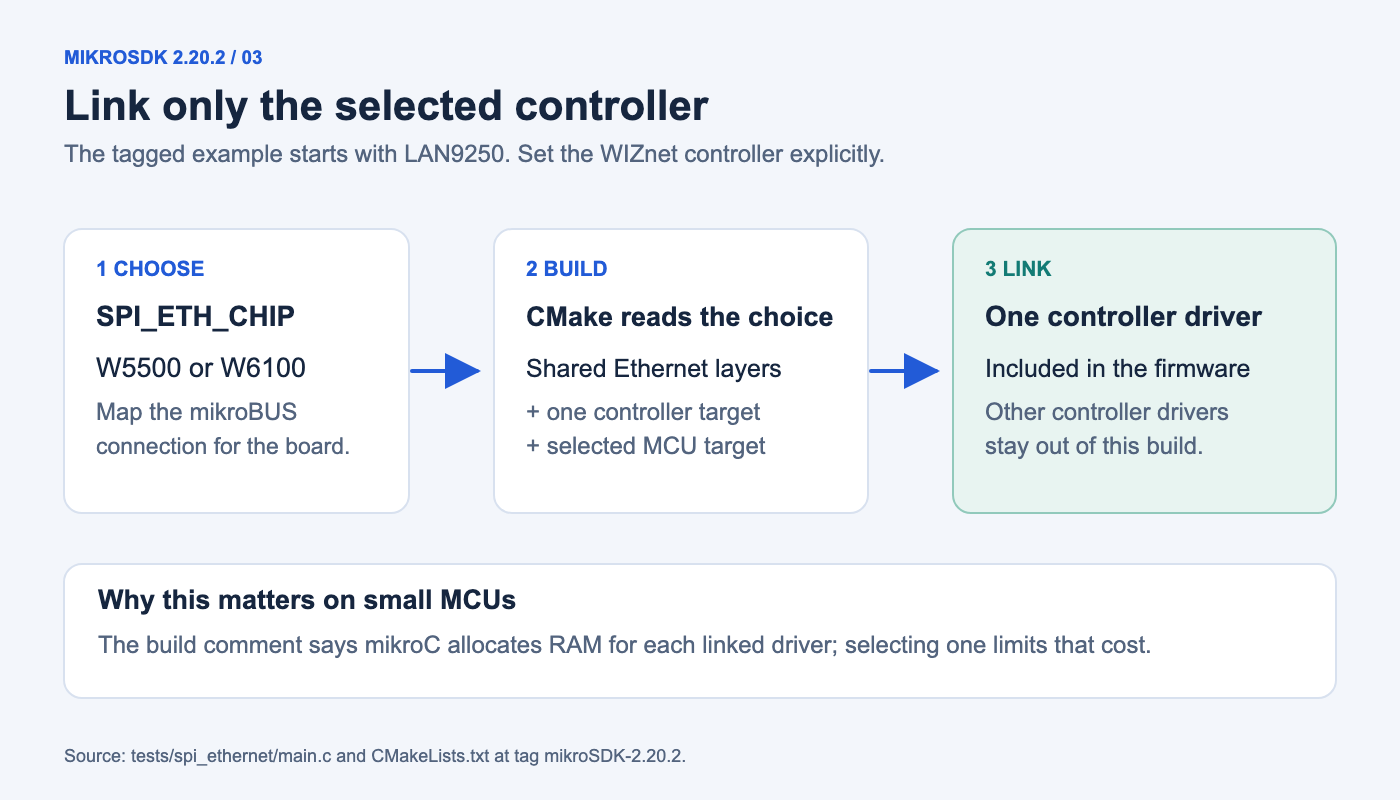
Authored build diagram: the application links the selected controller rather than every driver.
The CMake configuration reads the selector from main.c and links only the matching controller target. Its comment explains the reason: mikroC reserves RAM for every linked driver, which can exceed the memory available on small MCUs. Shared API support for five controllers does not require putting all five drivers into one application.
The example defines a local MAC address and enables the Dynamic Host Configuration Protocol client by default. DHCP requests an IP address from the local network. A failed request falls back to the configured static address, 172.20.22.200. Adjust the example's address settings for the test network and use a distinct local MAC address for each device.
Follow the Test from Cable Link to Browser
The test checks the physical link, attempts address acquisition, then repeatedly receives Ethernet frames. ARP requests and IPv4 packets take separate processing paths. An HTTP request arriving on TCP port 80 causes the example to return a small HTML response identifying the selected chip.
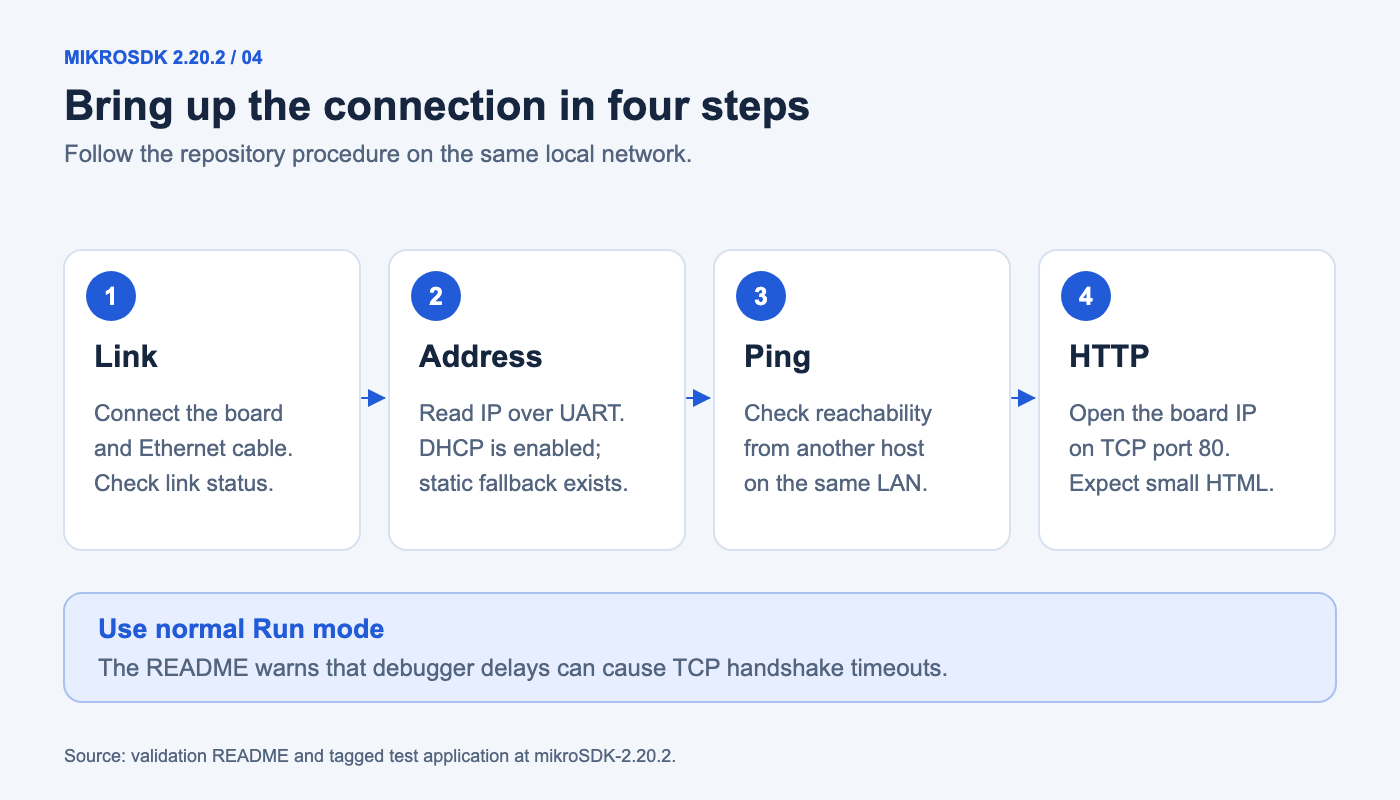
Authored test guide: physical link, addressing, ping and an HTTP response.
The test README defines success as answering ARP and ping requests and serving the HTML page to a browser or curl on the same network. The board's USB UART terminal reports its address. The README also recommends normal Run mode because debugger delays can make the TCP handshake time out.
The public implementation pull request records results for several MCU/compiler combinations, including both successful and problematic cases. Those reports help identify configurations to investigate. The linked reports are contributor tests for their listed configurations.
Where the Library Fits
The release provides a concrete starting point for understanding controller abstraction and bringing up a wired connection in the mikroSDK environment. The packet API, chip-specific drivers and small HTTP example can be examined separately. A product application still needs to choose its target board, network services and error-handling requirements; the compact validation responder is a starting example.
Reuse also depends on the repository's license terms. The published text specifies a commercial NECTO licensing route and an alternative for non-commercial projects under LGPL version 3. Review those terms when selecting the library for a project.
For the existing physical module, the earlier ETH WIZ Click introduction explains the W5500 board. To compare another framework's integration, ESPHome support for W6100 and W6300 shows a separate configuration and platform path. The mikroSDK release adds its own shared packet interface and validation application to that wider software ecosystem.
FAQ
Q. What changed in mikroSDK 2.20.2? The release introduces common SPI Ethernet middleware and drivers for five controller families, including W5500 and W6100.
Q. Does this implementation use WIZnet hardware TCP/IP sockets? The reviewed W5500 and W6100 drivers use socket 0 in MACRAW mode. Protocol helpers and the HTTP example execute on the MCU.
Q. Does choosing W6100 make the example IPv6-capable? The reviewed example processes ARP and IPv4 frames. W6100 hardware support alone does not add an IPv6 application path.
Q. What must be changed before testing a W5500 board? Select W5500 through SPI_ETH_CHIP, map the board's mikroBUS connection and configure suitable network addresses. The build links the selected driver.
Q. How can the connection be checked? Follow the repository's link, address, ping and HTTP tests on the same local network. Run normally rather than pausing through the TCP handshake in a debugger.
Documents
-
mikroSDK 2.20.2 release
Release artifact and November 3 release notes.
-
W5500 MACRAW controller driver
Tagged implementation opens socket 0 in MACRAW mode.
-
W6100 MACRAW controller driver
Tagged W6100 frame send/receive and link handling.
-
Common Ethernet transport
Shared calls delegate to controller callbacks.
-
Host network protocol helpers
ARP, ICMP, TCP, UDP and DHCP packet helpers.
-
SPI Ethernet validation application
Controller selection, DHCP, packet dispatch and HTTP example.
-
Driver selection and build targets
Links only the controller selected in main.c.
-
Validation procedure
ARP, ping and HTTP acceptance steps; Run-mode guidance.
-
Implementation and reported compiler tests
Contributor test matrix, including configuration-specific failures.
-
SPI Ethernet support tracking
Owner-maintained controller and hardware support tracker.
-
mikroSDK license
Published commercial and non-commercial licensing routes.
-
MIKROE organization profile
Original organization identifies its role and Belgrade, Serbia location.
-
W6100 official documentation
Chip capabilities for comparison with the selected driver mode.


