Let's compare RP2040 memory allocation when using TOE vs software stack
This simple project aims to provide brief comparison between TOE and software stack
10
Components
Hardware components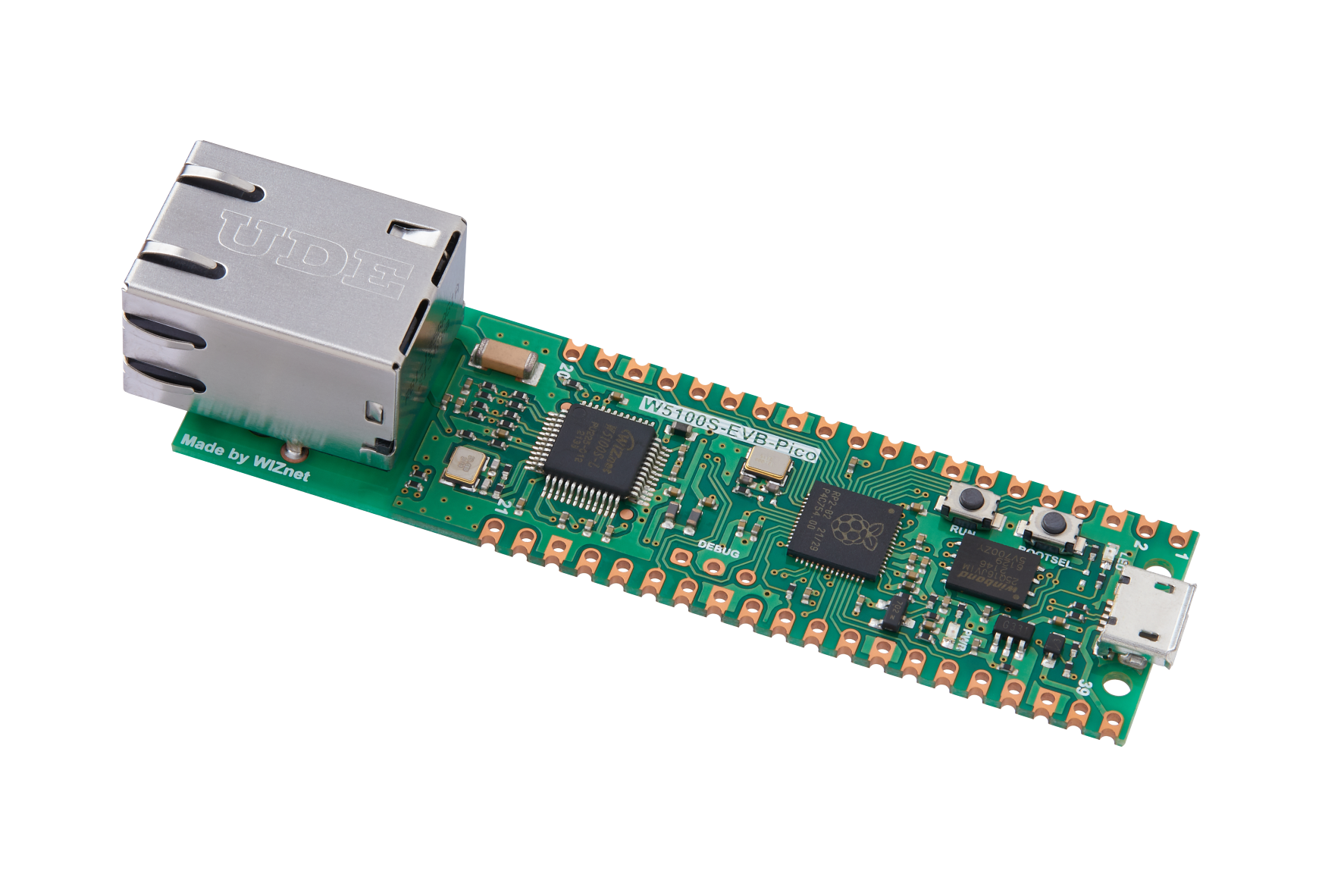
WIZnet - W5100S-EVB-Pico
x 1

Project description
Introduction
This project aims to provide simple comparison of memory usage by RP2040 when running HTTP and IPERF servers.
Project description
Basic idea is simple. I will run HTTP and IPERF server on W5100S-EVB-Pico. HTTP server will provide a brief webpage that updates every second and display malloc statistics. I will also run iperf client on PC connected to the same network and check how memory usage is changing.
After long search, I found that RP2040 C/C++ SDK still doesn't provide a fine way to show memory usage statistics, so following the forum thread (link) I will use mallinfo() function to print the heap stats.
From newlib docs I learned that:
mallinforeturns a structure describing the current state of memory allocation. The structure is defined in malloc.h. The following fields are defined:arenais the total amount of space in the heap;ordblksis the number of chunks which are not in use;uordblksis the total amount of space allocated bymalloc;fordblksis the total amount of space not in use;keepcostis the size of the top most memory block.
In my sample code, I am going to display arena, uordblks and fordblks. Please note that uordblks and fordblks do not return value in bytes.
Setup 1. RP2040 + W5100S + ioLibrary (TOE)
To simplify development, I combined HTTP server example with loopback example.
My webpage code is given below. To update automatically I added simple JS code that would fetch the "memory.cgi" and then corresponding function would return the values in JSON format. Then, values are displayed on the webpage.
#ifndef _WEB_PAGE_H_
#define _WEB_PAGE_H_

#define index_page "<!DOCTYPE html>"\
                   "<html lang='en'>"\
                   "<head>"\
                   "    <meta charset=\"UTF-8\">"\
                   "    <title>HTTP Server Example</title>"\
                   "</head>"\
                   "<body>"\
                   "    <h1>Here are memory usage stats!</h1>"\
                   "    <h2>Uordblocks</h2>"\
                   "    <div id=\"uord\"></div>"\
                   "    <h2>Arena</h2>"\
                   "    <div id=\"arena\"></div>"\
                   "    <h2>Fordblocks</h2>"\
                   "    <div id=\"ford\"></div>"\
                   "<script>"\
                   " function updateMemory(){ "\
                   "  fetch(\"/memory.cgi\")"\
                   "  .then(response => response.json())"\
                   "  .then(data => {"\
                   "    document.getElementById(\"uord\").textContent = data.uord;"\
                   "    document.getElementById(\"arena\").textContent = data.arena;"\
                   "    document.getElementById(\"ford\").textContent = data.ford;"\
                   " })"\
                   " }"\
                   " setInterval(updateMemory, 1000);"\
                   "</script>"\
                   "</body>"\
                   "</html>"

#endif // _WEB_PAGE_H_
Once the built firmware is written to the board, it is possible to see running HTTP and Loopback servers. As W5100S supports 4 sockets, I run loopback on socket 0, other 3 sockets were used for HTTP server.
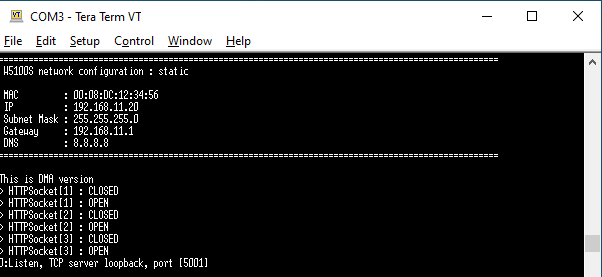
The results can be seen in below video:
Setup 2. RP2040 + W5100S + LWIP
To begin with LWIP, I used the code from Mason's SDK: https://github.com/wiznet-mason/RP2040-HAT-IPERF-C
To add HTTP server, I decided to utilize built-in httpd example in LWIP. I didn't find a way how to use cgi same as in setup 1. Therefore I used SSI. I found this great tutorial on how to create simple webserver with SSI. I had a little trouble with converting the html code to fs data, but after some search I found the solution.
Below is the video of running IPERF and HTTP server.
Results
As mentioned before uordblks and fordblks do not show the space in bytes, but rather they show number of blocks or chunks of heap space. But it is possible to calculate in percentage how much space is used in both setups.
| Used space | Free space | |
| Setup 1. TOE | 0.5% | 99.5% |
| Setup 2. LWIP | 80 % | 20 % |
Conclusion
Although I am still not sure why in setup 1 the uordblks + fordblks = arena is not consistent with setup 2. I expect that displayed values are updating too fast and memory is being allocated and freed at the same time, so the values are really big. But still, it is possible to conclude that for doing simple tasks like webpage and IPERF server on embedded device using WIZnet TOE technology can save valuable memory resources.

