W5100S-EVB-PICO with NLE
W5100S-EVB-PICO with NLE
1
Components
Hardware components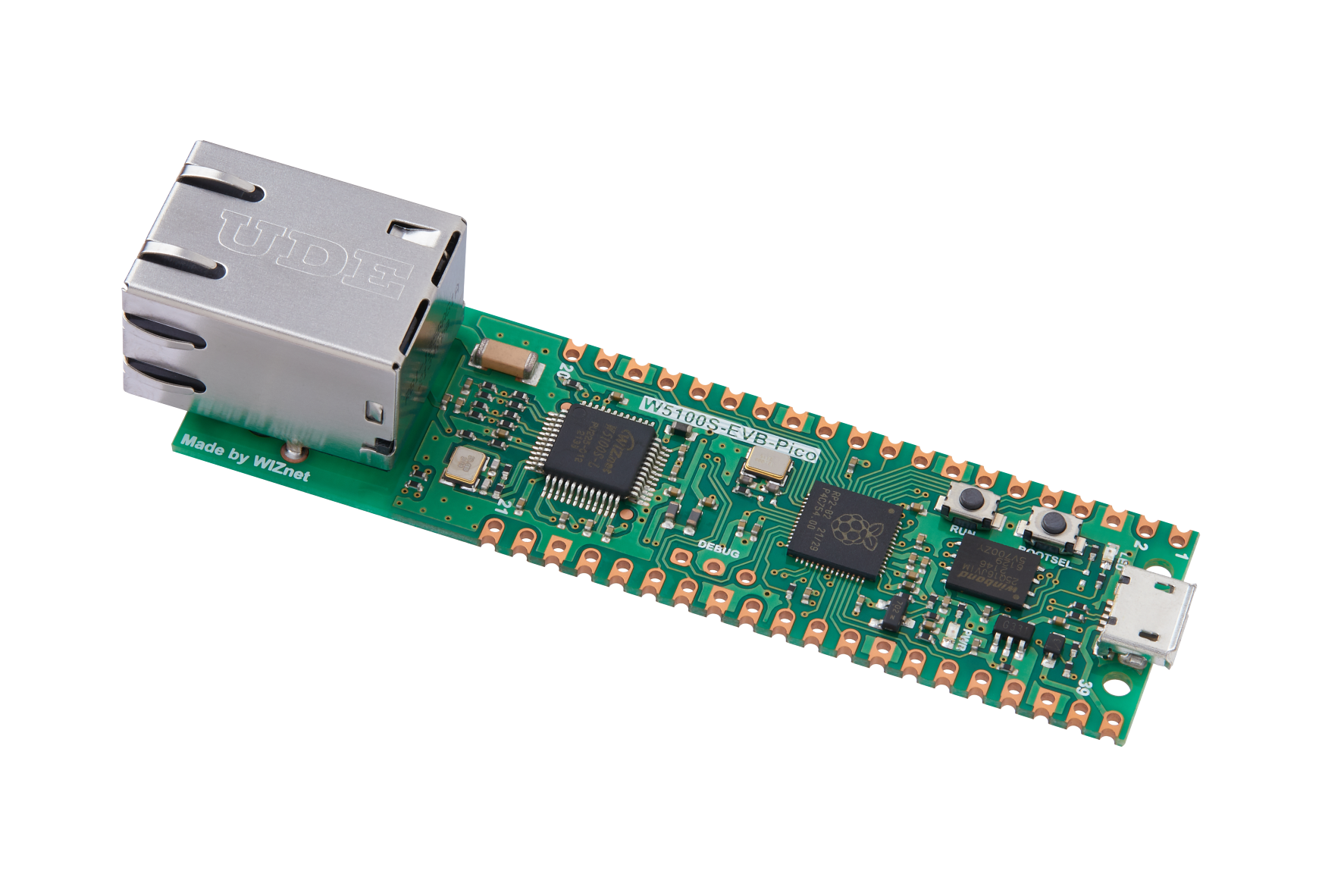
WIZnet - W5100S-EVB-Pico
x 1

Project description
This is one of my discovering on communicate with NLE IOT platform using W5100S-EVB-PICO

It has been a long time since my previous project. This time I had discover a IOT platform in China that has MQTT protocol. I will write down the progress that i had made to communicate with this IOT platform named NLE.
This IOT platform is used for monitoring purpose to allow user could review the status of montioring device. For detail, please refer to this link.
The current progress that I had made is connecting to the MQTT server and upload readings from DHT11 to this NLE cloud IOT platform.
Structure:
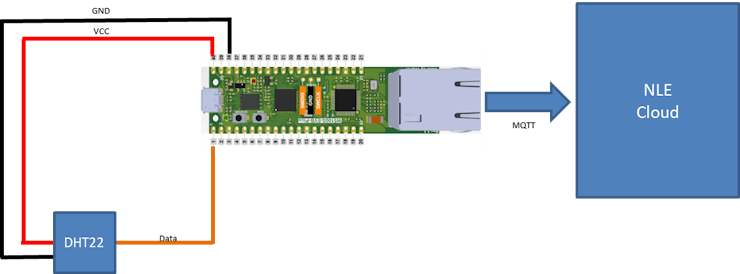
From the image above, it showed the actual connection for me to use the W5100S-EVB-PICO to connect with DHT22 to communicate with NLE cloud.
Communicate with NLE Cloud
For communicating with NLE Cloud, it could use MQTT for communication.
After I had created an account, I just required to use the following information to connect to this IOT platform.
NLE MQTT broker: mqtt.nlecloud.com
Port: 1883
Client ID: Device serial number (created by the user)
Username: Assigned Device ID (Provided by the server)
Password: Secert Key (Provided by the server)
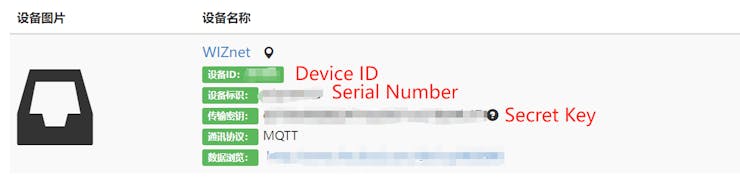
After providing these information to my previous created MQTT example code, it could easily communicate with this IOT platform.
mqtt_client = MQTT.MQTT(
    broker=secrets["NLE_url"],
    username=secrets["NLE_user"],
    password=secrets["NLE_pass"],
    client_id=secrets["NLE_id"],
    is_ssl=False,
)
For delivery the message to the NLE, it is required to publish data on related topic.
For making this happen, NLE has specific format to create it topic.
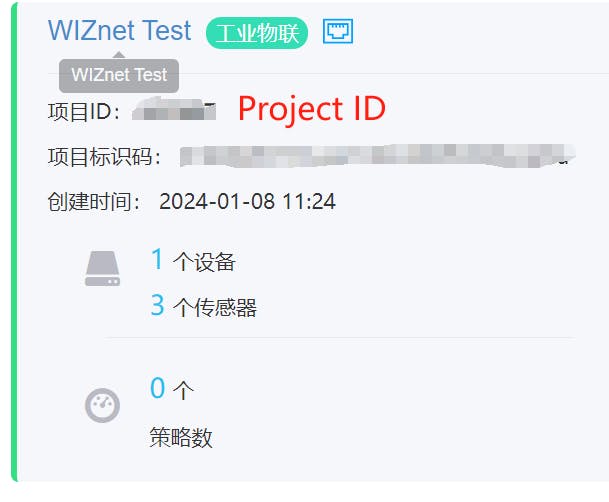
/sys/{projectId}/{device}/sensor/datas
projectId : Provided by the Server (from the image below)
device: Device ID from device information
After edited the topic, we could start to use post data to NLE Cloud in the following JSON format.
#The format will be based on the topic that I mentioned above
# /sys/{projectId}/{device}/sensor/datas
mqtt_push = secrets["NLE_pub"]

#Publish JSON format for NLE Cloud
data = '{"datatype": 1,"datas":{ "temperature": '+ str(temperature_c) + ',"humid": '+ str(humidity) +'}}'

#datatype is 1 to set the simple JSON format
#datas is the command for data inputs
#temperature and humid are the variable names that will be upload to the NLE
Please remember to use the correct variable name that has been set on the NLE cloud

Results:
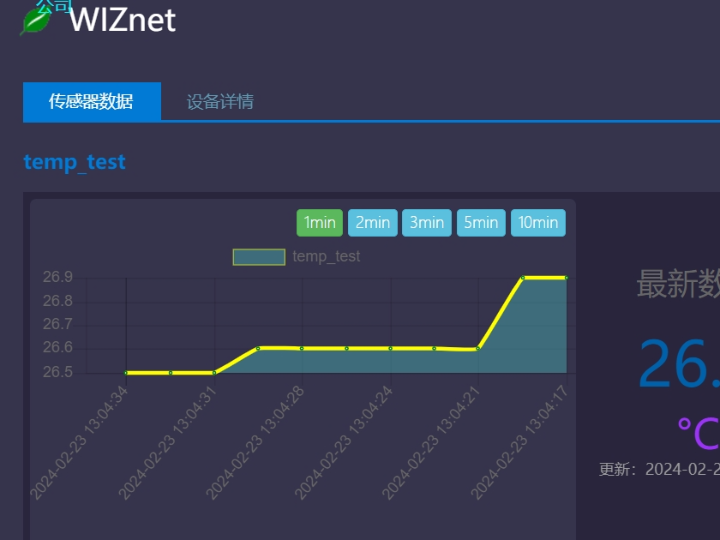
After all the information has been set, you could easily display your information on NLE cloud.
For this example, I had used DHT22 readings and upload to the Cloud.
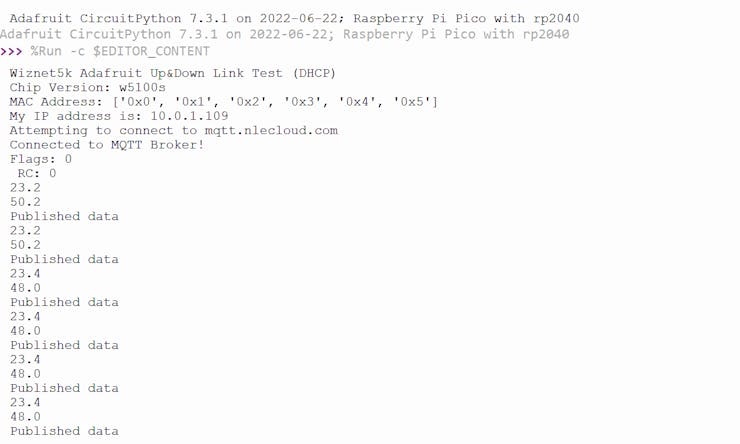
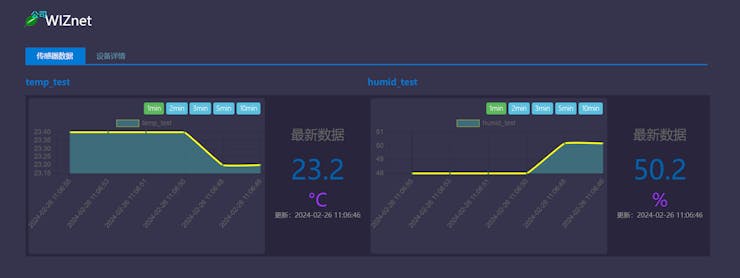
From the above informaiton, it showed the DHT22 readings has been uploaded to the Cloud without any issue.
For details codings, please refer to the codes that I uploaded to github.
Thanks for reading.


