AX2 - WIZnet TCP/UDP speed measurement tool
AX2 Tool that transmits and receives data and measures and outputs the speed
2
Components
Hardware components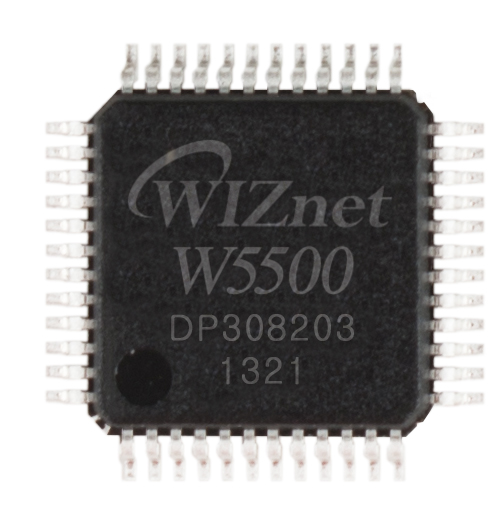
WIZnet - W5500
x 1

Project description
AX2 Tool that transmits and receives data and measures and outputs the speed
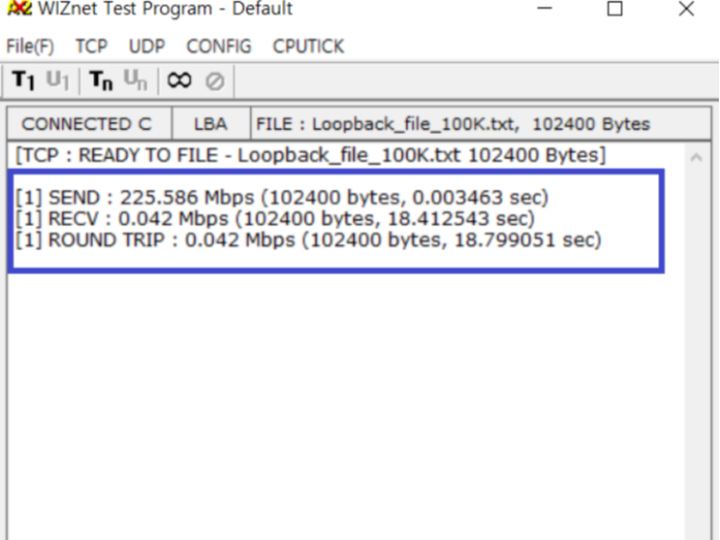
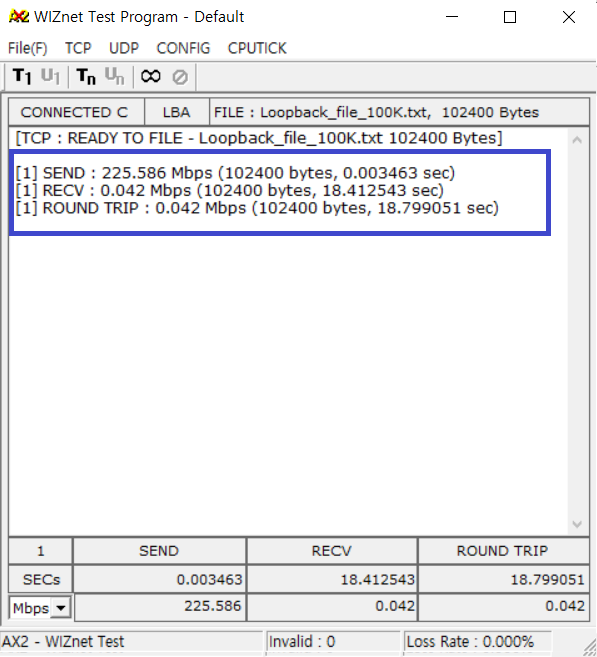
By default, AX2 is set to send data first,
A method that calculates the speed and outputs it when all sent data is received.
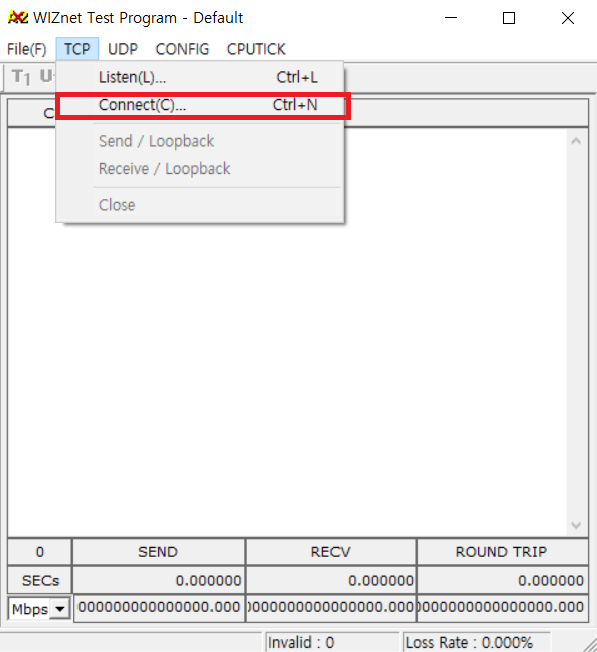
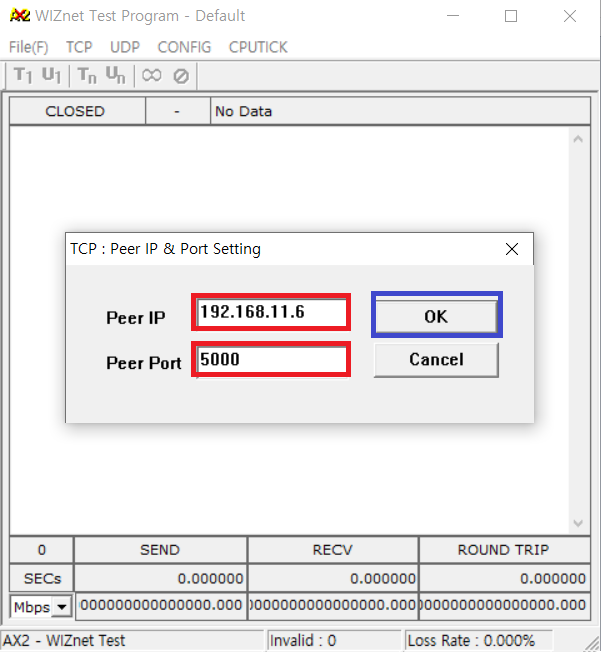
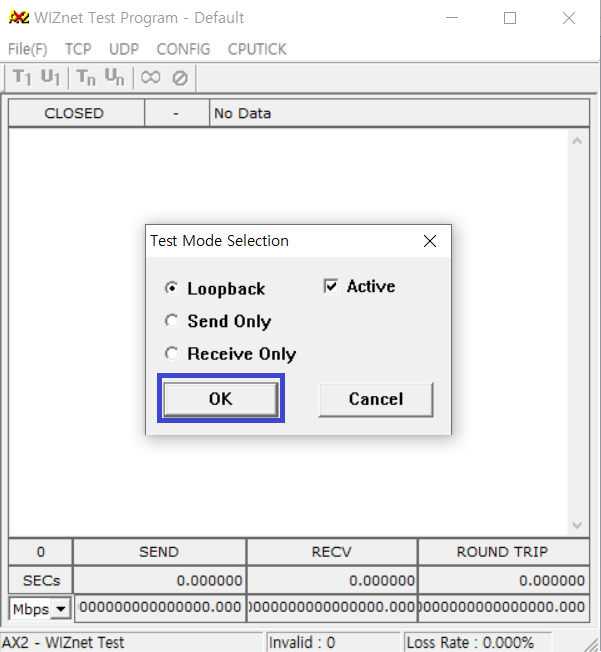
Check if it is connected to the TCP Server and select the file to send.
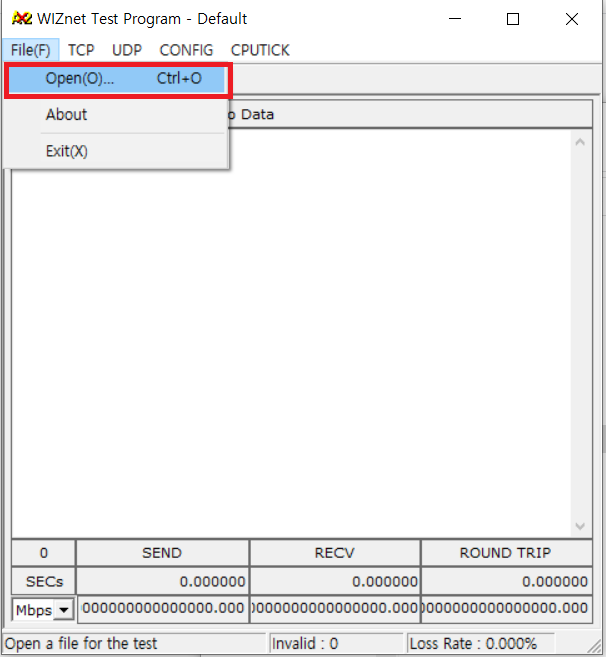
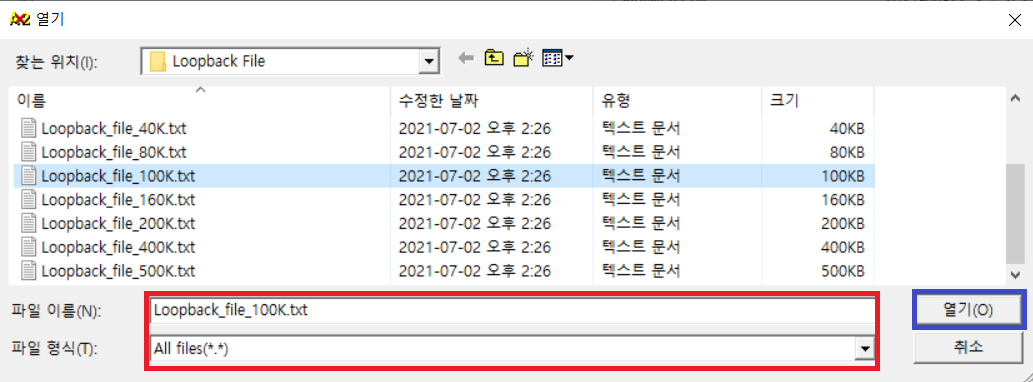
100k Data.txt file.
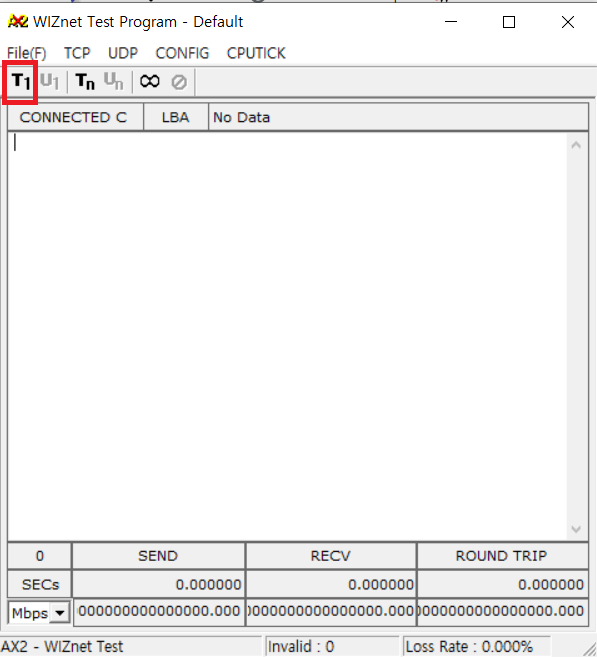
Data is received from the server when data is transmitted by pressing the T1 button.
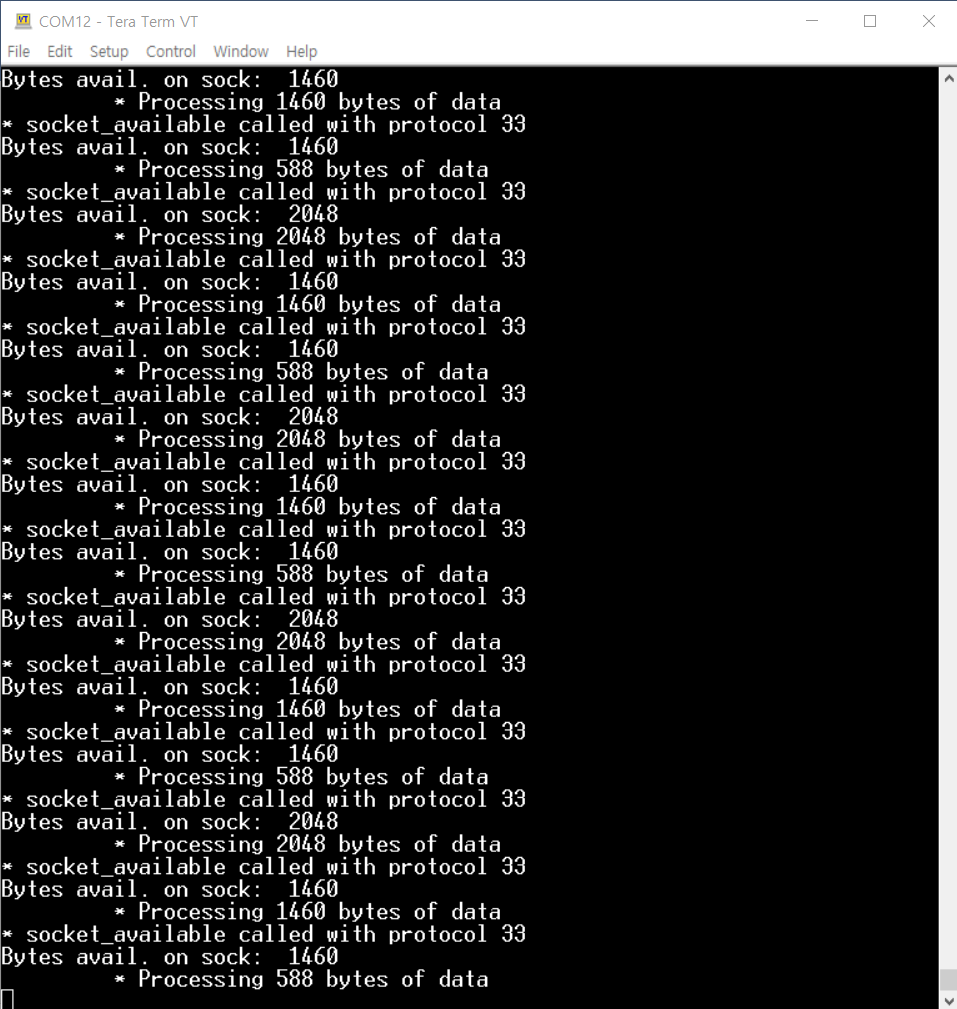
code.py
| import board import busio import digitalio import time from adafruit_wiznet5k.adafruit_wiznet5k import WIZNET5K import adafruit_wiznet5k.adafruit_wiznet5k_socket as socket SPI0_SCK = board.GP2 SPI0_TX = board.GP3 SPI0_RX = board.GP4 SPI0_CSn = board.GP5 W5500_RSTn = board.GP20 print("Wiznet5k Ping Test (DHCP)") # Setup your network configuration below # random MAC, later should change this value on your vendor ID MY_MAC = (0x00, 0x01, 0x02, 0x03, 0x04, 0x05) IP_ADDRESS = (192, 168, 11, 100) SUBNET_MASK = (255, 255, 255, 0) GATEWAY_ADDRESS = (192, 168, 11, 1) DNS_SERVER = (8, 8, 8, 8) led = digitalio.DigitalInOut(board.GP25) led.direction = digitalio.Direction.OUTPUT ethernetRst = digitalio.DigitalInOut(W5500_RSTn) ethernetRst.direction = digitalio.Direction.OUTPUT # For Adafruit Ethernet FeatherWing cs = digitalio.DigitalInOut(SPI0_CSn) # For Particle Ethernet FeatherWing # cs = digitalio.DigitalInOut(board.D5) spi_bus = busio.SPI(SPI0_SCK, MOSI=SPI0_TX, MISO=SPI0_RX) # Reset W5500 first ethernetRst.value = False time.sleep(1) ethernetRst.value = True # Initialize ethernet interface without DHCP # eth = WIZNET5K(spi_bus, cs, is_dhcp=False, mac=MY_MAC, debug=True) # Initialize ethernet interface with DHCP eth = WIZNET5K(spi_bus, cs, is_dhcp=True, mac=MY_MAC, debug=True) # Set network configuration # eth.ifconfig = (IP_ADDRESS, SUBNET_MASK, GATEWAY_ADDRESS, DNS_SERVER) print("Chip Version:", eth.chip) print("MAC Address:", [hex(i) for i in eth.mac_address]) print("My IP address is:", eth.pretty_ip(eth.ip_address)) # Initialize a socket for our server socket.set_interface(eth) server = socket.socket() # Allocate socket for the server server_ip = None # IP address of server server_port = 5000 # Port to listen on server.bind((server_ip, server_port)) # Bind to IP and Port server.listen() # Begin listening for incoming clients conn, addr = server.accept() # Wait for a connection from a client. print("socket connected") while True: led.value = not led.value time.sleep(1) with conn: #data = str("hello") #print(data) #data1 = data.encode('utf-8') #conn.send(data1) # Echo message back to client while True: data = conn.recv(2048) if data: #print(data) conn.send(data) # Echo message back to client #break print("Done!") |

