W5500 Ethernet Controller Chip (5): Implementing FTP Client
W5500 Ethernet Controller Chip (5): Implementing FTP Client
3
Project description
The FTP function can be realized by using the w5500 through the Ethernet port. First of all, we must understand the basic commands and communication methods of FTP.
The essence of FTP is a TCP connection, so we need to implement a TCP client, and then implement the sending and parsing of some specified FTP commands.
FTP basic commands:
Command Description
ABOR abort data connection procedure
ACCT <account> System privileged account
ALLO <bytes> Allocate bytes for file storage on the server
APPE <filename> Add file to server with same name
CDUP <dir path> Change parent directory on server
CWD <dir path> Change the working directory on the server
DELE <filename> deletes the specified file on the server
HELP <command> Returns the specified command information
LIST <name> If it is a file name, list the file information, if it is a directory, list the file list
MODE <mode> Transmission mode (S=stream mode, B=block mode, C=compressed mode)
MKD <directory> Create the specified directory on the server
NLST <directory> List the contents of the specified directory
NOOP No action except acknowledgment from the server
PASS <password> System login password
PASV requests the server to wait for a data connection
PORT <address> IP address and two-byte port ID
PWD shows the current working directory
QUIT to log out from the FTP server
REIN reinitializes the login state connection
REST <offset> restart file delivery by specific offset
RETR <filename> retrieve (copy) file from server
RMD <directory> deletes the specified directory on the server
RNFR <old path> rename old path
RNTO <new path> rename the new path
SITE <params> Site-specific parameters provided by the server
SMNT <pathname> mounts the specified file structure
STAT <directory> returns information on the current program or directory
STOR <filename> store (copy) file to server
STOU <filename> store file on server name
STRU <type> data structure (F=file, R=record, P=page)
SYST returns the operating system used by the server
TYPE <data type> data type (A=ASCII, E=EBCDIC, I=binary)
USER <username> System login username
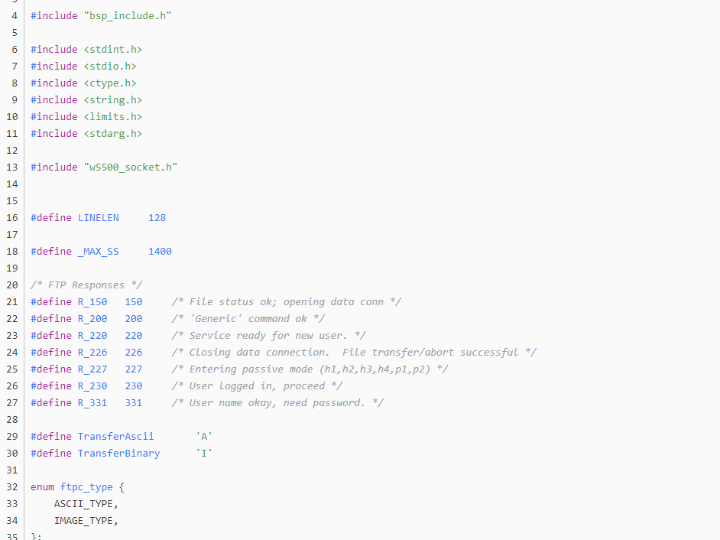
FTP basic response code:
Response code Explanation
110 Restart marker on new file indicator
120 Server ready time (minutes)
125 Open data connection, start transmission
150 open connection
200 success
202 Command not executed
211 System Status Reply
212 Directory Status Reply
213 File Status Reply
214 Help message reply
215 System Type Reply
220 service ready
221 Exit network
225 Open data connection
226 End data connection
227 Enter passive mode (IP address, ID port)
230 Login to the Internet
250 File behavior complete
257 Path name creation
331 Password required
332 Account required
350 File behavior paused
421 Service down
425 Unable to open data connection
426 End connection
450 File not available
451 Local error encountered
452 Insufficient disk space
500 Invalid command
501 Bad parameter
502 Command not executed
503 Bad command sequence
504 Invalid command parameter
530 Not logged in to the network
532 An account is required to store the file
550 File not available
551 Unknown page type
552 Storage allocation exceeded
553 filename not allowed
By sending and parsing these commands and response codes, coupled with the TCP client and server, the FTP client and FTP server can be implemented, respectively.
Let's implement an FTP client to download the upgrade file:
Generally, FTP is divided into active and passive modes. In active mode, port 21 is usually the command port, and port 20 is the data port. In passive mode, the data port is not necessarily. Generally, the client can notify the server first, request the passive mode command port, and then parse the server's reply to get the passive port, and then connect to receive the data content.
———————————————
Copyright statement: This article is an original article by CSDN blogger "zhangfls" and follows the CC 4.0 BY-SA copyright agreement. Please attach the original source link and this statement for reprinting.
Original link: https://blog.csdn.net/zhangfls/article/details/119883211

