[W5100S] Complete the bootloader using W5100S
[W5100S] Complete the bootloader using W5100S
3
![[W5100S] Complete the bootloader using W5100S](/upload/_thumb/1280/project/3921/cover2.jpg.jpg)
Components
Hardware components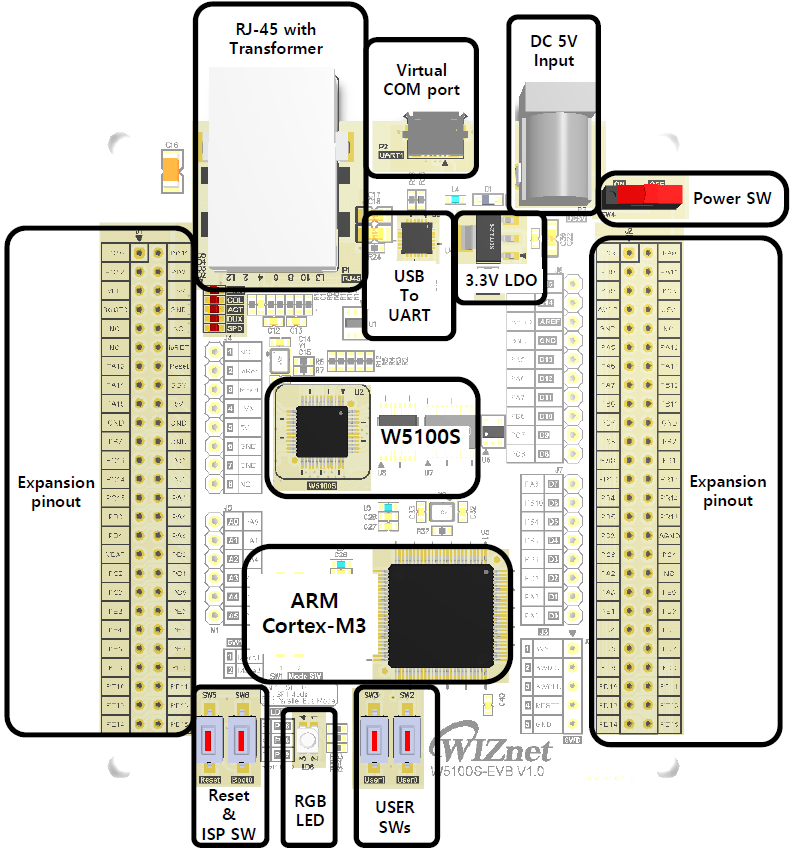
WIZnet - W5100S-EVB
x 1

Project description
The current flash memory configuration is as follows.
Bootloader
The boot loader area is set at 64 kB, but the final binary capacity is 20.8 kB.
void callback_linkup(bool linkup)
{
gMutex.lock();
clear();
gMutex.unlock();
Led::setRgb(0, 0, 0);
if(linkup) // run when the network is connected
{
gFq.lock();
gFq.stop();
gFq.clear();
gFq.add(task::program::connectingToServer);
gFq.add(task::program::checkFirmwareFromServer);
gFq.add(task::program::programNewFirmware);
gFq.add(task::program::finish);
gFq.start();
gFq.unlock();
}
else // Run when network is disconnected
{
gFq.lock();
gFq.stop();
gFq.clear();
gFq.unlock();
}
}
The above callback_linkup function is called when the network is connected or disconnected. Items registered in the gFq.add() function are performed as follows.
While the > connectingToServer() function is performed, the red LED flashes and attempts to connect to the server.
> While the checkFirmwareFromServer() function is performed, the yellow LED flashes and checks that the server has ready firmware.
> Download the firmware with a flashing green LED while the programNewFirmware() function is being performed.
Wait for the blue LED to flash and power off while the > finish() function is performed.

