How to flash Surf5 using ISP Tool
Surf5 ISP Tool Guide
7
Project description
How to use ISP tool
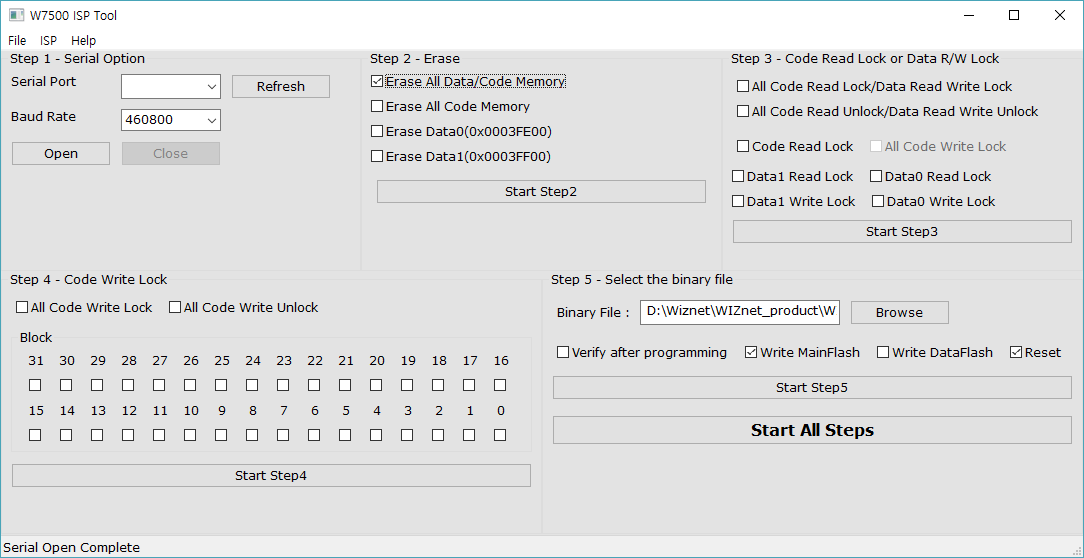
The easiest and fastest way to download FW to Surf5 is to use an ISP Tool.
Before using the ISP Tool, the computer must have a Surf5 USB Driver installed.
If you are ready, please download the ISP Tool according to your environment and check User Manual.
ISP Tool Download
| Name | version | Download Link | Remarks |
|---|---|---|---|
| ISP tool | latest version | ISP tool download | Window |
| ISP tool | latest version | W7500 ISP Program Download in Linux | Linux |
Manual
You must enter Boot mode for using ISP tool
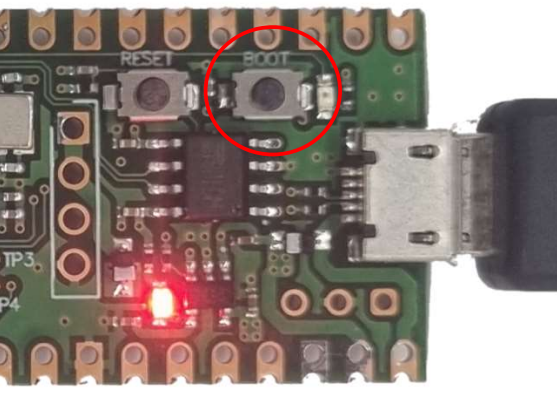
Press and hold the Boot SW and apply power, or press and hold the BOOT SW while power is applied and press the RESET SW shortly.
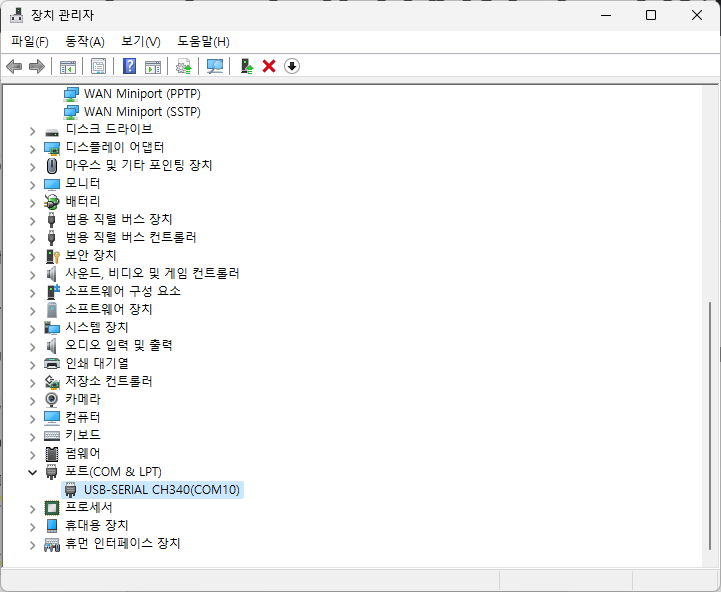
Check The com port number of Surf5 in Device manager.
The com port number can vary from PC to PC.
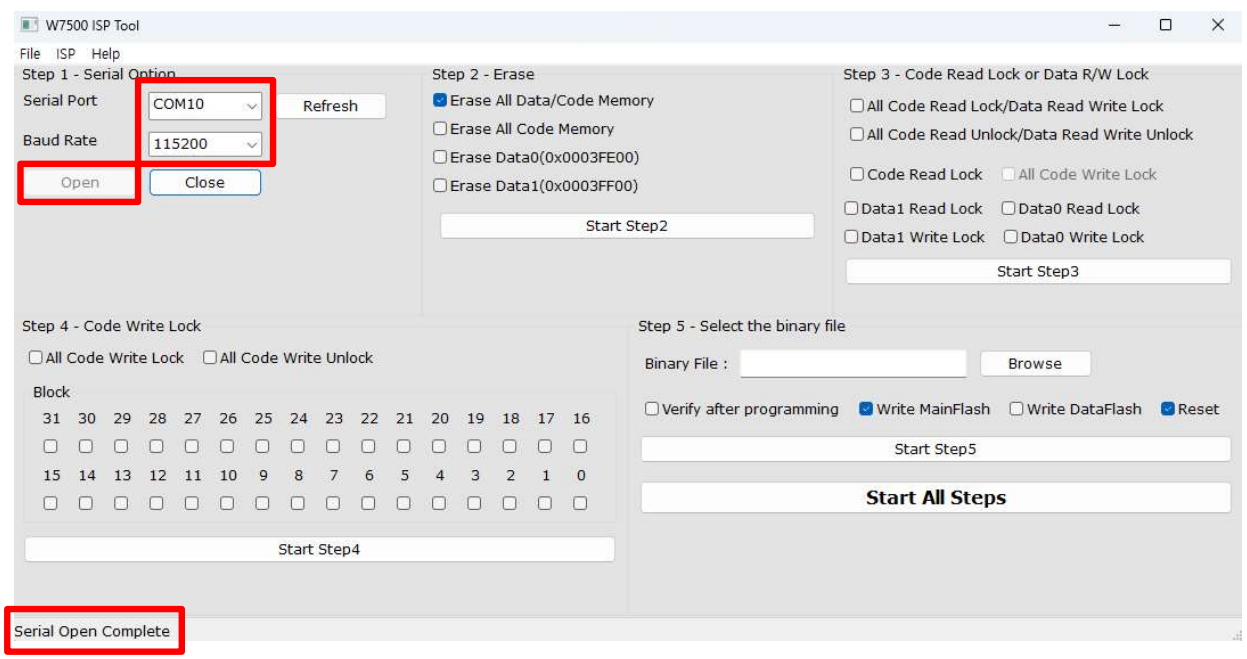
Select Serial port, set Baud Rate to 115200 and click Open.
If your Surf5 connect with ISP tool successfull, you can see Serial Open Complete message on the left bottom of ISP tool.
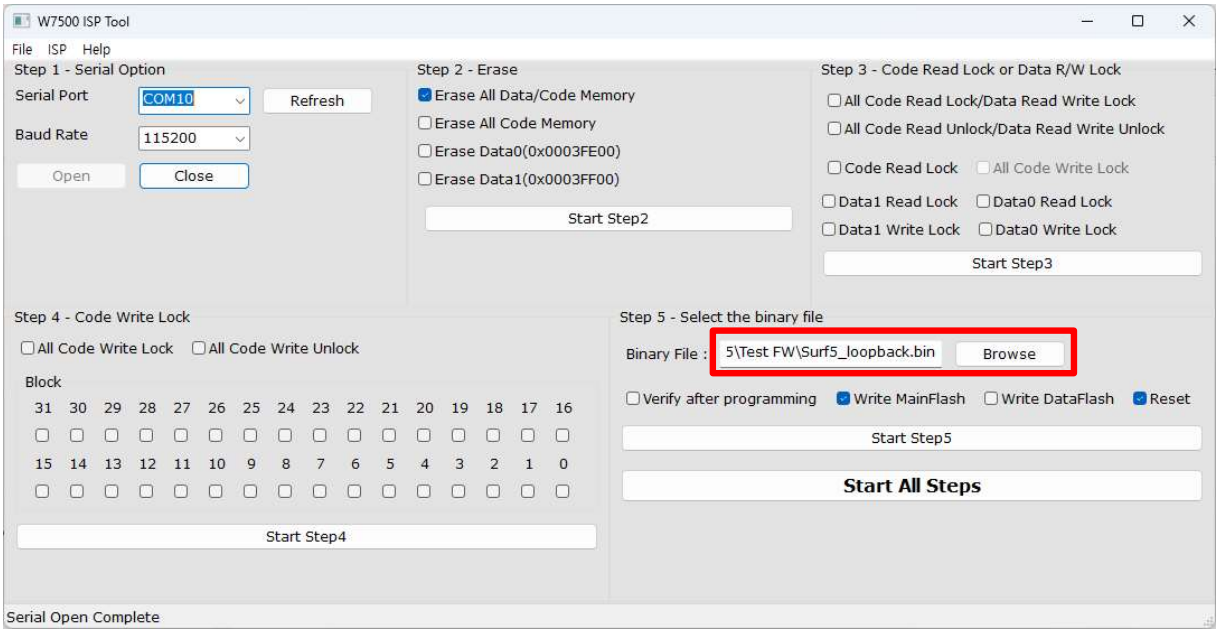
After ISP tool is connected, press the Browse button to select the binary file you want to download.
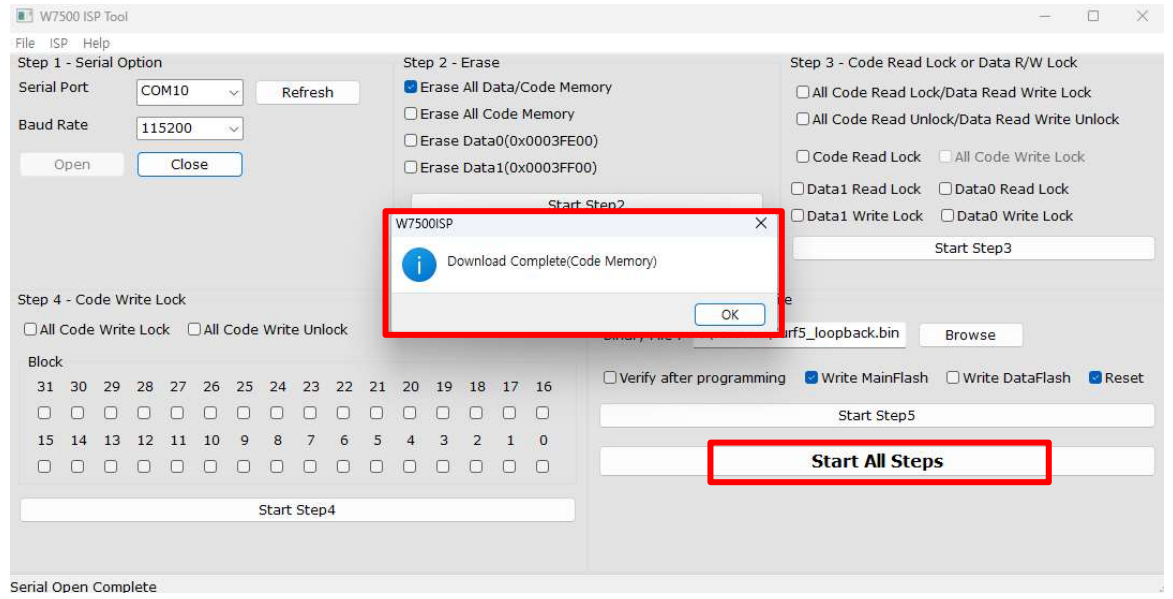
When you press the Start all steps button, Surf5 will erase old data and download the binary file you selected.
When the download completes successfully, the Download complete popup appears.

