How to make Surf 5 Project in Keil 5
How to make Surf 5 Project in Keil 5
6

Components
Hardware components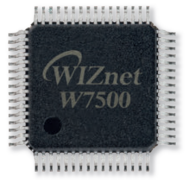
WIZnet - W7500
x 1


ARM - KEIL5
x 1
Project description
Surf 5 Github Link
If you haven't downloaded the Surf 5 project yet, Click the link below to access GitHub and download it.
How to make Surf 5 Project in Keil 5
1. Download Keil 5 & Compiler for Keil 5
If you haven't installed the Keil 5 development environment and the compiler for Keil 5 (version 5.37 or later) yet, click the link below to install them first.
2. Set-up Compiler in Keil 5
Step 1
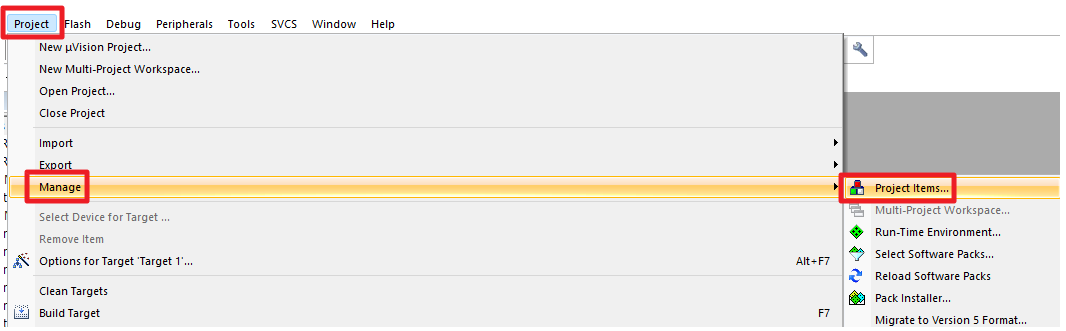
Run Keil 5 and click on the "Project' -> 'Manage' -> 'Project Items..." tab at the top.
Step 2
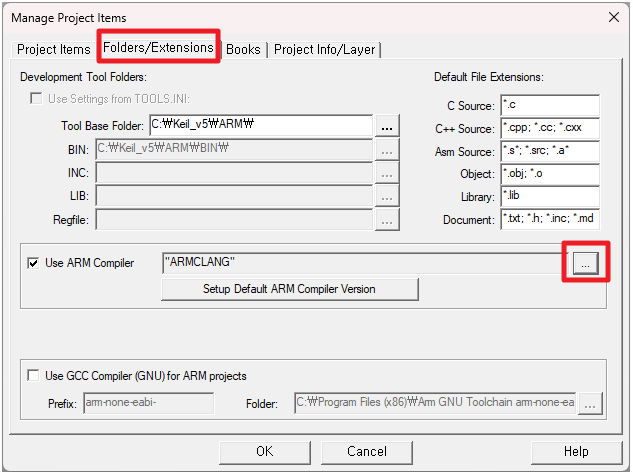
Click the "..." button under the 'Folders/Extensions' tab.
Step 3
Click the "Add another ARM Compiler Version to List..." button.
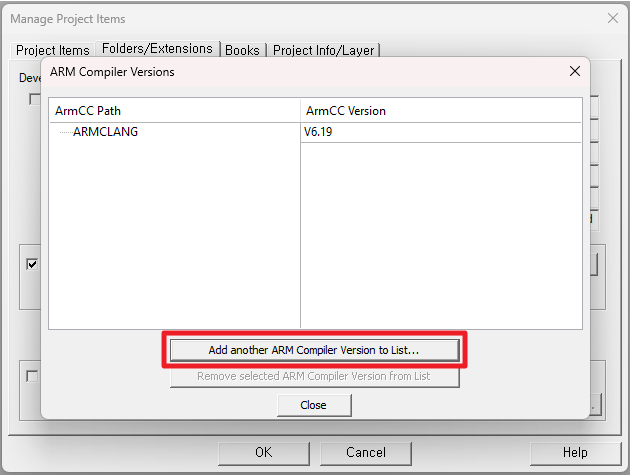
Step 4
Set the path to the installed compiler for the latest version of Keil 5 (version 5.37 or later). If you haven't installed the compiler for the latest version of Keil 5, refer to [Install Keil 5 for Surf 5].
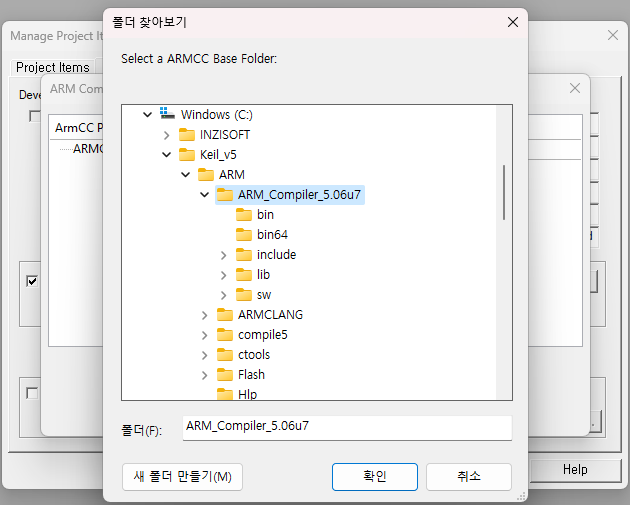
Step 5
Verify that the compiler has been added and click the "Close" button.
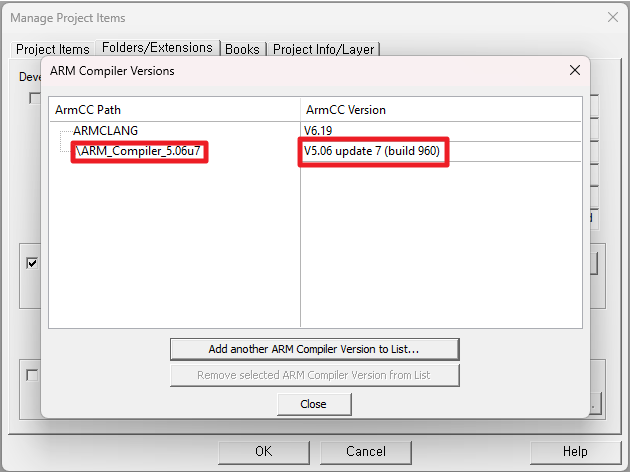
Step 6
Press the "OK" button to complete the compiler path setup.
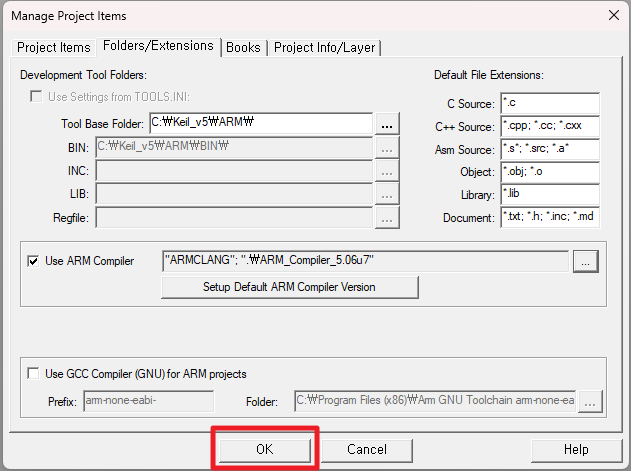
3. Build Surf 5 Project in Keil 5
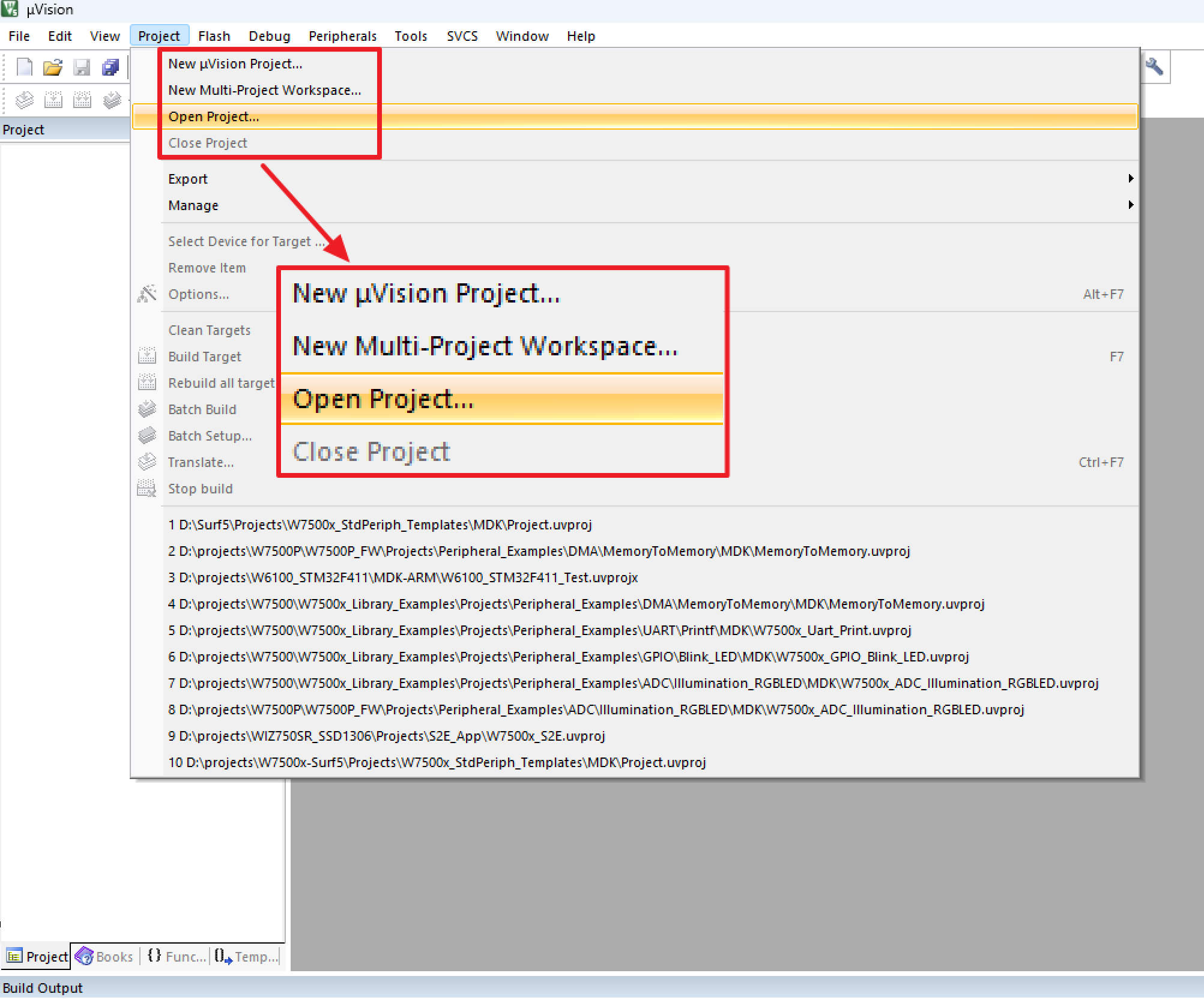
Step 1
within the 'Project' tab at the top, click on "Open Project..."
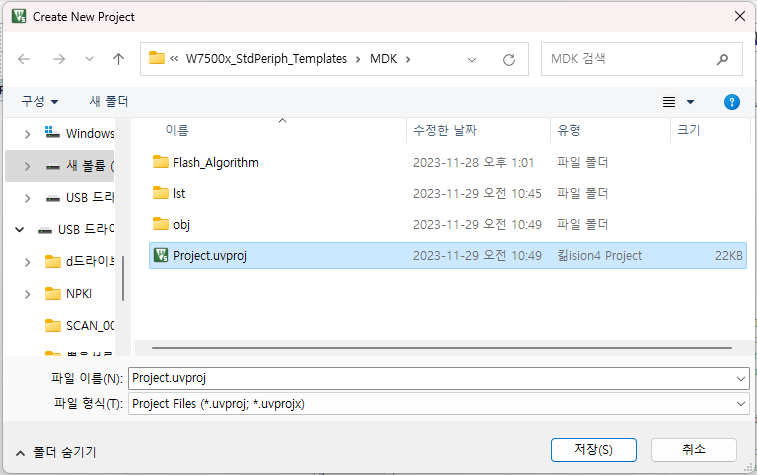
Step 2
Open the project by selecting "Project.uvproj" from the path "...\w7500x-surf5\Projects\W7500x_StdPeriph_Templates\MDK" where the project files exist in the Surf 5 library.
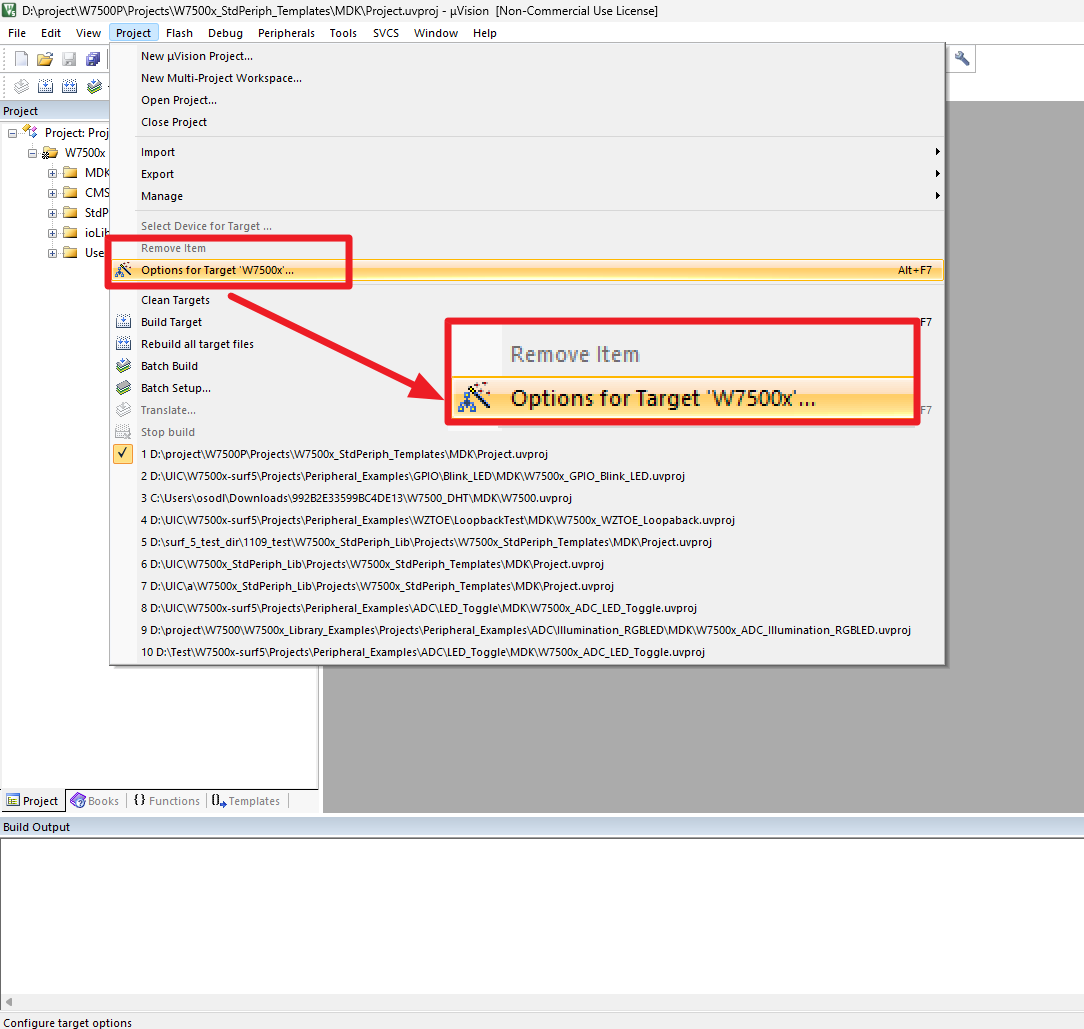
Step 3
Within the 'Project' tab at the top, click on "Options for Target 'W7500x'..."
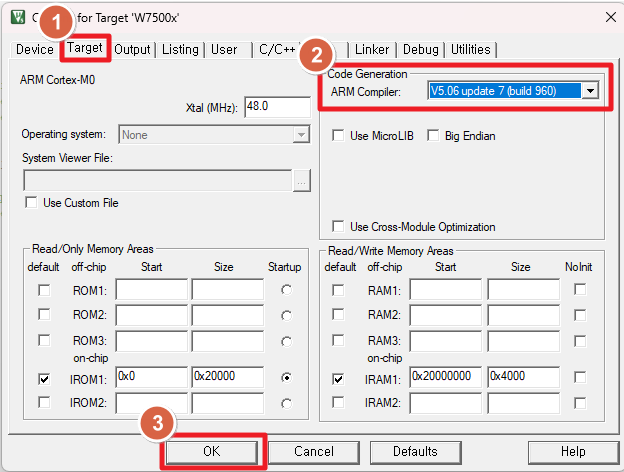
Step 4
Go to the "Target" tab at the top, set the ARM Compiler under Code Generation to "V5.06 update 7 (build 960)", and click the "OK" button
Step 5
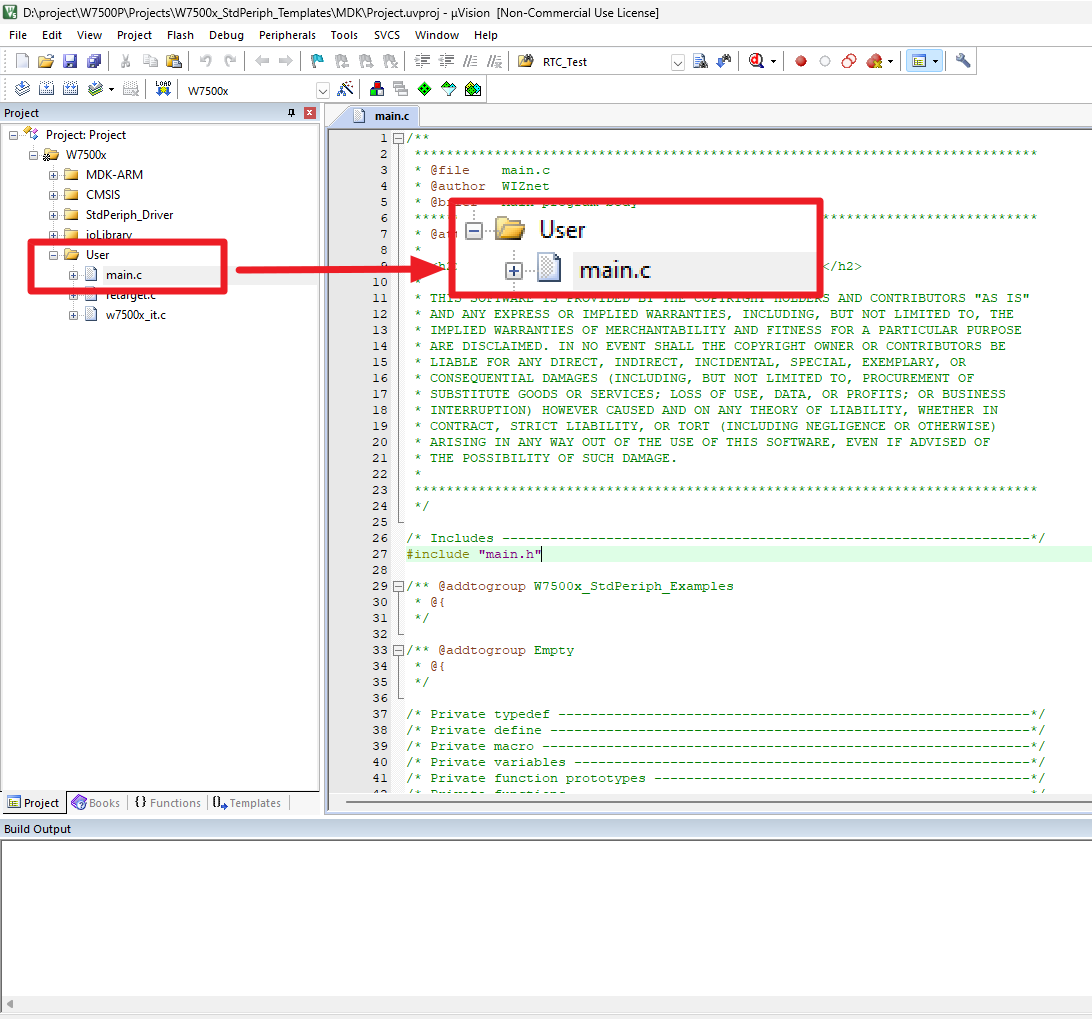
In the Keil 5 project, click on "main.c" in the "User" folder to open the file.
Step 6
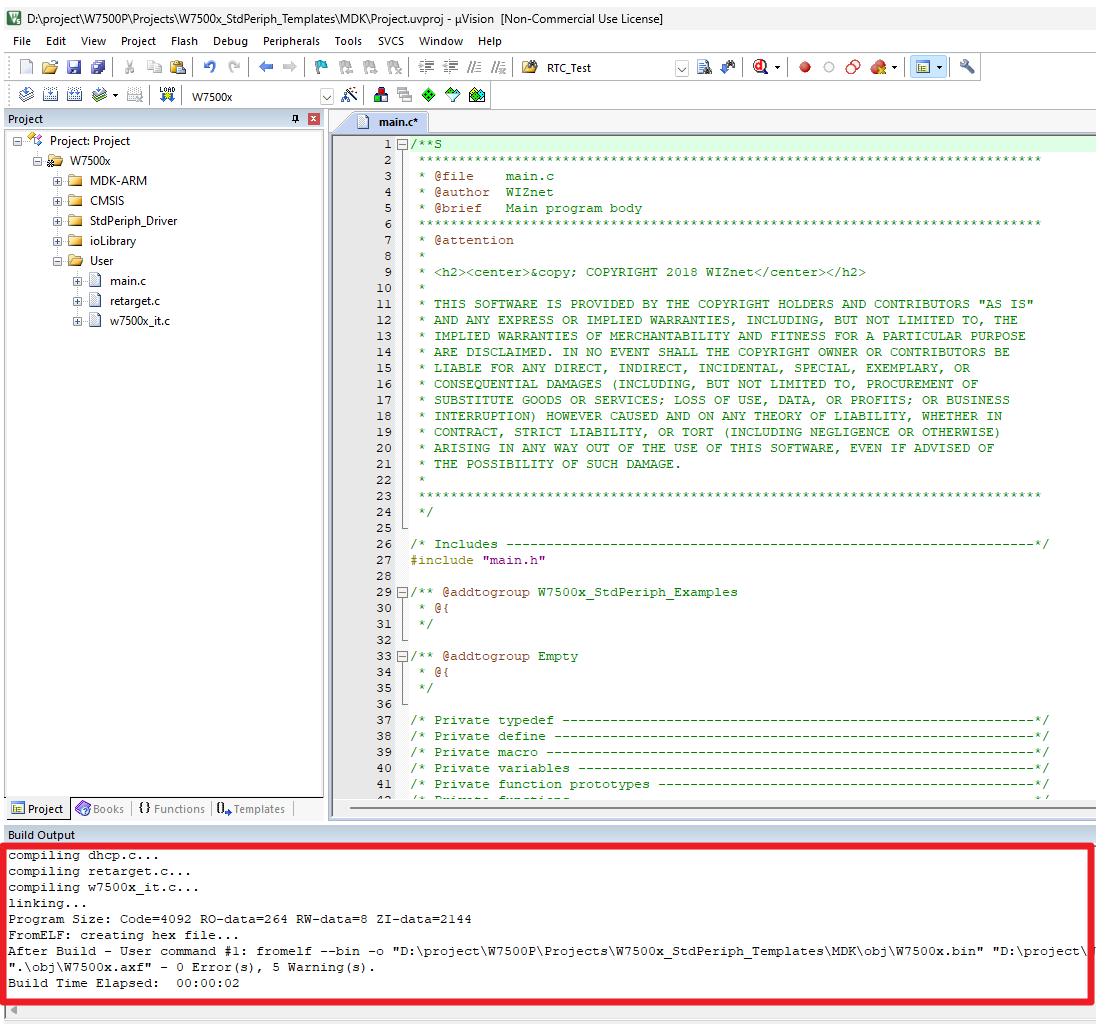
Press the "F7" button to complete the build.