How to debug Surf5 project in VSCODE
How to debug Surf5 project in VSCODE
2
Project description
Surf 5 Debugger
How to debug Surf5 in VSCODE
This guide is based on Surf5's default example, Loopback
1. Install Python
Install Python 3.10 or later
2. Install pyocd
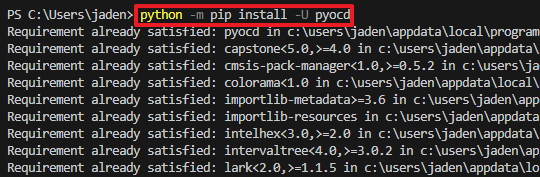
In a CMD command window, write the python -m pip install -U pyocd command to install pyocd.
(Depending on your PC environment, you may need to write the command python3 -m pip install -U pyocd).
3. Check Debugger connection.
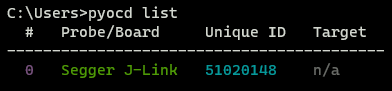
You can check PC and Debugger connection using pyocd list command
4. Add W7500 in pyocd CMSIS-PACK
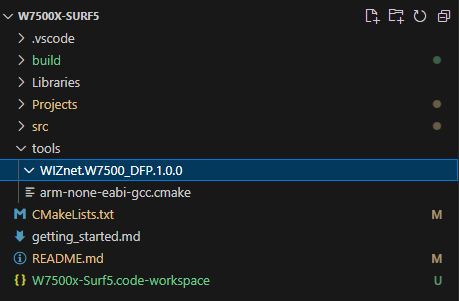
Make Directory named WIZnet.W7500_DFP.1.0.0 in W7500X-SURF5/tools
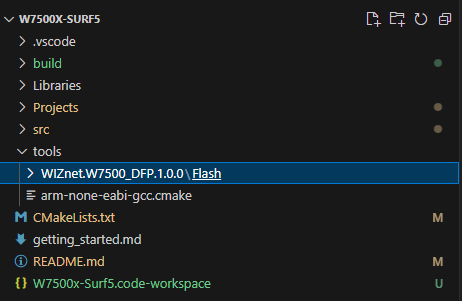
Make Directory named Flash in W7500X-SURF5/tools/WIZnet.W7500_DFP.1.0.0

Download the W7500 Flash file and copy in W7500X-SURF5/tools/WIZnet.W7500_DFP.1.0.0/Flash

Download the WIZnet.W7500_DFP.pdsc fileand copy in W7500X-SURF5/tools/WIZnet.W7500_DFP.1.0.0
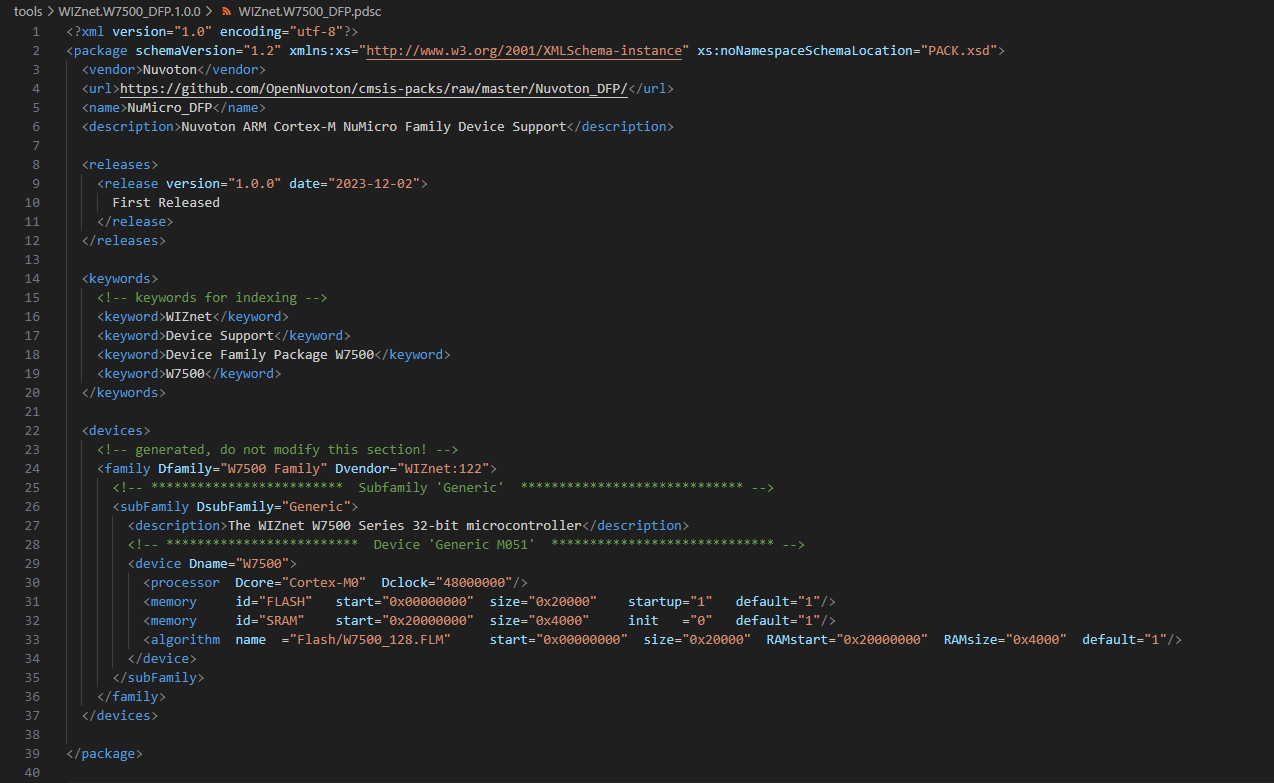
The WIZnet.W7500_DFP.pdsc file is an XML file that sets the device name and Core, Clock, and Memory areas.
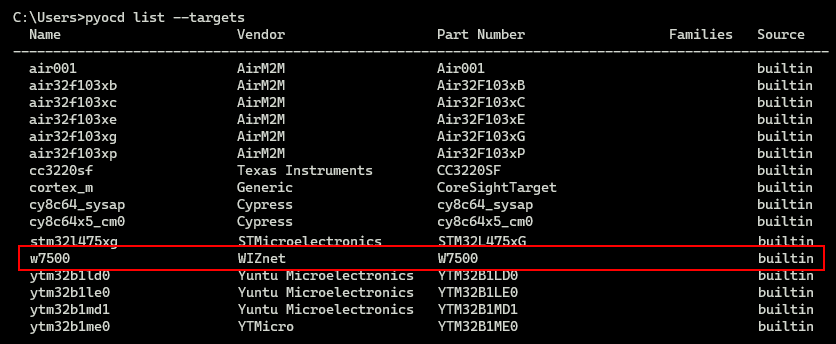
Now you can see the W7500 added with the pyocd list --targets command.
5. Set GDB path and Excutable(.elf) path
Download launch.jason and edit executable path and gdbpath
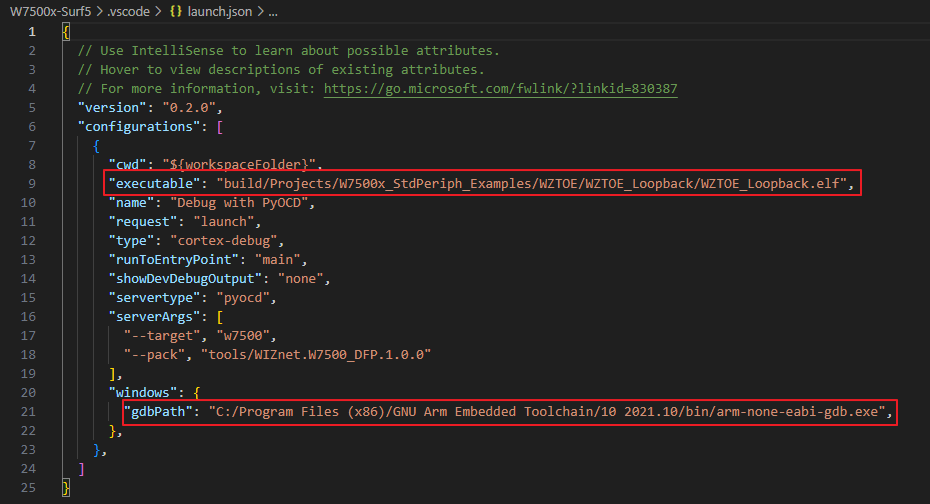
Set the executable path to the path of the .elf file you want to debug and the GDB path to the path of the ARM TOOL CHAIN you installed.
6. Install Cortex-Debug Extension
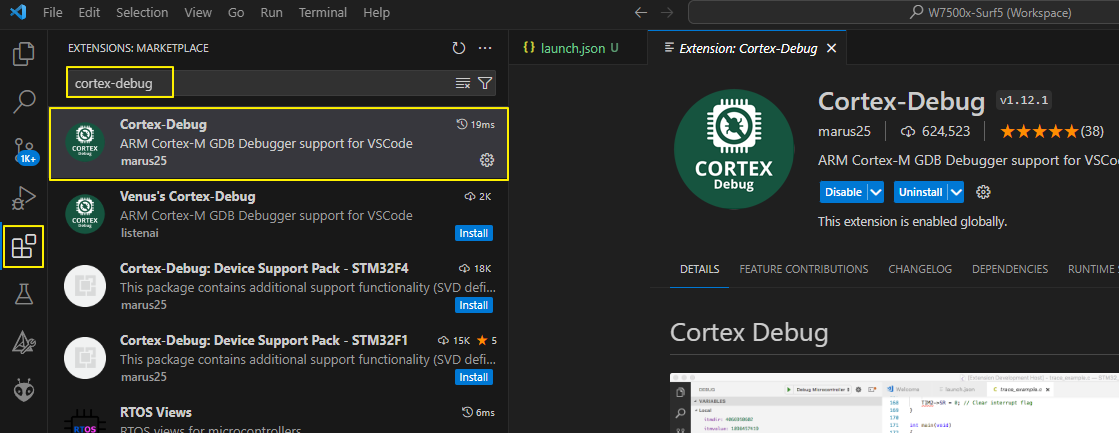
Install Cortex-Debug Extension in VSCODE
7. Run Debug
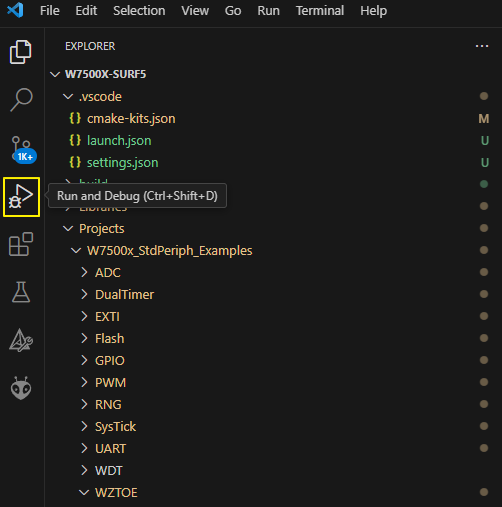
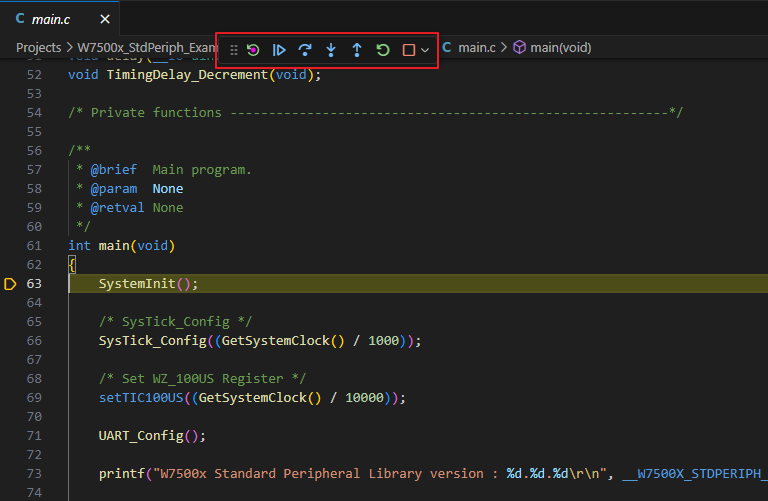
You can click Run and Debug to enter debug mode.
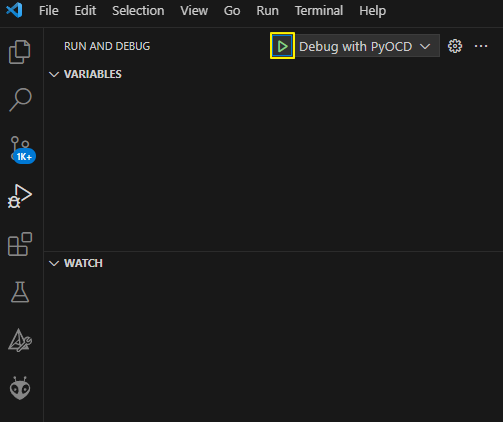
By clicking the play icon you can run the debug in debug mode.