Ethernet Shield–Connecting with Laptop instead of direct Router
w5500
4
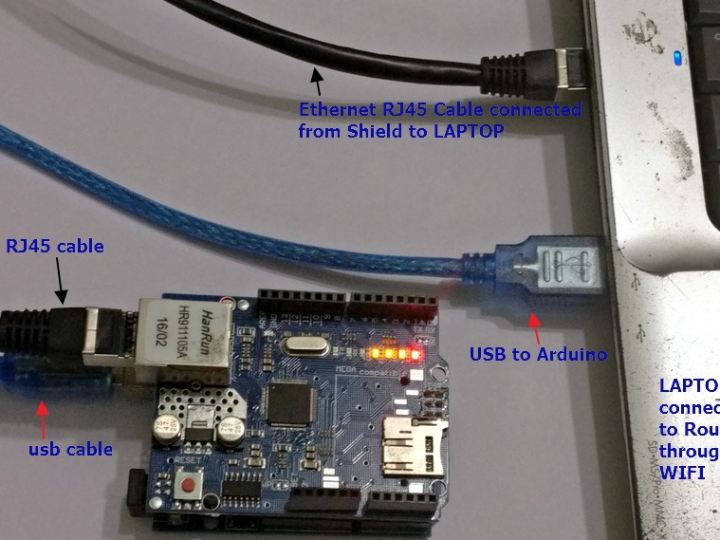
Project description
In the previous post we’ve seen how to connect the Arduino ETHERNET SHIELD to a Router directly & upload LM35 data to Thingspeak. What if you do not have physical access to your Router & your Laptop is connected over WIFI to the Router. Or you cannot run a RJ45 cable from Router to Ethernet shield. The procedure we follow is similar to the one we did for connecting Raspberry PI to Laptop. Link here First step is to enable SHARING of your existing internet.In my case , Laptop is connected to Router over WIFI. Open Control Panel –> Network & Internet –> Network & Sharing Center Click on the…
Keep reading with a free account
Guests can read 15 projects per visit. Log in or create a free account to read the full description, open the documents and join the comments.

