[WIZnet]W6100EVB-FTPC
[WIZnet]W6100EVB-FTPC
0
Components
Hardware components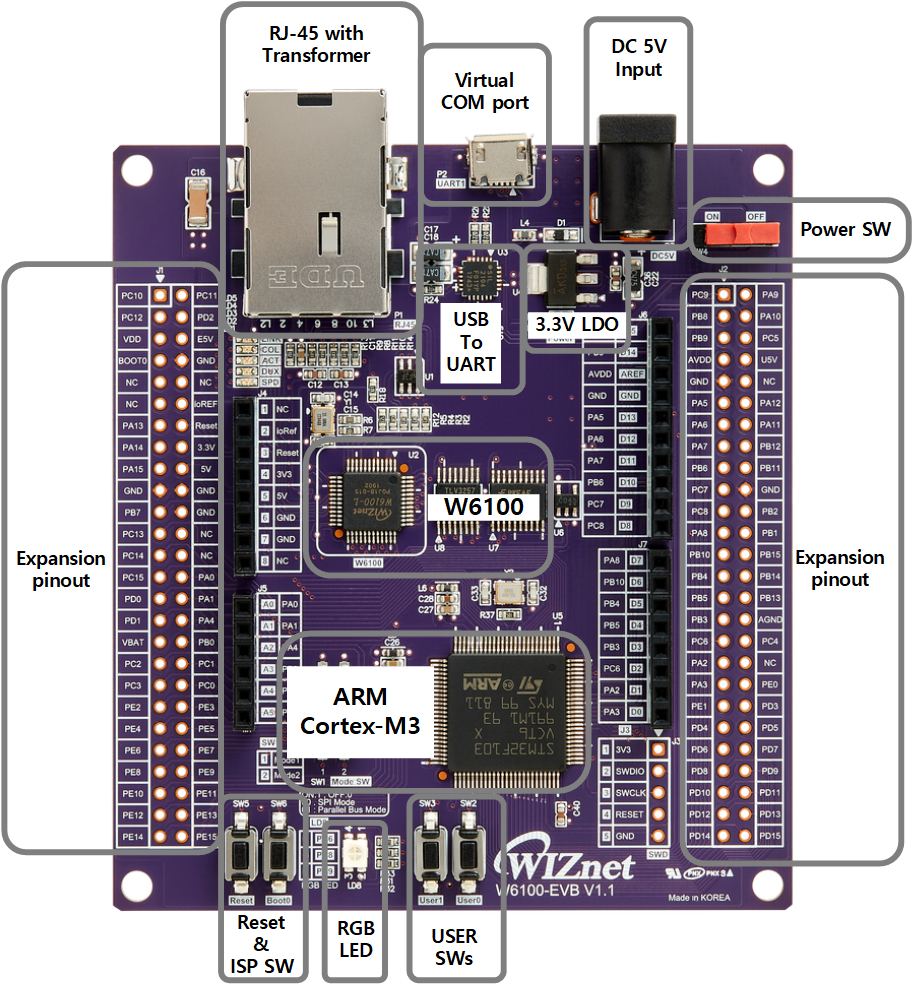
WIZnet - W6100-EVB
x 1

Atollic TrueSTUDIO Ver 9.2.0
x 1
Atollic TrueSTUDIO Ver 9.2.0
FileZilla Server
x 1
FTP Server Program
FLASHER-STM32 Ver2.8.0
x 1
Flash Program
STM32CubeMX Ver 5.1.0
x 1
Device Setting Program
Project description
Index
FTP Client Example for W6100-EVB
Common to Any MCU, Easy to Add-on. Internet Offload co-Processor, HW TCP/IP chip, best fits for low-end Non-OS devices connecting to Ethernet for the Internet of Things. These will be updated continuously.Hardware Environment
- W6100EVB
- connecting Micro usb.
- connecting Ethernet cable.
![[WIZnet]W6100EVB-FTPC, Hardware Environment](https://wizwiki.net/wiki/lib/exe/fetch.php?w=600&tok=eabde4&media=products:w6100:w6100_evb:w6100-evb_callout.png)
Software Environment
In case of used to TureSTUDIO,it it the same as HTTP Server example.Run
- Demo Environment & Program
- Windows 7
- Hercules
- TCP Server Program - FileZila
- Demo Result
- Excute FTP Server Program
![[WIZnet]W6100EVB-FTPC, Run](https://user-images.githubusercontent.com/24927447/56953004-839e1880-6b76-11e9-84ed-8c1e2701c95e.PNG)
- Add Users(Set User ID & Password)
![[WIZnet]W6100EVB-FTPC, Run](https://user-images.githubusercontent.com/24927447/56953005-839e1880-6b76-11e9-8098-4712d0c1ff89.PNG)
- Set shared folders
![[WIZnet]W6100EVB-FTPC, Run](https://user-images.githubusercontent.com/24927447/56953007-839e1880-6b76-11e9-90b9-8faaf749b96f.PNG)
- configure server listen port
![[WIZnet]W6100EVB-FTPC, Run](https://user-images.githubusercontent.com/24927447/56953008-8436af00-6b76-11e9-881a-aae9006ae6f6.PNG)
- Power On and push Reset button to start Program
- Program Run Serial display
- Enter User ID
![[WIZnet]W6100EVB-FTPC, Run](https://user-images.githubusercontent.com/24927447/56953009-8436af00-6b76-11e9-95bf-b1507e75000a.PNG)
- Excute FTP Server Program
- Enter password
![[WIZnet]W6100EVB-FTPC, Run](https://user-images.githubusercontent.com/24927447/56953010-8436af00-6b76-11e9-823e-9947ed2dd4f8.PNG)
- Select menu
![[WIZnet]W6100EVB-FTPC, Run](https://user-images.githubusercontent.com/24927447/56953011-84cf4580-6b76-11e9-9dfa-08b9c72ae701.PNG)
- When 1 is pressed, you can see the list of files on the server.
![[WIZnet]W6100EVB-FTPC, Run](https://user-images.githubusercontent.com/24927447/56953012-84cf4580-6b76-11e9-9220-f844d20ea73a.PNG)
Test packet capture file
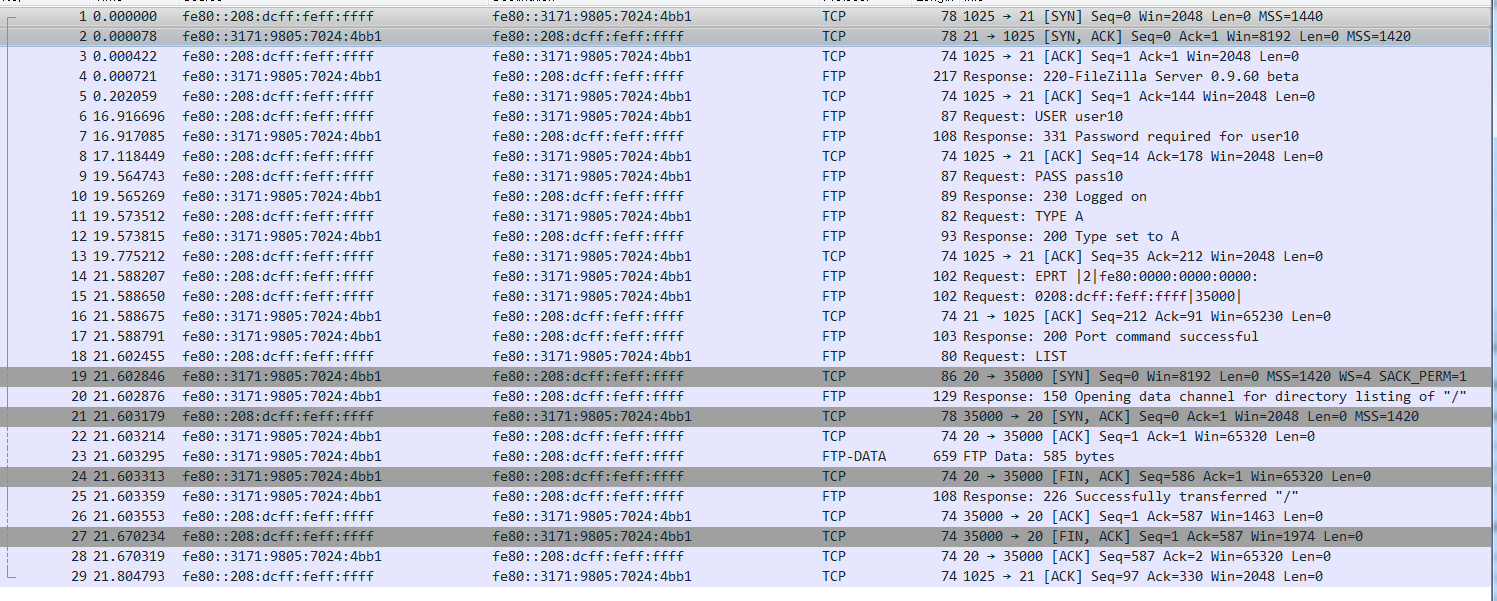
- [FTP_Client_Packet.zip](https://github.com/WIZnet-ioLibrary/W6100EVB-FTPC/files/3130668/FTPClientPacket.zip)


