Simuli virtual lab | W5500 with STM32
Showcases adding w5500 in Simuly virtual lab platform..
STM32 Nucleo board with a terminal for interacting with the board and the W5500 Ethe
7
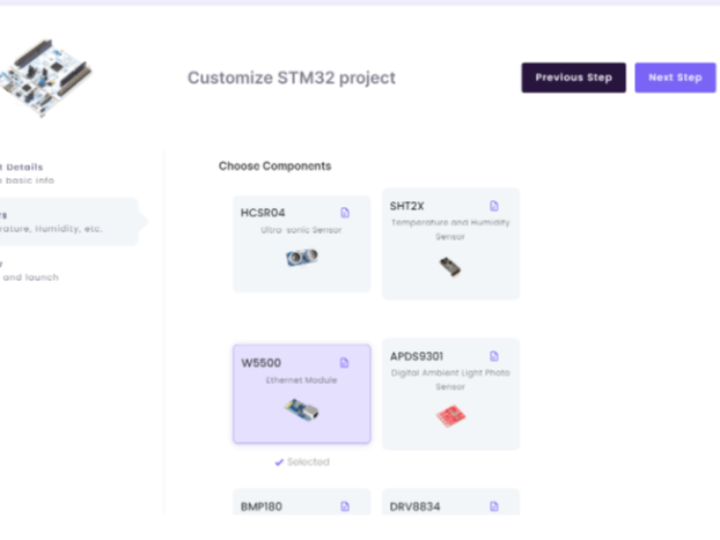
Components
Hardware components
WIZnet - W5500
x 1

Project description
First, log in to your Simuli account and navigate to the Simuli Virtual Lab. Here we will create a new emulated instance of the STM32. Click on the
Launch button under STM32 to get started.
This will open the configuration menu. First, provide a name for the project. Then, we will add the
W5500 Ethernet Module by selecting it from the list of available components. Finally, review that the name for the project and the selected sensors are correct and click on the Launch button.

Once we have clicked on the Launch button, a new instance of the STM32 will be created. It can take a few minutes, so be patient. Once the new instance is ready, an
Open button will be visible. Click on this button to open and start working with our STM32.A new tab with the built-in development environment opens up. On the left side, we have the code editor window along with the terminal at the bottom. On the right side, we have our STM32 Nucleo board with a terminal for interacting with the board and the
W5500 Ethernet Module.
The STM32 instances come with support for Platform IO Core (CLI). We will be using it for working on our projects. To know more about Platform IO Core (CLI) and the different commands go to the Platform IO documentation.
First, we need to initialise a new project using Platform IO. Let's create a new folder called
STM32-Eth which will hold all our code related to the project. You can right-click anywhere in the File Explorer pane, select New Folder, name the folder and click on OK. Now that our Folder is ready, let's go to the terminal and open the newly created folder. Use the following command:cd /workspace/STM32-Eth/
Now we will initialise a new project using Platform IO. Type the following command in the terminal:
pio project init --board nucleo_f411re
The
pio project init command is used to initialise the project. Then we need to specify the board which we want to use with the --board flag.Once the project init command has run successfully, we will see some new folders inside the
STM32-Eth folder. We will store the files related to the project in the src folder.After running the
project init command, if you can't see the new files, you may have to reload the project files by clicking on PROJECT in the File Explorer pane.

Create a new file called
main.cpp inside the src folder. This file will hold the code for the W5500 program. Click on the main.cpp file to open it up in our code editor. Now, paste the following code inside the main.cpp file.main.cpp
#include <Arduino.h>
#include <SPI.h>
#include <Ethernet.h>
// Enter a MAC address for your controller below.
byte mac[] = { 0xDE, 0xAD, 0xBE, 0xEF, 0xFE, 0xED };
char server[] = "www.google.com"; // name address for Google (using DNS)
// We set a static IP address dor the client
IPAddress ip(172, 17, 0, 2);
IPAddress myDns(8, 8, 8, 8);
// Initialize the Ethernet client library
EthernetClient client;
// Variables to measure the speed
unsigned long beginMicros, endMicros;
unsigned long byteCount = 0;
bool printWebData = true; // set to false for better speed measurement
void setup() {
// You can use Ethernet.init(pin) to configure the CS pin
Ethernet.init(10); // Most Arduino shields
// Open serial communications and wait for port to open:
Serial.begin(9600);
Serial.println("Ethernet Demo");
// start the Ethernet connection:
Ethernet.begin(mac, ip, myDns);
// give the Ethernet shield a second to initialize:
delay(1000);
Serial.print("connecting to ");
Serial.print(server);
Serial.println("...");
// if you get a connection, report back via serial:
if (client.connect(server, 80)) {
Serial.print("connected to ");
Serial.println(client.remoteIP());
// Make a HTTP request:
client.println("GET /search?q=arduino HTTP/1.1");
client.println("Host: www.google.com");
client.println("Connection: close");
client.println();
} else {
// if you didn't get a connection to the server:
Serial.println("connection failed");
}
beginMicros = micros();
}
void loop() {
// if there are incoming bytes available
// from the server, read them and print them:
int len = client.available();
if (len > 0) {
byte buffer[80];
if (len > 80) len = 80;
client.read(buffer, len);
if (printWebData) {
Serial.write(buffer, len); // show in the serial monitor (slows some boards)
}
byteCount = byteCount + len;
}
// if the server's disconnected, stop the client:
if (!client.connected()) {
endMicros = micros();
Serial.println();
Serial.println("disconnecting.");
client.stop();
Serial.print("Received ");
Serial.print(byteCount);
Serial.print(" bytes in ");
float seconds = (float)(endMicros - beginMicros) / 1000000.0;
Serial.print(seconds, 4);
float rate = (float)byteCount / seconds / 1000.0;
Serial.print(", rate = ");
Serial.print(rate);
Serial.print(" kbytes/second");
Serial.println();
// do nothing forevermore:
while (true) {
delay(1);
}
}
}

We also need to Install the Ethernet library for this project. We will use Platform IO to search and install this library. Go to your terminal and type:
pio lib search Ethernet
Platform IO will now search for the relevant libraries and provide us the results. Here we can see that we got the library we were looking for. We can see the Library ID at the top, in this case it is
872. We will use this ID to install the library.
Type the following command in the terminal:
pio lib install 872
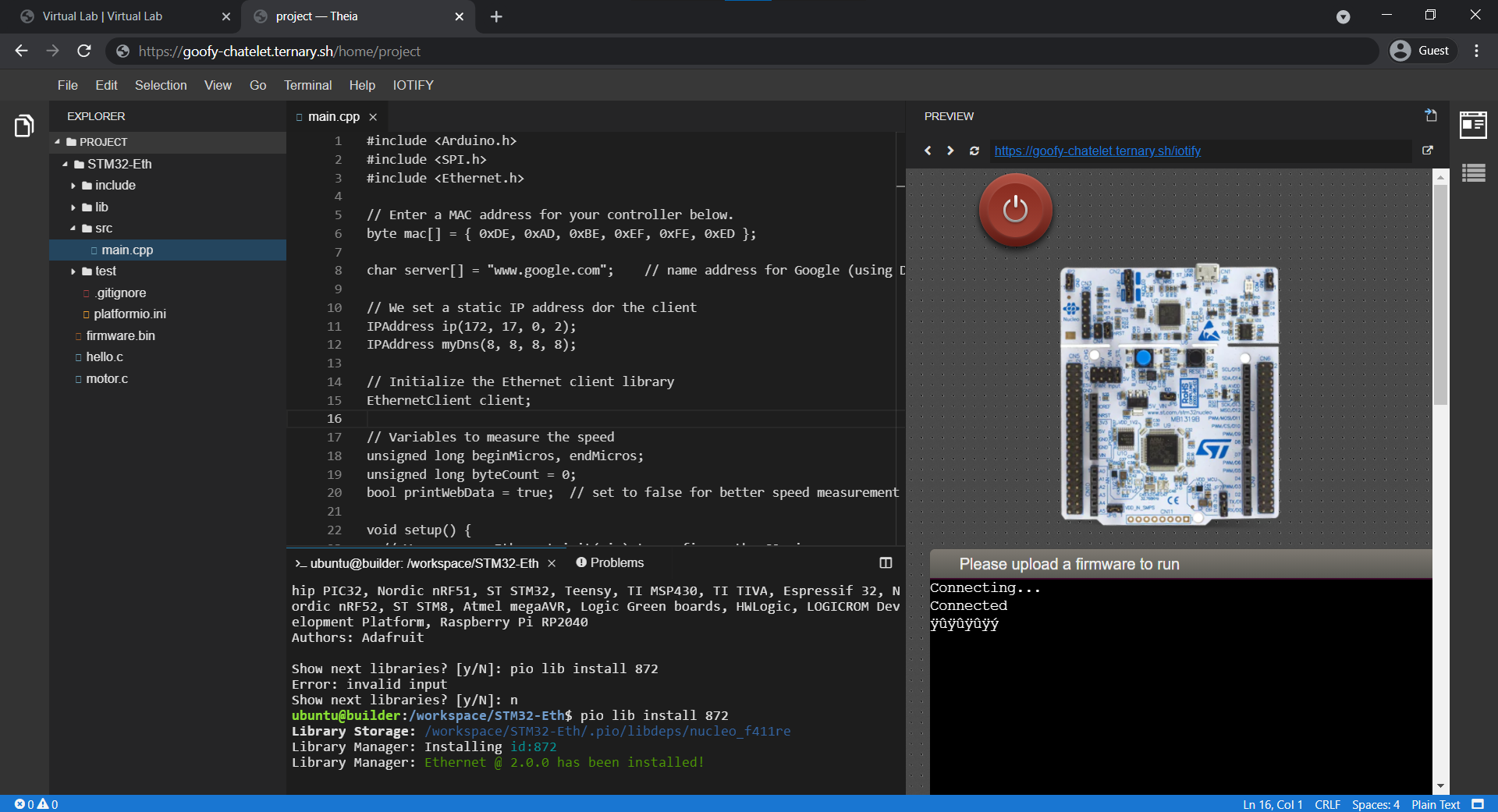
This will install the Ethernet Library along with all of it's dependencies. Now we are ready to compile our code. Save the main.cpp file. We will again use Platform IO to compile our code. Go to your terminal and type the following command.
pio run
The first time this command is run, Platform IO will download and install the relevant framework and toolchains required for the STM32. This process will take a few seconds.
Now Platform IO will compile our code and output a firmware.bin file. We need to copy this firmware file from the
.pio/build/nucleo_f411re to /workspace. Usually you would need to use the cp command, but we have created a custom command called load-firmware for ease of use. Just write the following command and the firmware.bin file will be copied to the workspace folder.load-firmware
Once we have copied the firmware.bin file, all we need to do is to reset the STM32 by pressing the red button above the STM32.

After the reset, the STM32 will load the new firmware, and we should be able to connect to Google and get some data back.

