Presentation, data storage and execution of orders on the Cayenne page
Presentation, data storage and execution of orders on the Cayenne page
0
Components
Hardware components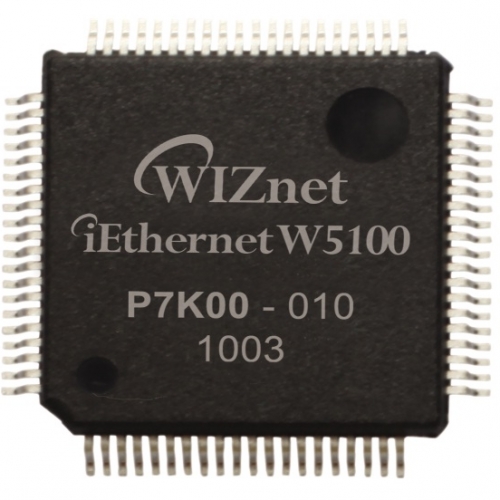
WIZnet - W5100
x 1

Arduino
x 1
DHT22
x 1
myDevices - Cayenne
x 1
Arduino
x 1
Project description
I used a NodeMCU board, via Wi-Fi connection to the network, now I will use an Arduino Uno board connected to the local network via W5100 shield.
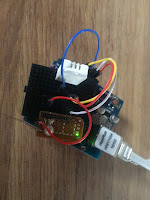


 and I will already see the channel with the name changed
 Because I'm not very familiar with this site, I did what I thought was ok, choosing a longer path, but one that I know works.
I choose to make an indication feast (WIDGET) and as I did not find for the DHT22 sensor (AM2302), I chose a general sensor, after which I will change the parameters to be fine.
Because I'm not very familiar with this site, I did what I thought was ok, choosing a longer path, but one that I know works.
I choose to make an indication feast (WIDGET) and as I did not find for the DHT22 sensor (AM2302), I chose a general sensor, after which I will change the parameters to be fine.
 and press ADD SENSOR, an indication area appears on the channel

 After I realized that it is not the same as what I presented in the?previous article??on the NodeMCU board, I added a sensor included with the server, to see how information is put, so I chose to put an analog temperature sensor TMP36
 I chose to see the sketch
 and I completed in my sketch what was not.?and I saw what I need to use the information for the DHT22 sensor (AM2302), so I loaded the modified sketch?1a.ino?, which is the basic one with my sensor data.
I pressed the button to display the indication window
and I completed in my sketch what was not.?and I saw what I need to use the information for the DHT22 sensor (AM2302), so I loaded the modified sketch?1a.ino?, which is the basic one with my sensor data.
I pressed the button to display the indication window
 Then I added another sensor,
 on the page also putting the indication of humidity:
 I go to the settings window to change their name:

 and delete the TMP36 window
 and so I have a clean channel
 Because to make a thermostat I need a relay, I add something like that

 and I also put the button part in the sketch, which becomes??1b.ino
 On the screen I now have the indications of temperature and humidity plus the relay control button (led).
 The control part of the relay (LED) is configured like this
 Now the bridge gives LED on and off commands

 I also made a?video?in which the channel is presented and how the indications can be modified if the program (sketch)??Cayenne_Uno_W5100_DHT22_button.ino is loaded?.
Demo: https://youtu.be/K-LrdjhaSWI
I also made a?video?in which the channel is presented and how the indications can be modified if the program (sketch)??Cayenne_Uno_W5100_DHT22_button.ino is loaded?.
Demo: https://youtu.be/K-LrdjhaSWI


? ?For this I have to connect from the computer to the Cayenne page, with the username and password.
I choose a new Uno development board with the classic network card (Ethernet W5100):

? ?If I press the SKETCH button, a window opens with the necessary data to load in Arduino to communicate the newly created channel.

? ?I copy the text into the Arduino IDE program

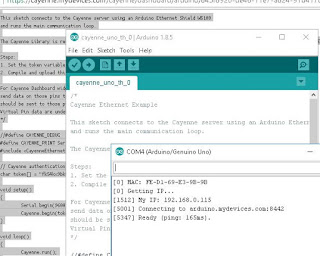
I load the program??0.ino?and I follow on the serial monitoring screen if everything is fine
?
In order to easily identify the channel, because there are some inactive ones, I change its name, what I am going to do:


which has the following parameters now


