How to import W6100 to STM32F411
In this article, we will walk you through the process of importing the W6100 module into an STM32F411 microcontroller.
0
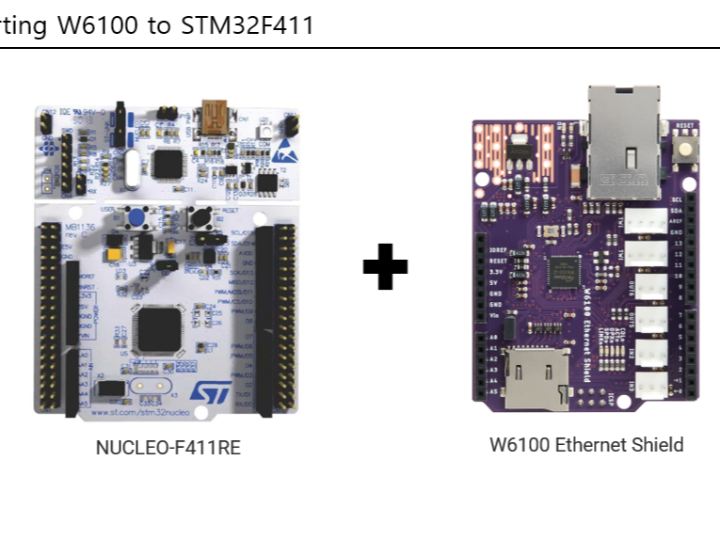
Components
Hardware components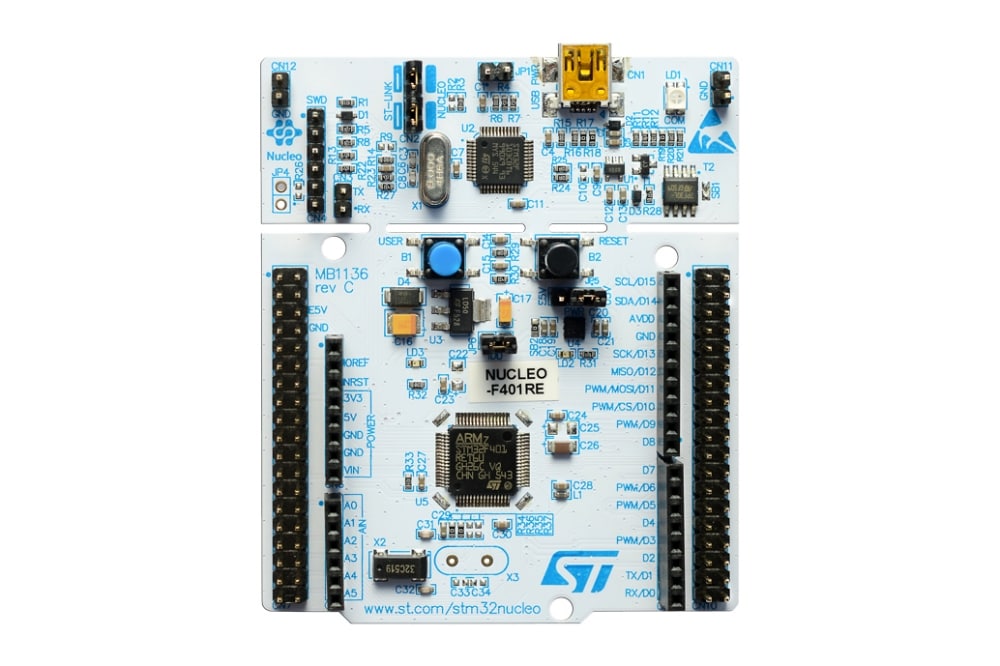
STMicroelectronics - STM32F411RE
x 1

wiznet - w6100 ethernet shield
x 1
Project description
I've attempted to write a guide for porting W6100 Ethernet shield to STM32F411. Here are the steps:
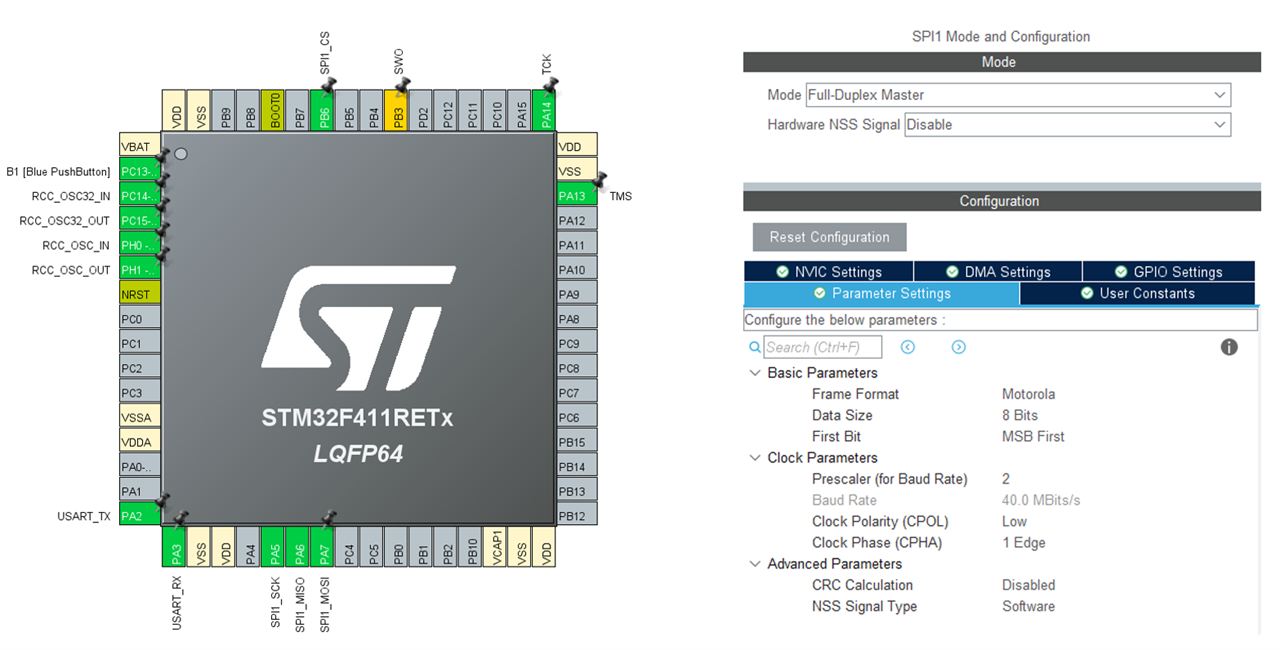
- To begin porting W6100 to the STM32 series, start by configuring the SPI section. Set up four pins for SPI based on the pins you are using.
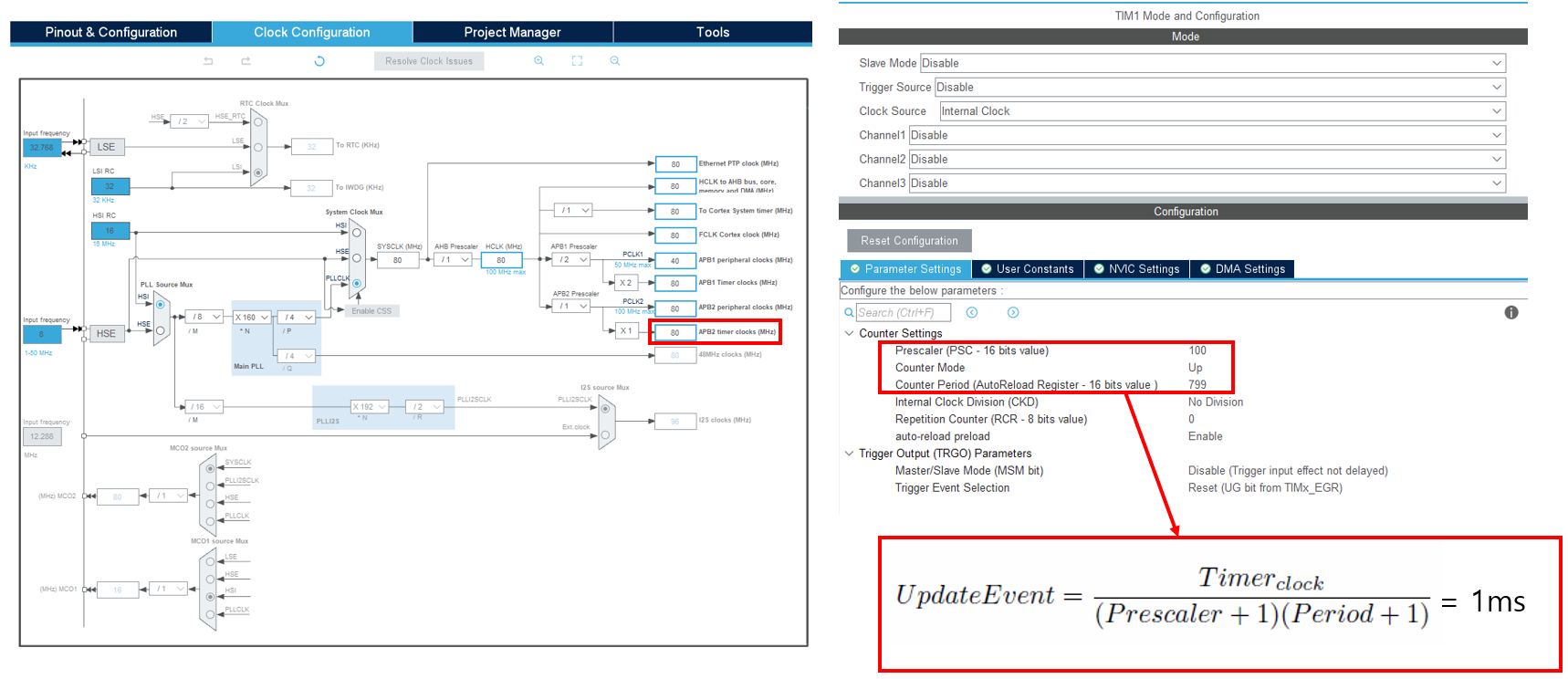
- Configure a 1ms timer. According to the datasheet, TIM1 mode uses the APB2 bus and is set to 80MHz. Adjust the settings to achieve a 1ms time period in the update event calculation.
- When you generate the code, it will create a main project as shown on the right. You should then copy the W6100-related code into this project. Ensure that you insert it between the lines of code that are annotated with comments. This will help safeguard your code against being overwritten during future configuration changes. Also, remember to add the necessary include paths based on the code you've added.
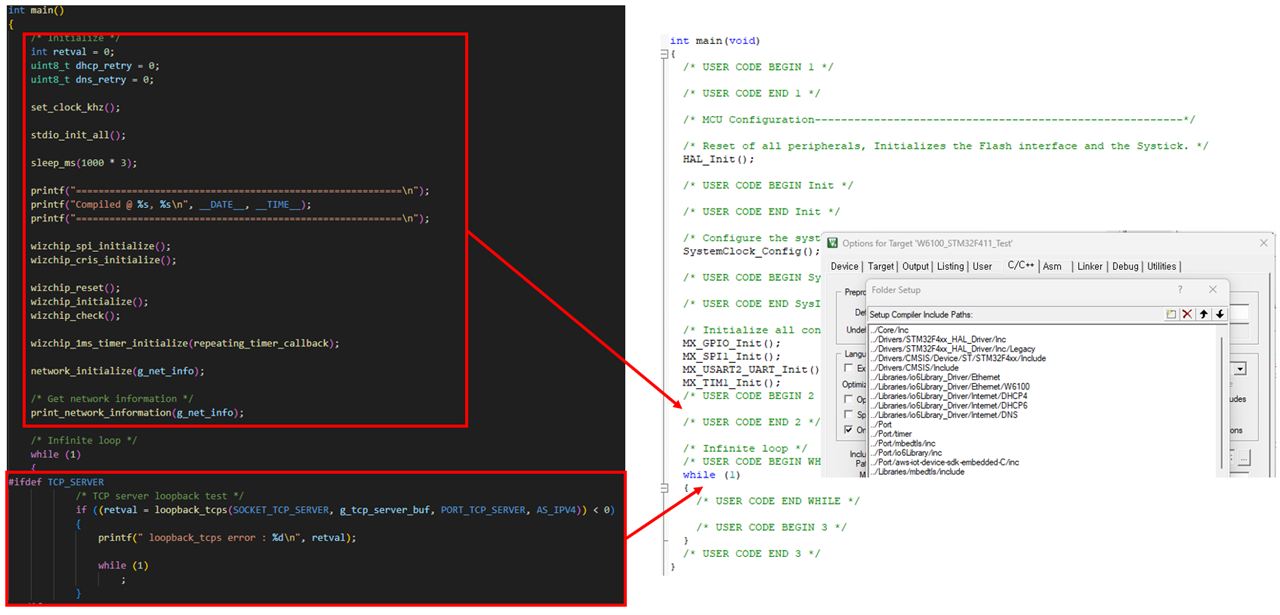
- Next, modify the Wiznet chip read and write sections to be compatible with the HAL driver.
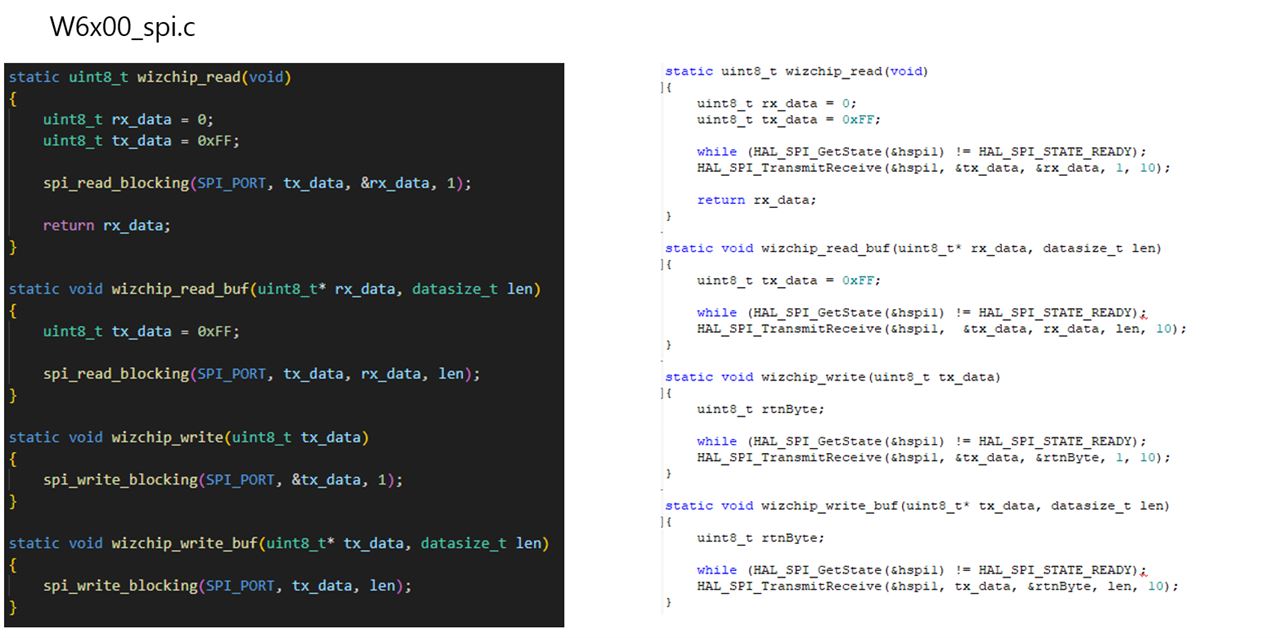
- Finally, verify the test results.
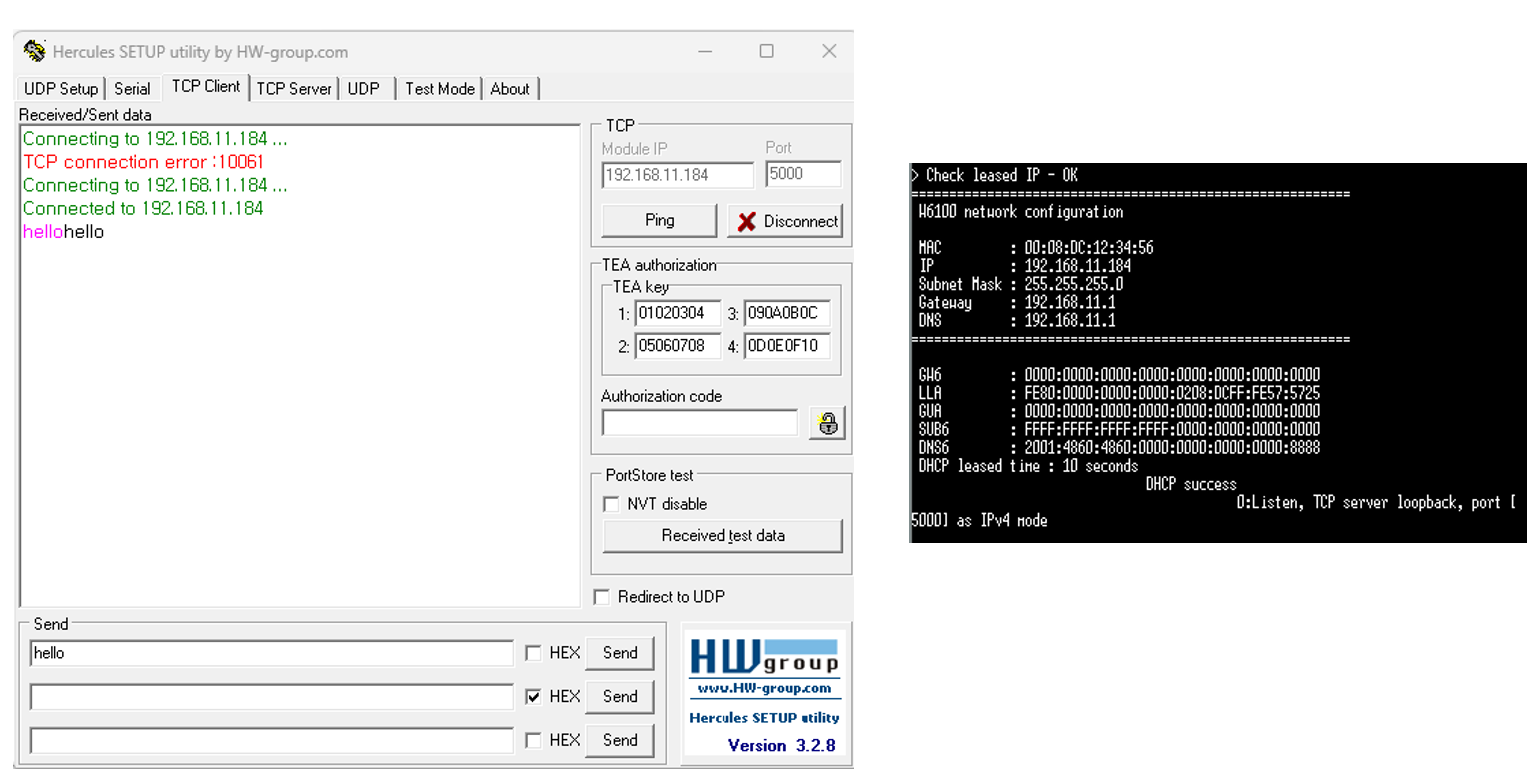
I hope this article can be a valuable reference when importing the W6100 chip to a different MCU.


