Pico-LLDP
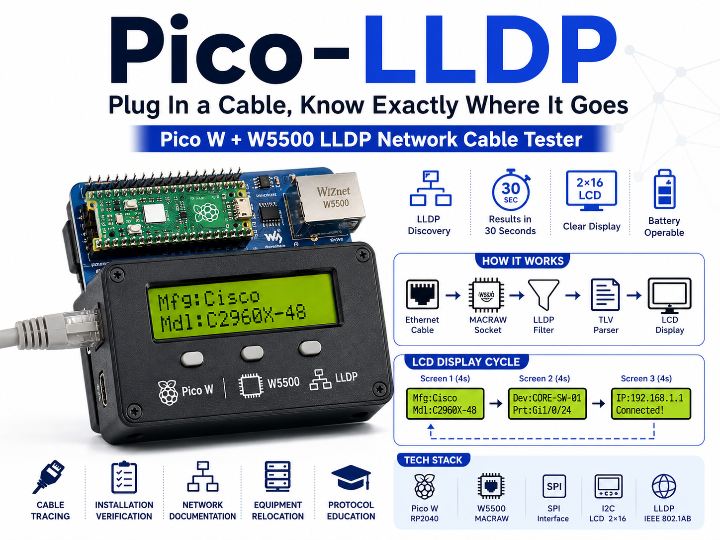
A portable cable tester using Pico W and W5500 MACRAW mode to capture LLDP frames and display connected switch info — manufacturer, port, and IP — on a 2×16 LCD
0
Components
Hardware components
WIZnet - W5500
x 1

Project description
Plug In a Cable, Know Exactly Where It Goes — Pico W + W5500 LLDP Network Cable Tester An open-source portable network diagnostic tool that connects a Raspberry Pi Pico W to a Waveshare Ethernet HAT (W5500), captures LLDP frames in real time, and displays the connected device's manufacturer, model, port, and IP address on a 2×16 LCD — all within 30 seconds of plugging in a cable. Background: The Cable Mystery It's a situation every network engineer knows. You pick up one of fifty patch cables and ask: which switch port does this go to? Without tooling, the answer means logging into a switch…
Keep reading with a free account
Guests can read 15 projects per visit. Log in or create a free account to read the full description, open the documents and join the comments.

