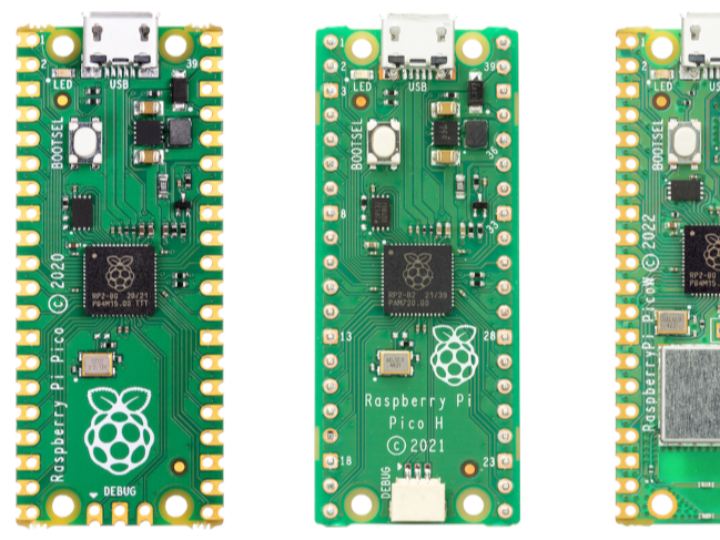
【Preliminary Note】The original hardware example in this article was written based on the RP2040. The actual hardware used in this hands-on demonstration features the W55RP20 as the main controller chip. The circuit logic and UF2 flashing operation principles are universally applicable, with only the main controller model differing. The original chip model mentioned in the circuit descriptions below is provided for reference purposes only.
The pinout diagram serves as the "external interface manual" for the Raspberry Pi Pico — when you want to connect external components like LEDs or sensors to the Pico, random pin connections may either result in wrong power supply hookup that burns out the hardware, or use pins that do not support the functions required by the component (for example, selecting a purely digital pin when the sensor requires an analog signal); referring to the pinout clarifies the function of each pin (whether it is a power pin, ground pin, or signal pin) and the supported functions, which not only prevents equipment damage from incorrect connections but also accurately fulfills requirements such as "lighting up the LED and enabling the sensor to transmit data".
Figure 1.3 Pinout Diagram of Raspberry Pi Pico Development Board
You can first refer to the "legend" in the upper left corner (colors correspond to pin types: for example, red stands for power supply and green for GPIO), then locate the pin numbers on the board (such as GP0 and GP25); the text next to each number (such as UART-TX and ADC0) indicates the pin's additional functions. Finally, based on the requirements of the component you need to connect (for instance, find the red 3V3 pin if 3.3V power supply is needed, or find the pin marked with ADC if analog signal input is required), you can identify the appropriate pin by matching the colors in the legend with the function labels beside the pins.
We sent a verification link to your address. Open it to activate your account, then log in.
Accounts from this email provider are reviewed by an administrator after verification. Approval usually takes one business day.
Already have an account?
Reset your password
Enter your email address. If it belongs to an account, we'll send a link to set a new password. Members who joined before the site update use this to set their password.
Check your email
If an account uses that address, we sent a link to set a new password. The link works once and expires in 30 minutes.