Arduino Nano web server with w5500
Arduino Nano web server with w5500
0
Components
Hardware components
WIZnet - W5500
x 1

Arduino nano
x 1
Project description
-
?https://docs.arduino.cc/tutorials/ethernet-shield-rev2/WebServer
-
? Web Server
-
ARDUINO NANO
-
A5 SCL Yellow
-
A4 SDA Green
-
D10 CS SPI
-
D11 MOSI SPI
-
D12 MISO SPI
-
D13 SCK SPI
-
ARCELI W5500 SPI
-
LAN Ethernet Module reseau TCP IP STM32 Interface 3.3V 5V
-
https://www.amazon.fr/gp/product/B09DYFLMJG/ref=ppx_yo_dt_b_asin_title_o00_s00?ie=UTF8&psc=1
-
GND ? ? ? ? ? ? ? ? ? ? ? ? ? GND
-
GND ? ? ? ? ? ? ? ? ? ? ? ? ? VCC --> +3V3 arduino nano
-
MOSI --> D11 arduino nano ? ? VCC --> +3V3 arduino nano
-
SCK --> ?D13 arduino nano ? ? NC
-
CS ?--> ?D10 arduino nano ? ? RST
-
INT ? ? ? ? ? ? ? ? ? ? ? ? ? MISO --> D12 arduino nano
-
?*/
-
#include <SPI.h>
-
#include <Ethernet.h>
-
byte mac[] = {0xDE, 0xAD, 0xBE, 0xEF, 0xFE, 0xEE}; //MAC Address
-
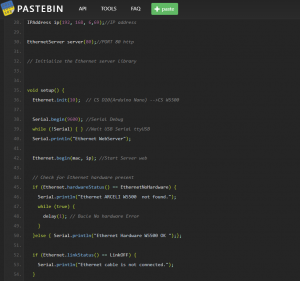
IPAddress ip(192, 168, 6,69);//IP address
-
EthernetServer server(80);//PORT 80 http
-
// Initialize the Ethernet server library
-
void setup() {
-
? Ethernet.init(10); ?// CS D10(Arduino Nano) -->CS W5500
-
? Serial.begin(9600); //Serial Debug
-
? while (!Serial) { } //Wait USB Serial ttyUSB
-
? Serial.println("Ethernet WebServer");
-
? Ethernet.begin(mac, ip); //Start Server web
-
? // Check for Ethernet hardware present
-
? if (Ethernet.hardwareStatus() == EthernetNoHardware) {
-
? ? Serial.println("Ethernet ARCELI W5500 ?not found.");
-
? ? while (true) {
-
? ? ? delay(1); // Bucle No hardware Error
-
? ? }
-
? }else { Serial.println("Ethernet Hardware W5500 OK ");};
-
? if (Ethernet.linkStatus() == LinkOFF) {
-
? ? Serial.println("Ethernet cable is not connected.");
-
? }
-
? // start the server
-
? server.begin();
-
? Serial.print("server IP ");
-
? Serial.println(Ethernet.localIP());
-
}
-
void loop() {
-
? // listen for incoming clients
-
? EthernetClient client = server.available();
-
? if (client) {
-
? ? Serial.println("new client");
-
? ? // an http request ends with a blank line
-
? ? boolean currentLineIsBlank = true;
-
? ? while (client.connected()) {
-
? ? ? if (client.available()) {
-
? ? ? ? char c = client.read();
-
? ? ? ? Serial.write(c);
-
? ? ? ? // if you've gotten to the end of the line (received a newline
-
? ? ? ? // character) and the line is blank, the http request has ended,
-
? ? ? ? // so you can send a reply
-
? ? ? ? if (c == 'n' && currentLineIsBlank) {
-
? ? ? ? ? // send a standard http response header
-
? ? ? ? ? client.println("HTTP/1.1 200 OK");
-
? ? ? ? ? client.println("Content-Type: text/html");
-
? ? ? ? ? client.println("Connection: close"); ?// the connection will be closed after completion of the response
-
? ? ? ? ? client.println("Refresh: 5"); ?// refresh the page ?every 5 sec
-
? ? ? ? ? client.println();
-
? ? ? ? ? client.println("<!DOCTYPE HTML>");
-
? ? ? ? ? client.println("<html>");
-
? ? ? ? ?client.print("ICARO SERVER on ARDUINO NANO WITH w5500 ");
-
? ? ? ? ?client.println("<br />");
-
? ? ? ? ?client.println("</html>");
-
? ? ? ? ?break;
-
? ? ? ? }
-
? ? ? ? if (c == 'n') {
-
? ? ? ? ? // you're starting a new line
-
? ? ? ? ? currentLineIsBlank = true;
-
? ? ? ? } else if (c != 'r') {
-
? ? ? ? ? // you've gotten a character on the current line
-
? ? ? ? ? currentLineIsBlank = false;
-
? ? ? ? }
-
? ? ? }
-
? ? }
-
? ? // give the web browser time to receive the data
-
? ? delay(1);
-
? ? // close the connection:
-
? ? client.stop();
-
? ? Serial.println("client disconnected");
-
? }
-
}
RAW Paste Data

