Skip to content

BP2-POE

Bluetooth Proxy Gateway

jaden

Published October 12, 2026

Original author: screek workshop · ChinaOriginal source (new tab)

BP2-POE

Components

Hardware components

WIZnet parts

Project description

How to Build a PoE Bluetooth Proxy with W5500 on ESP32-S3? — SCREEK BP2-POE

SCREEK Workshop | WIZnet W5500 | ESP32-S3 | ESPHome | Home Assistant

How to Build a PoE Bluetooth Proxy with W5500 on ESP32-S3? — SCREEK BP2-POE

1. Summary

The SCREEK BP2-POE is a wired Bluetooth proxy for Home Assistant that combines an ESP32-S3 microcontroller with the WIZnet W5500 Ethernet controller. The ESP32-S3 receives Bluetooth Low Energy (BLE) signals from nearby devices, while the W5500 provides an SPI-based wired Ethernet interface for communication with Home Assistant. Supporting Power over Ethernet (PoE) and USB Type-C power, the device reduces wireless resource contention between Wi-Fi communication and BLE scanning. The use of the W5500 is confirmed by ESPHome runtime logs published by SCREEK Workshop.

2. What the Project Does

About SCREEK Workshop

About SCREEK Workshop

SCREEK Workshop is a hardware developer specializing in DIY smart home devices designed primarily for Home Assistant.

Its product portfolio includes Bluetooth proxies, mmWave human presence sensors, and other smart home sensing devices. These products are designed to integrate with Home Assistant and commonly use ESPHome for device configuration and management.

SCREEK Workshop previously developed Bluetooth proxy products such as the BP1 and BLEDongle-1M. Building on this experience, the company introduced the BP2-POE, which replaces the Wi-Fi network connection used in conventional ESP32 Bluetooth proxies with wired Ethernet.

The company provides installation documentation, firmware recovery instructions, and technical support through its website and community channels.

Official website: https://screek.io

BP2-POE Product Overview

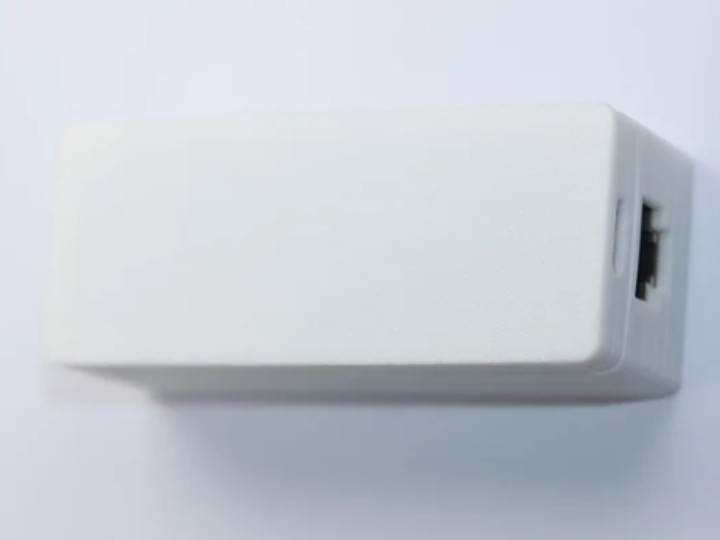
The SCREEK BP2-POE (SC1002) is a ready-to-use Ethernet Bluetooth proxy designed for Home Assistant.

Released on January 23, 2026, the device combines BLE communication, wired Ethernet connectivity, and PoE power delivery in a compact standalone product.

SpecificationDetails
ManufacturerSCREEK Workshop
ProductBP2-POE (SC1002)
Main microcontrollerESP32-S3
Ethernet controllerWIZnet W5500
Network interface100 Mbps Ethernet
Power supplyPoE or USB Type-C
FirmwareESPHome
IntegrationHome Assistant
Concurrent BLE GATT connectionsUp to 4
Ethernet SPI clock25 MHz, according to published runtime logs
Listed priceUS$29.99, as reported on October 12, 2026

Original product: https://shop.screek.io/products/bp2-poe

How the System Works

The BP2-POE acts as a bridge between Bluetooth devices and the Home Assistant server.

Its primary purpose is to extend Bluetooth coverage without requiring Wi-Fi connectivity at each proxy location.

Data flow:

Nearby BLE sensors, smart locks, tags, and other supported devices transmit Bluetooth signals.

The ESP32-S3 receives BLE advertisements and handles supported GATT communication.

ESPHome processes the Bluetooth proxy data.

The W5500 provides the wired Ethernet connection through its SPI interface.

Home Assistant receives the information through the ESPHome API and Bluetooth integration.

The system architecture can be represented as:How the System Works

PoE supplies electrical power through the Ethernet cable when connected to compatible power-sourcing equipment. The W5500 itself is an Ethernet controller, not the PoE power-conversion component.

This architecture is particularly useful in buildings where Bluetooth devices are distributed across multiple rooms but reliable wired network infrastructure is already available.

3. Where WIZnet Fits

Evidence That BP2-POE Uses the W5500

The use of WIZnet W5500 is supported by actual ESPHome runtime information published by SCREEK Workshop in the Home Assistant Community.

In a manufacturer post dated April 24, 2026, the Ethernet configuration identifies the controller type, SPI interface, clock frequency, interrupt pin, and reset pin.

Extract from the manufacturer's published ESPHome log:

[C][ethernet:460]:   Interface: spi2
[C][ethernet:467]:   IRQ Pin: 10
[C][ethernet:469]:   Reset Pin: 9
[C][ethernet:469]:   Clock Speed: 25 MHz
[C][ethernet:484]:   Type: W5500

The Type: W5500 entry directly identifies the Ethernet controller recognized by the running ESPHome firmware.

The same published log also contains Ethernet link information:

[C][ethernet:444]:   Connected: YES
[C][ethernet:728]:   Is Full Duplex: YES
[C][ethernet:728]:   Link Speed: 100

These entries establish that the device reported an active 100 Mbps full-duplex Ethernet link.

However, they are link-status observations rather than application throughput benchmarks. They do not establish specific BLE packet reception improvements, TCP throughput, or long-term reliability figures.

Evidence source: SCREEK Workshop's BP2-POE runtime logs — Home Assistant Community

Technical Role of the W5500

The W5500 is a hardwired TCP/IP Ethernet controller that communicates with host microcontrollers through SPI.

Its hardware capabilities include:

An integrated hardware TCP/IP stack.

Eight hardware sockets.

32 KB of internal transmit and receive buffer memory.

SPI communication with a maximum supported clock of 80 MHz.

In the BP2-POE, its directly established function is to provide a wired Ethernet interface for the ESP32-S3.

An important distinction concerns the W5500's hardware TCP/IP offloading capability.

Although the W5500 contains a hardware TCP/IP stack, Espressif's W5500 Ethernet driver documentation states that the controller's internal hardware TCP/IP stack is not used by that driver.

Therefore, the presence of the W5500 alone does not establish that BP2-POE offloads its entire TCP/IP stack into W5500 hardware. The actual division of TCP/IP processing depends on the ESPHome and ESP-IDF networking implementation.

Driver reference: Espressif W5500 Ethernet Driver

Why Wired Ethernet Matters for Bluetooth Proxy Applications

Conventional ESP32 Bluetooth proxies often use Wi-Fi to communicate with Home Assistant.

However, Wi-Fi and BLE operate in the same 2.4 GHz radio environment and may share radio resources within the ESP32.

When Wi-Fi communication and BLE scanning are performed concurrently, scheduling conflicts and wireless coexistence behavior can affect the opportunities available for BLE reception.

The BP2-POE addresses this architectural constraint by using wired Ethernet for the network backhaul.

As a result, the ESP32-S3 does not need an active Wi-Fi connection for normal Ethernet-based operation, allowing its wireless resources to be dedicated more directly to BLE functions.

SCREEK Workshop describes improved BLE advertisement reception and responsiveness compared with its Wi-Fi-based BP1 proxy.

However, the available product information does not provide sufficient controlled measurements to establish a universal improvement percentage or guaranteed latency reduction.

The practical advantage is therefore the separation of BLE radio activity from the network backhaul, rather than an independently demonstrated increase in raw processing performance.

4. Implementation Notes

ESP32-S3 to W5500 SPI Connections

The manufacturer's published runtime logs identify the following pin configuration:

W5500 SignalESP32-S3 GPIOFunction
SCKGPIO13SPI clock
MISOGPIO12Data from W5500 to ESP32-S3
MOSIGPIO11Data from ESP32-S3 to W5500
CSGPIO14SPI chip selection
IRQGPIO10Interrupt signaling
RESETGPIO9Ethernet controller reset

The published configuration uses the spi2 interface and a 25 MHz SPI clock.

This pin assignment is specific to the reported BP2-POE configuration. It should not be assumed to apply to other ESP32-S3 boards.

The IRQ signal allows the controller to notify the host of relevant Ethernet events, while RESET provides a way to reinitialize the controller during startup or recovery.

ESPHome and Home Assistant Integration

BP2-POE is supplied with ESPHome firmware intended for direct integration with Home Assistant.

The basic installation sequence is:

Connect the BP2-POE to a compatible PoE Ethernet switch, or supply USB Type-C power while using an ordinary Ethernet connection.

Allow the device to obtain an IP address from the network's DHCP server.

Verify that the device is discoverable by Home Assistant through mDNS.

Add the discovered ESPHome device in Home Assistant.

Enable or use the available Bluetooth proxy integration.

According to the manufacturer's documentation, an additional ESPHome add-on is not required for basic device registration and operation.

The published runtime logs also report Bluetooth proxy functionality, active BLE scanning, ESPHome API services, and four available GATT connection slots.

These observations support the conclusion that the product integrates BLE scanning and Ethernet connectivity within the same firmware environment.

The complete device firmware source and PCB schematic have not been independently confirmed through an accessible repository. For that reason, this article relies on the manufacturer's published runtime configuration rather than presenting unverified firmware initialization code.

5. Practical Tips / Pitfalls

Check PoE compatibility. The W5500 handles Ethernet communication, not PoE power conversion. Ensure that the connected power source supports the BP2-POE's power requirements. USB Type-C can be used where appropriate.

Preserve the verified SPI configuration. The published configuration assigns GPIO11–14 to SPI data and control signals, with GPIO9 and GPIO10 used for reset and interrupt functions. Firmware modifications must match the actual hardware wiring.

Verify DHCP and mDNS availability. If Home Assistant cannot discover the proxy, first check IP address allocation, network segmentation, VLAN settings, and multicast discovery behavior.

Consider BLE scanning behavior. Active BLE scanning can retrieve additional advertisement information but may increase battery consumption for certain low-power peripheral devices.

Account for GATT connection limits. The reported firmware supports up to four simultaneous BLE GATT connections. This is different from the number of devices whose advertisements can be observed during scanning.

Optimize physical placement. Ethernet reliability does not eliminate BLE radio limitations. Walls, metal cabinets, antenna orientation, and nearby 2.4 GHz interference still influence Bluetooth reception quality.

6. Practical Applications

Distributed BLE Sensor Networks

Multiple BP2-POE devices can be installed in different rooms or floors to improve coverage for BLE temperature sensors, humidity sensors, and other compatible devices.

Each proxy acts as a local Bluetooth reception point, forwarding supported information to a centralized Home Assistant instance.

This arrangement is useful when a single Bluetooth adapter connected to the Home Assistant server cannot adequately cover an entire building.

Room-Level Presence Detection

The BP2-POE can also serve as a BLE data source for room-level presence detection systems.

By deploying multiple proxies in known locations, software can compare received signal strength information from BLE devices and estimate their approximate locations.

Applications such as Bermuda or PadSpan HA can use Bluetooth observations to support room-level occupancy or device-location analysis.

The position estimation algorithms run in the surrounding software system; they are not native W5500 or BP2-POE hardware features.

Wired Smart Building Monitoring

In offices, warehouses, corridors, and other facilities with Ethernet infrastructure, PoE Bluetooth proxies can provide distributed wireless sensing points without relying on Wi-Fi connectivity.

Using PoE also reduces the need for separate USB power adapters at each installation location.

This creates a practical architecture for fixed sensor networks where centralized Home Assistant monitoring is required.

These are potential deployment scenarios based on the device's documented functions. They do not imply that the product has been certified or independently qualified for industrial safety or environmental requirements.

7. Related WIZnet UCC Projects

Several projects published on WIZnet Makers explore similar Ethernet-based Bluetooth proxy or wireless gateway architectures.

7.1 XIAO ESP32-S3 + W5500 Ethernet Bluetooth Proxy

Source: Seeed Studio XIAO W5500 Ethernet Bluetooth Project — WIZnet Makers

This project combines a Seeed Studio XIAO ESP32-S3 with a W5500-based Ethernet interface to create a Bluetooth proxy for Home Assistant.

Similarities: Both use an ESP32-S3, W5500 Ethernet connectivity, ESPHome, and Home Assistant integration. Both separate Bluetooth reception from the network backhaul.

Differences: The XIAO project focuses on assembling and configuring a modular development-board solution. The SCREEK BP2-POE is a purpose-built product with manufacturer-provided firmware and a dedicated hardware design.

Technical relevance: This is the closest architectural comparison and is useful for understanding how similar Bluetooth proxy functions can be implemented using development modules instead of a finished device.

7.2 M5 Atom Lite + W5500 AtomPoE Bluetooth Proxy

Source: M5 Atom Lite + W5500 AtomPoE — WIZnet Makers

This project uses an M5 Atom Lite and a W5500-based AtomPoE module to provide wired connectivity for a Home Assistant Bluetooth proxy.

Similarities: Both rely on a W5500 Ethernet interface, use BLE for local device communication, and provide network connectivity to Home Assistant.

Differences: The M5 solution is based on separate development modules and discusses Ethernet interrupt and polling configuration issues. The BP2-POE instead uses an ESP32-S3 within a dedicated commercial DIY hardware design.

Technical relevance: The M5 project provides useful examples of Ethernet configuration and operational troubleshooting. Its specific solutions should be tested before being transferred to BP2-POE because the boards and firmware configurations differ.

7.3 PadSpan HA — Room-Level Presence Detection

Source: PadSpan HA — WIZnet Makers

PadSpan HA is a presence-detection application that uses information from distributed Bluetooth scanning nodes to estimate room-level device locations.

Similarities: Both can participate in a system that collects BLE observations over a network. PadSpan HA also describes an ESP32-S3 and W5500-based wired scanner configuration.

Differences: The BP2-POE is primarily a Bluetooth data collection device. PadSpan HA performs higher-level processing, including room-level positioning and visualization.

In PadSpan HA, W5500-based scanners represent one supported hardware configuration rather than a mandatory component of every deployment.

Technical relevance: This project illustrates an application that can be built on top of a distributed Bluetooth sensing infrastructure.

7.4 ESP-NOW Gateway for Home Assistant over W5500 Ethernet

Source: ESP-NOW Gateway for Home Assistant over W5500 Ethernet — WIZnet Makers

This project combines ESP32 wireless communication with W5500 Ethernet connectivity to connect remote devices to Home Assistant.

Similarities: Both architectures use an ESP32 and W5500 to forward data originating from wireless devices over a wired network.

Differences: The BP2-POE uses Bluetooth Low Energy and ESPHome Bluetooth Proxy functionality, while the ESP-NOW project uses ESP-NOW communication and a different gateway architecture.

Technical relevance: This project demonstrates that the same W5500-based Ethernet approach can support different short-range wireless protocols and gateway applications.

Technical Comparison

FeatureSCREEK BP2-POEXIAO W5500 ProxyM5 AtomPoE ProxyPadSpan HA
Primary purposeReady-to-use BLE proxyModular BLE proxyBLE proxy implementationRoom-level presence detection
W5500ConfirmedUsedUsedOptional wired scanner configuration
Wireless inputBLEBLEBLEBLE data from scanning nodes
Network transportEthernetEthernetEthernetDepends on scanner configuration
Home AssistantDirect integrationDirect integrationDirect integrationApplication-level integration
Main distinctionDedicated product and firmwareDevelopment-board integrationEthernet configuration and troubleshootingLocation and occupancy processing

What Makes BP2-POE Different?

The BP2-POE does not introduce a fundamentally new use of the W5500. Its distinction lies in integrating several established components into a purpose-built smart home product.

It combines an ESP32-S3, W5500 Ethernet interface, PoE power capability, and ESPHome Bluetooth Proxy functionality without requiring the user to assemble development boards.

Another important aspect is the availability of manufacturer-published ESPHome logs that identify the actual Ethernet controller and its SPI configuration.

These details make BP2-POE a useful reference for examining how W5500-based wired connectivity can be implemented in a finished Home Assistant accessory rather than only in a development-board prototype.

8. FAQ

Q1. Why does the SCREEK BP2-POE use the WIZnet W5500?

The W5500 provides an SPI-based Ethernet interface for the ESP32-S3, allowing the device to communicate with Home Assistant over a wired network instead of Wi-Fi. This reduces radio resource contention between Wi-Fi networking and BLE scanning. However, the W5500's presence does not independently prove that hardware TCP/IP offloading is used by the device firmware.

Q2. How is the W5500 connected to the ESP32-S3 in BP2-POE?

The manufacturer's runtime logs identify the SPI2 interface with SCK on GPIO13, MISO on GPIO12, MOSI on GPIO11, CS on GPIO14, IRQ on GPIO10, and RESET on GPIO9. The reported SPI clock is 25 MHz. These assignments are specific to the published BP2-POE configuration.

Q3. Does the W5500 process Bluetooth data directly?

No. Bluetooth reception and Bluetooth Proxy functionality are handled by the ESP32-S3 and ESPHome firmware. The W5500 provides the wired Ethernet interface used to communicate with Home Assistant. It does not implement Bluetooth radio reception or BLE protocol processing.

Q4. Can beginners use the W5500-based BP2-POE without ESPHome development experience?

Yes, the basic device setup is intended to work without writing firmware. Users need a compatible power source, Ethernet connectivity, a network with DHCP, and a working Home Assistant installation. Modifying the firmware or hardware requires additional knowledge of ESPHome configuration, SPI communication, and IP networking.

Q5. How does the W5500-based BP2-POE compare with a Wi-Fi Bluetooth proxy?

A Wi-Fi-based ESP32 Bluetooth proxy shares wireless resources between BLE operations and Wi-Fi communication. The BP2-POE uses wired Ethernet, reducing that particular source of radio contention. However, BLE performance still depends on antenna characteristics, installation location, interference, and scanning configuration. The primary trade-off is that the BP2-POE requires Ethernet cabling, whereas a Wi-Fi proxy offers greater flexibility in locations without wired network access.

9. Source

SourceLink
SCREEK BP2-POE official product pagehttps://shop.screek.io/products/bp2-poe
SCREEK BP2-POE documentationhttps://screek.io/bp2-poe
Manufacturer-published W5500 runtime evidenceHome Assistant Community — SCREEK Workshop
Original manufacturer discussionHome Assistant Community — BP2-POE
Espressif W5500 Ethernet driverhttps://github.com/espressif/esp-eth-drivers/blob/master/w5500/README.md
Product-specific firmware and schematic licenseNot confirmed from the available documentation

Tags

#W5500 #WIZnet #ESP32S3 #SCREEK #BP2POE #BluetoothProxy #ESPHome #HomeAssistant #PoE #Ethernet #BLE #SmartHome

Comments

Similar projects you might like

Comments