How to Connect XiaoZhi AI to a Local Server Using W5500 Ethernet?
This project explains how to connect a XiaoZhi AI-based embedded device to a local server using the WIZnet W5500 Ethernet controller.
0
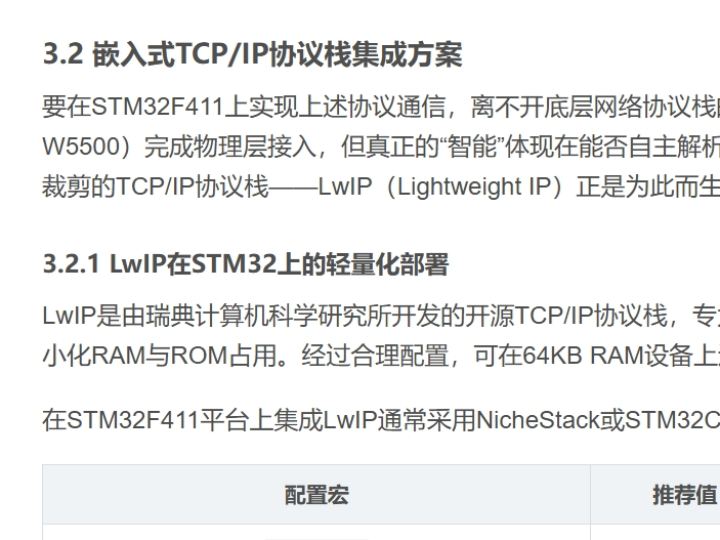
Project description
How to Connect XiaoZhi AI to a Local Server Using W5500 Ethernet?
Summary
This project explains how to connect a XiaoZhi AI-based embedded device to a local server using the WIZnet W5500 Ethernet controller. The W5500 provides a hardware TCP/IP stack and stable wired networking, enabling reliable communication between the AI device and the server for voice processing, command execution, and data exchange. This architecture is suitable for Industrial IoT and maker systems requiring consistent connectivity.
What the Project Does
The article describes a local AI interaction system where a XiaoZhi AI device communicates with a local server over Ethernet.
The system architecture includes:
Device Layer
- Embedded MCU-based AI device
- WIZnet W5500 Ethernet controller
- Audio input (microphone) and output (speaker)
Network Layer
- Wired Ethernet communication
- TCP/IP handled by W5500
- Local LAN or router
Server Layer
- Local XiaoZhi AI server
- Speech recognition and natural language processing
- Command processing and response generation
Typical workflow:
- The user inputs a voice command through the device
- The device sends data to the local AI server via Ethernet
- The server performs speech recognition and intent analysis
- The server sends back control instructions
- The device executes actions or outputs responses
This setup enables low-latency, locally processed AI interaction, reducing dependency on cloud services.
Where WIZnet Fits
The WIZnet W5500 Ethernet controller provides the communication backbone between the AI device and the server.
Its role includes:
- Hardware TCP/IP protocol processing
- Stable wired Ethernet connectivity
- TCP socket management for continuous communication
- Offloading network tasks from the MCU
This is especially important for AI systems because:
- Continuous data streaming requires stable connections
- Reduced MCU load allows more resources for audio handling
- Deterministic latency improves real-time interaction
Compared to Wi-Fi, Ethernet ensures more consistent performance in environments with interference.
Implementation Notes
The article explains the system concept and integration approach, but a fully verifiable firmware repository was not available. The following is a conceptual integration example based on WIZnet ioLibrary.
Conceptual integration example based on WIZnet ioLibrary
reg_wizchip_spi_cbfunc(spi_read, spi_write);
uint8_t txsize[8] = {2,2,2,2,2,2,2,2};
uint8_t rxsize[8] = {2,2,2,2,2,2,2,2};
wizchip_init(txsize, rxsize);
// Configure network
wiz_NetInfo netinfo = {
.mac = {0x00,0x08,0xDC,0x11,0x22,0x33},
.dhcp = NETINFO_DHCP
};
wizchip_setnetinfo(&netinfo);
After initialization, the device can open TCP connections to the local AI server and exchange data using HTTP, WebSocket, or custom protocols.
Practical Tips / Pitfalls
- Use wired Ethernet to avoid Wi-Fi interference in AI streaming scenarios
- Ensure stable SPI communication between MCU and W5500
- Prefer static IP when connecting to a fixed local server
- Implement reconnection logic for long-running AI sessions
- Monitor socket usage if multiple services run simultaneously
- Validate latency requirements for real-time voice interaction
FAQ
Q: Why use W5500 for XiaoZhi AI systems?
A: It provides stable wired TCP/IP communication and reduces MCU workload, which is critical for real-time AI processing.
Q: How does W5500 connect to the MCU?
A: Through SPI using MOSI, MISO, SCK, and CS pins, with optional RESET and interrupt pins.
Q: What role does W5500 play in this AI architecture?
A: It handles all network communication between the device and the local AI server.
Q: Can beginners build this system?
A: Yes, if they have basic knowledge of embedded systems, networking, and AI frameworks.
Q: Why use a local server instead of cloud AI?
A: Local servers reduce latency, improve privacy, and eliminate dependency on internet connectivity.
Source
Original Article
https://blog.csdn.net/weixin_29903713/article/details/154359918
Tags
#W5500
#XiaoZhiAI
#EmbeddedAI
#EthernetIoT
#IndustrialIoT
#EdgeAI
#TCPIP
#MakerProject
How to Connect XiaoZhi AI to a Local Server Using W5500 Ethernet?
Summary
이 프로젝트는 XiaoZhi AI 기반 임베디드 장치를 WIZnet W5500 이더넷 컨트롤러를 통해 로컬 서버에 연결하는 방법을 설명합니다. W5500은 하드웨어 TCP/IP 스택과 안정적인 유선 네트워크를 제공하여 AI 장치와 서버 간 신뢰성 높은 통신을 가능하게 합니다. 이를 통해 음성 처리, 명령 실행, 데이터 교환을 안정적으로 수행할 수 있으며, 산업용 IoT 및 메이커 시스템에 적합합니다.
What the Project Does
이 프로젝트는 XiaoZhi AI 장치가 로컬 서버와 Ethernet으로 통신하는 구조를 설명합니다.
시스템 구성은 다음과 같습니다.
Device Layer
- MCU 기반 AI 임베디드 장치
- WIZnet W5500 이더넷 컨트롤러
- 마이크(음성 입력) 및 스피커(출력)
Network Layer
- 유선 Ethernet 통신
- W5500 내부 TCP/IP 처리
- 로컬 네트워크 또는 라우터
Server Layer
- XiaoZhi AI 로컬 서버
- 음성 인식 및 자연어 처리
- 명령 처리 및 응답 생성
동작 흐름:
- 사용자가 음성 명령 입력
- 장치가 Ethernet을 통해 데이터를 로컬 AI 서버로 전송
- 서버가 음성 인식 및 의도 분석 수행
- 결과를 장치로 반환
- 장치가 동작 실행 또는 음성 출력
이 구조는 클라우드 의존도를 줄이고 저지연, 로컬 기반 AI 처리 시스템을 구현할 수 있습니다.
Where WIZnet Fits
WIZnet W5500 이더넷 컨트롤러는 AI 장치와 서버 간 통신을 담당합니다.
주요 역할:
- TCP/IP 프로토콜 하드웨어 처리
- 안정적인 유선 Ethernet 연결 제공
- 지속적인 TCP 소켓 통신 관리
- MCU 네트워크 처리 부하 감소
AI 시스템에서 중요한 이유:
- 음성 데이터 스트리밍은 안정적인 연결 필요
- MCU 자원을 절약하여 오디오 처리 성능 확보
- 일정한 지연 시간으로 실시간 응답 향상
Wi-Fi 대비 Ethernet은 간섭이 적어 더 안정적인 통신 환경을 제공합니다.
Implementation Notes
원문에서는 시스템 구조를 설명하지만 전체 검증된 코드 저장소는 제공되지 않았습니다. 아래는 WIZnet ioLibrary 기반 개념적 예제입니다.
Conceptual integration example based on WIZnet ioLibrary
reg_wizchip_spi_cbfunc(spi_read, spi_write);
uint8_t txsize[8] = {2,2,2,2,2,2,2,2};
uint8_t rxsize[8] = {2,2,2,2,2,2,2,2};
wizchip_init(txsize, rxsize);
// 네트워크 설정
wiz_NetInfo netinfo = {
.mac = {0x00,0x08,0xDC,0x11,0x22,0x33},
.dhcp = NETINFO_DHCP
};
// 설정 적용
wizchip_setnetinfo(&netinfo);
초기화 이후 장치는 TCP 연결을 생성하고 HTTP, WebSocket 또는 사용자 정의 프로토콜을 통해 AI 서버와 데이터를 교환할 수 있습니다.
Practical Tips / Pitfalls
- AI 스트리밍 환경에서는 Wi-Fi 대신 Ethernet 사용 권장
- MCU와 W5500 간 SPI 통신 안정성 확보
- 로컬 서버 연결 시 고정 IP 사용 권장
- 장시간 동작을 위한 재연결 로직 구현
- 다중 서비스 사용 시 소켓 수 관리
- 실시간 음성 처리 요구에 맞는 지연 시간 검증
FAQ
Q: 왜 XiaoZhi AI 시스템에 W5500을 사용하나요?
A: 안정적인 유선 TCP/IP 통신과 낮은 MCU 부하를 제공하여 실시간 AI 처리에 적합합니다.
Q: W5500은 MCU와 어떻게 연결되나요?
A: MOSI, MISO, SCK, CS를 사용하는 SPI 인터페이스로 연결됩니다.
Q: 이 시스템에서 W5500의 역할은 무엇인가요?
A: AI 장치와 로컬 서버 간 모든 네트워크 통신을 담당합니다.
Q: 초보자도 구현할 수 있나요?
A: 기본적인 임베디드 개발과 네트워크 개념을 이해하면 구현 가능합니다.
Q: 왜 클라우드 대신 로컬 서버를 사용하나요?
A: 지연 시간 감소, 개인정보 보호, 인터넷 의존성 제거 등의 장점이 있습니다.
Source
Original Article
https://blog.csdn.net/weixin_29903713/article/details/154359918
Tags
#W5500
#XiaoZhiAI
#EmbeddedAI
#EthernetIoT
#IndustrialIoT
#EdgeAI
#TCPIP
#MakerProject

