M5Stack#LAN W5500 with MQTT
M5Stack#LAN W5500 with MQTT
0
Components
Hardware componentsM5Stack
x 1
with W5500
Project description
M5Stack#LAN W5500 with MQTT
2022/3/31?M5Stack_EN,?MQTT,?Protocol_EN,?Raspberry_EN
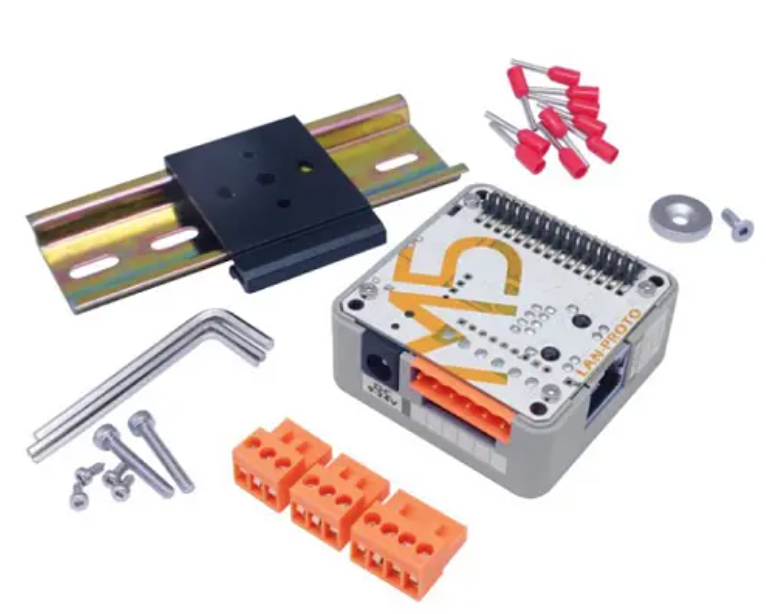
Here is a tutorial to show you how to use M5Stack core2 with their W5500 Lan Modules.
This is the link that you can buy it;)
https://shop.m5stack.com/products/lan-module?variant=16804778803290


Note
if Core2 or Core2-for-aws is your main controller to plug with this module, DC power input must be used and set the input mode as power mode. (otherwise the module will not start normally) Note: When using the CORE2 or CORE2-FOR-AWS main control to drive the module, please use the DC power input of the base and set the power mode to input mode (refer to the code below), otherwise it will not start normallyExample to power mode
Here is the Example Code to show you how to set the M5Stack as Power Mode.| //mbus_mode_t: //kMBusModeOutput:?Use?USB?or?battery?power //kMBusModeInput:?Use?external?power?supply 5V,?or?DC?interfaceM5.begin(true,?true,?true,?false, kMBusModeInput);//Initialize Serial according to the actual connected pins Serial2.begin(115200, SERIAL_8N1, 13, 14); |
Configuration
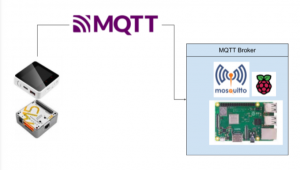
Here is the configuration in this tutorial. I will use M5Stack W5500 LAN Module to connect with Raspberry, and publish the message by using MQTT.Reference Link
Code
| #include <M5Core2.h> #include <SPI.h> #include <Ethernet2.h> #include <PubSubClient.h>#define SCK 18 #define MISO 19 #define MOSI 23 #define CS 26byte?mac[] = { 0x90, 0xA2, 0xDA, 0x0F, 0x08, 0xE1 }; IPAddress Local(192, 168, 1, 211); EthernetClient ethClient; PubSubClient mqttClient(ethClient); //MQTT Broker const?char?*ENDPOINT=”192.168.001.050″; const?int?PORT=1883; char?*MYID=”M5Stack”; char?*PUBLISHTOPIC=”M5Stack/pub”; char?*SUBTOPIC=”RoboDK/Station/s1/#”; void?setup(){ //If LAN Modules is used,Please use this operation mode M5.begin(true, true, true, false, kMBusModeInput); Serial2.begin(115200, SERIAL_8N1, 13, 14); // START M5.Lcd.fillScreen(BLACK); M5.Lcd.setCursor(10, 10); M5.Lcd.setTextColor(WHITE); M5.Lcd.setTextSize(3); M5.Lcd.printf(“Inited..\n”); M5.Lcd.printf(“IP:192.168.1.211\n”); M5.Lcd.printf(“Mac:90-A2-DA-x0F-08-E1\n”); mqttClient.setServer(ENDPOINT, PORT); SPI.begin(18, 19, 23, -1); Ethernet.init(26); Ethernet.begin(mac, Local); connectMQTT(); } void?mqttLoop() { if (!mqttClient.connected()) { connectMQTT(); } mqttClient.loop(); } void?connectMQTT() { while (!mqttClient.connected()) { Serial.print(“Connection Loop..”); if (mqttClient.connect(MYID)) { Serial.println(“Connected.”); int?qos = 0; mqttClient.subscribe(SUBTOPIC, qos); Serial.println(“Subscribed.”); } else { Serial.print(“Failed. Error state=”); Serial.print(mqttClient.state()); // Wait 5 seconds before retrying delay(1000); } } } long?messageSentAt = 0; int?count = 0; char?pubMessage[128]; int?led,red,green,blue; int?status=0; void?loop() { mqttLoop(); M5.update(); long?now = millis(); if (now ? messageSentAt > 1000) { if (status ==0){ M5.Lcd.fillScreen(BLACK); M5.Lcd.fillCircle(80, 120, 30, GREEN); M5.Lcd.fillCircle(160, 120, 30, YELLOW); M5.Lcd.fillCircle(240, 120, 30, RED); status=1; }else{ M5.Lcd.fillScreen(BLACK); M5.Lcd.drawCircle(80, 120, 30, GREEN); M5.Lcd.drawCircle(160, 120, 30, YELLOW); M5.Lcd.drawCircle(240, 120, 30, RED); status=0; } messageSentAt = now; sprintf(pubMessage, “{\”count\”: %d}”, count++); Serial.print(“Publishing message to topic “); Serial.println(PUBLISHTOPIC); Serial.println(pubMessage); mqttClient.publish(PUBLISHTOPIC, pubMessage); Serial.println(“Published.”); } } |
Result
The message is Published to the MQTT Broker if connection is established.| Publishing?message?to?topic M5Stack/pub {“count”: 9} Published. Publishing?message?to?topic M5Stack/pub {“count”: 10} Published. Publishing?message?to?topic M5Stack/pub {“count”: 11} Published. Publishing?message?to?topic M5Stack/pub {“count”: 12} Published. Publishing?message?to?topic M5Stack/pub {“count”: 13} Published. Publishing?message?to?topic M5Stack/pub {“count”: 14} Published. Publishing?message?to?topic M5Stack/pub {“count”: 15} Published. |

