Arduino Ethernet Shield ? Control an LED from PC
Arduino Ethernet Shield ? Control an LED from PC
0
Components
Hardware components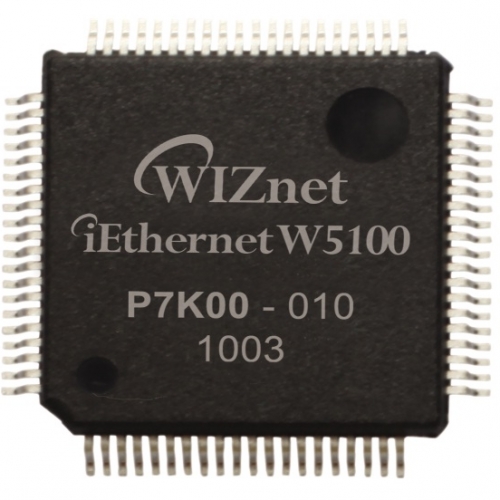
WIZnet - W5100
x 1

ENC28J60
x 1
Project description
Ethernet Shield allows an Arduino to to connect to the internet and to read and write a microSD card. This shield use?Wiznet W5100?ethernet chip. Inside this chip, there are PHY, MAC, IP, and TCP layer.?The advantage of using this shield over the?ENC28J60?is the TCP/IP stack is already implemented by hardware on this chip. With the ENC28J60 chip the TCP/IP must implemented on the microcontroller that is interfaced to it. In this tutorial, I will explain how to control an LED from PC using this shield.
This shield is also has a microSD card socket to interfacing with a microSD card. Arduino communicates with both W5100 and microSD card using the SPI bus. This is on digital pins 13 (SCK), 12 (MISO), 11 (MOSI), 10 (SS for the W5100), and 4 (SS for the microSD card). To make a program using this shield is very easy, because there is a library from Arduino both for Ethernet and SD card
In the setup function, we initialize digital pin 2 as an output for LED and also initialize the ethernet and the server. The serial port here is used for debugging. In the loop function, we wait for the client. If there is a client connected and send command to Arduino, we read every character that the client sends and store that command in commandStr variable until new line character.
If a command has received, then we need to process that command. I define 3 commands that the PC can send to the Arduino: “led=0” for turn off the LED, “led=1” for turn on the LED, and led=? for querying the status of LED.
To test the Arduino server, we need a TCP client program on the PC side. I use?Hercules?for the TCP client program. In the Hercules, you must write the server IP and port number and then connect to the Arduino server. To send a command for turn on the LED we type led=1<LF> on Hercules. The <LF> means line feed or new line.
This is the result for this project. You can also build a simple program to control the LED, instead of just using Hercules. For example, you can use this?program?that I write using Java.
Example Code
To begin make code for control LED, we must add SPI and Ethernet library. To make an LED can be controlled from PC, we will program the Arduino as a server. The Arduino server will wait for the connection from cilent. The client will send commands to the Arduino via port 23 of TCP port numbers. For making Arduino as a server we need 3 parameter: MAC address, IP address, and port number.?After that, we must make server object and string variable called commandStr for storing command from client.Includes and variables
Arduino
|
1
2
3
4
5
6
7
8
9
10
11
12
13
|
#include <Spi.h>
#include <Ethernet.h>
// Arduino server MAC address
byte mac[] = { 0xDE, 0xAD, 0xBE, 0xEF, 0xFE, 0xED };
// Arduino server IP address
IPAddress ip(192, 168, 1, 10);
// Arduino server port
const int port = 23;
EthernetServer server(port);
// For storing command from client
String commandStr;
|
Setup and loop functions
Arduino
|
1
2
3
4
5
6
7
8
9
10
11
12
13
14
15
16
17
18
19
20
21
22
23
24
25
26
27
28
29
30
31
32
33
34
35
|
void setup() {
????// Set digital pin 2 (PD2) as output for LED
????bitSet(DDRD, 2);
????Serial.begin(9600);
????// Ethernet server initialization
????Ethernet.begin(mac, ip);
????server.begin();
????// Print Arduino server IP address to serial monitor
????Serial.print("Server is at ");
????Serial.println(Ethernet.localIP());
}
void loop() {
????EthernetClient client = server.available();
????if (client.available()) {
????????// Read char until linefeed
????????char c = client.read();
????????if (c != 'n') {
????????????// Add received char to string variable
????????????commandStr += c;
????????} else {
????????????// Print received command to serial monitor
????????????Serial.println("Command: " + commandStr);
??
????????????// Process the received command
????????????processCommand(commandStr);
??
????????????// Clear variable for receive next command
????????????commandStr = "";
????????}
????}
}
|
Process command function
Arduino
|
1
2
3
4
5
6
7
8
9
10
11
12
13
14
15
16
|
void processCommand(String cmd) {
????if (cmd == "led=1") {
????????// Turn on LED
????????bitSet(PORTD, 2);
????} else if (cmd == "led=0") {
????????// Turn off LED
????????bitClear(PORTD, 2);
????} else if (cmd == "led=?") {
????????// Read LED status then send it to client
????????if (bitRead(PORTD, 2)) {
????????????server.println("led=1");
????????} else {
????????????server.println("led=0");
????????}
????}
}
|

