Twin Thing WizFi360 Example
A IoT library based on MQTT and providing a stateful Thing within IoT space.
5
Components
Hardware components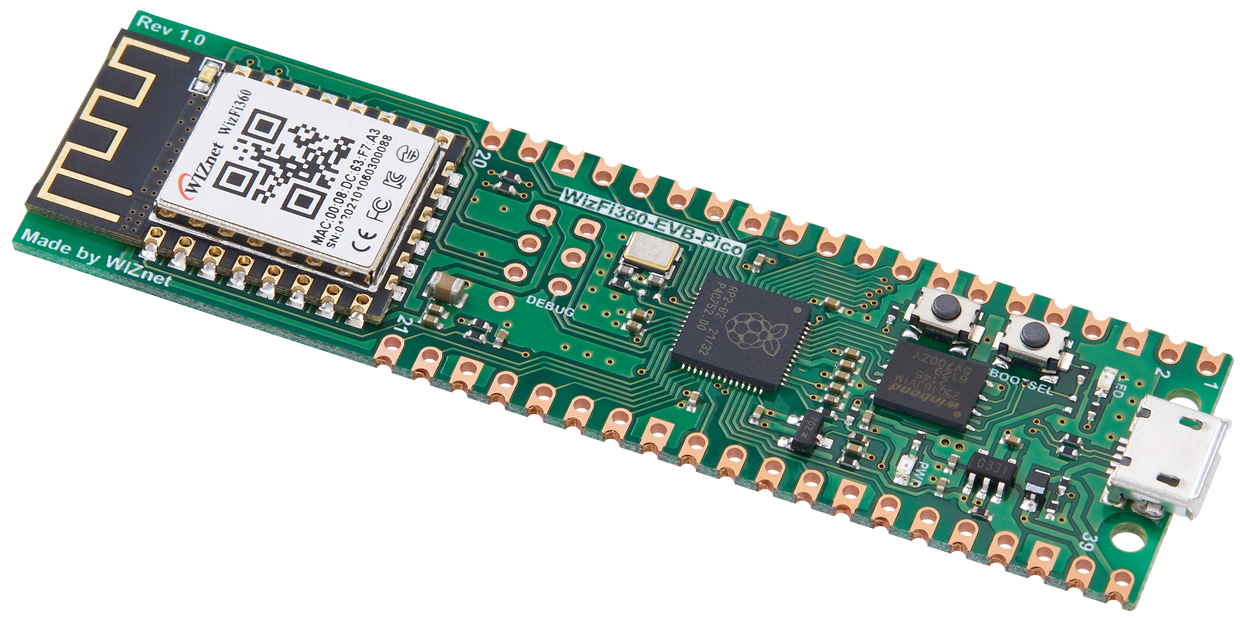
WIZnet - WizFi360-EVB-Pico
x 1
Project description
twinThingWizFi360Example
Example project for WizFi360-EVB-Pic0 using the (twinThingWizFi360)[https://github.com/jondurrant/twinThingWizFi360]. A IoT library based on MQTT and providing a stateful Thing within IoT space.
Tested
Tested against:
- Mosquitto on a RPI4. Followed the docker install guide at: (https://docs.cedalo.com/streamsheets/2.4/installation/)
- EMQX
Dependent Libraries
The WizFi360 libraries are based on CMSIS framework. Heavy utilisation of the CMSIS ecosystem is required.
- CMSIS_5 Version 5.8.0: CMSIS Framework
- CMSIS-Driver Version 2.7.0: Ethernet Driver for WizFi360
- CMSIS-FreeRTOS Version 10.4.6: FreeRTOS port for CMSIS.
- coreMQTT: FreeRTOS MQTT Library used
- coreMQTT-Agent: FreeRTOS MQTT Library used, managed through agent
- IoT_Socket Version 1.3.0: Socket library
- json-maker: JSON generation library
- tiny-json: JSON parser
Make
$ mkdir build
$ cd build
$ cmake ..
$ make
Copy src/twinTest.elf to pico
Folder Structure
- lib: Libraries used by the project. Held as git submodules
- port: Port folders for the libraries
- patches: Patches to CMSIS FreeRTOS required for the WizFi360
- py: Example python test code to interact with the Thing over MQTT. Uses Paho
- src: Source code for the example
- test: Test code to verify port for the WizFi360, can be ignored
Key classes
- Agent - Abstract class wrapper for FreeRTOS Task
- BlinkAgent - task to flash an LED as a pulse for the device
- ExampleAgentObserver - Observer for the MQTT Agent
- main - set up
- StateExample - example state object for a Thing, has RGB and On/off state. Adds to temperate state of teh standard Twin.
Python Test Client
Python3 test client using Paho is included in the py folder.
All Python scripts expect environment variable for MQTT service:
- MQTT_USER: Username to connect to MQTT, will also be used as device name
- MQTT_PASSWD: Password for authentication
- MQTT_HOST: Hostname of IP address of the MQTT server
- MQTT_PORT: Port that MQTT is running on. Normal 1883
Python scripts normally take a parameter of the name of the thing to query. If device is called pico then to ping the device would use the command.
$ python3 ping.py pico
Scripts:
- get.py: Get the current state of the Thing
- ping.py: Ping a single Thing
- pingAll.py: Ping all devices though the All group
- set.py: Set the state of the thing


