Coding with CircuitPython on W5100S-EVB-Pico2
Coding guide for the W5100S-EVB-Pico2 using the latest CircuitPython firmware, detailing setup, implementation, and results
0
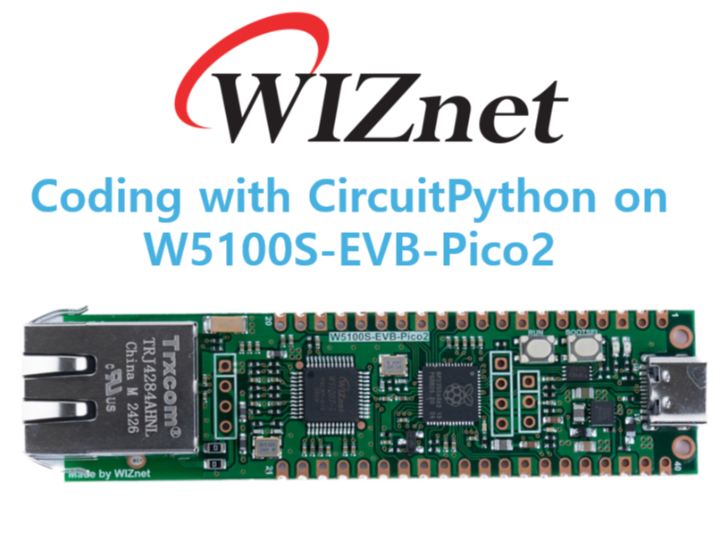
Project description
Introduction
Raspberry Pi recently announced Pico2 and RP2350. WIZnet also unveiled its evaluation boards built on RP2350A. In this guide I will introduce how to code using CircuitPython.
How-to Steps
Step 1. Prepare CircuitPython Environment
Download latest firmware from circuitpython website.
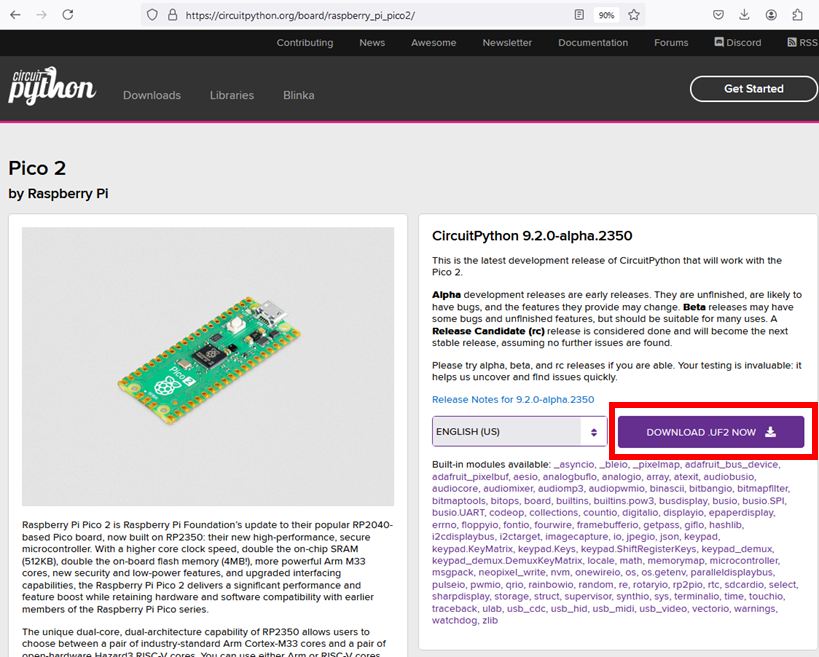
As of this guide creation date, I used version 9.2.0-alpha.2350
Press BOOTSEL button on the W5100S-EVB-Pico2 and upload downloaded uf2 file.
CIRCUITPY drive shall appear after.
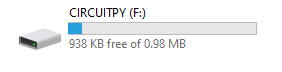
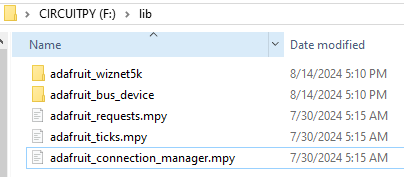
Download required libraries and copy them to CIRCUITPY\lib folder.
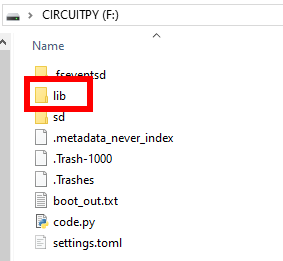
For this guide I used following libraries:
Step 2. Let's write the code
For test purposes I used the wiznet5k_simpletest.py from Adafruit wiznet5k repository.
IMPORTANT: It is needed to update SPI pins in the code
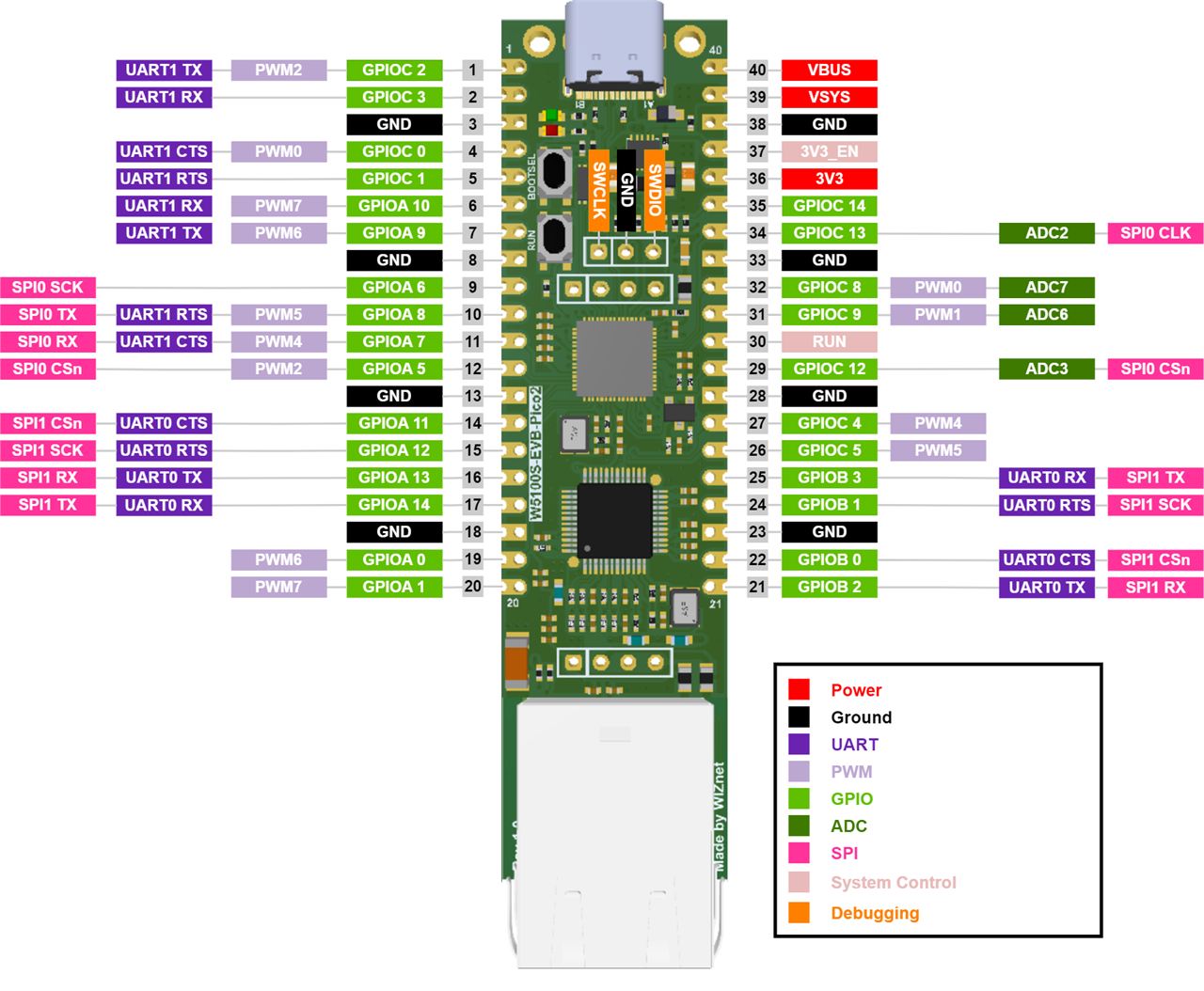
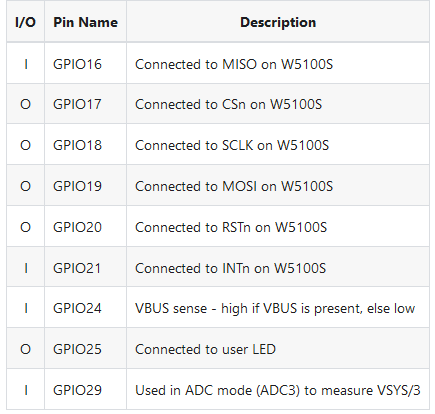
The updated code for the pins assignment is below:
# For W5100S-EVB-Pico2
cs = digitalio.DigitalInOut(board.GP17)
spi_bus = busio.SPI(board.GP18, MOSI=board.GP19, MISO=board.GP16)
The full code is as following
# SPDX-FileCopyrightText: 2021 ladyada for Adafruit Industries
# SPDX-License-Identifier: MIT

import board
import busio
import digitalio
import adafruit_connection_manager
import adafruit_requests
from adafruit_wiznet5k.adafruit_wiznet5k import WIZNET5K

print("Wiznet5k WebClient Test")

TEXT_URL = "http://wifitest.adafruit.com/testwifi/index.html"
JSON_URL = "http://api.coindesk.com/v1/bpi/currentprice/USD.json"

# For Adafruit Ethernet FeatherWing
# cs = digitalio.DigitalInOut(board.D10)
# For Particle Ethernet FeatherWing
# cs = digitalio.DigitalInOut(board.D5)
# spi_bus = busio.SPI(board.SCK, MOSI=board.MOSI, MISO=board.MISO)

# For W5100S-EVB-Pico2
cs = digitalio.DigitalInOut(board.GP17)
spi_bus = busio.SPI(board.GP18, MOSI=board.GP19, MISO=board.GP16)

# Initialize ethernet interface with DHCP
eth = WIZNET5K(spi_bus, cs)

# Initialize a requests session
pool = adafruit_connection_manager.get_radio_socketpool(eth)
ssl_context = adafruit_connection_manager.get_radio_ssl_context(eth)
requests = adafruit_requests.Session(pool, ssl_context)

print("Chip Version:", eth.chip)
print("MAC Address:", [hex(i) for i in eth.mac_address])
print("My IP address is:", eth.pretty_ip(eth.ip_address))
print(
    "IP lookup adafruit.com: %s" % eth.pretty_ip(eth.get_host_by_name("adafruit.com"))
)


# eth._debug = True
print("Fetching text from", TEXT_URL)
r = requests.get(TEXT_URL)
print("-" * 40)
print(r.text)
print("-" * 40)
r.close()

print()
print("Fetching json from", JSON_URL)
r = requests.get(JSON_URL)
print("-" * 40)
print(r.json())
print("-" * 40)
r.close()

print("Done!")
Step 3. Let's run it!
After running the code, I could see following results:
Wiznet5k WebClient Test
Chip Version: w5100s
MAC Address: ['0xde', '0xad', '0xbe', '0xef', '0xfe', '0xed']
My IP address is: 192.168.11.4
IP lookup adafruit.com: 104.20.38.240
Fetching text from http://wifitest.adafruit.com/testwifi/index.html
----------------------------------------
This is a test of Adafruit WiFi!
If you can read this, its working :)
----------------------------------------

Fetching json from http://api.coindesk.com/v1/bpi/currentprice/USD.json
----------------------------------------
{'time': {'updated': 'Aug 16, 2024 01:53:22 UTC', 'updatedISO': '2024-08-16T01:53:22+00:00', 'updateduk': 'Aug 16, 2024 at 02:53 BST'}, 'disclaimer': 'This data was produced from the CoinDesk Bitcoin Price Index (USD). Non-USD currency data converted using hourly conversion rate from openexchangerates.org', 'bpi': {'USD': {'code': 'USD', 'description': 'United States Dollar', 'rate_float': 57307.3, 'rate': '57,307.315'}}}
----------------------------------------
Done!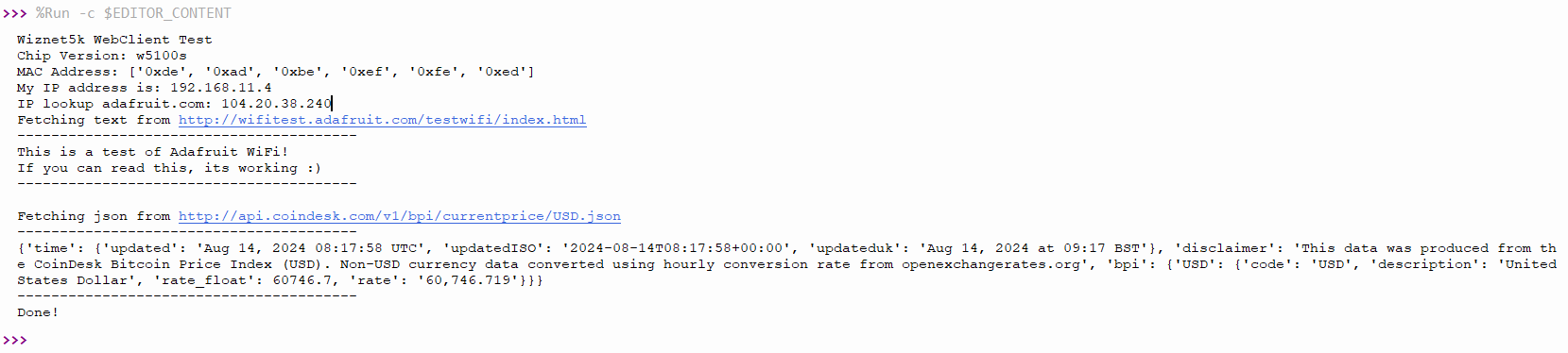
Yay! It works!
Conclusion
This simple guide shows how to run CircuitPython on new RP2350A with WIZnet W5100S chip.
Stay tuned for more guides!


