Carousel Trackers Using RFID
Carousel Trackers Using RFID
0
Components
Hardware componentsWIZnet WIZwiki-W7500
x 1
WIZnet WIZ750SR
x 1
RFID Module (Generic)
x 1
Project description
Basic Objective
The basic objective of this project is to replace the traditional bar code scanner with RFID sensors and implementing a graphical interface to make things easier for the customers. The use of radio frequency identification (RFID) technology would dramatically reduce baggage mishandling. With the use of RFID technology, our project demonstrates the practical implementation of this theory.
- WizWiki-W7500 is used to capture the reading of RFID tags and captured values are serially passed on to WIZ750SR using the RS232 port then from WIZ750SR values are passed on the ThingSpeak Cloud for processing purposes. We are using HTTPS as well as MQTT protocol for sending and receiving the information on the cloud and the user interface. If any carousel is misplaced the authorities will immediately come to know as it glows a LED and a Buzzer to alert them about misplacing and the traveler can timely check the app and website for live tracking of his/her baggage.
Our project is divided into 3 subparts:
i) Tagging information of the user with the RF tags.
ii) Sending information of the tracked bags to the server.
iii) Locating the baggage on the conveyor belt.
Thus for this purpose, we have a server and conveyor belt graphics in JOGL to complement our RF circuit (with the WizWiki-W7500 and WIZ750SR).
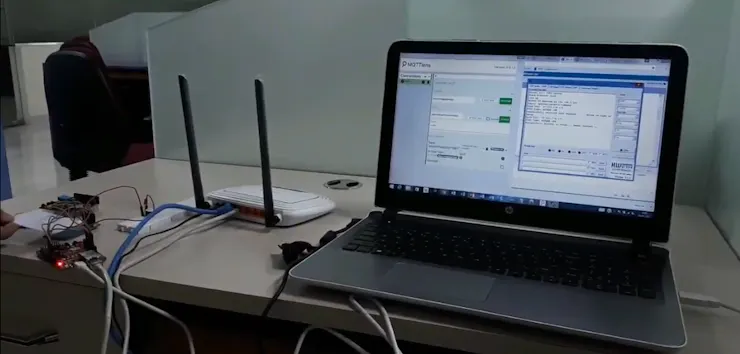
PART 1
The luggage of the user is tagged with RFID and the associated message is sent to the user updating him about the RFID tag number and the tracking options. The user gets the update 3 times, once the bag is tagged with, second when the baggage is successfully mounted on to the correct location and third when the user arrives at the destination and the baggage has also been successfully and safely reached the desired location, furthermore the user can also check where his baggage is on the conveyor belt. The web page shows the exact location of the users baggage on the conveyor belt among the various other bags also.
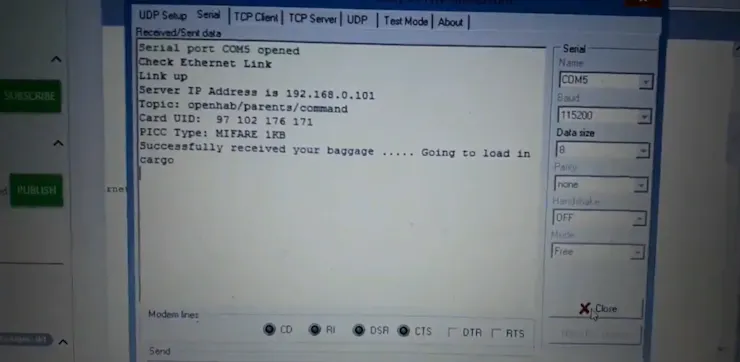
PART 2
This part consists of the sending the data from WIZ750SR to server so that the users can be updated about their baggage location. For this we have used THINGSPEAK API's. Whenever a bag is passed through the RFID reader, the location and the value gets updated on THINGSPEAK and from there,the application and website created by us fetches the information from the values updated on the ThingSpeak cloud.
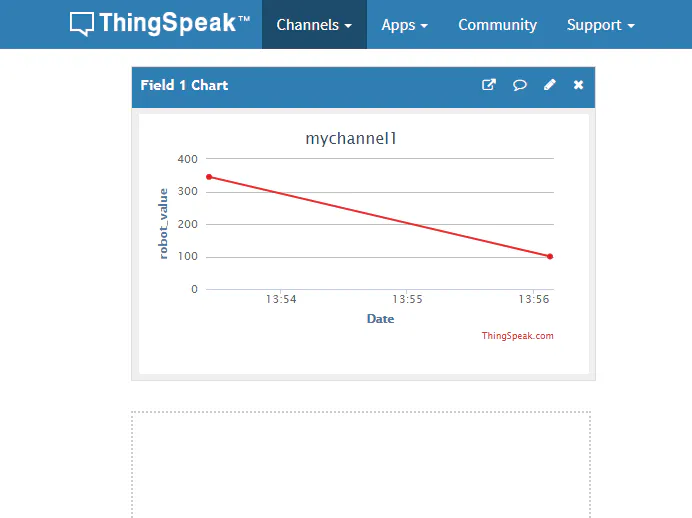

PART 3
This part consists of locating the baggage on the conveyor belt. For this we have used OpenGL technique for creating the animation of the conveyor belt to let the users know where their luggage is on the conveyor belt. This reduces a lot of human effort of identifying their luggage while collecting and waiting for it.


