How to Monitor a Remote Equipment by WIZwiki Platform
How to Monitor a Remote Equipment by WIZwiki Platform
0
Components
Hardware componentsWIZnet WIZwiki-W7500
x 1
Mini USB Cable
x 1
LAN Cable
x 1
Project description
Step 1: Prepare Materials
2. Mini USB cable
3. LAN cable
Step 2: Hardware Connection
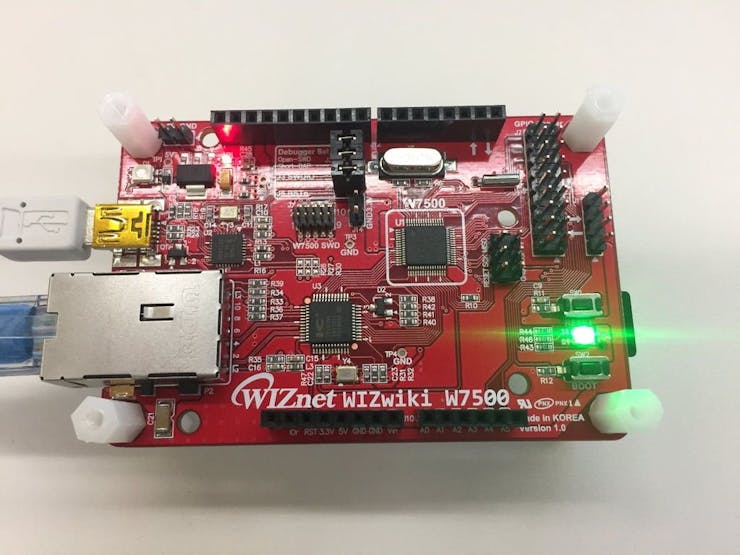 Please connect a USB cable and LAN cable. You can get more HW info on the following site.
Step 3: Prepare the Development Environment
I prepared GCC development environment by?the following site. I installed GNU Toolchain, Java JDK, Eclipse, and Cygwin. If you install all tools, you are ready for running this project. You can use a Configuration Tool by the following site?temporarily.?How to use a CFG tool.
Reference:
Step 4: Software: GitHub Repository
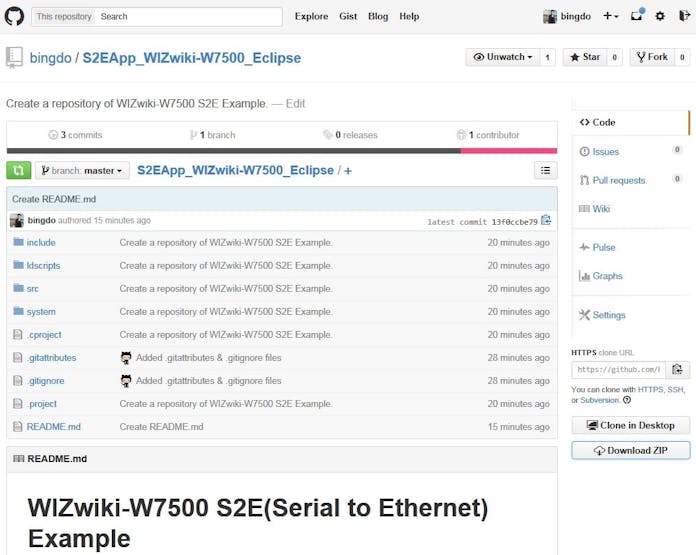 I opened the source codes of this project in GitHub. You can download these project files. And then import the project into Eclipse. After compiling, you can run the S2E application of WIZwiki-W7500. This project is open to everyone. I expect your participation to improve the quality of the project.
Step 5: How to run: Test result
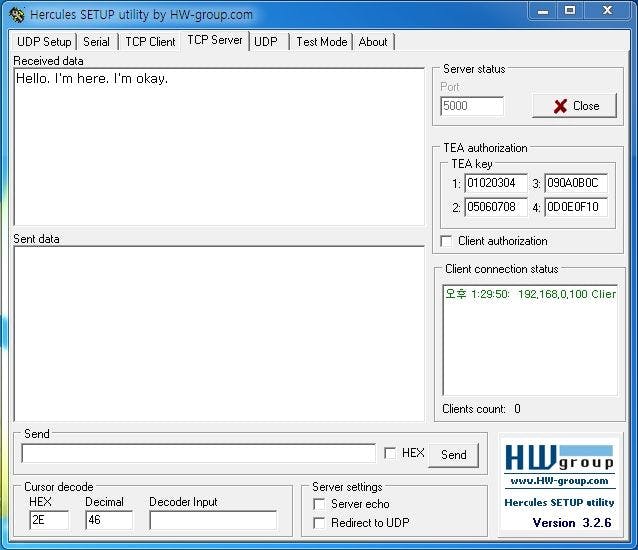
1. To program FW into a target.
2. To reset a target and insert the MAC address.
3. To search a target by Configuration Tool.
4. To check Host IP and start Server.
5. To change IP, Gateway, and HostIP properly.
6. To change the Working Mode of the target to TCP Client or Mixed Mode by CFG tool.
7. Send "hello" to Server through the terminal program.
You can see the test result in the video. Thank you for your attention.
*Tip : If you register in?www.wiznetian.com?and work actively, you can get a sample cheaper than E-sales as well as a free sample.
Documents
-
Github Wiznet / WIZ550S2E
https://docs.wiznet.io/Product/S2E-Module/WIZ550S2E
-
Github bingdo / S2EApp_WIZwiki-W7500_Eclipse
-
Youtube Tutorial 01
-
Youtube Tutorial 02

