POE W5500 Ethernet Shield
POE W5500 Ethernet Shield
0
Project description
Go to the following link and download the W5500 libraries.
https://github.com/Wiznet/WIZ_Ethernet_Library
 Now, you can see all the indicators are lighting up, just type the IP address in the browser's address bar, the analog input AD values of UNO pins from A0 to A5 will be shown again. They work well in the same with powered through micro USB cable. We've tested it with Mode A/Endspan and Mode B/Midspan, they are all compatible.
- 1.Extract the?Ethernet?folder to?Arduino IDE/Libraries?and replace the old one.
- 2.Upload the?WebServer.ino?demo to Iteaduino UNO, then plug W5500 shield into UNO and connect Ethernet cable to your router at the same time.
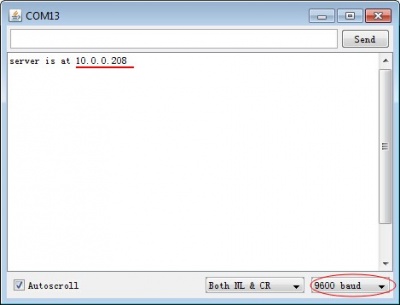
- 3.Open?Serial Monitor, set the baud rate as 9600, then you can get your IP address.

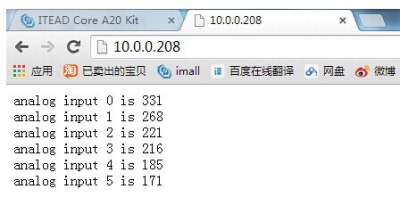
- 4.Then open your web browser, and type IP address in the address bar, you will get the analog input AD values of UNO pins from A0 to A5.

POE Test
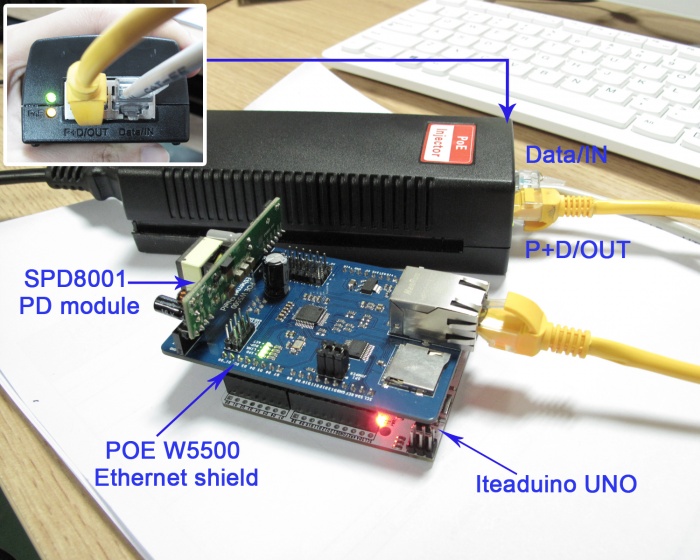
W5500 Ethernet shield supports PoE, how to make it? You need an?SPD8001?to plug in the Ethernet shield. After uploading the WedServer demo in your UNO, you just unplug you the micro USB cable and do the assembly of?W5500,?SPD8001?PD module, PoE injector, and Iteaduino UNO?as following picture. Now, you can see all the indicators are lighting up, just type the IP address in the browser's address bar, the analog input AD values of UNO pins from A0 to A5 will be shown again. They work well in the same with powered through micro USB cable. We've tested it with Mode A/Endspan and Mode B/Midspan, they are all compatible.
