Smartstuff Ultra Mini Brings P1 Meter and Solar Inverter Data onto W5500 Ethernet
How much solar power stays in the house? Smartstuff’s Ultra Mini pairs P1 meter data with Growatt inverter readings and sends both over W5500 Ethernet.
0
Project description
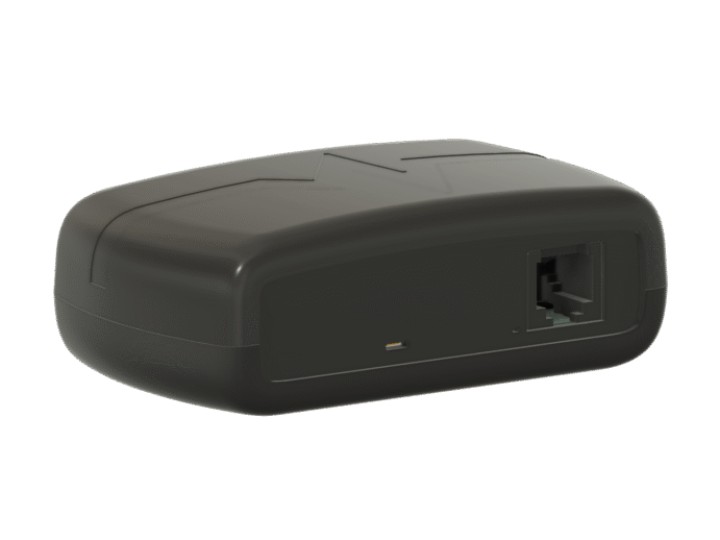
A solar inverter reports what the panels produce. The utility meter reports what crosses the property boundary. A homeowner trying to decide when to run a load needs both readings. Smartstuff’s Ultra Mini (P1UM) takes meter readings through the P1 port and can read a compatible Growatt inverter over RS485. Its ESP32-S3 interprets the readings and its WIZnet W5500 puts them on the local Ethernet network, where a system such as Home Assistant can use them. Ultra Mini product specifications · Smartstuff’s Growatt configuration
Who makes the Ultra Mini?
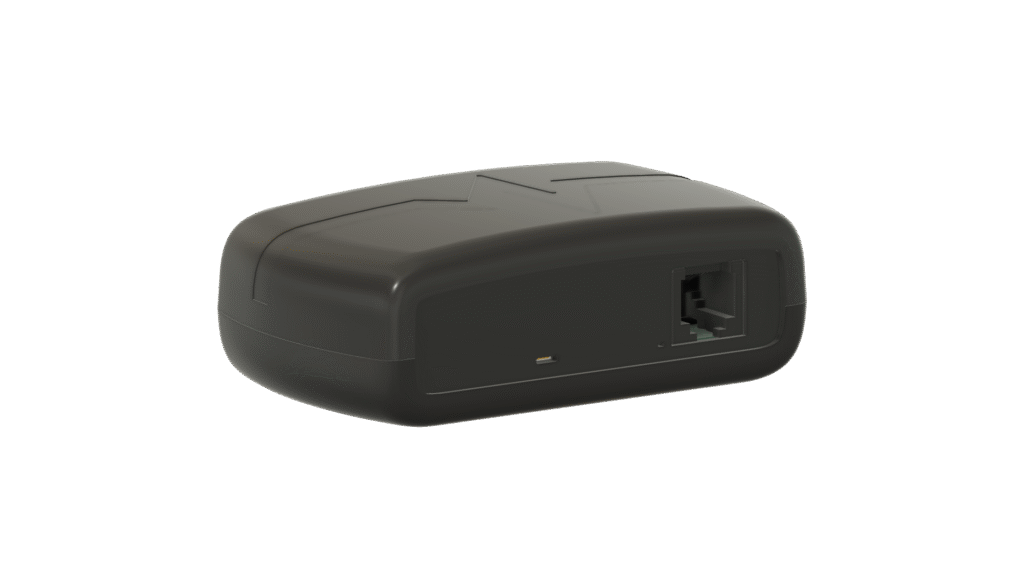
Smartstuff B.V., based in Wijk bij Duurstede in the Netherlands, develops hardware and firmware for energy metering and building automation. Its range includes P1 readers and splitters, the NRG Monitor indoor display and gateways for installers. A household can use a display to see consumption, a Home Assistant user can work with the data directly, and an installer can connect several sites to a company MQTT broker. Company profile · Ultra Mini documentation · Professional product range
Smartstuff designed the Mini for professional installations and also sells it individually. Buyers can select the P1 cable length and firmware before the unit ships. Its support library groups wiring instructions by hardware and operating instructions by firmware. That makes it possible to check the physical installation before ordering and look up the right interface later. Order options · Hardware and firmware support · Business enquiries
Where the W5500 fits
The clearest evidence is Smartstuff’s Growatt example. Its opening sentence identifies the Ultra Mini’s RS485 port, and the same YAML selects esp32s3 and type: W5500 in the Ethernet block. The separately published DSMR-API firmware also identifies the P1UM pin mapping and selects ETH_PHY_W5500. Both implementations describe the same SPI connections. Growatt example and Ethernet settings · P1UM pin definitions · DSMR-API Ethernet selection
| SPI signal | CS | SCLK | MOSI | MISO | INT |
|---|---|---|---|---|---|
| ESP32-S3 GPIO | 10 | 12 | 11 | 13 | 14 |
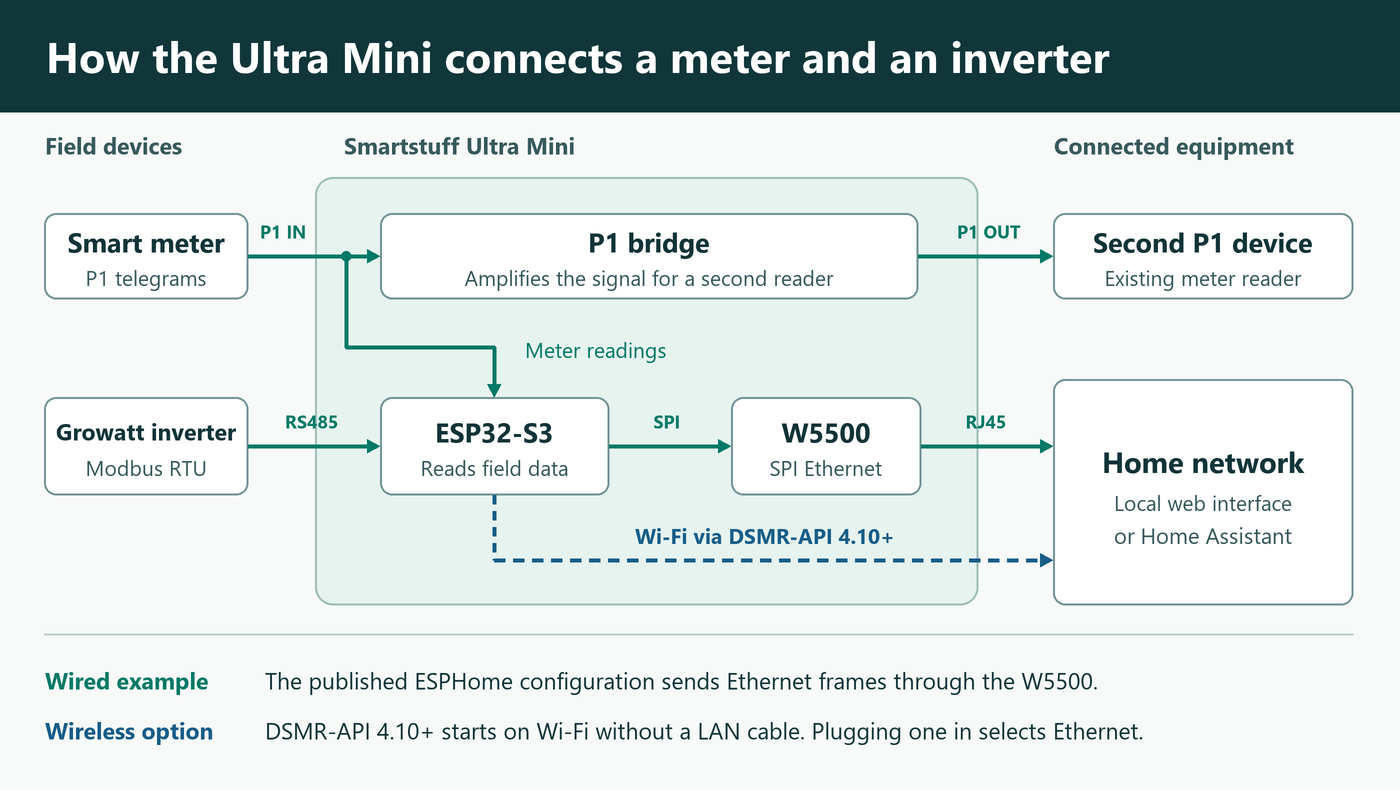
In the Growatt configuration, the ESP32-S3 decodes P1 messages and queries inverter registers. The W5500 moves Ethernet frames between the SPI bus and the LAN. Although the chip includes a hardware TCP/IP engine, the published ESPHome and DSMR-API driver paths use MACRAW mode, with TCP/IP handled by lwIP on the ESP32. This is a useful distinction for anyone porting the design or estimating MCU workload. ESPHome driver selection · DSMR-API driver call · Arduino-ESP32 Ethernet implementation · Espressif W5500 driver · ESP-IDF lwIP guide
Hardware and installation conditions
| Interface | Ultra Mini specification | What it means on site |
|---|---|---|
| Controller and enclosure | Dual-core ESP32-S3 at 240 MHz, 8 MB memory, listed weight 50 g | USB-C supplies auxiliary power and supports flashing. An RGB status LED and reset/flash controls are accessible on the unit. |
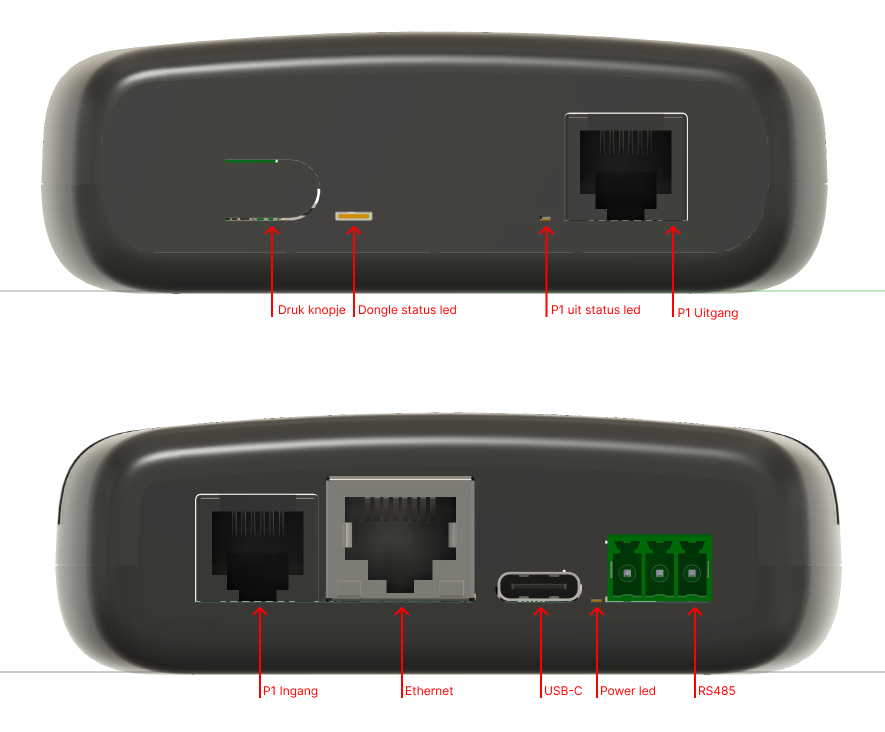
| P1 input and output | P1 IN for the meter, with a request-driven, amplified P1 OUT | P1 is the meter’s local data port. A second physical P1 reader can share the meter through the output. |
| Inverter connection | One RS485 port for Modbus RTU | The Growatt example polls device address 1 every five seconds. Check the inverter model’s register map and serial settings. |
| Network | RJ45 Ethernet and Wi-Fi | With DSMR-API 4.10 or later, the Mini starts on Wi-Fi when no cable is present. Inserting the LAN cable switches it to Ethernet and closes the Wi-Fi connection. |
| Power | P1 power from a compatible DSMR 5 meter, or auxiliary USB-C power | Older meters can require USB power. When connecting a second reader to P1 OUT, follow the guide for powering the Mini or the downstream reader. |
Hardware and firmware conditions · Power and ports · Inverter communication settings
Three paths from the meter cabinet
| Task | Data path | What the reading tells you |
|---|---|---|
| Track grid import and export | Smart meter → P1 IN → ESP32-S3 → W5500 → LAN | Read the direction of power flow at the meter. Gas readings are also available when the meter includes them in its P1 messages. |
| Read solar production | Growatt inverter → RS485/Modbus RTU → ESP32-S3 → Ethernet → local MQTT broker or Home Assistant | Compare inverter output with grid export. Check the timestamp of each reading before assuming they describe the same instant. |
| Keep an existing P1 device | Smart meter → Mini → physical P1 OUT → second reader | The second device still receives P1 messages. DSMR-API also offers a separate “virtual P1” input that receives raw messages from another dongle over the network. |
How much solar power stays in the house? Suppose the inverter delivers 3.0 kW of AC power while the meter reports 1.0 kW of net export. With no battery or other generator and readings taken at the same time, the home is using about 2.0 kW. A system with storage also needs the battery’s charging or discharging power. Check that the inverter register reports AC output and that both readings are instantaneous power (kW). A cumulative energy counter (kWh) answers a different question. Meter and inverter fields in the Growatt example
Choosing between ESPHome and DSMR-API
Choose ESPHome when you need control over registers and sensors. Smartstuff’s example gives P1 and Modbus separate UARTs and configures MQTT and the native API. Its Growatt settings use 9,600 baud, even parity and a five-second polling interval. Match the YAML to your equipment before building and flashing it. Full Growatt example · Published ESPHome Ethernet configuration
Choose DSMR-API when integrating with an existing system. It offers a local dashboard, MQTT and REST integrations. The supported Victron functions include supplying grid readings or retrieving battery status. Smartstuff also links to Martijn Hendriks’s community Homey app. For controllable loads, NetSwitch can operate a compatible Shelly plug or switch. One published example turns a load on after export stays at or above 1,000 W for more than 60 seconds and off after it stays below 1,000 W for more than 120 seconds. The delay avoids switching at every passing cloud. Sites requiring a guaranteed export limit or electrical protection still need equipment rated for that purpose. DSMR-API integrations · Homey app listing · NetSwitch example
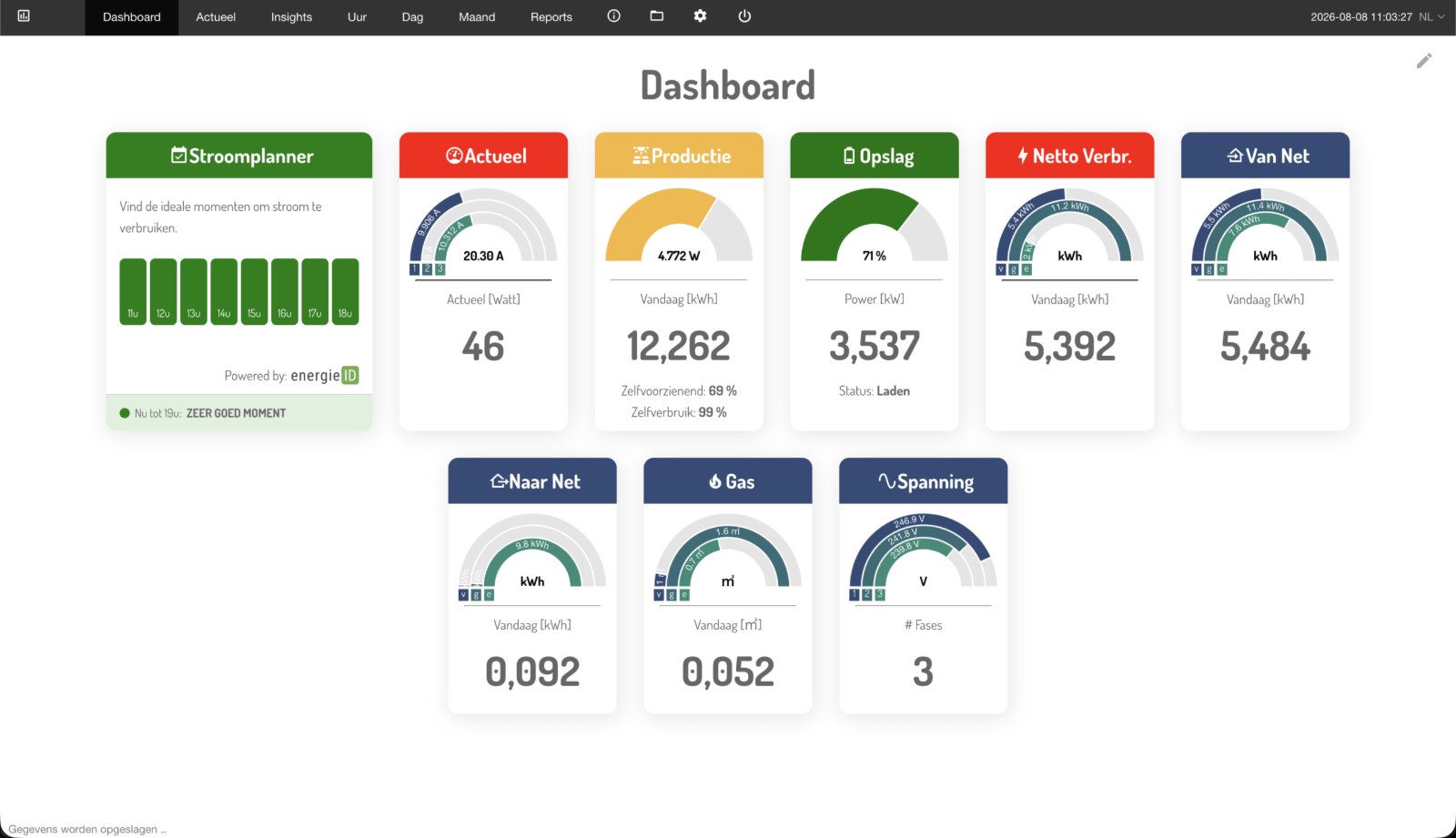
For multi-site deployments, Smartstuff offers the NRG Gateway Pro with mutual TLS (mTLS) for MQTT. The retail Mini has its own firmware ordering options. An installer planning to use a private broker should confirm which firmware the order includes and who provisions and renews the certificates. Professional gateway and quotations · Retail firmware options
Commissioning the first installation
- Connect the meter first. Plug the supplied P1 cable into the meter and the Mini’s P1 IN. Check the power requirements for the meter generation and for any second P1 reader.
- Check one meter reading. Connect Ethernet and check the link LED. Smartstuff’s quick start uses
ultra-dongle.localfor the local interface. If the hostname has changed, use the new name or the IP address assigned by the router. For a custom ESPHome build, use the device name and services enabled in the YAML. Compare import or export with the meter display. - Add the inverter. Match the RS485 terminals, device address, baud rate, parity and register map to the inverter manual. While the inverter is producing power, compare its local AC reading with the corresponding value at the Mini.
- Check the receiving system. In Home Assistant or an MQTT subscriber, verify the units and the last update time. For a replacement, record the old reader’s API format and IP configuration before switching over.
Wiring guide · Local interface · Modbus example · One user’s reader replacement
Which Smartstuff model fits?
| Model | Dutch list price, including VAT | When to choose it |
|---|---|---|
| Ethernet P1 Dongle Pro+ (P1EP) | €42.77 | ESP32-C3, 4 MB. Suits a meter-only installation with Ethernet and no need for RS485 or Wi-Fi. |
| Ultra Mini (P1UM) | €54.99 | ESP32-S3, 8 MB and one RS485 port. Read the meter and a compatible inverter on one device, or choose the network connection at installation. |
| Ultra X2 (P1UX2) | €56.95 | Consider the X2 for up to two RS485 ports or extra inputs such as an S0 pulse or water-meter sensor. The ports available depend on the expansion modules. Include those modules when comparing prices. |
The standard Mini package includes the assembled dongle, a 15 cm P1 cable and a digital manual. A longer P1 cable, Ethernet cable, USB power supply and PoE-to-USB-C adapter are optional. The shop offers preinstalled ESPHome or DSMR-API, or you can install your own firmware. For a deployment quote, send Smartstuff the meter generation, inverter model, firmware choice and quantity at info@smart-stuff.nl. Official price list · Package contents and order options · Smartstuff contact
Four checks before ordering
| Installation question | What to verify |
|---|---|
| Can the meter power the installation? | Check the meter model, DSMR version and whether a second device already uses P1. Older meters and some two-reader installations need auxiliary power. P1 input, output and power guide |
| Which inverter and sensors will it read? | Check the inverter’s RS485 address, speed and register map. A water meter with only a pulse output needs a separate reader or a model with a dedicated pulse input. Growatt configuration · Ports by model |
| What does the existing software expect? | Identify the API or MQTT fields read by Home Assistant, the Victron system or the EV charger. Check these against the firmware version you plan to deploy and the network available at the meter. Firmware support · DSMR-API releases |
| What changes for a fleet order? | Smartstuff aims to dispatch units with preinstalled software within 24 hours. For several sites, confirm quantity lead times, update policy and ownership of any enterprise MQTT credentials. Dispatch terms · Business supply options |
Questions from the meter cabinet
Can I connect the water pulse sensor shown in the Growatt example?
The Mini has no dedicated S0/water pulse input. The example and dashboard can include water fields across more than one hardware configuration. For a separate pulse sensor, consider the matching X2 expansion module or a dedicated reader. Smartstuff’s note on S0 and the Mini · Expansion options by model
Can I power the Mini directly from a PoE switch?
The Mini’s RJ45 supplies the data connection only. A compatible P1 meter can power the unit. Where that supply is insufficient, use USB-C. Smartstuff lists a separate PoE-to-USB-C adapter for installations with power available over the network cable. Product FAQ and power options · Powering a second P1 reader
Will Victron or an EV charger recognise the Mini when I replace my reader?
Check the API the receiving device expects. One Victron user kept an existing add-on by using firmware that returned the expected HomeWizard-compatible response, then updating the IP address. The same user later documented the setting used with a Peblar charger. Victron installation report · Peblar follow-up
Related VAR · Two commercial P1 readers
| Maker article and original product | How the hardware compares | Why you might choose it |
|---|---|---|
| Ethernet P1 Dongel Pro+ (slimme meter lezer) Smartstuff product specifications | Smartstuff’s earlier Pro+ uses an ESP32-C3 with 4 MB. The existing Maker article also covers the Ultra X2 and Mini. The Mini examined here adds an ESP32-S3 with 8 MB and a dedicated RS485 port. | Start with the Pro+ if the job is to put P1 readings on a LAN. For a meter and a Growatt inverter on one gateway, check the Mini’s RS485 port and the inverter’s register map. |
| SlimmeLezer Pro Zuidwijk specifications and pinout | Zuidwijk pairs an ESP32-C3 with a W5500 and provides an output for a second P1 device. It ships with Ethernet ESPHome firmware. Switching to Wi-Fi requires flashing the wireless firmware. | Both products suit wired Home Assistant installations. The Mini with DSMR-API 4.10 or later suits locations where installers need to switch between Wi-Fi and Ethernet without reflashing. |
Related UCC · Two ways to build on P1 data
| Maker article and original project | What you can reuse | How it relates to the Mini |
|---|---|---|
| esphome-p1 mhendriks’s ESPHome repository | Model-specific YAML for Smartstuff dongles gives builders a starting point for choosing sensors and compiling their own firmware. Ultra Ethernet configuration and pin assignments | Use this project to customise the firmware on existing hardware. To read P1 and Growatt registers together, start with Smartstuff’s Mini installation example. |
| RP2040 + W5500 P1 Smart Meter Serial-to-Ethernet Bridge hendriksen-mark’s wiring and firmware | An RP2040 Zero and a W5500 Lite forward raw P1 messages to as many as three simultaneous TCP clients. The receiving applications decode them. | Choose a simple bridge when several existing programs already understand P1. The Mini example suits an installation that needs one device to interpret meter and inverter values and publish them over MQTT. |
Replacing a reader while keeping the existing installation
Before changing a working meter cabinet, find out where the existing controller gets its readings and in what format. A device expecting the physical P1 signal can go on P1 OUT if its power requirements are met. A device using a network API needs a compatible response and address. After the change, compare the meter display, the Mini’s decoded value and the final application’s last update time, in that order. If the Mini is receiving fresh readings while the application is stuck, check the network and API settings next. Smartstuff’s downstream-device guide · Replacement using an existing Victron add-on
How large is the Dutch market for P1 monitoring?
Statistics Netherlands (CBS) reports that on 9 April 2025, EDSN could read about 8 million household smart electricity meters on behalf of Dutch grid operators. The often-quoted total of about 14.2 million also includes about 6.2 million gas meters. A home can have both, so the electricity-meter figure is the more useful starting point for understanding the installed base for P1 readers. CBS and EDSN meter figures
Adoption of monitoring devices is a separate measure. The Netherlands Environmental Assessment Agency (PBL) estimated that about 400,000 P1-based energy monitors had been sold and installed by the end of 2019. A later example shows who might buy them in bulk. In 2025, Hengelo offered free P1 readers to residents of homes rated energy label D or lower in Wilderinkshoek. Around 400 residents took part, and the city bought HomeWizard readers. These figures show demand for the category. Ultra Mini shipments and the share of wired readers remain undisclosed in these sources. PBL report, section 2.2.1, PDF p. 11 · Hengelo council report · Hengelo’s product and ownership FAQ
Why one Victron owner chose wired Ethernet
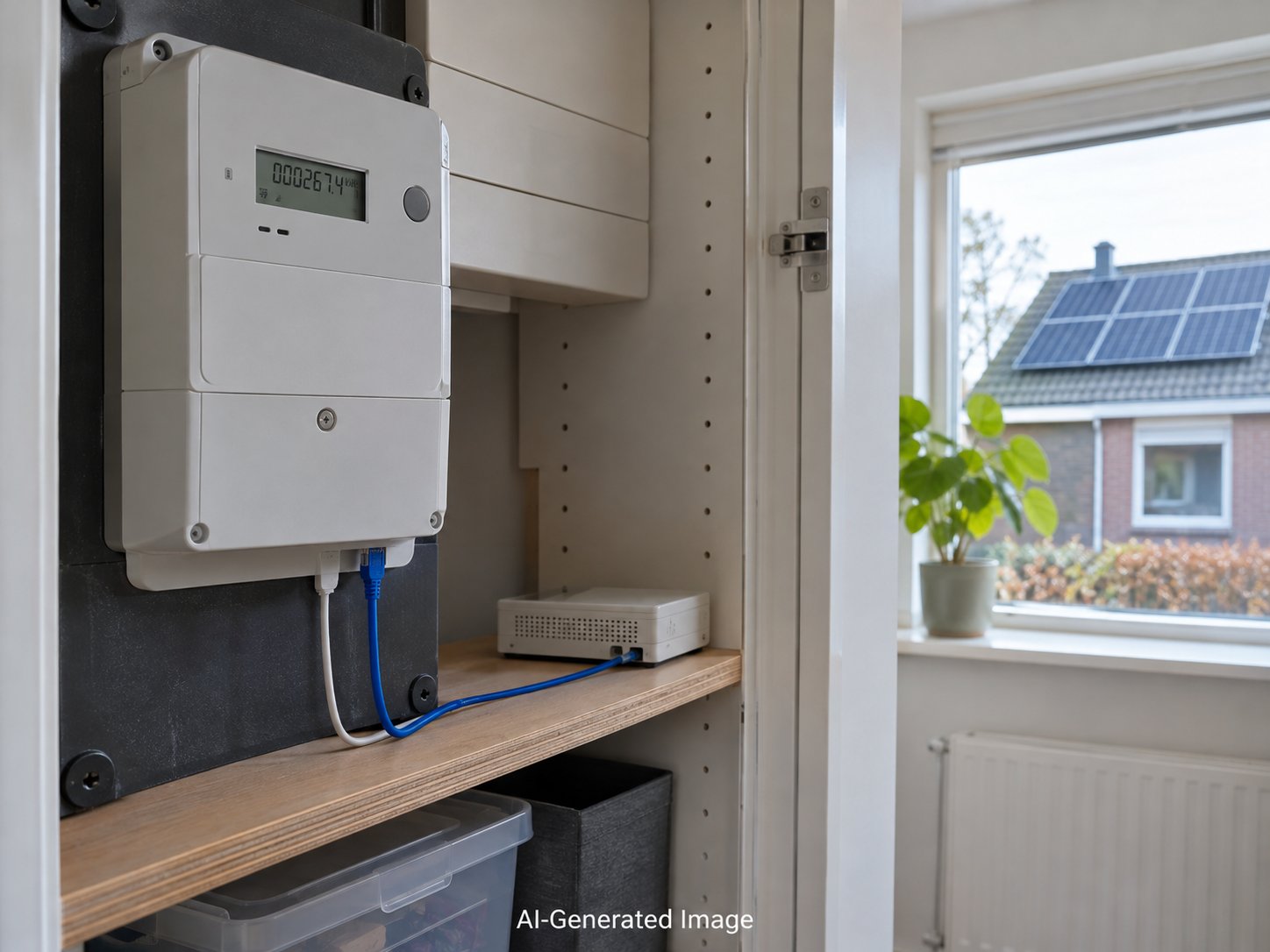
In February 2025, a Dutch Victron user described ordering an Ultra Mini for a specific reason. Their HomeWizard P1 reader used Wi-Fi, and they wanted a wired connection. Their existing Venus OS add-on expected the HomeWizard API. According to the user, Smartstuff supplied firmware that responded at the same URL path. Changing the address in the add-on and restarting it brought the readings back onto the Cerbo GX. Ethernet motivated the purchase. API compatibility made the replacement work. Owner’s Victron report, 26 February 2025
In July 2026, the same owner reported that Home Assistant discovered the Ultra Mini in HomeWizard P1 compatibility mode and that they connected a Peblar EV charger using a fixed IP address. The two posts document one installation and its subsequent use with another device. Owner’s Peblar follow-up, 9 July 2026
There is a different kind of demand among installers. The Dutch energy-cooperative network Energie Samen publishes guidance for connecting members’ meters to energy management systems. It includes a 2024 Ultra Mini installation guide from Deltawind. A model-specific guide gives a cooperative a repeatable procedure to share with households and technicians. Energie Samen installation resources
Where WIZnet can help the next gateway designer
For a household that just wants to see imports and exports in an app, a Wi-Fi product such as HomeWizard’s P1 Meter already serves that purpose. Wired readers have a clearer role where there is LAN cabling at the meter, or where an existing controller depends on a local feed. Smartstuff’s ESP32-S3 design and Zuidwijk’s ESP32-C3 design show two commercial implementations of the W5500. A P1 reader manufacturer evaluating its next board could reuse the SPI configuration and compare the power available from each target meter. HomeWizard’s Wi-Fi reader · Smartstuff Ultra Mini · Zuidwijk SlimmeLezer Pro
A practical resource WIZnet and gateway makers could develop together is a tested reader-replacement guide. Compare instantaneous power and cumulative energy before and after a swap on the same meter. Reconnect the LAN cable and time the first fresh reading at the receiving application. Publish the firmware version, API format and results with P1 power alone and with auxiliary power. Those details give installers a way to judge a proposed replacement before committing to a rollout.
Sources and what they document
- Product and supply. Model P1UM, base configuration, prices, power and expansion options. Smartstuff product page · VAT-inclusive price list · Ultra Mini connection guide
- W5500 on the Mini. The model-specific Growatt example, DSMR-API pin definitions, Ethernet selection and a pinned ESPHome configuration identify the chip and its wiring. Growatt YAML · P1UM pin definitions · Chip selection · ESPHome source at a fixed revision
- Ethernet implementation. The chip specifications describe the W5500 hardware. The network drivers identify how the published firmware uses it. W5500 documentation · ESPHome implementation · Espressif driver notes · ESP-IDF network stack · MACRAW setup in Espressif’s driver
- Setup, integrations and support. Starting the Mini, configuring loads, connecting Homey and ordering a professional gateway. Quick start · NetSwitch example · Homey app · Business products · Contact
- Market and field evidence. Official statistics cover meter endpoints and historical monitor installations. The owner’s posts and the cooperative guide document how readers are used. CBS electricity and gas meter counts · PBL monitor estimate, PDF p. 11 · Victron owner’s report · Peblar follow-up · Cooperative installation guide
- Related commercial products (VAR). Maker coverage and original manufacturer specifications for the two readers compared above. Pro+ on Maker · Smartstuff Pro+ · SlimmeLezer Pro on Maker · Zuidwijk specifications
- Related community projects (UCC). Maker coverage and original sources for the ESPHome configurations and the raw P1 bridge. esphome-p1 on Maker · Original ESPHome repository · RP2040 bridge on Maker · Original bridge repository

