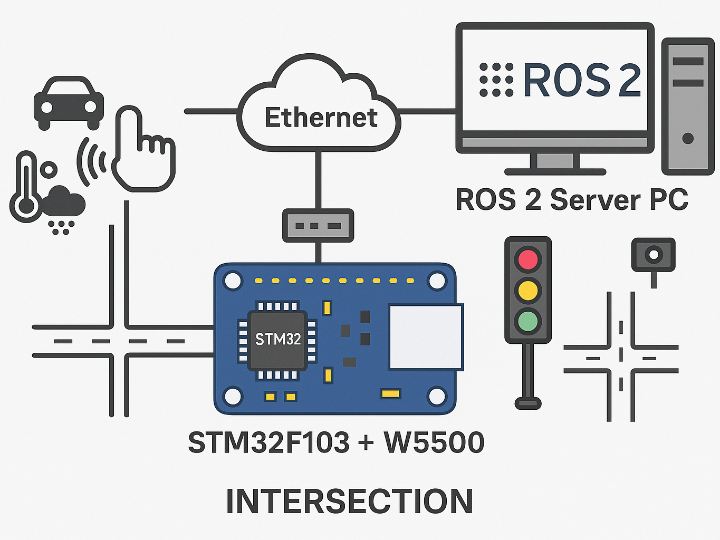
Real-time traffic monitoring and control Quickly collect data from traffic lights, intersections, and crosswalks, and perform control actions locally at the edge.
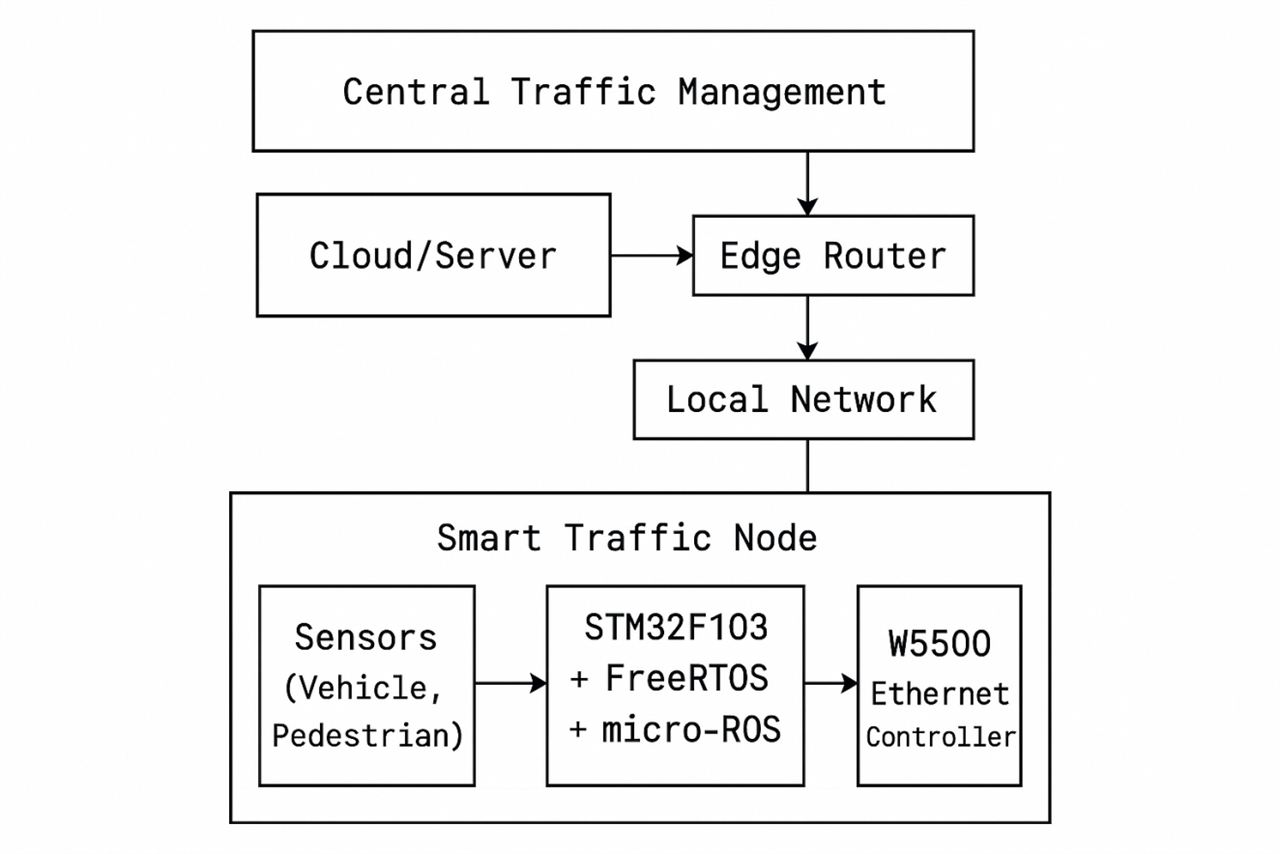
Minimizing latency through local processing Instead of sending all data to the cloud, the edge MCU makes the first decision and forwards only the necessary information to the upper-level system.
Seamless integration with smart city infrastructure Using micro-ROS, the node can easily integrate with ROS 2–based central traffic management systems and cloud analytics platforms.
The most notable feature of this project is that it communicates directly with a ROS 2 environment via micro-ROS.
Prepare a ROS 2 Environment on the Host PC
Install Ubuntu + ROS 2 (Humble, Foxy, etc.)
Example: Running the micro-ROS Agent
ros2 run micro_ros_agent micro_ros_agent udp4 --port 8888
STM32 Edge Node Operation
When the board boots, it automatically connects to the micro-ROS agent using the configured IP and port.
After that, it can integrate with the ROS 2 ecosystem through topic publish/subscribe, service calls, and more.
Through this, the node can:
Publish sensor data (traffic volume, pedestrian detection, event information) to ROS 2 topics
Receive traffic signal control commands from the central system
Why Use ROS 2 for a Smart Traffic System?
Treating the Smart Traffic Infrastructure as One ROS System
Both the central server (cloud) and intersection edge nodes are treated as ROS 2 nodes, making it easy to connect them via topics and services.
Easy Implementation of Real-Time and Reliable Communication
DDS-based QoS settings (reliability, latency, history, etc.) allow safety-critical messages and logging data to be transmitted according to their requirements.
Bringing MCUs into the ROS 2 Network
With micro-ROS + FreeRTOS, small MCUs like the STM32F103 can participate directly in the ROS 2 graph.
Leveraging ROS 2 Scalability and Ecosystem
Can fully use ros2 tools, simulations, data logging, and integration with other robots or autonomous driving systems without reinventing the wheel.
We sent a verification link to your address. Open it to activate your account, then log in.
Accounts from this email provider are reviewed by an administrator after verification. Approval usually takes one business day.
Already have an account?
Reset your password
Enter your email address. If it belongs to an account, we'll send a link to set a new password. Members who joined before the site update use this to set their password.
Check your email
If an account uses that address, we sent a link to set a new password. The link works once and expires in 30 minutes.