How to Build W55RP20-EVB-Pico on Arduino
How to Build W55RP20-EVB-Pico on Arduino
1
Components
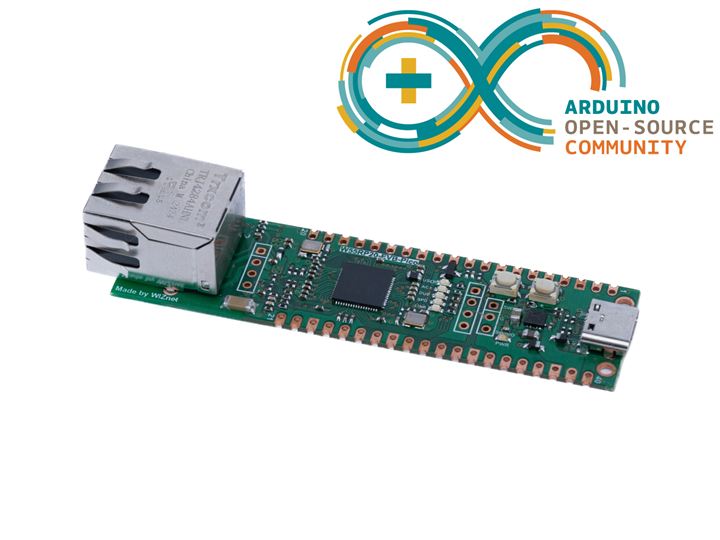
Hardware components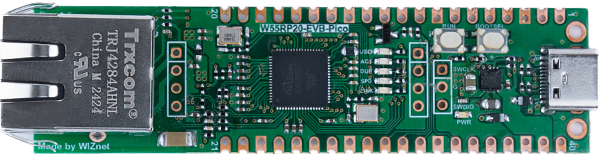
WIZnet - W55RP20-EVB-Pico
x 1


Arduino - Arduino IDE
x 1
Project description
This guide provides instructions on how to build the W55RP20-EVB-Pico on Arduino. The Arduino version used is 1.8.19, which can be downloaded from the link below.
https://www.arduino.cc/en/software
Additionally, this post is based on and works with earlephilhower's arduino-pico.
https://github.com/earlephilhower/arduino-pico
- Installing Raspberry Pi Pico/RP2040/RP2350 Boards
Open Arduino, go to File -> Preferences -> Additional Boards Manager URLs:
Input https://github.com/earlephilhower/arduino-pico/releases/download/global/package_rp2040_index.json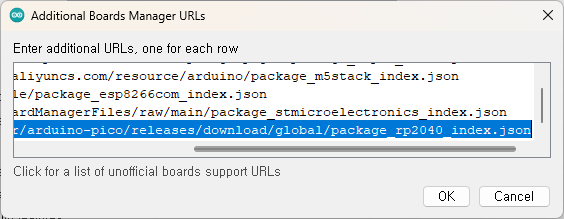
And go to Tools -> Board -> Boards Manager, search for 'RP2040', and install Raspberry Pi Pico/RP2040/RP2350 (version 4.2.0 or later).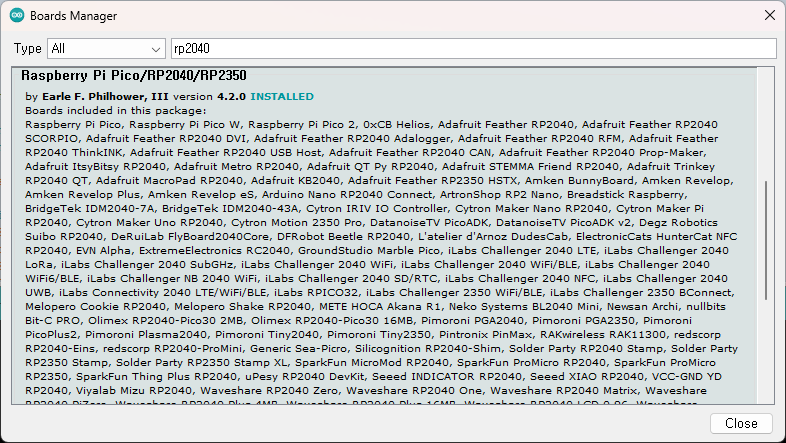
- Build example and check
Go to File -> Examples -> lwIP_w55rp20 -> WiFiClient-W55RP20
And Go to Tools -> Board -> Raspberry Pi RP2040 -> WIZnet W5500-EVB-Pico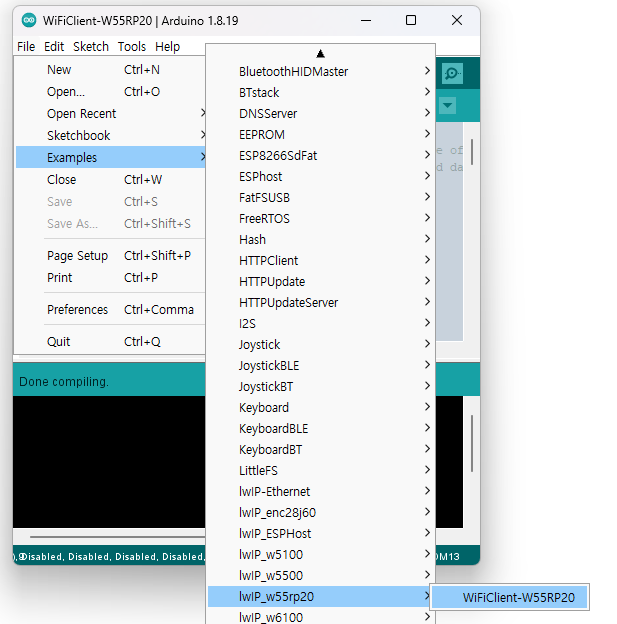
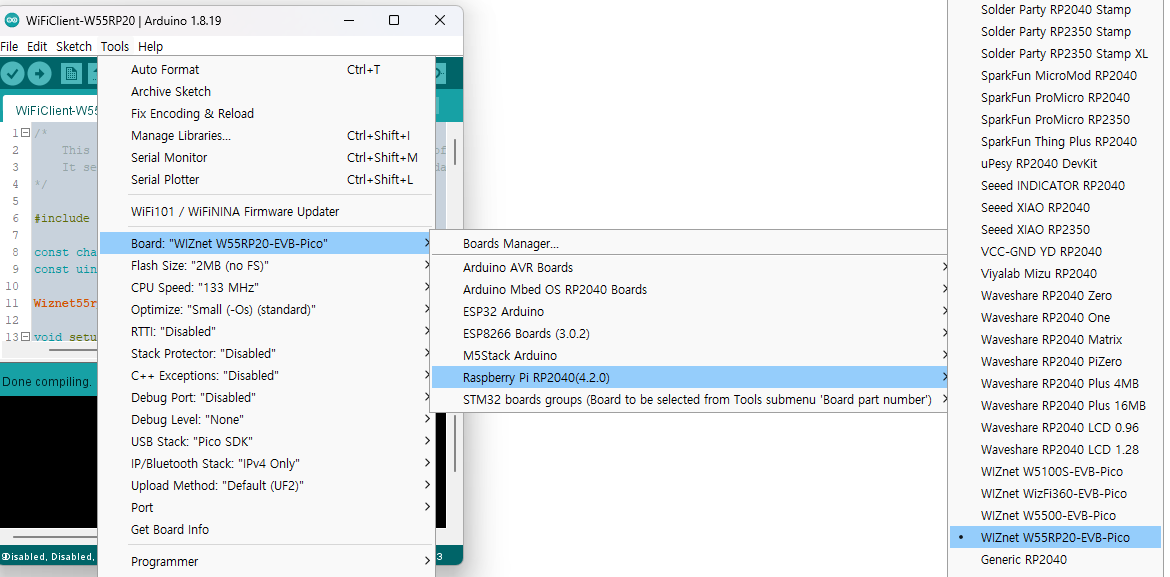
- Click Upload
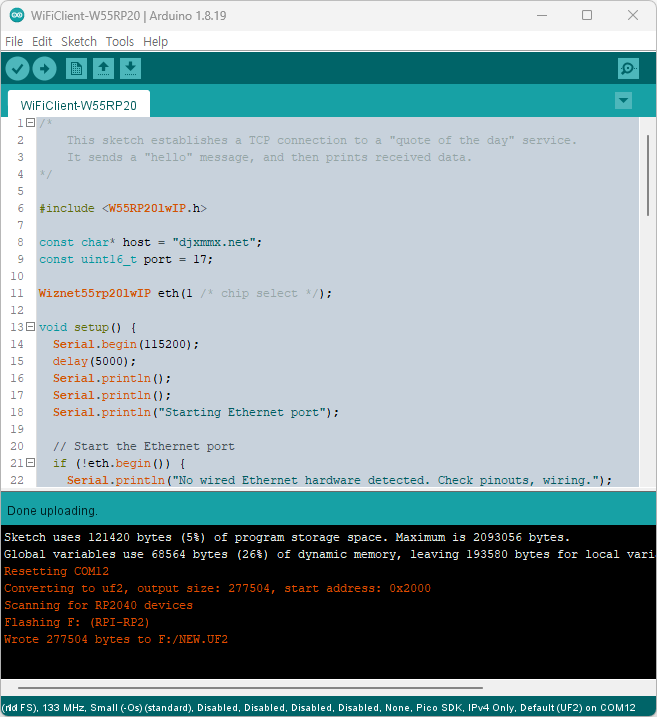
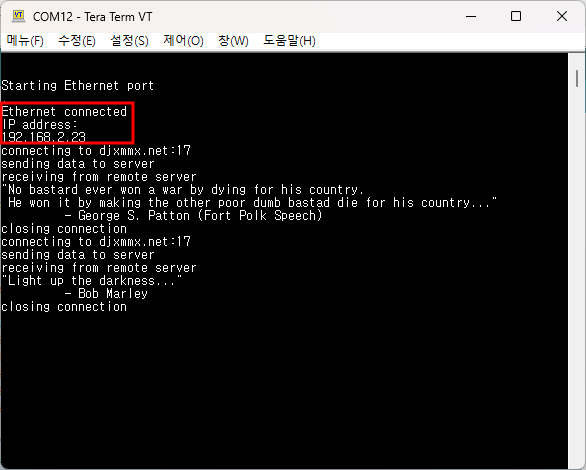
Check serial terminal
Since the WiFi module is not currently connected, an error will occur, but you can check that an IP address is assigned to the Ethernet through DHCP.