Connecting WIZnet W55RP20-S2E to Adafruit IO for IoT Applications
Connecting WIZnet W55RP20-S2E to Adafruit IO for IoT Applications
0

Components
Hardware components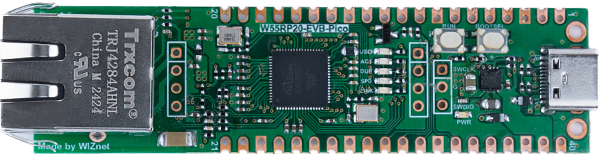
WIZnet - W55RP20-EVB-Pico
x 1

Project description
The W55RP20-S2E is a product from WIZnet, with Serial to Ethernet firmware pre-programmed onto the W55RP20 chip.
Refer to the guide document in the link below on how to write the W55RP20-S2E firmware to the W55RP20 Chip or W55RP20-EVB-Pico.
https://docs.wiznet.io/Product/ioNIC/W55RP20/W55RP20-S2E/w55rp20-evb-pico-s2e
This guide explains how to connect to Adafruit IO using the W55RP20-S2E in MQTT mode.
- Refer to the link below to access Adafruit IO, create an account, and check the keys.
https://io.adafruit.com/api/docs/#authentication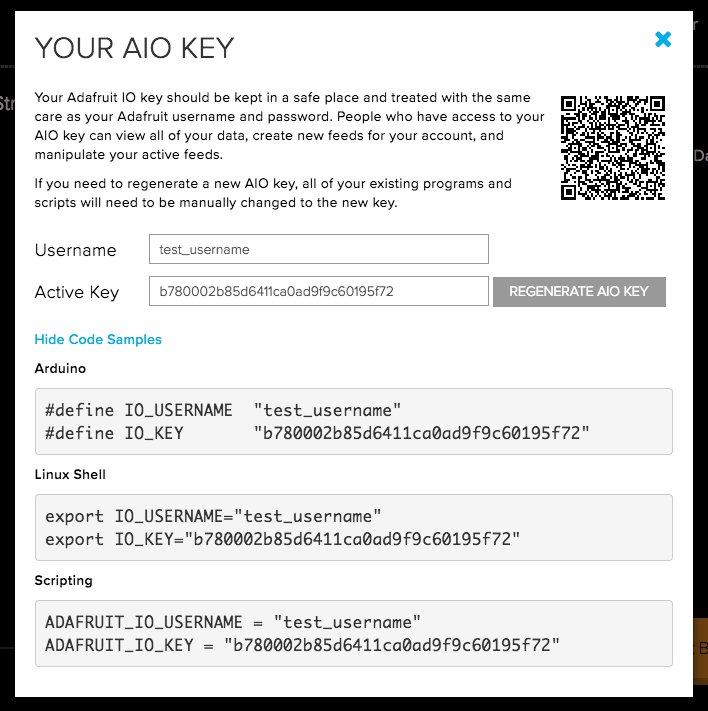
- Setting Up W55RP20-S2E Using the Configuration Tool
Download and set up the Configuration Tool using the link below.
https://github.com/Wiznet/WIZnet-S2E-Tool-GUI/releases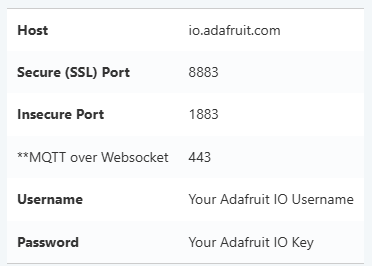
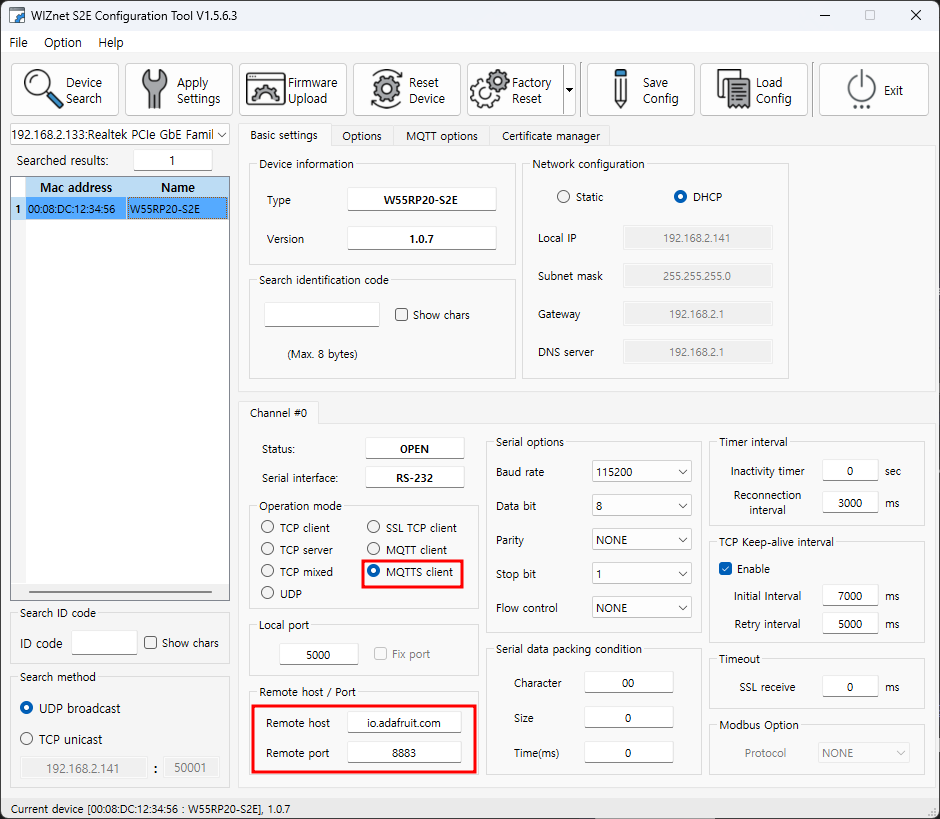
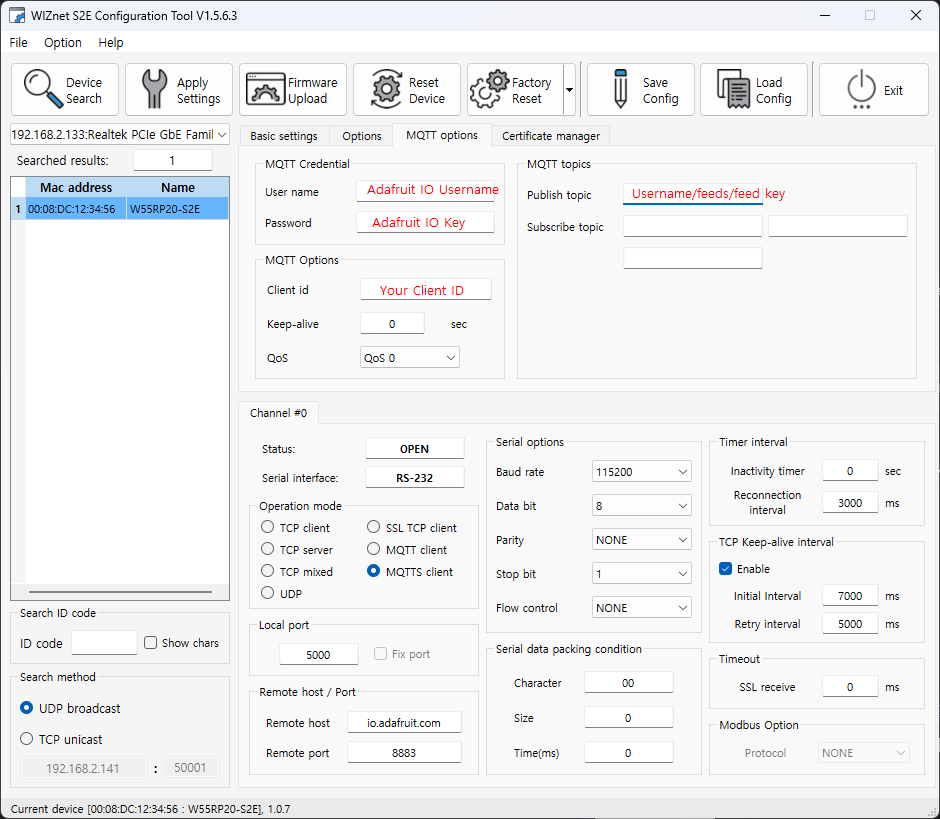
MQTT Config example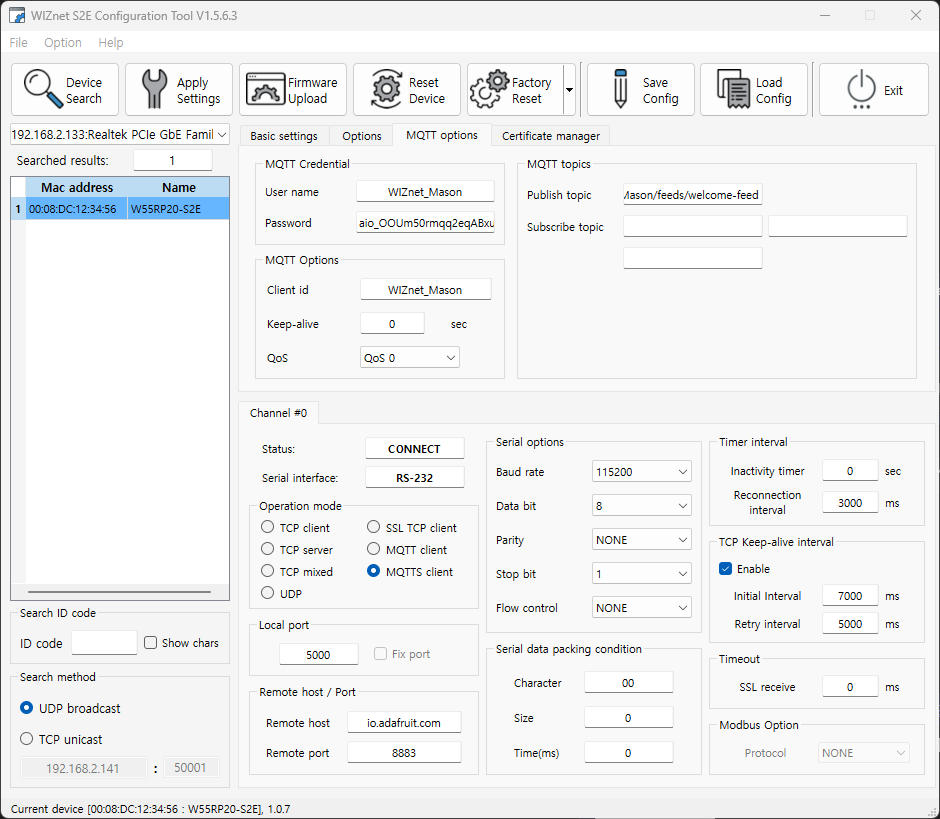
- Checking Connection via Logs
The W55RP20-S2E provides UART logs through GPIO 0 with a baud rate of 921600.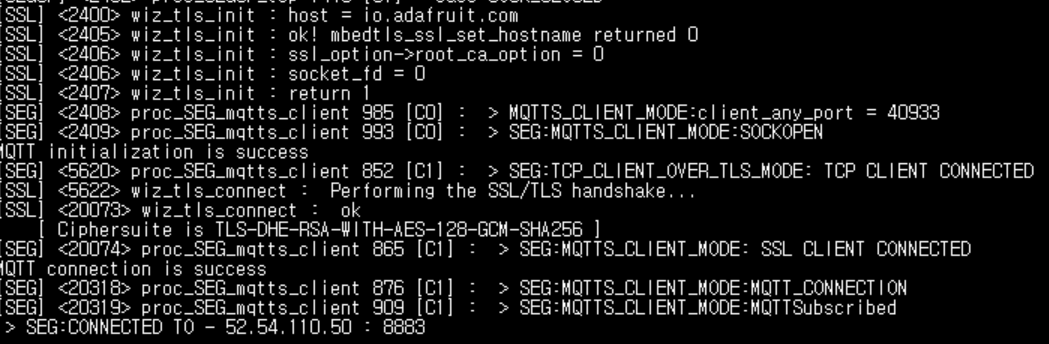
- Sending Data and Checking It on the Dashboard
The Data UART uses GPIO 4 (TX) and GPIO 5 (RX).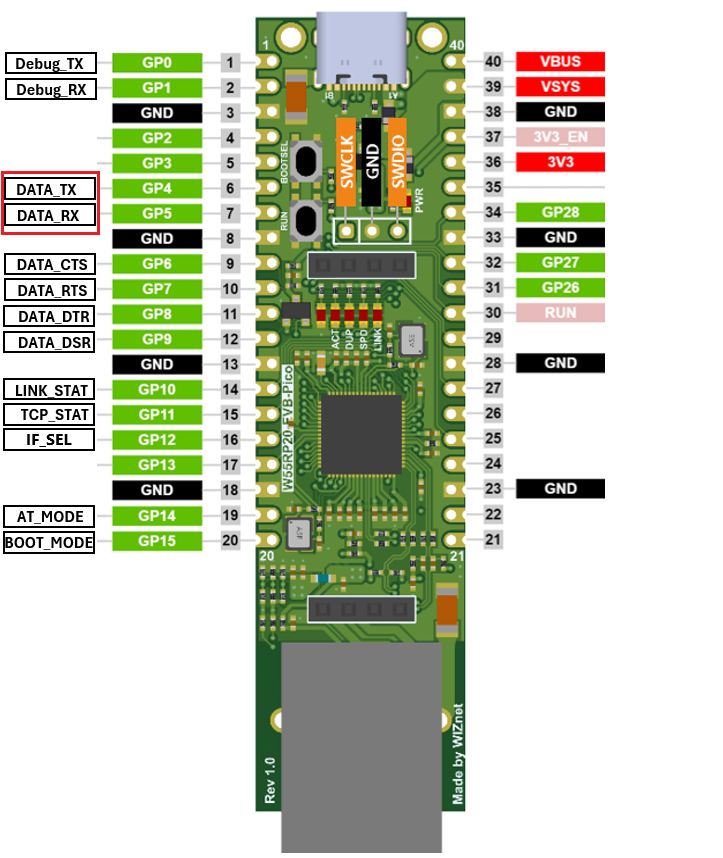
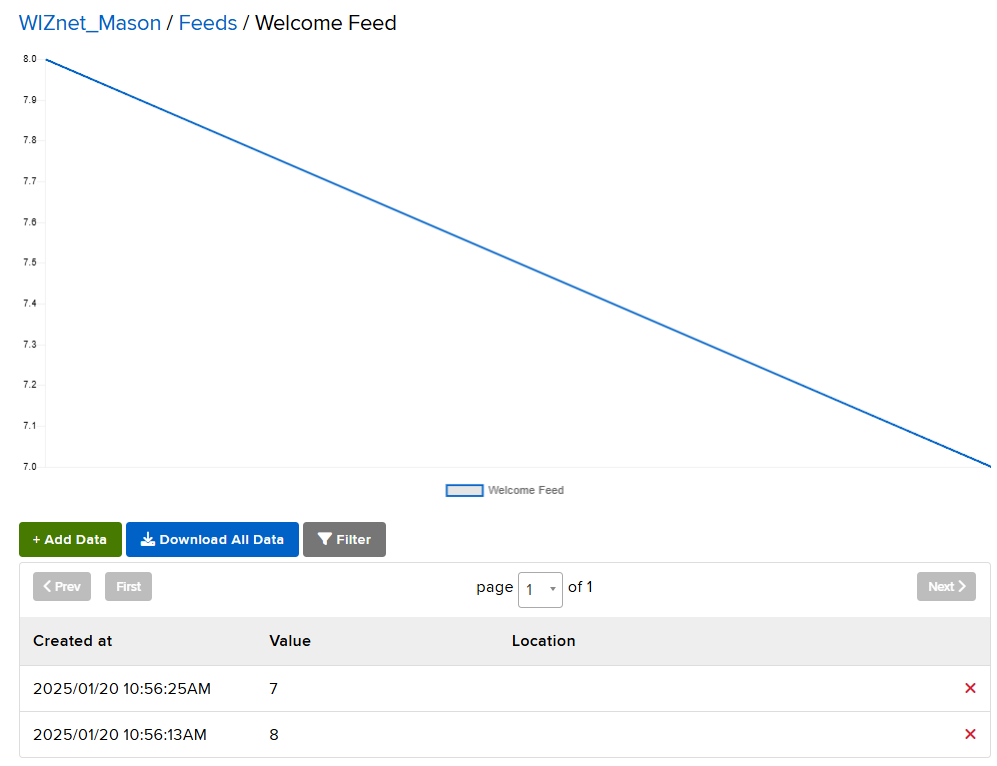
You can check the sent data in Adafruit IO's Feeds.