How to Achieve 80+ Mbps Ethernet with W6300 on RP2350?
Achieve 80+ Mbps Ethernet on RP2350 using WIZnet W6300 via QSPI with hardware TCP/IP offload for low MCU overhead.
0
Components
Hardware components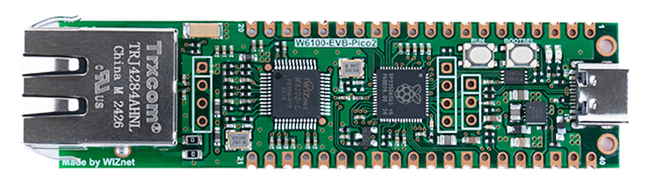
WIZnet - W6100-EVB-Pico2
x 1

Project description
Step 1: Understanding the Hardware
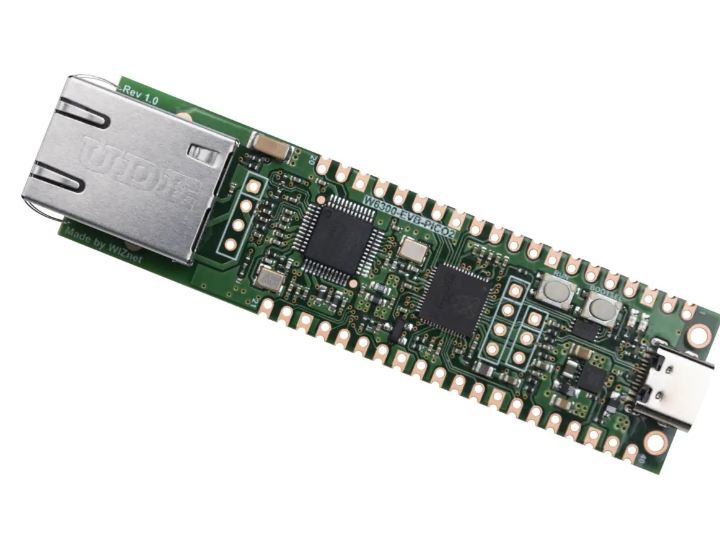
The W6300-EVB-Pico2 combines Raspberry Pi RP2350 with the WIZnet W6300 Ethernet controller to deliver wired Ethernet speeds exceeding 80 Mbps.
The W6300 integrates a 10/100 Mbps Ethernet PHY and a full hardware TCP/IP Offload Engine (TOE), reducing firmware complexity and MCU load.
Key hardware characteristics include:
- QSPI interface optimized for high-throughput Ethernet transfers
- 64 KB internal SRAM allocated across 8 independent hardware sockets
- Dual-stack IPv4/IPv6 support with deterministic timing
- Operating temperature range of -20°C to +85°C for industrial deployments
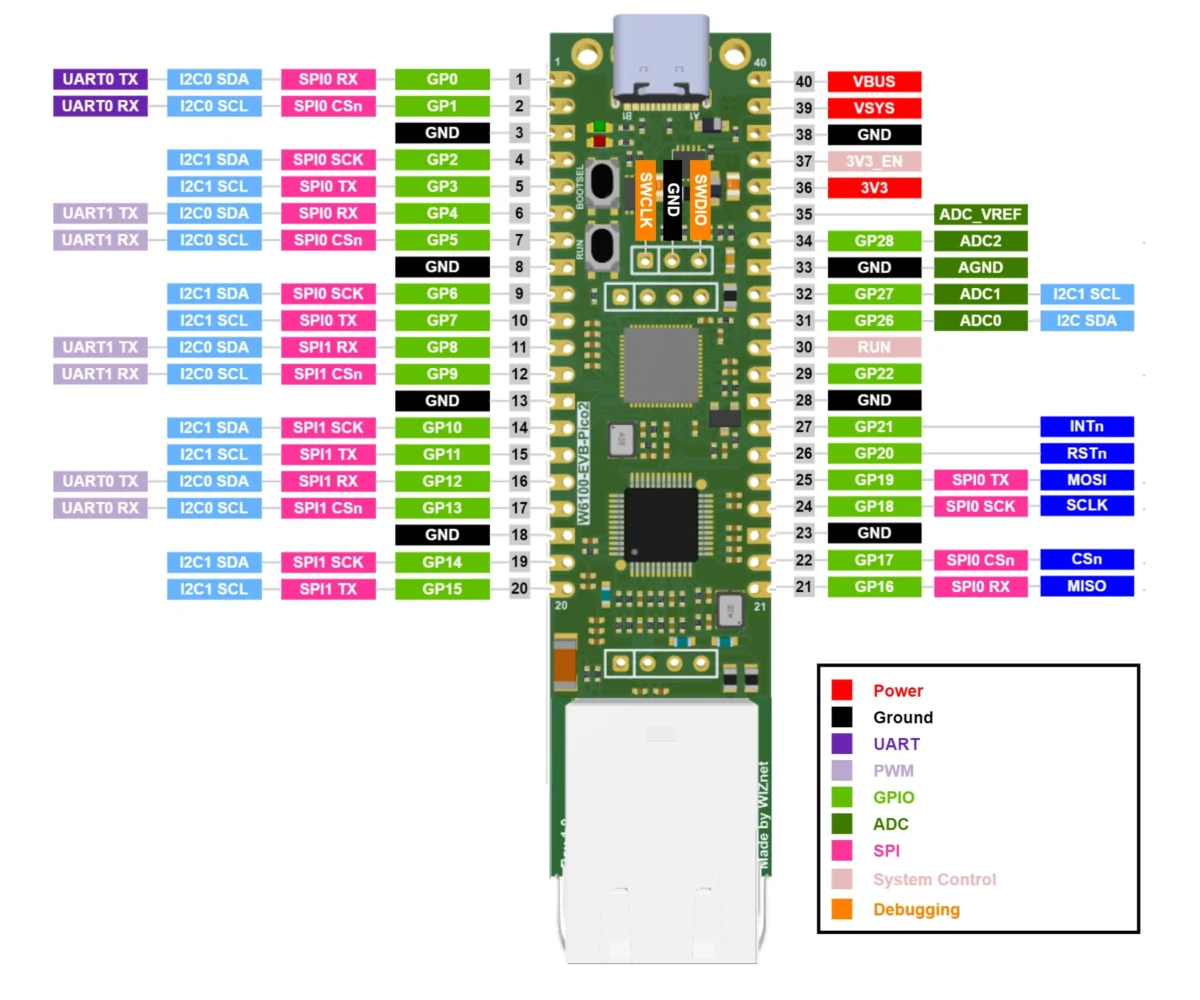
The RP2350 provides ample I/O, PIO blocks, and real-time performance, making it suitable for Ethernet-heavy embedded systems without relying on a software TCP/IP stack.
Step 2: Software and Firmware Integration
At the time of writing, official sample code for the W6300-EVB-Pico2 is not yet released. Integration is expected to follow WIZnet’s standard ioLibrary architecture used across W5x00 and W6x00 series devices.
// Conceptual integration example based on WIZnet ioLibrary (not project-specific) uint8_t tx_size[8] = {8,8,8,8,8,8,8,8};
uint8_t rx_size[8] = {8,8,8,8,8,8,8,8};

wizchip_init(tx_size, rx_size);
In a production firmware:
- QSPI clock rates typically exceed 80 MHz for sustained throughput
- Socket buffers are statically allocated to guarantee real-time behavior
- The MCU interacts with the W6300 using register-level commands, while TCP, UDP, ICMP, and IPv6 processing remains fully offloaded
This approach eliminates the need for lwIP or similar software stacks, saving tens of kilobytes of RAM and reducing latency jitter.
FAQ
Q1: Why use WIZnet W6300 instead of a software TCP/IP stack?
A: W6300 provides a hardware TCP/IP Offload Engine as its primary advantage. All TCP, UDP, ICMP, and IPv6 processing runs inside the Ethernet chip, not on the MCU. This reduces firmware complexity, saves over 30 KB of RAM compared to lwIP-based systems, and ensures deterministic timing, which is critical for industrial and real-time Ethernet applications.
Q2: How is W6300 connected to the RP2350 platform?
A: W6300 connects to RP2350 via a high-speed QSPI interface. QSPI enables parallel data transfers at clock rates typically above 80 MHz, allowing Ethernet throughput beyond 80 Mbps. This interface is significantly faster than classic SPI and is essential for achieving near–Fast Ethernet performance on microcontroller-based systems.
Q3: What performance benefits does W6300 provide?
A: W6300 enables sustained Ethernet data rates exceeding 80 Mbps while maintaining low MCU utilization. Hardware socket management, zero-copy buffer handling, and dedicated SRAM ensure low latency and stable throughput. Compared to SPI-based Ethernet controllers, QSPI significantly increases bandwidth without increasing CPU clock frequency or power consumption.
Q4: What security and stability advantages does W6300 offer?
A: W6300 improves stability by isolating network processing from the MCU application code. Hardware-based protocol handling eliminates timing jitter and stack corruption risks. Support for IPv6, hardware IP filtering, secure boot, and compatibility with TrustZone-enabled MCUs enhances resilience against malformed packets and network-based attacks.
Q5: How does W6300 compare to Wi-Fi or MCU-integrated Ethernet MACs?
A: Compared to Wi-Fi, W6300 delivers deterministic latency, higher reliability, and lower power per transmitted bit. Compared to MCU-integrated MACs with software stacks, W6300 eliminates the need for external PHY drivers and TCP/IP stacks, reducing development time, RAM usage, and real-time scheduling complexity.

