WizFiBuddy - WizFi360 Based Work Assistance
WizFiBuddy is a tiny office assistance hardware that utilizes WizFi360.
2
Components
Hardware components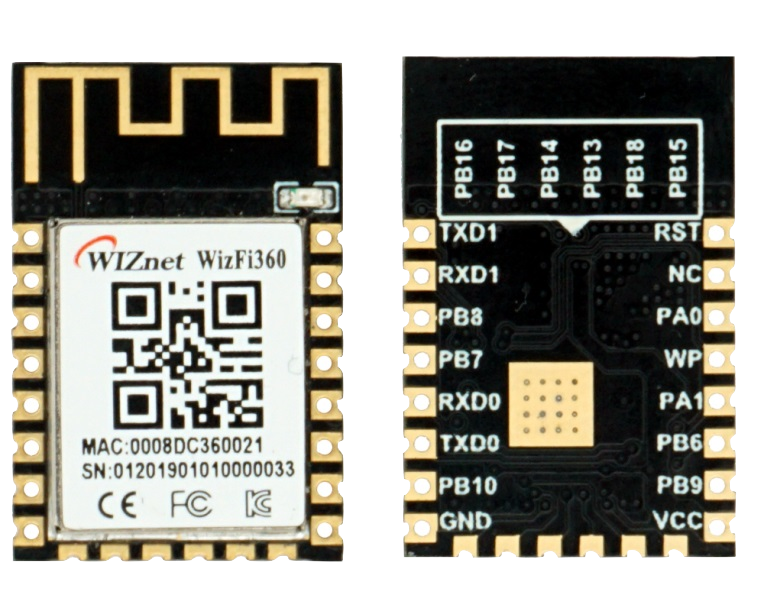
WIZnet - WizFi360
x 1


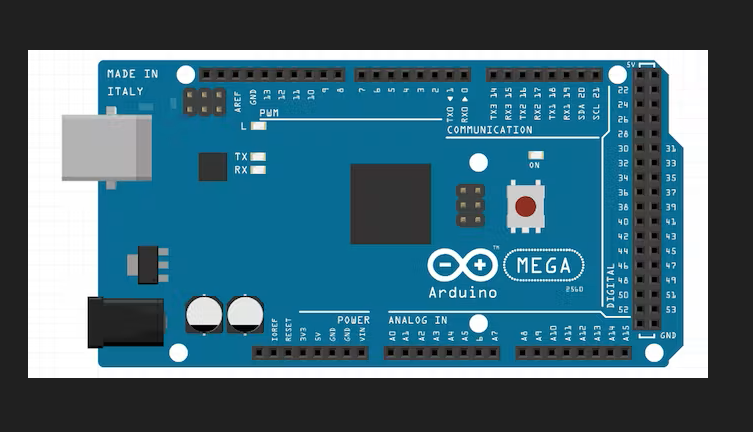
Arduino - Arduino Mega 2560
x 1

Arduino - Arduino IDE
x 1
Project description
Introducing WizFiBuddy
WizFiBuddy is a tiny office assistance hardware which utilizes WizFi360.This utilizes WizFi360 Wi-Fi module from Wiznet.The WizFi360 wi-fi module is a cost-effective WiFi module that supports both TCP/IP and microcontrollers.
Yes, you have a Wi-Fi module and possibilities are endless.
Currently it has following features
A Real time clock display with Wiznet's WizFi360 using SNTP(Simple Network Time Protocol) Server
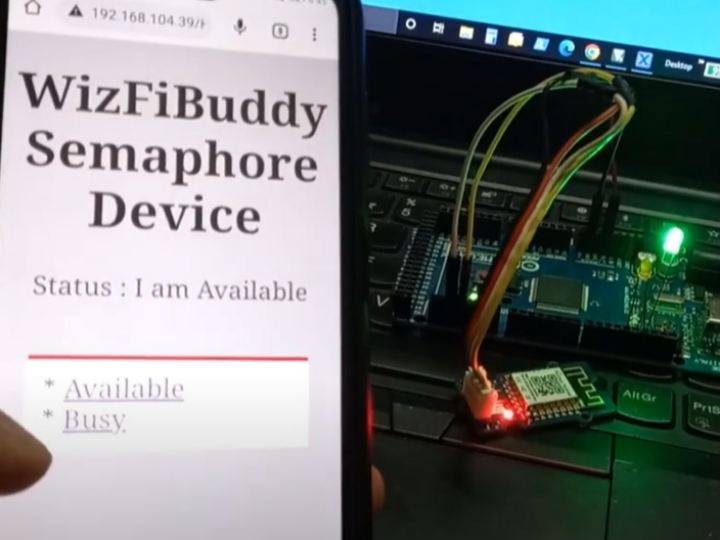
Semaphore Device - Lets add a small semaphore on your work desk. You can use it to tell whatever you want to people around it. For Example, because you need some concentration and you'd like your colleagues not to disturb you or to tell the status of the work you are managing, or say which mood are you today. The possibilities are endless.
Components used :
Arduino Mega
Grove_WizFi360 (I have designed a custom PCB which is compatible with Grove System ) - It's an Arduino compatible board. It has a white Grove connector, and make it convenient for using Grove products with the board.
(0.96 Inch) I2C/IIC 128x64 OLED Display Module
Grove - 4 pin Male Jumper to Grove 4 pin Conversion Cable
Male to Female Jumper Cable
We will be using Arduino Mega for this project
Grove_WizFi360 - Parts Overview:
About WizFi360
The WizFi360 wi-fi module is a cost-effective WiFi module that supports both TCP/IP and microcontrollers.
Connectivity is provided via 2.4Ghz wireless connection, WizFi360 is compatible with IEEE802.11 b/g/n standards and supports SoftAP, Station and SoftAP+Station modes.
WizFi360 provides time-to-market savings as a self-contained internet-enabling solution.

Features :
WizFi360 is perfect for mobiles wireless applications such as remote monitoring and sensor applications. Ease of integration and programming can vastly reduce development time and minimize system cost. The module has been designed to provide designers with a simple Wi-Fi solution that has following key features:
WiFi 2.4G, 802.11 b/g/n
Support Station / SoftAP / SoftAP+Station operation modes
Support “Data pass-through” and “AT command data transfer” mode
Support serial AT command configuration
Support TCP Server / TCP Client / UDP operating mode
Support configuration of operating channel 0 ~ 13
Support auto 20MHz / 40MHz bandwidth
Support WPA_PSK / WPA2_PSK encryption
Serial port baud rate up from 600bps to 2Mbps with 16 common values
Support up to 5 TCP / UDP links
Obtaining IP address automatically from the DHCP server (Station mode)
DHCP service for Wireless LAN clients (AP mode)
Support DNS for communication with servers by domain name
Support “Keep-Alive” to monitor TCP connection
Support “Ping” for monitoring network status
Built-in SNTP client for receiving the network time
Support built-in unique MAC address and user configurable
Support firmware upgrade by UART Download / OTA (via WLAN)
Industrial grade (operating temperature range: -40 ° C ~ 85 ° C)
KC, CE, FCC certification
Pinouts and vector images can be downloaded from my GitHub repo : https://github.com/tinkererway/pinouts_tw/tree/main/WizNet/WizFi360
Grove_WizFi360 (I have designed a custom PCB which is compatible with Grove System ) - It's an Arduino compatible board. It has a white Grove connector, and make it convenient for using Grove products with the board.
This version of Grove_WizFi360 is not compatible with 3.3 v microcontrollers, because no connectors are provided for it.
The Grove_WizFi360 was featured on seeedstudio social media platforms
Link
(0.96 Inch) I2C/IIC 128x64 OLED Display Module(based on SSD1306):
Library Dependencies:
Adafruit SSD1306 by Adafruit
How to install WizFi360 Arduino Library : https://github.com/amalmathewtech/Grove_WizFi360/tree/main/WizFi360_%20_Arduino%20_Library#readme
Connect Arduino Mega to your PC with USB Cable
Select Mega Board and Port accordingly
Web Server Controlled Semaphore Device
A semaphore at your office Desk !
Free to talk, "bit stressed", working on something important? Tell your Colleagues with the web server controlled semaphore. It's very simple to use. Open a browser and type the wizfi360's IP address. Your webserver will have option to inform "you are busy " or "you are available"
Libraries Required : WizFi360_arduino_library(https://github.com/Wiznet/WizFi360_arduino_library)
Demo Video:

