Twitter bot using RPi Pico, Ethernet HAT and IFTTT
This project aims to guide how to createTwitter bot using RPi Pico, Ethernet HAT and IFTTT that will post automatically.
4
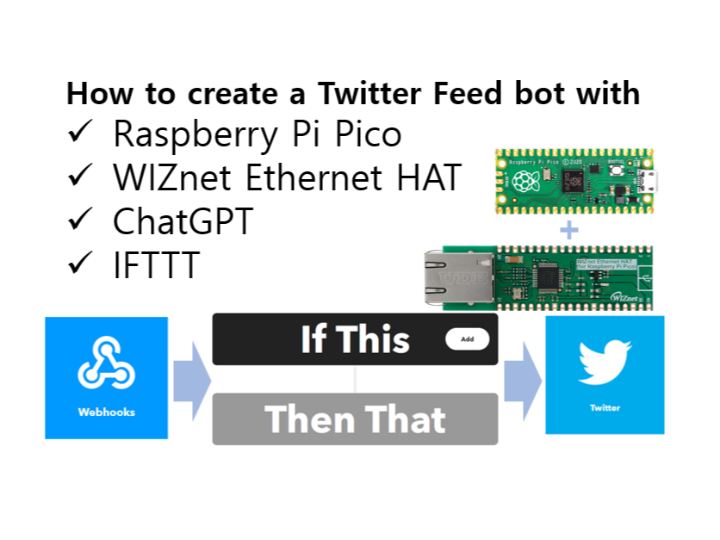
Components
Hardware components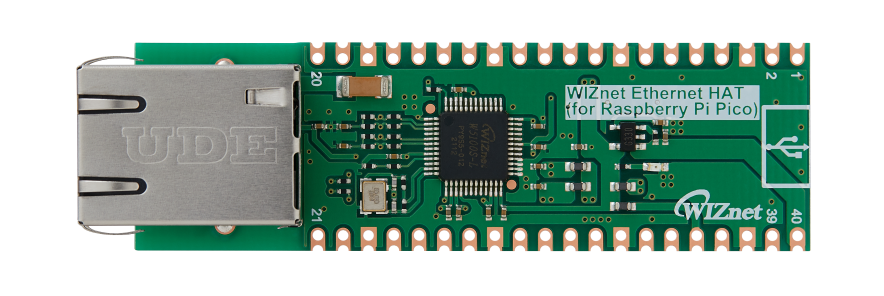
WIZnet - WIZnet Ethernet HAT
x 1

Raspberry Pi - Raspberry Pi Pico
x 1

ifttt - Twitter service
x 1

thonny.org - Thonny
x 1
Project description
Introduction
In my previous project I connected Twitter with Raspberry Pi Pico with help of WIZnet Ethernet HAT.
I decided to use this combination to add a little automation to my work routine.
Idea
If you didn't know, WIZnet employees are uploading unique content on monthly basis. The posts and projects can be found here:
http://maker.wiznet.io/uccs?cateCd=7&serMcu=&serConn=&serTerm=&serOb=4
https://github.com/wiznetmaker
With the goal to spread information about this content on Twitter, following is what I did:
- Prepared a csv file that has only two columns and contains project link and image link
- Prepared another IFTTT applet that will post text and image to Twitter
- The Pico will do following:
- Read project link and image link from the csv file
- Send project link to ChatGPT and receive AI-generated project description
- Send response from step 2) and image link to IFTTT
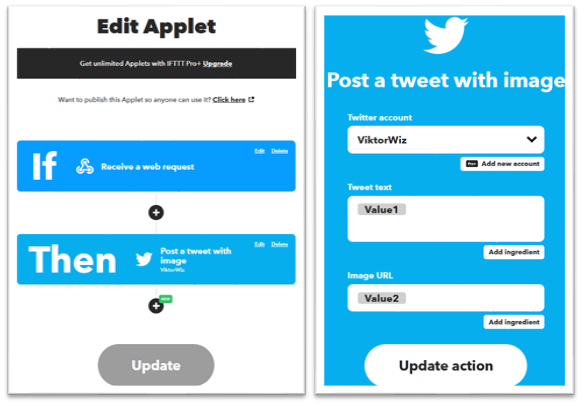
IFTTT Setup
You may find full guide in previous project, long story short, I created a simple applet that will post to Twitter text and image that received via webhook.
The Code
(a) Import modules and libraries
from usocket import socket
from machine import Pin,SPI
import network
import time
import urequests
import ujson
from time import sleep
import array
import binascii
(b) Function to initialize Ethernet connection. I am using static IP, do not forget to update according to your preferences!
def w5x00_init():
    spi=SPI(0,2_000_000, mosi=Pin(19),miso=Pin(16),sck=Pin(18))
    nic = network.WIZNET5K(spi,Pin(17),Pin(20)) #spi,cs,reset pin
    nic.active(True)
    nic.ifconfig(('192.168.11.30','255.255.255.0','192.168.11.1','8.8.8.8'))
    while not nic.isconnected():
        time.sleep(1)
        print(nic.regs())
    print(nic.ifconfig())
(c) Function to make request to OpenAI API. This function receives project URL as argument and sends request to ChatGPT to generate project description. My prompt might not be the best, I am still trying to improve it. Make sure to use your API key.
Disclaimer: I know that my length checking code is ugly, any tips or recommendations will be highly appreciated
def chatgpt_request(project_url):
    url = "https://api.openai.com/v1/chat/completions"
    open_ai_question = "Create a twitter post about following project:"
    instructions = "Tweet should contain given link. Do not use emojis. When appropriate use @Raspberry_Pi, @WiznetTeam, @TheMagPi tags."
    character_limit = "Max 280 characters"
    api_key = ""YOUR_OPEN_API_KEY_HERE""

    payload = ujson.dumps({
      "model": "gpt-3.5-turbo",
      "messages": [
        {
          "role": "system", "content": "You are SNS Marketing Manager"},
        {
          "role": "user",
          "content": open_ai_question + project_url + instructions + character_limit
        },
      ],
      "temperature": 1,
      "top_p": 1,
      "n": 1,
      "stream": False,
      "max_tokens": 230,
      "presence_penalty": 0,
      "frequency_penalty": 0
    })

    headers = {
      'Content-Type': 'application/json',
      'Authorization': 'Bearer ' + api_key
    }

    len_con = False
    while not (len_con == True):
        # Post Data
        response = urequests.post(url, headers=headers, data=payload)
        response_data = response.json()
        # Access JSON object
        open_ai_message = response_data["choices"][0]["message"]["content"]
        # Close the connection
        response.close()
        # print(len(open_ai_message))
        if (len(open_ai_message) <= 280):
           len_con = True
        else:
           print("ChatGPT response too long (", len(open_ai_message),"). Resending. Please wait!")

    return open_ai_message
(d) Function that posts to Twitter. It receives text and image URL as arguments.
def twitter_request(tweet_text, image_url):

    twitter_url = "https://maker.ifttt.com/trigger/post-imagetweet/with/key/YOUR_IFTTT_KEY_HERE"

    t_payload = ujson.dumps({
        "Value1": tweet_text,
        "Value2": image_url
    })

    data_test = {"value1":tweet_text,"value2":image_url}

    print(data_test)
    t_headers = {
      'Content-Type': 'application/json',
    }

    urequests.post(twitter_url, json=data_test)
    print("message sent")
(e) Main function that reads from csv file and calls each function
def main():
    w5x00_init()

    Data = []
    delim=','
    no_lines = 0
    with open('test.csv','r') as file:
        for line in file:
            Data.append(line.rstrip('\n').rstrip('\r').split(delim))
            no_lines+=1

    print(no_lines)

    for i in range(1,no_lines):
        print(Data[i][0])
        ai_message = chatgpt_request(Data[i][0])
        print(ai_message)
        twitter_request(ai_message, Data[i][1])
Do not forget about IFTTT limit.
For test purpose my csv file contained only one project, thus the code doesn't have any sleep interval.
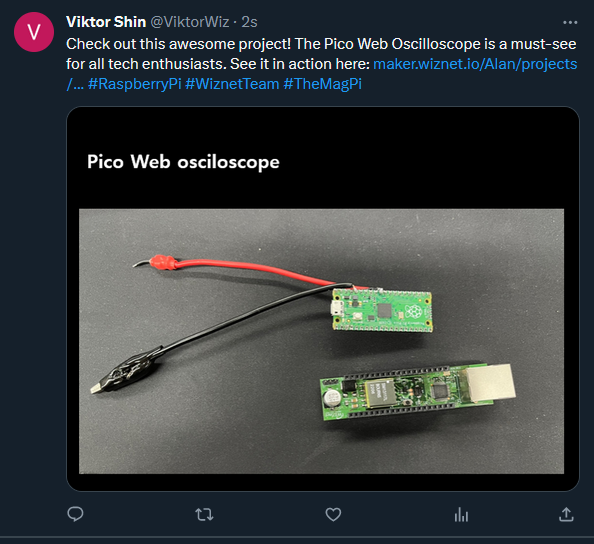
The result
After running the code in ThonnyIDE I could see the tweet on my account
Takeaways from the project:
- Somehow emojis are not being posted properly. Probably some decoding is needed, if you can enlighten me on this, please add comment
- Originally I thought that CSV file is enough, but then I realized that Pico will keep tweeting about same projects once it reboots. One option could be to remove the lines from file, another option is to add some way to check if the project was already posted.
- Need to have IFTTT Pro to be able to post to Twitter. Thinking to test Twitter API now.
That's it. Thanks for reading and let me know if there are any questions!


