From API to Practice: Full Analysis of Raspberry Pi Pico Low‑Power Software Control Usage and Caveat
Comprehensive explanation of MicroPython low‑power API, practical usage and common pitfalls for Raspberry Pi Pico RP2040.
0
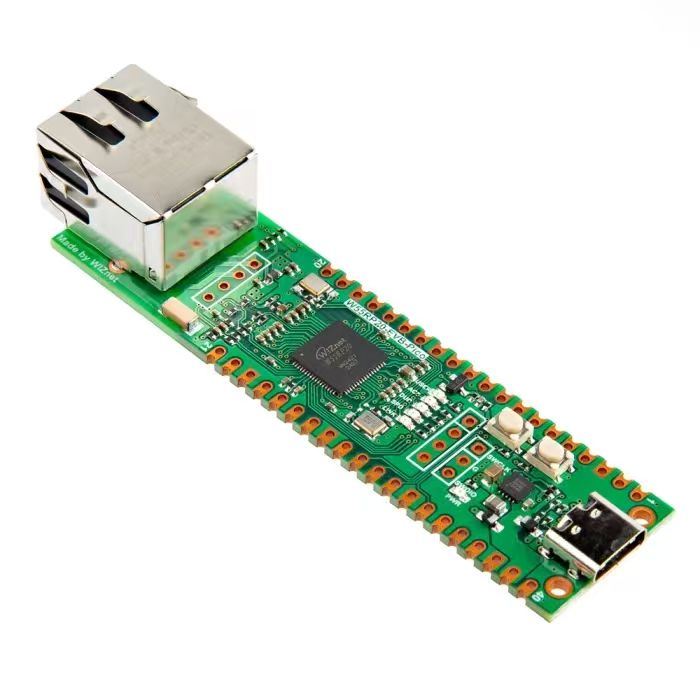
Project description
- Low‑power mode configuration methods in machine module
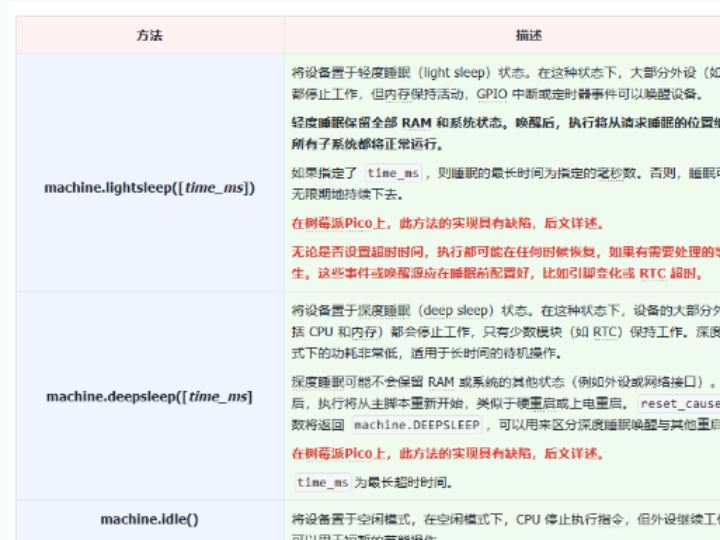
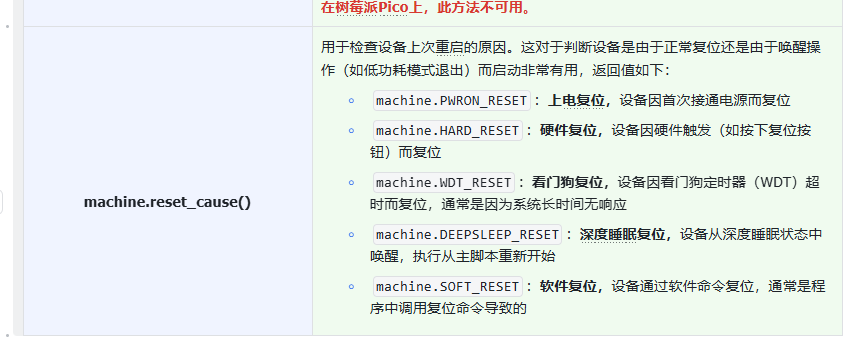
The MicroPython machine module provides multiple methods for low‑power modes and wake‑up mechanisms as shown in the tables below:
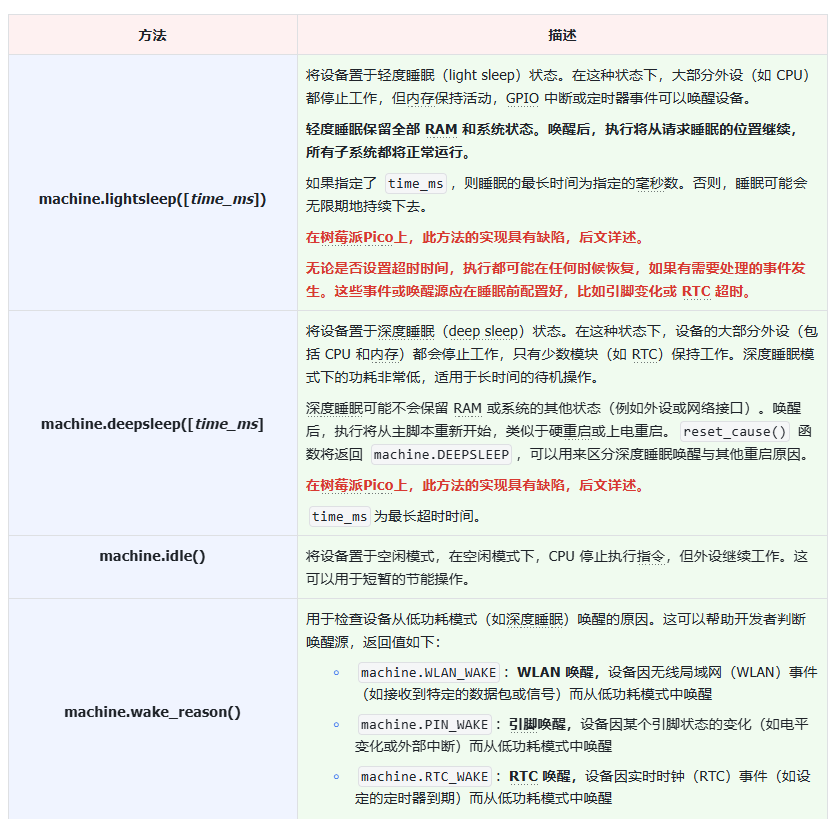
Some platforms provide RTC (Real‑Time Clock) for scheduled wake‑up. For example, in deep‑sleep mode you can configure the RTC timer to wake the device after a specified duration. Method documentation is available here:https://docs.micropython.org/en/latest/library/machine.RTC.html
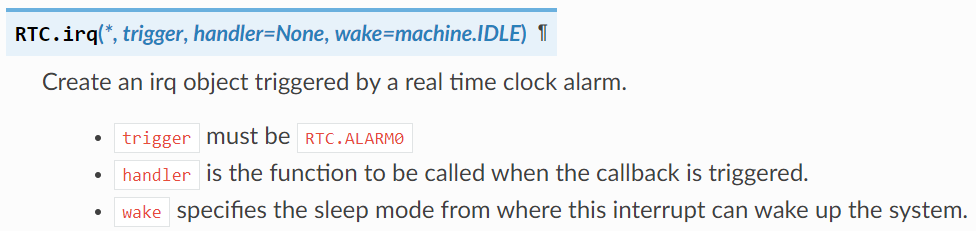
Open the terminal and run command dir(machine). The output is shown below:

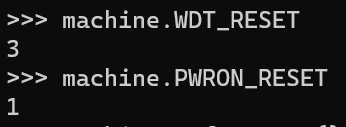
On Raspberry Pi Pico, machine.wake_reason() is not available. For machine.reset_cause(), only return values WDT_RESET and PWRON_RESET are supported.
- Known issues when entering low‑power modes with MicroPython on Raspberry Pi Pico
Note that the implementations of machine.deepsleep([time_ms]) and machine.lightsleep([time_ms]) have defects in MicroPython v1.23.0. Correct wake‑up cannot be guaranteed, and sleep duration is limited to less than 127 seconds. Refer to the links below for details:
https://github.com/ghubcoder/PicoSleepDemo/issues/2
https://github.com/orgs/micropython/discussions/9969
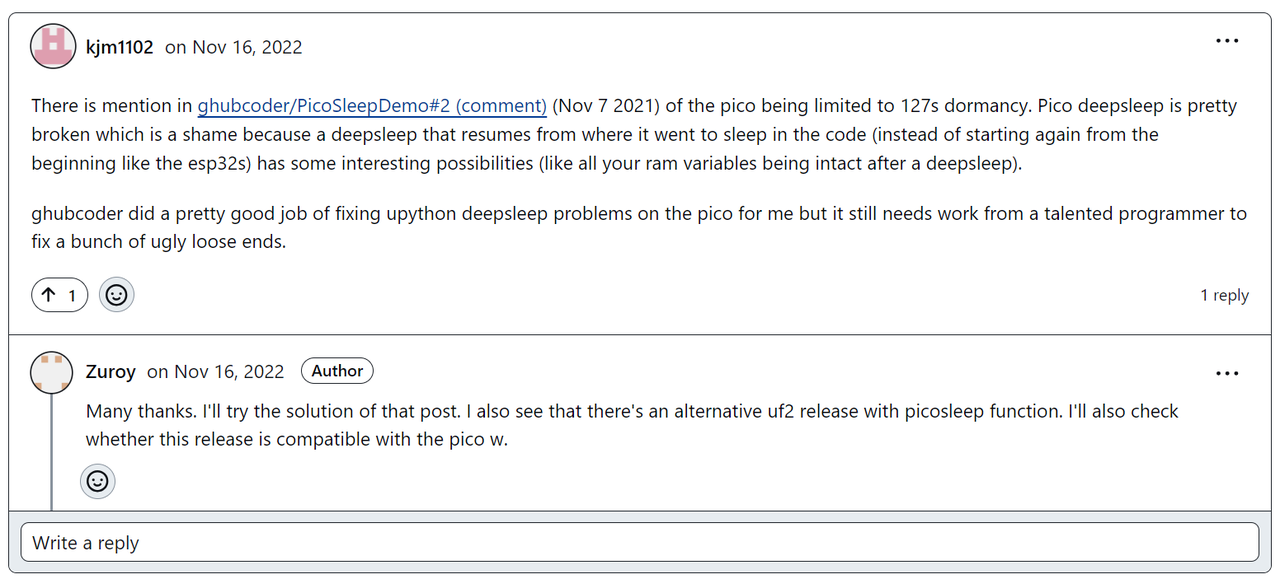
In short, after deep‑sleep / dormant mode, the UART peripheral on Pico may show unexpected behaviour, such as restrictions on transmitted or received characters. REPL reconnection may fail, and communication with the host computer breaks after sleep‑and‑reinitialization.
Possible workarounds are documented at:https://ghubcoder.github.io/posts/deep-sleeping-the-pico-micropython/]
The general solution is to compile a custom MicroPython firmware integrating the Pico SDK and pico‑extras libraries, and use custom modules for deep‑sleep and wake‑up to avoid above‑mentioned bugs.
For beginners, low‑power scenarios are not very common. Most power consumption of the system comes from external sensors and driver circuits. Therefore it is recommended to use machine.idle() whenever low‑power behaviour is required.
Another important limitation: on Raspberry Pi Pico, timers under MicroPython run as software timers and cannot wake‑up the CPU. This means software timers cannot generate hardware interrupts to bring the chip out of low‑power modes. In addition, the on‑chip RTC peripheral of RP2040 has no interrupt capability and cannot wake‑up the CPU.

When Raspberry Pi Pico enters low‑power modes, only external interrupts can wake the system.

