SoundConvert: Building a Bidirectional USB Audio-over-Ethernet Bridge with W5500-EVB-Pico2
Streaming USB PCM audio over a LAN using W5500 hardwired TCP/IP — not converting or transferring audio files
0
Components
Hardware components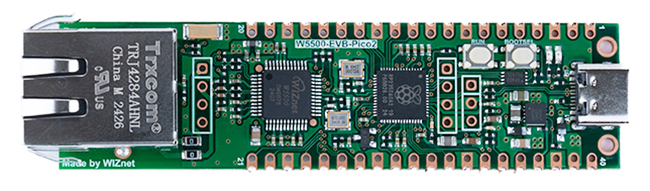
WIZnet - W5500-EVB-Pico2
x 1

Raspberry Pi Pico SDK
x 1
Project description
1. Project Overview
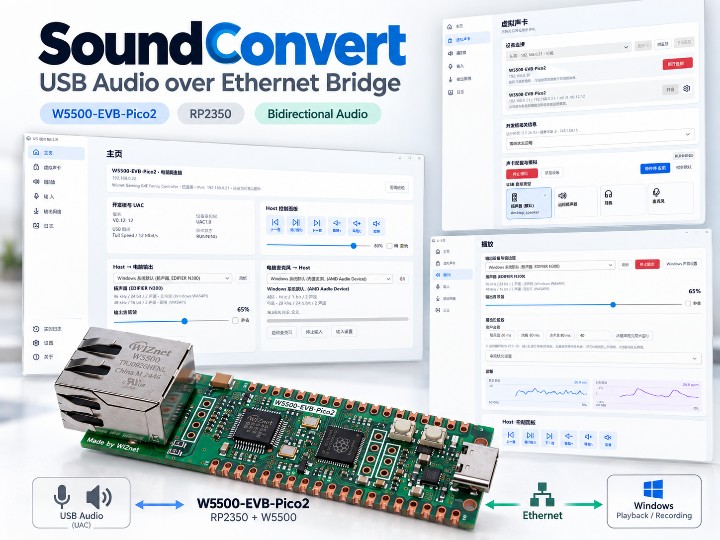
SoundConvert turns a W5500-EVB-Pico2 into a USB Audio Class 1.0 (UAC1) sound card. A compatible USB host sends its audio to the board, which forwards it over wired Ethernet to a Windows PC for playback through the selected speakers or headphones. Audio can also travel in the opposite direction: the Windows microphone is streamed back to the USB host as a virtual microphone input.
This is an audio streaming bridge, not a file converter. The board does not receive MP3 or WAV files to decode. Instead, it receives the continuous PCM audio stream produced by the host's audio system and transports the samples over the LAN.
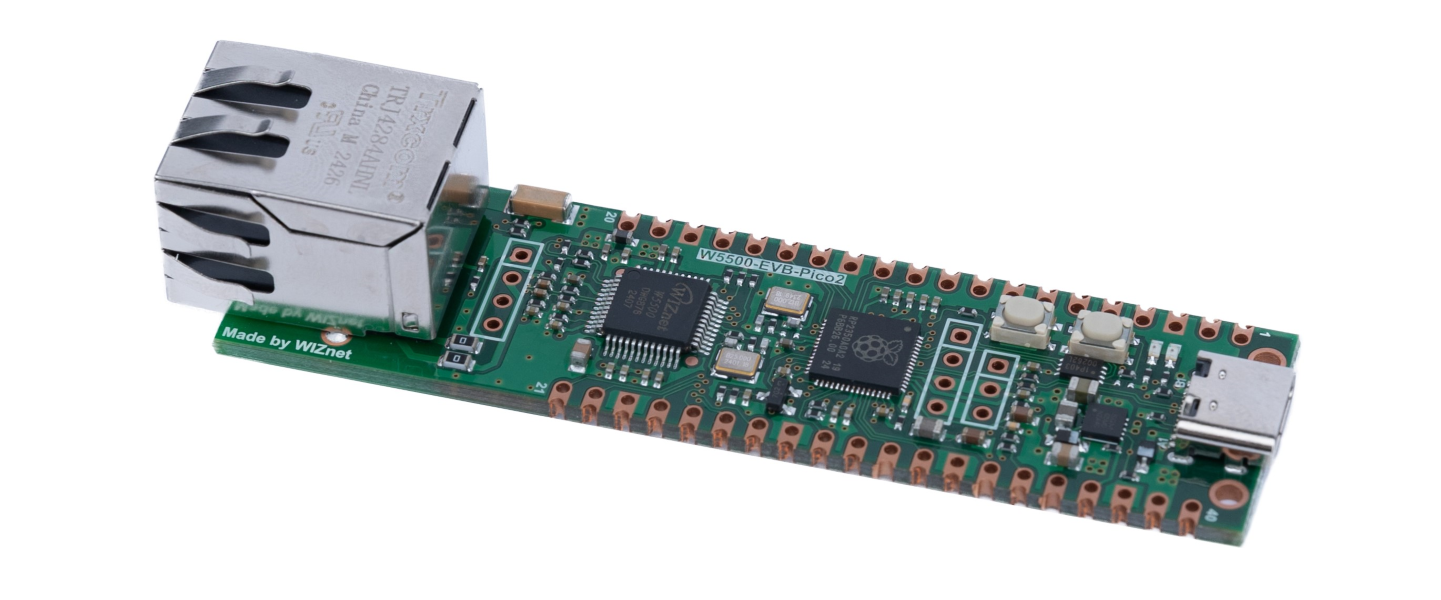
Hardware: W5500-EVB-Pico2 combines the RP2350 MCU and W5500 hardware TCP/IP controller.
2. What Does USB Actually Carry: Files or Streaming Audio?
Consider a USB host playing a music file or game audio. Its operating system or player decodes the content into PCM samples before the USB transmission.
USB host (PC / compatible phone / gaming device)
  MP3 / WAV / FLAC file, or live game and application sound
    ↓ Decoded by the host audio system
  PCM samples
    ↓ USB Audio Class 1.0: continuous audio streaming, not file transfer
W5500-EVB-Pico2 / RP2350
  Core 0: TinyUSB receives PCM → bounded audio queue
  Core 1: packetization / optional ADPCM / optional FEC
    ↓ SPI
  W5500 hardware UDP/IP sockets
    ↓ Wired Ethernet / LAN
Windows SoundConvert Audio Engine
  UDP reception → jitter buffer → optional decoding / resampling
    ↓ WASAPI
  Windows speaker or headphones
The USB link does not carry a music file, its filename, album artwork, or track metadata. It carries PCM samples continuously. For example, 48 kHz / 16-bit stereo PCM produces 192 bytes per millisecond, or 1.536 Mbit/s of audio payload before packet and network overhead.
The reverse audio path is Windows microphone → Windows Engine → UDP/Ethernet → W5500/RP2350 → USB UAC1 microphone endpoint → USB host. Microphone streaming is enabled manually and has its own UDP session and queue, separate from playback.
One distinct operation does involve USB file transfer: firmware installation. The Windows flashing utility copies a .uf2 firmware image to the RP2350 BOOTSEL drive. That is not part of the audio transport path.
3. Is W5500 Hardware TCP/IP / TOE Actually Used?
Yes. The board firmware uses WIZnet ioLibrary and the W5500's hardware TCP/UDP sockets. Control and audio traffic have different roles:
| Path | Protocol | Purpose |
|---|---|---|
| Device management | TCP, fixed port 49161 | Configuration, control connection, and status |
| Discovery / recovery | UDP, fixed port 49160 | Broadcast discovery and IP recovery |
| USB host → Windows | UDP, negotiated audio ports | Forward PCM or optionally ADPCM audio |
| Windows → USB host | UDP, separate session and port | Send microphone audio in the reverse direction |
The TCP control connection is processed by the W5500 hardwired TCP/IP engine, while the audio streams use the W5500's hardware UDP/IP sockets. Audio is not transported over TCP. The RP2350 handles USB, queues and audio encoding; the W5500 handles Ethernet and the TCP/UDP networking functions. This differs from treating a W5500 solely as an Ethernet interface behind an MCU's lwIP stack.
4. Main Software Features
4.1 Virtual USB Sound Card and Device Configuration
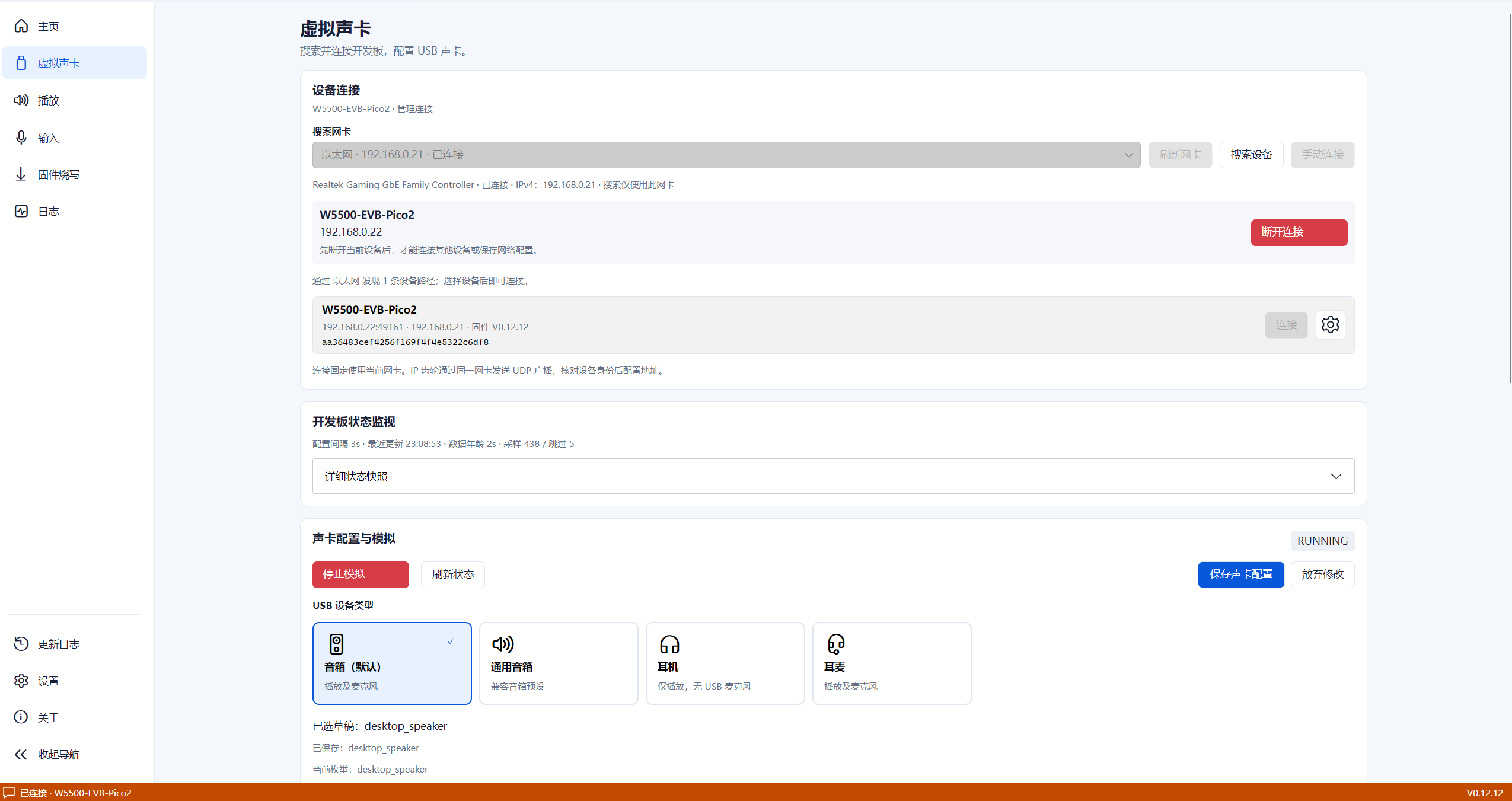
The USB host recognizes the board as a UAC1-compatible audio device. The Windows client discovers devices, manages DHCP or static IPv4, configures USB device types and supported audio formats, and monitors board state. The USB source host and the Windows playback PC can be different machines; compatibility still depends on the particular USB host.
4.2 Bidirectional Audio and HID Media Controls
- Playback: USB host stereo PCM arrives at the Windows application over UDP; optional IMA ADPCM encoding is available.
- Reverse microphone: a selected Windows recording device is forwarded as a mono USB microphone stream through a separate UDP path.
- USB HID: play/pause, previous/next track, volume and mute commands, subject to host/player compatibility.
- Output processing: Windows device selection, gain, balance, EQ and limiter settings.
4.3 Buffers, Drift Monitoring and Packet-Loss Recovery
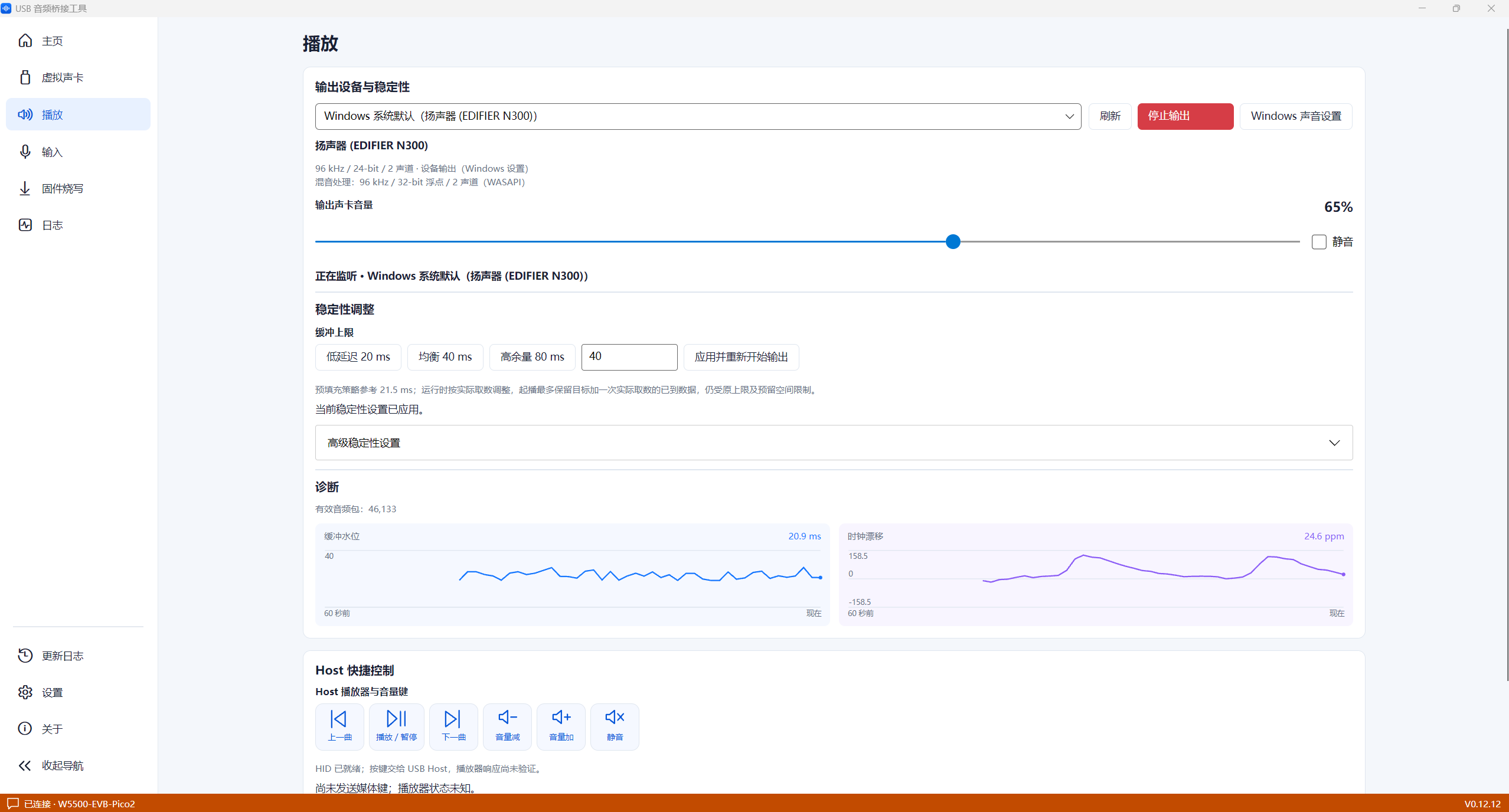
The Windows engine provides playback buffering, resampling and clock-drift diagnostics. It includes 20/40/80 ms buffer presets and advanced adjustments. These are buffer settings, not verified end-to-end audio latency measurements.
PCM is the default transport format. Optional IMA ADPCM provides lossy compression. An optional XOR4 FEC scheme adds one parity packet for every four audio packets in the playback direction, allowing recovery of a single lost packet within that group under the appropriate conditions; it is not a guarantee against all network loss.
4.4 RP2350 Dual-Core Separation and Windows Audio Engine
RP2350 Core 0 operates TinyUSB and UAC1 processing; Core 1 handles the W5500 network tasks. Bounded queues pass audio data between the two cores. The PC software also separates the Avalonia user interface from a dedicated Windows Audio Engine using WASAPI, networking, buffering and control routines.
4.5 USB Firmware Update and Board Power Snapshot
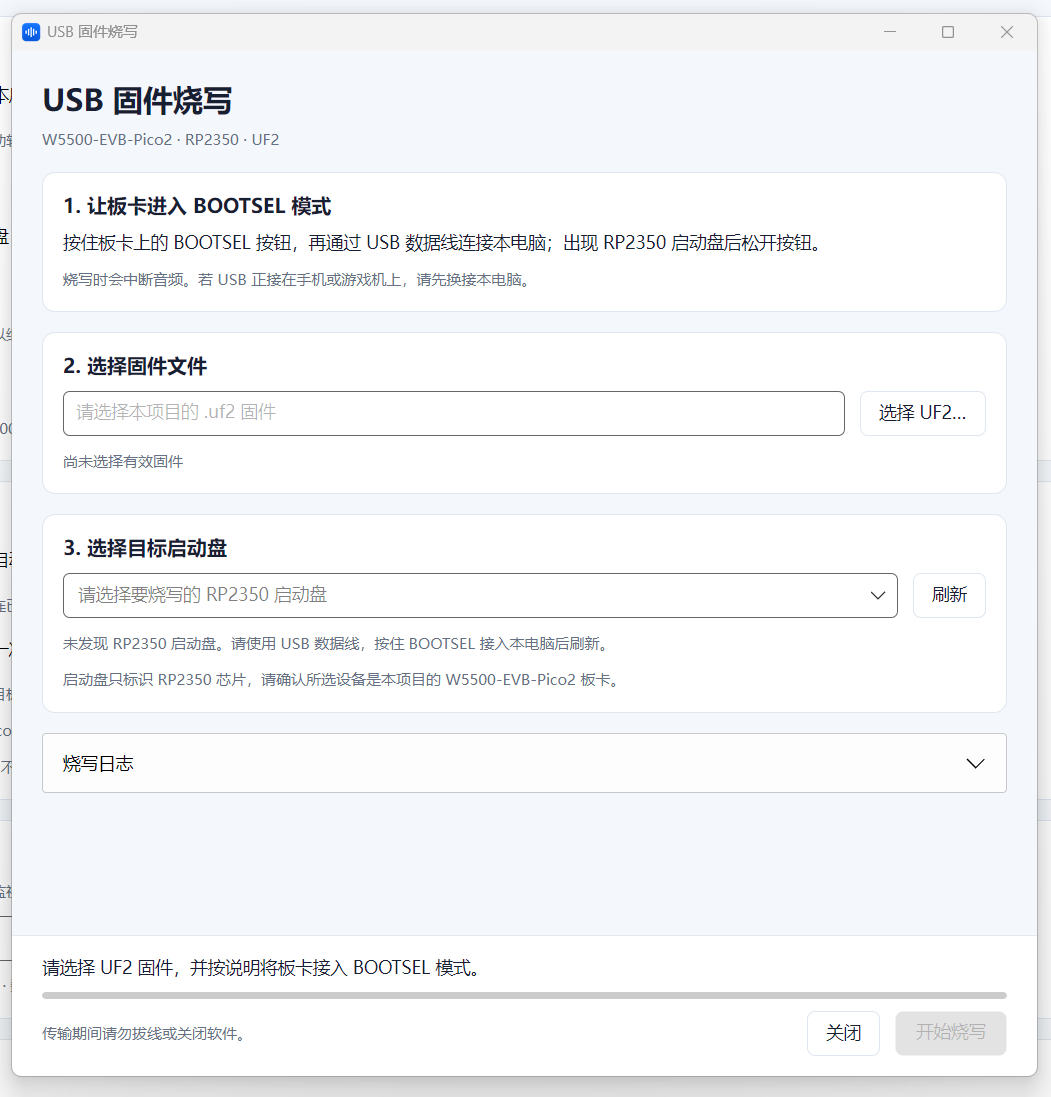
A separate Windows utility copies a UF2 firmware image to the RP2350's BOOTSEL USB drive. This is not an Ethernet OTA update feature.
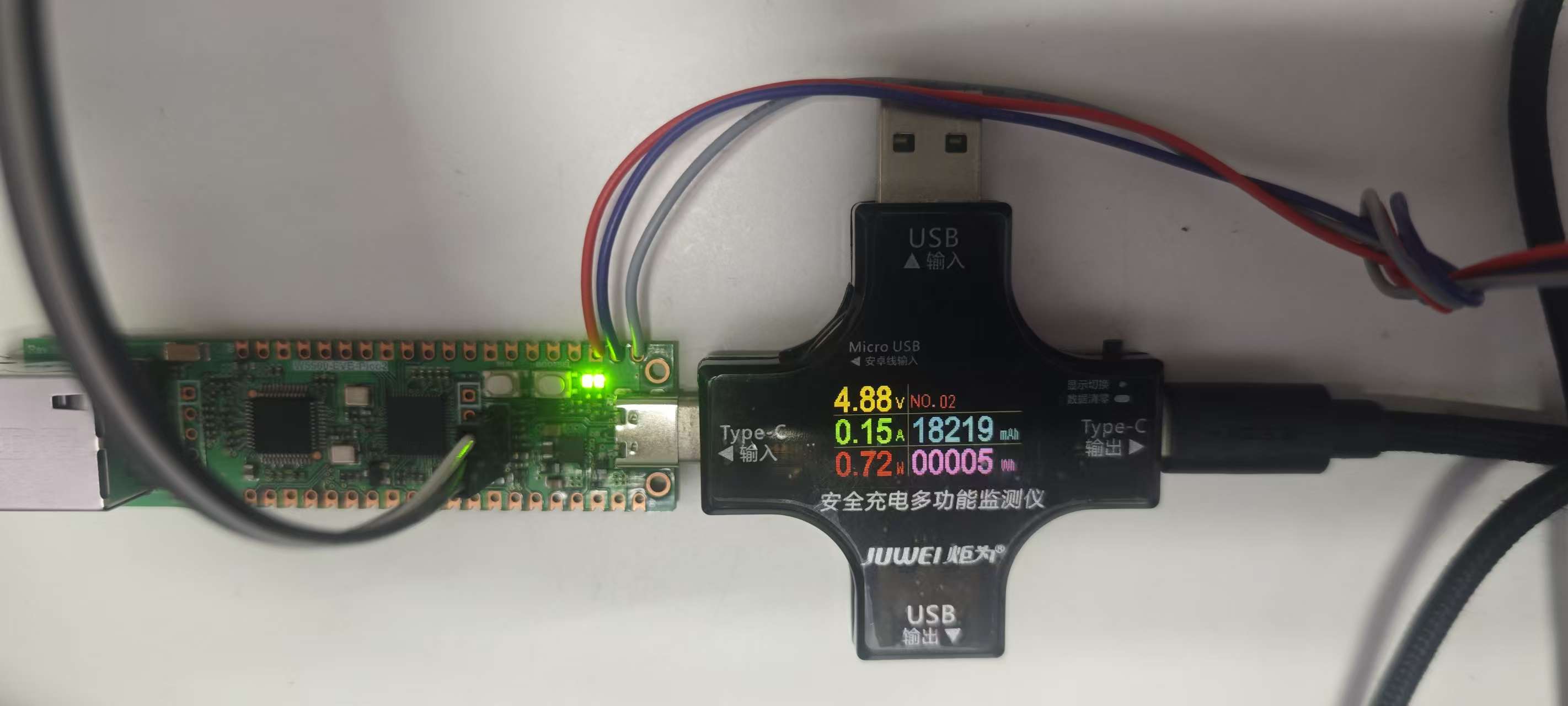
The README also includes a USB power meter photo showing approximately 4.88 V, 0.15 A and 0.72 W at that moment. This is an illustrative snapshot, not a measured long-term average or maximum.
5. Potential Applications and Industries
| Potential application | Example usage | Additional validation required |
|---|---|---|
| USB audio extension and remote monitoring | Listen to a USB host from another Windows PC on the LAN | End-to-end latency, packet loss and routing |
| Gaming and multimedia | Monitor compatible console/USB audio through a separate PC | Host UAC1 compatibility and perceptible delay |
| Kiosks and digital signage | Transport audio alerts or announcements to an operator PC | Recovery behavior and unattended operation |
| Industrial monitoring PoCs | Carry audio output or alert sounds from equipment into the LAN | EMC, isolation, reliability and extended testing |
| Device testing and automation | Test USB audio hosts and network-audio pipelines | Quantified timing and dropout tests |
| Education and research | Study TinyUSB, dual-core queuing and W5500 UDP streaming | Reproducibility of hardware/software setup |
These are plausible application scenarios, not documented commercial deployments or certified industrial products. The current system targets Windows playback; it is not a complete standalone speaker or PoE appliance.
6. Comparison with Two Existing WIZnet Maker Projects
Two audio-oriented projects already available on WIZnet Maker help show the distinction between an audio bridge, a network speaker, and an Ethernet-powered amplifier.
| Feature | SoundConvert | W55RP20 Network Speaker | SqueezeAMP PoE |
|---|---|---|---|
| Primary role | USB audio ↔ Ethernet ↔ Windows bridge | PC audio → wired speaker | PoE++ wired-network speaker amplifier |
| Hardware | RP2350 + W5500-EVB-Pico2 | W55RP20 (RP2040 + W5500 SiP) | ESP32 + W5500 |
| Audio input | USB UAC1 PCM; reverse Windows mic | PC-side audio (WAV, TTS and other sources) | Network audio stream |
| Output | Windows speaker/headphone and reverse USB mic | I2S → external audio amplifier | TAS5756 amplifier → speakers |
| Network | UDP audio (both ways), TCP control | TCP PCM receiver in the linked C/C++ SDK demo | squeezelite-esp32 network path |
| Hardware TCP/IP offload | Yes: direct W5500 TCP and UDP sockets | Yes: W5500 hardwired TCP/IP in the relevant SDK implementation | No: ESP32 lwIP handles TCP/IP |
| Main distinction | Connects a USB sound card to a separate Windows audio system | Plays received audio on its own speaker | Integrates PoE++ power and audio amplification |
Related Project 1: W55RP20 Network Speaker
This project demonstrates a W55RP20 network speaker using the Pico C/C++ SDK. The linked demo receives stereo 16-bit PCM over a TCP server and plays audio through I2S; the article also discusses WAV, TTS and YouTube audio sources. A separate PoE/UDP development article presents W5500 hardware-offload and UDP optimization results for related implementations. Performance results should not be assumed identical across these versions.
Related Project 2: SqueezeAMP PoE
This project combines ESP32, W5500, PoE++ and a TAS5756 audio amplifier. It explicitly uses the W5500 as a wired Ethernet interface while ESP32/lwIP provides the TCP/IP stack. Thus it is a useful W5500 network-audio example but not an example of the W5500 hardware socket offload in use.
The key differentiator of SoundConvert is that it bridges a USB virtual sound card to Ethernet and provides a reverse audio channel and a complete Windows management interface, rather than directly driving an onboard speaker.


